
Pixlr AI Photo Editor

by Pixlr Pte Ltd

3.8 ★ 1.2M+ reviews
103M+ Installs
11/14/2012 Released
Pixlr AI Photo Editor icon
Photography

Pixlr AI Photo Editor

by Pixlr Pte Ltd

3.8 ★ 1.2M+ reviews
103M+ Installs
11/14/2012 Released
Advertisements
Pixlr AI Photo Editor screenshot 1
Pixlr AI Photo Editor screenshot 2
Pixlr AI Photo Editor screenshot 3
Pixlr AI Photo Editor screenshot 4
Pixlr AI Photo Editor screenshot 5
Pixlr AI Photo Editor screenshot 6

Ratings Breakdown

3.8 ★★★★★ 1.2M+ ratings
5 ★ 61%
4 ★ 6%
3 ★ 3%
2 ★ 4%
1 ★ 25%

Data from Google Play at the time of writing.

What Pixlr Is and Who It’s For

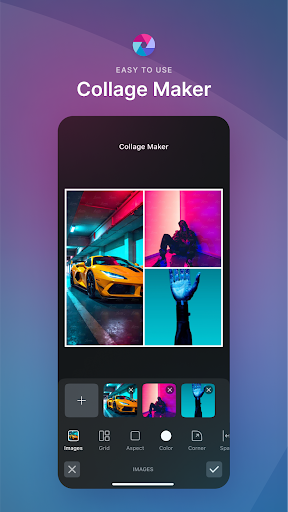
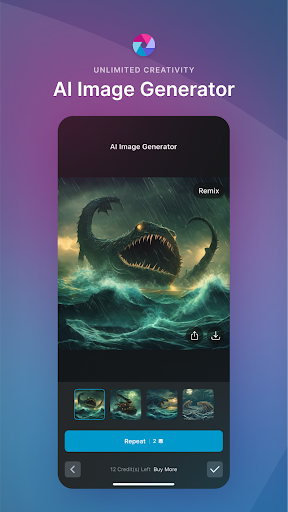
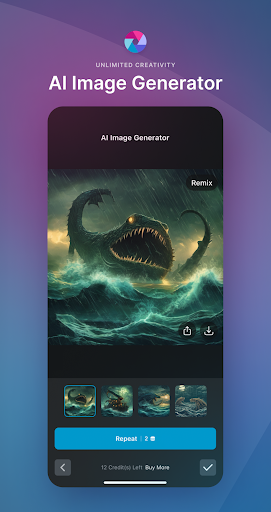
Pixlr AI Photo Editor is a mobile photo editing app that packs in filters, overlays, collage templates, and AI tools like generative fill, object removal, and background removal. It’s aimed at casual users who want quick, one-tap edits before posting to Instagram, TikTok, or Facebook, as well as anyone who wants a mobile alternative to desktop editors like Photoshop. With over 100 million installs, it clearly has a huge user base, and many long-time users say it was genuinely useful for years.

Where the Editing Tools Actually Shine

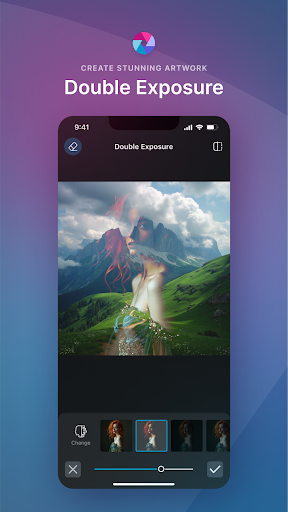
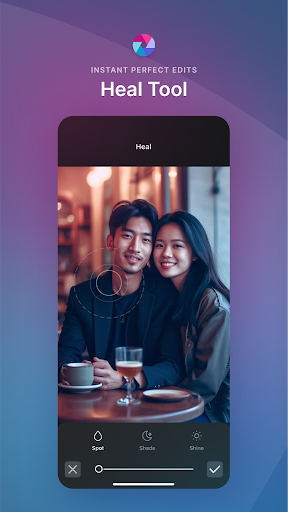
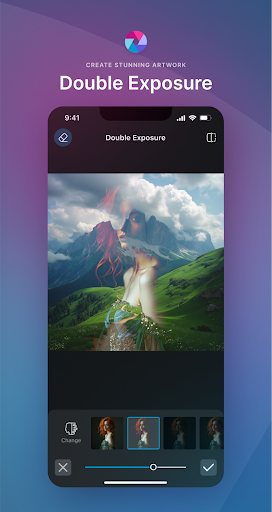
When it works, Pixlr delivers. Long-time users describe it as an app that ‘does certain things best’ and has stayed relevant even as newer tools launched. The AI background removal, double exposure, color splash, and stylize effects (pencil sketch, watercolor, poster) give it more creative range than most free editors, and the auto-fix and blemish/skin tools are handy for fast touch-ups without diving into manual sliders. For basic collages and social templates, it’s still a capable, accessible option.

The Ad Problem That Overshadows Everything Else

The single biggest complaint across reviews is the advertising. Multiple users report 30-second unskippable video ads triggered just to save a photo or open a file, with some ads taking over the screen entirely or looping into app-store download pages that are hard to escape. One reviewer called them ‘ridiculously aggressive,’ and another said the ads ‘take over the app and break it.’ This isn’t a minor annoyance — it’s described as functionally breaking the editing workflow.

Paywalls, Edit Limits, and the AI Push

Beyond ads, several reviewers point to a shift toward heavy monetization: a cap of three free edits or saves per day, and a subscription priced around $80 a year that users feel is excessive for what’s offered. Longtime fans say the app ‘sold its soul’ to AI features they never asked for, with one noting they’re ‘not interested in AI content at all’ and frustrated that free-elsewhere AI tools are now the app’s main selling point. Others mention there’s no option to simply buy the app outright anymore, only subscribe.

Should You Download It

If you’re new to photo editing and only need occasional, light edits, Pixlr’s free tier might still be worth a try for the effects library and AI background removal alone. But if you’re a frequent user, be prepared for daily edit limits, long forced ads, and pressure toward an expensive subscription. Several former loyal users have already uninstalled after years of use, citing the ad experience and pricing as dealbreakers rather than the actual editing quality. Try the free version first, and don’t commit to the subscription until you’ve tested how intrusive the ads are on your specific device.


Pros

  • ✓Strong AI background removal and generative fill
  • ✓Wide variety of filters and stylize effects
  • ✓Useful collage and social media templates
  • ✓Good for quick, casual one-tap edits
  • ✓Long track record with millions of users

Cons

  • ✕Aggressive, unskippable ads before saving
  • ✕Only three free edits or saves daily
  • ✕Expensive subscription with no outright purchase

What Real Users Say

Cyrene Lowery ★ 5/5

“I've been using Pixlr for years because there simply are certain things that Pixlr does best. Pixlr has remained relevant and useful through all these years even as other tools and technologies have been introduced. I finally believed it was time to let it go, though, as its differentiating features had been surpassed by other tools, when to my great…”

👍 253 found this helpful
Shawn ★ 1/5

“The ads have ruined this app. I get you need people to pay for your services but a 30-second ad EVERYtime you save a photo? Close the ad just to have another screep pop up to wait 5 more seconds just to make sure you didn't want to download that BS game. Now to efficiently use the ap you have…”

👍 241 found this helpfulDeveloper responded
Mariette Rose ★ 1/5

“The ads are ridiculously aggressive and remove all reason to use the app. If you go to try and save it loads a video ad that can't be closed to save your art. It's bad enough that I'm uninstalling this from my phone. Edit- ads are one thing. These are ads that take over the app and break it. Half…”

👍 239 found this helpfulDeveloper responded

Reviews sourced from Google Play, selected by helpfulness at the time of writing.

App Info & Permissions

Developer Pixlr Pte Ltd
Content rating Everyone
Contains ads Yes
In-app purchases $0.99 - $79.99 per item
Installs 103M+
Released 11/14/2012
Price Free

Permissions this app requests

📷 Camera Take pictures and videos
📱 Device ID & call information Read phone status and identity
📍 Location Approximate location (network-based); precise location (GPS and network-based)
🎙️ Microphone Record audio
📞 Phone Read phone status and identity
🖼️ Photos/Media/Files Read the contents of your USB storage; modify or delete the contents of your USB storage
💾 Storage Read the contents of your USB storage; modify or delete the contents of your USB storage
📶 Wi-Fi connection information View Wi-Fi connections

Similar Apps

Frequently Asked Questions

1

What is Pixlr AI Photo Editor?

Pixlr AI Photo Editor is a mobile photo editing app from Pixlr Pte Ltd that offers filters, overlays, collage templates, and AI-powered tools such as generative fill, object removal, and background removal. It's designed for quick social media edits on the go. It was formerly known as Pixlr Express and has been around for years as a popular mobile editing option.

2

Is Pixlr AI Photo Editor free?

It has a free tier, but multiple reviewers report it now limits users to about three free edits or saves per day. Using it beyond that requires a subscription reportedly costing around $80 a year. Free use is also interrupted by long, sometimes unskippable video ads.

3

Are the ads in Pixlr really that bad?

According to several user reviews, yes — ads can run up to 30 seconds and appear every time you try to save a photo or open a file. Some users report ads that take over the screen or redirect to app download pages that are difficult to exit. This is the most frequently cited complaint in negative reviews.

4

Does Pixlr have good AI editing features?

Yes, the app includes AI Generative Fill, AI Remove Object, and AI Remove Background, which reviewers generally find effective for quick edits. However, some longtime users say they aren't interested in the AI push and feel it has overshadowed the app's original strengths. The AI tools work well, but they've come bundled with more aggressive monetization.

5

Who should download Pixlr AI Photo Editor?

Casual users who want occasional light edits and can tolerate ads may still find value in the free version. Frequent editors or anyone wanting an ad-free, unlimited experience should carefully weigh the subscription cost first, since many longtime users have left due to pricing and ad frustration. If you edit photos daily, you may want to compare it against other editors before committing.

