

What This App Actually Does
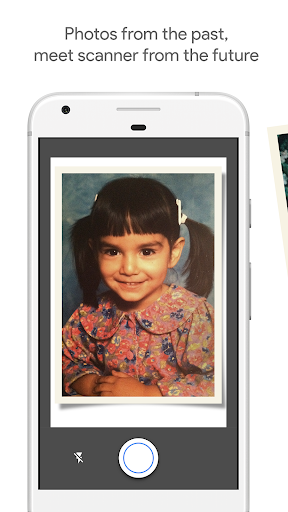
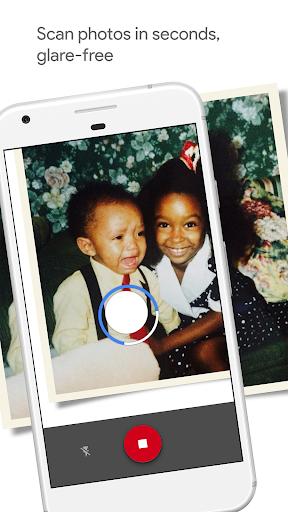
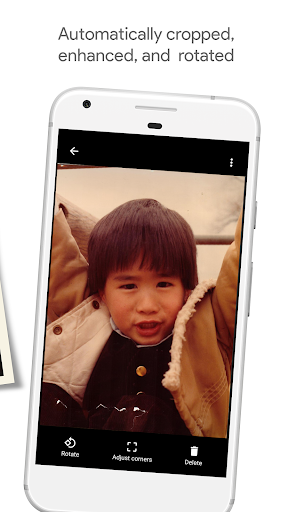
PhotoScan by Google Photos is a single-purpose tool: it turns printed photos into digital scans using your phone’s camera instead of a flatbed scanner. You place a physical photo down, snap a photo of it, then move your phone over four highlighted circles or dots that appear on screen. The app stitches together multiple captures to strip out glare and reflections, then applies automatic cropping and perspective correction so the final image looks like a straight-on scan rather than a photo of a photo. It’s aimed squarely at people digitizing old family photo albums, shoeboxes of prints, or inherited photo collections before they get thrown out or lost.
Where It Genuinely Delivers
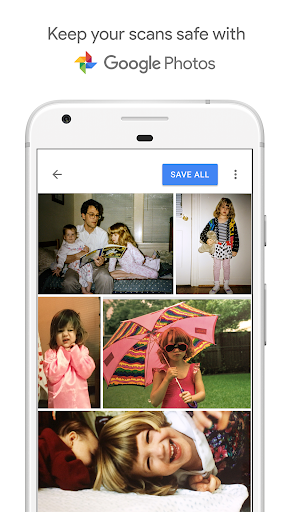
When conditions are right, users consistently praise the glare removal. One long-time user said they’ve relied on it for years with no flash-point issues and glare-free uploads comparable to a proper photo scanner. Another described digitizing thousands of old, low-quality photos from albums nobody looks at anymore, calling it a cheap, quick, and simple solution when placed on a flat white surface under good light. Several reviewers also like that scans save directly into Google Photos, making them searchable and backed up automatically, and that the whole capture process takes just seconds per photo compared to feeding prints through a scanner one by one.
The Glare and Quality Complaints Are Real
The most common one-star complaint is the exact opposite of the app’s core promise: heavy, unremovable glare on nearly every scan for some users, making results ‘100% useless’ in one reviewer’s words. Others report blur and double-vision artifacts even on newer Pixel phones, with one Pixel 4 owner saying resolution was so bad they’d have gotten a sharper result just taking a regular photo. A Pixel 3 user made the same complaint about basic image quality falling short of modern expectations. It seems highly dependent on lighting setup, phone camera, and how flat the photo lies, so results are inconsistent across devices and environments.
The Four-Dot Capture Flow Divides Opinion
The step-by-step process of moving your phone to four corner dots is central to how PhotoScan removes glare, but not everyone finds it worthwhile. At least one frustrated reviewer felt the dot-moving step served no real purpose and just added friction to what should be a quick snap-and-done process. Others who stuck with it accepted it as a fair trade-off for glare-free results, but it’s clearly an extra step that won’t appeal to anyone wanting instant point-and-shoot simplicity.
Missing Features and Rough Edges
PhotoScan doesn’t do everything a real scanner or dedicated app might. It offers no built-in image editing beyond crop and rotate, and by design it won’t fix bad lighting or warped photos for you. Some reviewers wanted more control over scan quality adjustments and found the app basic and incomplete compared to modern expectations.
Final Verdict
If you have a flat, well-lit surface and realistic expectations, PhotoScan is a genuinely useful free way to digitize old prints quickly, especially paired with Google Photos backup. If your priority is maximum resolution or you’re scanning in imperfect lighting, expect frustration, blur, or glare that defeats the app’s main selling point. Try it on a few test photos before committing to a big archive project.



