Photo Lab Picture Editor & Art

by PHOTO LAB DMCC

4.5 ★ 6.5M+ reviews
431M+ Installs
12/29/2010 Released
Photo Lab Picture Editor & Art icon
Photography

Photo Lab Picture Editor & Art

by PHOTO LAB DMCC

4.5 ★ 6.5M+ reviews
431M+ Installs
12/29/2010 Released
Advertisements
Photo Lab Picture Editor & Art screenshot 1
Photo Lab Picture Editor & Art screenshot 2
Photo Lab Picture Editor & Art screenshot 3
Photo Lab Picture Editor & Art screenshot 4
Photo Lab Picture Editor & Art screenshot 5
Photo Lab Picture Editor & Art screenshot 6

Ratings Breakdown

4.5 ★★★★★ 6.5M+ ratings
5 ★ 78%
4 ★ 8%
3 ★ 4%
2 ★ 2%
1 ★ 8%

Data from Google Play at the time of writing.

What Photo Lab Actually Does

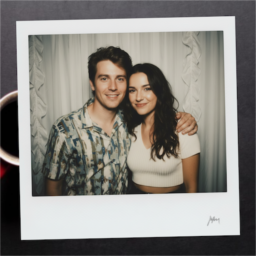
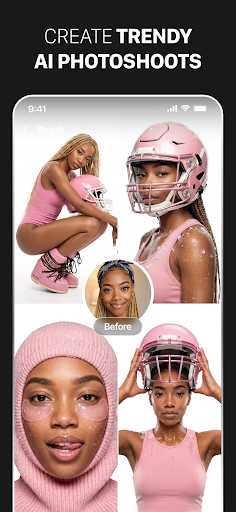
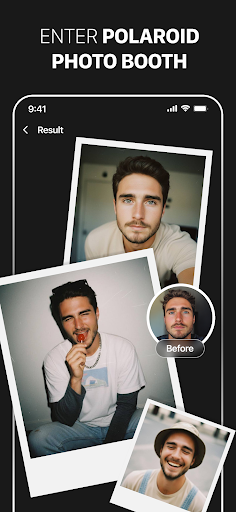
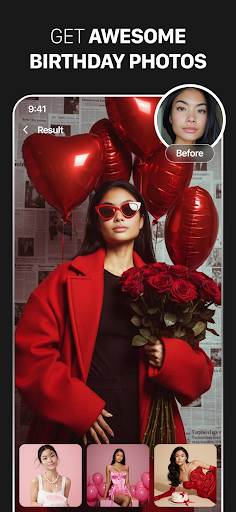
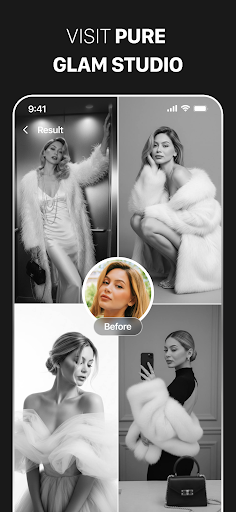
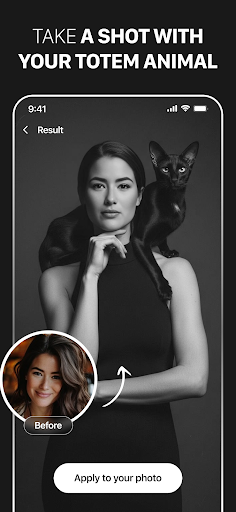
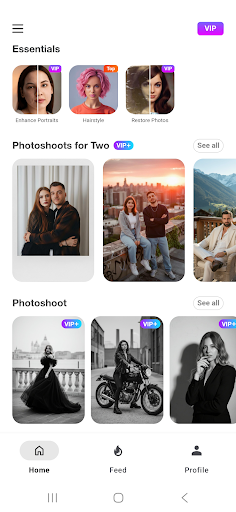
Photo Lab Picture Editor & Art is an AI-driven photo editing app built around preset transformations rather than manual editing tools. It turns photos into artwork using over 50 neural styles, swaps faces into cartoons or dolls via automatic face detection, adds frames, backgrounds, filters, and collages. It’s aimed at casual users who want a dramatic, shareable result in a few taps rather than people who want fine-grained control like a Lightroom or Snapseed user would expect.

Because the app leans on internet-based processing to generate these effects, you need a connection for most of the interesting features, and the app openly states this trade-off is to keep your device storage free. That’s a fair design choice for casual users, but it does mean the app isn’t very useful offline.

Where It Genuinely Impresses

The strongest praise from real users centers on how much you get without paying anything. Multiple long-time users note the free version alone is packed with options, and the auto-masking for face montages and effects saves real time compared to manually cutting out a subject. One user specifically called out years of reliable use with ‘stunning images’ and appreciated that the app still lets you manually adjust the auto-mask when the automatic result isn’t quite right.

For people who just want a fun, fast face-swap or artistic filter without learning a full editing suite, this is clearly where the app delivers most consistently.

The Ad and Subscription Problems

The recurring complaint is aggressive monetization. One reviewer flatly said the app is ‘just ads’ and wouldn’t pay ‘a wooden nickel’ even if ads were removed, describing the experience as bloated. Subscription billing is another sore spot: at least one user reported being charged immediately despite being offered a 3-day free trial, and another described a VIP subscription that stopped working three months into a paid year, with support making the process of getting help or a refund unnecessarily difficult.

These aren’t minor gripes — they involve real money and trust, and they show up repeatedly enough in the feedback that they should factor into whether you subscribe.

Reliability Issues Worth Knowing About

Beyond money, there are functional bugs. A user with years of positive history reported the app now gets stuck ‘processing’ and then throws a ‘Photo Not Found’ error on save, reverting to the original image despite photos being properly saved on the device. Another reported random ‘face not detected’ errors on clear solo photos, which broke the core feature they were trying to use. These suggest the app’s quality has been inconsistent release to release rather than a one-off fluke.

Who Should Actually Download This

If you want quick, novelty-driven photo art, face swaps, and filters, and you’re comfortable using the free tier with ads or watching a few to unlock features, Photo Lab can be genuinely fun and the free version reportedly offers a lot on its own. But if you’re considering the paid subscription, go in cautious: read the trial terms carefully, expect ads even after some payments, and be prepared for potential support friction if something goes wrong with billing or the app’s processing suddenly breaks.


Pros

  • ✓Generous free version with many options
  • ✓Automatic face detection speeds up montages
  • ✓Over 50 neural art styles included
  • ✓Manual mask adjustment available when needed
  • ✓Easy for beginners, no skills required

Cons

  • ✕Heavy, intrusive ad presence reported
  • ✕Subscription billing and refund complaints
  • ✕Occasional processing and save errors

What Real Users Say

Celesta Moon ★ 5/5

“I absolutely love this app! It provides so many options in the free version with the option to watch ads to remove the watermark from your your pic and so much more! I enjoyed the free version so much I went ahead and paid for the ad free version. That opened the door to the ultimate picture editing/creating experience! So…”

👍 14,918 found this helpful
Denise Jernigan ★ 5/5

“I love this app, and I use the free version. If it was a necessity, say for my work, I'd absolutely use the paid version. And when I'm able to afford more than just survival, this is an app I would definitely splurge on. Still, the free version totally rocks. If you have even a slight interest in playing around…”

👍 4,787 found this helpful
A Google user ★ 5/5

“I've used the app for a few years with great results! NOW when I use it, it will start 'processing', but as soon as I tap to 'save' it, the message "Photo Not Found" "Make Sure Photo is Saved on Device" pops up & it reverts back to my original photo! All my photos are saved on my device! Very…”

👍 4,581 found this helpful

Reviews sourced from Google Play, selected by helpfulness at the time of writing.

App Info & Permissions

Developer PHOTO LAB DMCC
Content rating Teen
Contains ads Yes
In-app purchases $0.99 - $99.99 per item
Installs 431M+
Released 12/29/2010
Price Free

Permissions this app requests

📷 Camera Take pictures and videos
🖼️ Photos/Media/Files Read the contents of your USB storage; modify or delete the contents of your USB storage
💾 Storage Read the contents of your USB storage; modify or delete the contents of your USB storage
📶 Wi-Fi connection information View Wi-Fi connections

Similar Apps

Frequently Asked Questions

1

What is Photo Lab Picture Editor & Art?

It's an AI-powered photo editing app that applies preset artistic styles, face swaps, filters, frames, and background changes to your photos. Rather than manual editing tools, it focuses on automated, one-tap transformations like turning a selfie into a cartoon or artwork. It also includes collage-making and photo montage features driven by automatic face detection.

2

Is Photo Lab free to use?

There is a free version that multiple users say includes a substantial number of features, though it displays ads and watermarks that can be removed by watching ads or upgrading. A paid ad-free and VIP subscription tier is also available, but some users reported being charged immediately after a trial period and had trouble getting refunds when issues arose.

3

Does Photo Lab work without an internet connection?

Largely, no. The app relies on internet-based processing for most of its AI styles and effects, which the developer says helps avoid using up your device's storage. This means core features may not function properly without a stable connection.

4

Are there common bugs or reliability issues?

Yes, some long-time users have reported the app getting stuck on 'processing' and then failing to save with a 'Photo Not Found' error, even though the original photo is stored on the device. Others have experienced random 'face not detected' errors on clear photos. These issues appear inconsistent rather than universal, but they are worth expecting.

5

Is the paid subscription worth it?

It depends on your tolerance for risk around billing. Some users say the ad-free VIP unlocks the 'ultimate' editing experience and is worth paying for, but others report being charged right after a free trial or losing access mid-subscription with difficulty getting support to help or refund them. Read the trial and billing terms carefully before subscribing.

