

Photo Editor – Collage Maker

by Photo Editor & Collage Maker

4.9 ★ 1.2M+ reviews
105M+ Installs
05/24/2017 Released
Photo Editor – Collage Maker icon
Photography

Photo Editor – Collage Maker

by Photo Editor & Collage Maker

4.9 ★ 1.2M+ reviews
105M+ Installs
05/24/2017 Released
Advertisements
Photo Editor – Collage Maker screenshot 1
Photo Editor – Collage Maker screenshot 2
Photo Editor – Collage Maker screenshot 3
Photo Editor – Collage Maker screenshot 4
Photo Editor – Collage Maker screenshot 5
Photo Editor – Collage Maker screenshot 6

Ratings Breakdown

4.9 ★★★★★ 1.2M+ ratings
5 ★ 93%
4 ★ 4%
3 ★ 1%
2 ★ 1%
1 ★ 2%

Data from Google Play at the time of writing.

What This App Is and Who It’s For

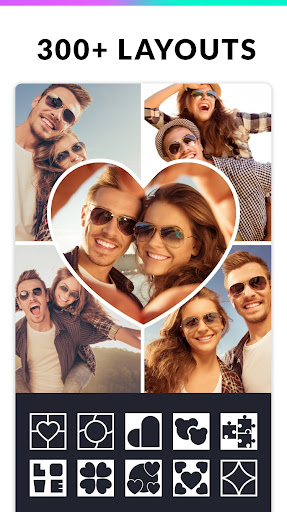
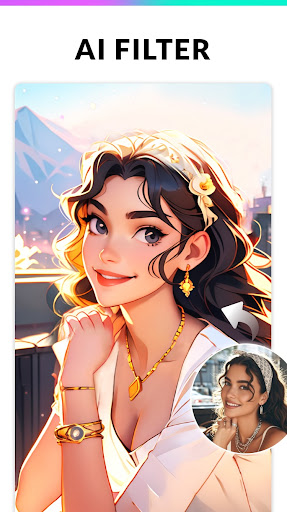
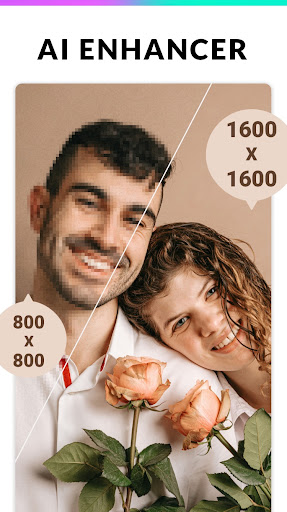
InCollage (listed as Photo Editor – Collage Maker) is a combined photo collage maker and photo editor built for people who post on Instagram, Facebook, WhatsApp, and Snapchat. It bundles collage layouts, meme-making tools, filters, AI avatar generation, an AI photo enhancer, and an AI background remover into one free app. With over 105 million installs, it’s clearly aimed at casual users who want quick, decent-looking edits without opening a desktop program like Photoshop or Photopea.

It’s best suited for people making Instagram-ready collages, quick memes, or fixing up a single photo before sharing it, not for anyone needing precise, professional-grade retouching.

Where the Editing Tools Actually Deliver

Real users consistently point out that this app does more than its ‘collage maker’ name suggests. One reviewer who normally relies on Photopea on desktop said they hadn’t found a mobile equivalent with this rich a feature set, specifically praising the eyedropper color-picking tool. Others highlight the Freestyle layout option and the ability to place photos on a white 1:1 background, then export multiple sized images for a cohesive Instagram grid.

Reliability also comes up often: one user said the app has worked across three phones with very different hardware capabilities without failing. Another mentioned using the batch edit feature to square up a whole series of photos at once for posting together, calling the app more useful than they expected going in.

The Ad Problem You Need to Know About

The most common complaint by far is the volume of ads. Multiple reviewers describe them as ‘insane,’ with one saying they uninstalled and reinstalled the app repeatedly out of frustration. Another reported that nearly every tap triggered an ad, and closing some ads accidentally redirected to the Play Store instead, which pushed them to uninstall within five minutes of first opening it.

Even users giving positive ratings acknowledge this tradeoff. A four-star reviewer called the tools efficient but noted ‘tons of ads’ and said each edit takes five to ten minutes minimum once you factor in ad interruptions after every major tool use and every save. Several people frame this as an acceptable cost of a free app, but it’s clearly the app’s biggest friction point.

Verdict: Who Should Download It

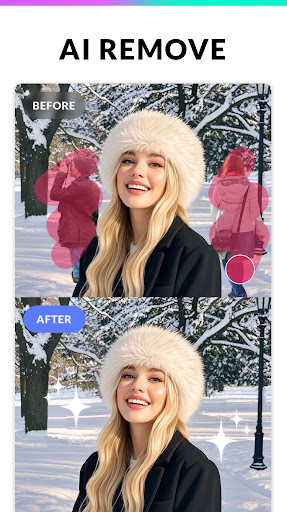
If you want a free, no-frills way to build Instagram collages, whip up a meme, or do basic touch-ups like cropping, filters, and background removal, this app delivers real functionality that multiple long-term users say holds up across different devices. The AI enhancer and background remover add genuine value beyond simple collaging.

But go in expecting an ad-heavy experience that can interrupt nearly every action, including after saves. If you have zero tolerance for ads or need fast, uninterrupted workflows, this will test your patience. For everyone else looking for a capable free alternative to paid editing apps, it’s worth trying, ads and all.


Pros

  • ✓Rich feature set beyond basic collaging
  • ✓Works reliably across different phones
  • ✓Useful batch editing for Instagram grids
  • ✓Handy eyedropper color-picking tool
  • ✓Strong AI enhancer and background remover

Cons

  • ✕Overwhelming number of ads
  • ✕Ads can misfire into Play Store
  • ✕Interruptions after nearly every action

What Real Users Say

JJ Loneman ★ 5/5

“It's a fantastic app. At first I thought it was only to make collages but it can do so much more. Usually I use Photopea on desktop to edit images but I've never found an equivalent app on mobile that can do quick edits with a rich feature set. I love being able to select colors using the eyedropper tool,…”

👍 1,751 found this helpful
Jill Rutherford ★ 5/5

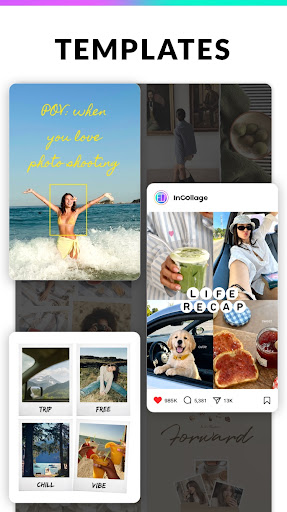
“I use this app all the time and have been for years. The app offers many different templates and backgrounds, but I typically stick with the "Freestyle" option. Another great thing about it, is that you can put your photos on a white background, with a 1:1 ratio, and post multiple different sized photos to an Instagram post because of…”

👍 450 found this helpful
A Google user ★ 3/5

“Good app, way way too many ads The app itself is very nice, easy to use, makes clear images, etc. However, the amount of ads is insane. I will use other programs just because there are SO. MANY. ADS. I've actually uninstalled (and reinstalled) this repeatedly because the ads are so frustrating. You want to alter an image? Here's an…”

👍 399 found this helpfulDeveloper responded

Reviews sourced from Google Play, selected by helpfulness at the time of writing.

App Info & Permissions

Developer Photo Editor & Collage Maker
Content rating Everyone
Contains ads Yes
In-app purchases $0.99 - $24.99 per item
Installs 105M+
Released 05/24/2017
Price Free

Permissions this app requests

🖼️ Photos/Media/Files Read the contents of your USB storage; modify or delete the contents of your USB storage
💾 Storage Read the contents of your USB storage; modify or delete the contents of your USB storage
📶 Wi-Fi connection information View Wi-Fi connections

Similar Apps

Frequently Asked Questions

1

What is Photo Editor - Collage Maker?

It's a mobile app called InCollage that combines a photo collage maker with a full photo editor. It offers layouts, frames, filters, stickers, meme-making tools, and AI features like an avatar generator, photo enhancer, and background remover. It's designed mainly for creating social media content for platforms like Instagram, Facebook, and WhatsApp.

2

Is Photo Editor - Collage Maker free to use?

Yes, the app is free to download and use, but it's supported by a large number of ads. Multiple users report ads appearing after nearly every action, including after saving an edit. If you want fewer interruptions, there may be a paid or ad-removal option, but the core experience relies heavily on ad revenue.

3

Can this app replace Photoshop or Photopea for quick edits?

For quick, casual edits it can. One reviewer who regularly used Photopea on desktop said they hadn't found a mobile app with a comparable feature set until trying this one, specifically calling out the eyedropper tool. It's not a full replacement for professional-grade editing, but it covers cropping, filters, background removal, and enhancement well.

4

How many photos can I combine in a single collage?

According to the app's listed features, you can combine up to 25 photos into a single collage using one of over 300 available layouts or grid styles. There's also a Freestyle option that several reviewers say they prefer over the preset templates.

5

Is the app reliable across different phone models?

Based on user feedback, yes. One reviewer specifically noted using it successfully on three different phones with very different capabilities without it failing. That said, ad-related glitches, like ads redirecting to the Play Store, have been reported as a separate issue from general stability.

