PDF Viewer Pro

by Adkins Studio

3.8 ★ 13K+ reviews
18M+ Installs
10/10/2024 Released
PDF Viewer Pro icon
PDF Viewer Pro icon
Productivity

PDF Viewer Pro

by Adkins Studio

3.8 ★ 13K+ reviews
18M+ Installs
10/10/2024 Released
Advertisements
PDF Viewer Pro screenshot 1
PDF Viewer Pro screenshot 2
PDF Viewer Pro screenshot 3
PDF Viewer Pro screenshot 4
PDF Viewer Pro screenshot 5
PDF Viewer Pro screenshot 6

Ratings Breakdown

3.8 ★★★★★ 13K+ ratings
5 ★ 52%
4 ★ 16%
3 ★ 11%
2 ★ 2%
1 ★ 20%

Data from Google Play at the time of writing.

What PDF Viewer Pro Actually Does

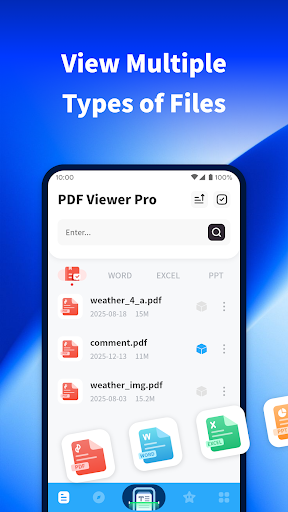
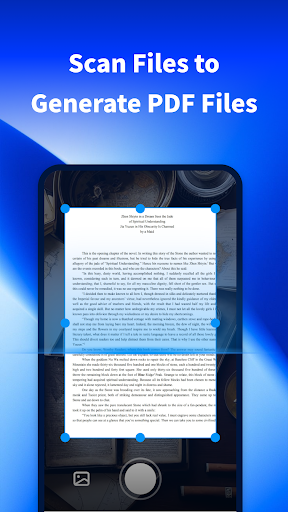
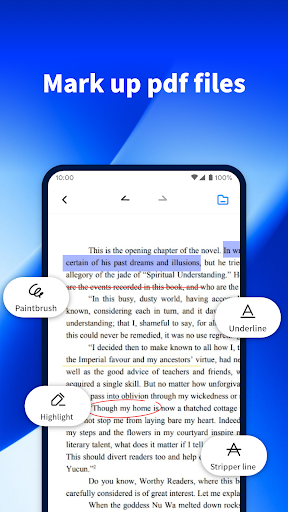
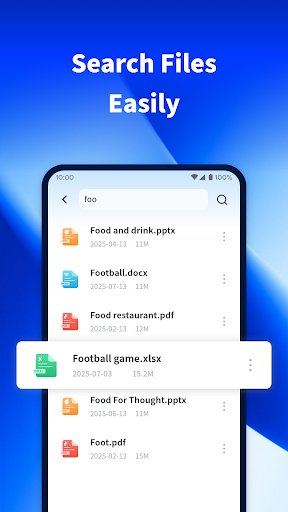
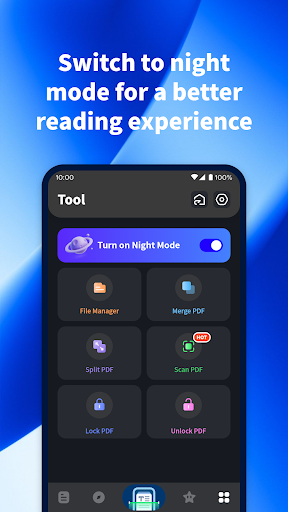
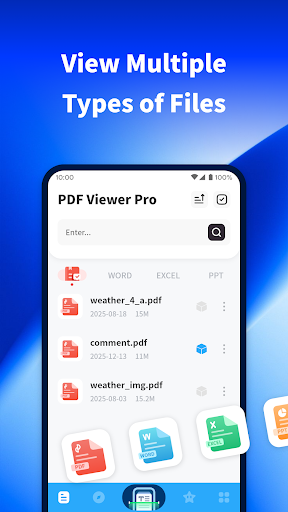
PDF Viewer Pro from Adkins Studio is a document utility built for people who need to open, scan, mark up, and search files on their phone without carrying around a laptop. Beyond straightforward PDF viewing, it lets you use your camera to scan paper documents into PDF files, add basic markup to existing documents, search through files stored on your device, and switch into a night mode for low-light reading. With over 18 million installs, it’s clearly positioned as a go-to utility for students and everyday users who just need a reliable reader rather than a full editing suite.

Where It Performs Well in Daily Use

The most common praise in user reviews is that the app simply does what it says on the label. Multiple reviewers report opening, removing, and saving files without hiccups, and describe the experience as fast and fuss-free right out of the gate. One long-time user specifically called out that the app ‘worked flawlessly since installation,’ and even the presence of ads was described as non-intrusive rather than disruptive. For basic tasks like opening a letter or document and reading it comfortably, PDF Viewer Pro appears to deliver a smooth, no-nonsense experience for the majority of users.

The Update and Permission Problems You Should Know About

The most serious recurring complaint centers on forced updates. Several users report being told their version is too old and must be upgraded, only to find the app still won’t open after updating, effectively locking them out entirely. One reviewer flatly called this pattern a scam, and another said the app became ‘useless’ after going through the upgrade process. There’s also a legitimate complaint about the app opening itself without the user’s permission, which raises a fair concern about how much control users have over background behavior. Separately, at least one long-time user felt the older version of the reader was noticeably better than the current app, warning others not to update if they can avoid it.

Searching for Specific Files Can Still Be Hit or Miss

While the search feature is marketed as a way to quickly find documents on your phone, at least one user’s experience suggests it isn’t always precise for locating specific content within files, such as pulling exact figures from a scanned letter. This points to a gap between simple file-opening reliability and more nuanced in-document search accuracy, which matters for anyone relying on the app for detailed reference documents rather than quick reads.

Who Should Download PDF Viewer Pro

If you need a straightforward, free PDF reader for opening and occasionally scanning documents, and you’re not dependent on frequent app updates going smoothly, this app largely satisfies its core promise according to the bulk of user feedback. However, the update-lockout issue reported by multiple reviewers is a real risk worth weighing before you rely on it for anything time-sensitive. Users who value stability over new features may want to be cautious about updating once installed, and anyone uncomfortable with apps opening without explicit permission should keep an eye on device settings after installation.


Pros

  • ✓Fast, simple file opening and saving
  • ✓Non-intrusive ad experience
  • ✓Handy camera-to-PDF scanning feature
  • ✓Useful night mode for reading
  • ✓Free to download and use

Cons

  • ✕Update process can break the app
  • ✕Opens without explicit user permission
  • ✕Search not always precise for details

What Real Users Say

Todd Boocher ★ 5/5

“This app is exactly what it describes it's easy to figure out and I haven't had any problems opening files removing and saving and more down load Recommend 5 ⭐”

👍 310 found this helpful
Doug Erickson ★ 5/5

“This app has worked flawlessly since installation. A couple of ads, but nothing intrusive.”

👍 172 found this helpful
GXT GXT ★ 5/5

“So far it did what it said on the tin, so 2 speak and it did it fast with no fuss. This is basically the first time I used it; fanfrigintastic? 1derful.”

👍 170 found this helpful

Reviews sourced from Google Play, selected by helpfulness at the time of writing.

App Info & Permissions

Developer Adkins Studio
Content rating Everyone
Contains ads Yes
Installs 18M+
Released 10/10/2024
Price Free

Permissions this app requests

🖼️ Photos/Media/Files Read the contents of your USB storage; modify or delete the contents of your USB storage
💾 Storage Read the contents of your USB storage; modify or delete the contents of your USB storage
📶 Wi-Fi connection information View Wi-Fi connections

Similar Apps

Frequently Asked Questions

1

What is PDF Viewer Pro?

PDF Viewer Pro is a productivity app from Adkins Studio that lets you open, view, scan, and search PDF and other document files on your phone. It includes a camera-based scanning tool for turning paper documents into PDFs, basic markup features, and a night mode for comfortable reading. It's aimed at students and everyday users who need a quick, reliable document reader rather than a full desktop-style editor.

2

Is PDF Viewer Pro free to use?

Yes, the app is free to download and the store listing specifically invites users to try all features for free. User reviews confirm the app does show ads, though most describe them as not intrusive. There's no indication in user feedback of mandatory payment to access core viewing and scanning functions.

3

Does PDF Viewer Pro work well for scanning documents?

The scanning feature, which uses your phone camera to convert paper documents into PDF files, is one of the app's advertised standout tools. General reviews about the app opening, saving, and handling files smoothly suggest the core experience works as intended for most users. However, no specific detailed feedback on scan quality was reported beyond general satisfaction with file handling.

4

Why do some users say they can't open the app after updating?

Multiple reviewers reported a frustrating loop where the app prompts them to upgrade due to an outdated version, but the app remains unopenable even after completing the update. This issue was significant enough that some users labeled the app broken or a scam as a result. If you rely on this app regularly, it may be worth waiting to update or backing up important files elsewhere first.

5

Is PDF Viewer Pro safe regarding permissions and privacy?

At least one user reported the app opening itself without ever granting permission, which is a valid concern worth noting before installation. While this doesn't necessarily indicate a security breach, it suggests the app may run background processes without clear user consent prompts. Cautious users should review the app's permission settings after installing and monitor its behavior.

