PBS KIDS Video

by PBS KIDS

4.4 ★ 67K+ reviews
18M+ Installs
06/24/2014 Released
PBS KIDS Video icon
PBS KIDS Video icon
Education

PBS KIDS Video

by PBS KIDS

4.4 ★ 67K+ reviews
18M+ Installs
06/24/2014 Released
Advertisements
PBS KIDS Video screenshot 1
PBS KIDS Video screenshot 2
PBS KIDS Video screenshot 3
PBS KIDS Video screenshot 4
PBS KIDS Video screenshot 5
PBS KIDS Video screenshot 6

Ratings Breakdown

4.4 ★★★★★ 67K+ ratings
5 ★ 70%
4 ★ 16%
3 ★ 4%
2 ★ 2%
1 ★ 8%

Data from Google Play at the time of writing.

What This App Actually Offers Families

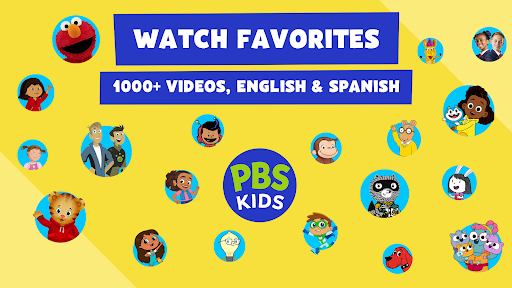
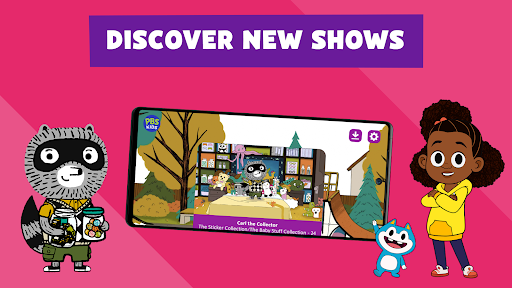
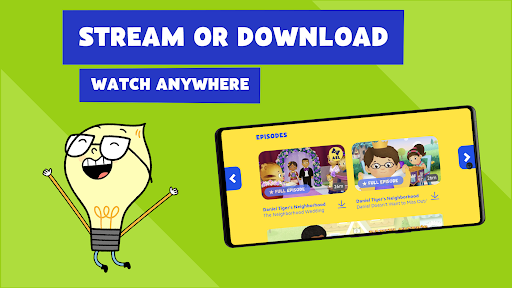
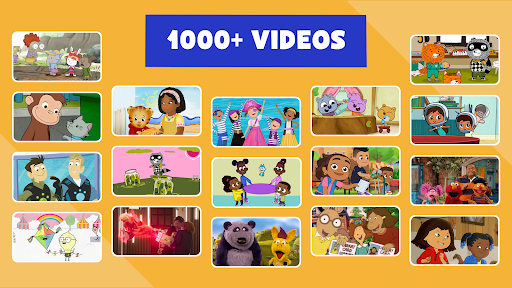
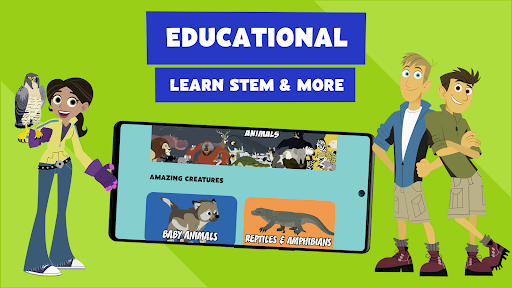
PBS KIDS Video is a free streaming app built for parents of kids roughly ages 2-8, giving access to hundreds of full episodes and thousands of clips from shows like Daniel Tiger’s Neighborhood, Wild Kratts, Sesame Street, and Carl the Collector. It also streams live TV from the PBS KIDS channel with no login or subscription required, and lets you download a select list of shows for offline viewing during car rides or flights. There’s a ‘Grownups’ section with local TV schedules and background on each show’s learning goals, which is a nice touch for parents who care about curriculum value.

Where It Genuinely Delivers

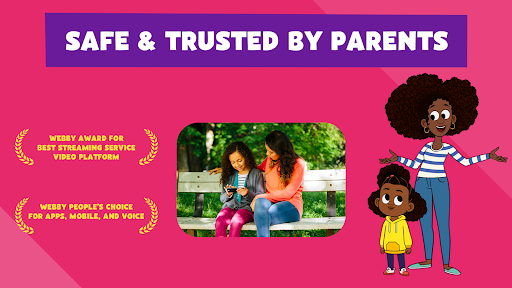
The core value proposition holds up: this is a large, ad-free (aside from brief sponsor messages before some episodes), no-subscription library of legitimately educational content, and reviewers with young kids confirm it gets heavy daily use in their households. A recent redesign also improved things—one user with 565 helpful votes noted the new app is ‘much easier to navigate’ and that download management actually works now, with the developer restoring the live feed to the front page after user feedback. For families who want safe, curated video without algorithmic rabbit holes or ads for junk toys, that’s a real win.

Casting and Playback Problems Keep Coming Up

Casting is the app’s sore spot. Multiple reviewers report that casting live TV to Chromecast causes the video to freeze completely, a problem that persisted even after clearing cache, reinstalling, and factory-resetting the Chromecast itself. Others say casting disconnects constantly from their phone, and there’s no way to stop autoplay once you start casting to a TV, so episodes just keep queuing indefinitely with no built-in stop-after-this-episode option. If your household relies on casting to a living room TV, expect friction.

Navigation Gaps That Frustrate Parents

There’s no search feature, which multiple reviewers flag as a real problem when a kid asks for a specific show by name and you’re stuck manually scrolling through thumbnails to find it. There’s also no filtering by age, grade level, or full episodes versus clips, something reviewers have explicitly requested. On top of that, one recent update introduced a bug where episodes auto-play from a random point rather than the beginning, and downloaded episodes reportedly restart the intro repeatedly when you hit back, which undermines the ‘consistency’ younger kids often need.

Data Usage and Quality Controls Are Missing

Long-time users also point out that a previous option to switch to lower-quality video to save data has apparently disappeared, which matters a lot for families watching on cellular data or limited home internet. This isn’t a small ask given how much streaming video an active toddler can churn through in a week.

Verdict: Who Should Actually Download This

PBS KIDS Video is worth installing if you want a trustworthy, ad-light video library for young kids and mostly watch on a phone or tablet rather than casting to a TV. If casting is central to your routine, or you need quick search and filtering to manage a picky toddler’s requests, go in aware of those specific limitations before you rely on it daily.

Pros

  • ✓Large free library of educational shows
  • ✓No subscription or login required
  • ✓Live TV streaming from PBS KIDS channel
  • ✓Offline downloads for select shows
  • ✓Recent redesign improved navigation and downloads

Cons

  • ✕Casting to Chromecast frequently freezes or disconnects
  • ✕No search feature to find specific shows
  • ✕Missing option to lower video quality for data saving

What Real Users Say

A Google user ★ 4/5

“This is a fantastic app and it's used a lot by our five year old. My only issue is the data usage. When we first started using it there was an option for lower quality video vs. HD to reduce data use when you were on your network plan. That option has been taken out (or maybe I just can't…”

👍 1,563 found this helpful
Ryan Stirrup ★ 4/5

“New app is much easier to navigate. You can actually manage downloads now. And the team quickly to my user feedback and moved the live feed back up front. New issue, the episode selection menu on Android TV doesn't show the episode title when you first select a show (the playing video pushes the episode selection menu down on the…”

👍 565 found this helpfulDeveloper responded
Jesse Wang ★ 3/5

“App does stream pbs kids video content. However, there are some changes that can greatly improve the user experience. First, it would be nice to filter content as others have suggested. Filtering by age/grade level, as well as full episodes vs clips would be nice. Second, we mostly stream content to the TV via Chromecast. The fast forwarding does not…”

👍 475 found this helpful

Reviews sourced from Google Play, selected by helpfulness at the time of writing.

App Info & Permissions

Developer PBS KIDS
Content rating Everyone
Contains ads No
Installs 18M+
Released 06/24/2014
Price Free

Similar Apps

Frequently Asked Questions

1

What is PBS KIDS Video?

PBS KIDS Video is a free streaming app from PBS KIDS that offers full episodes, clips, and live TV from shows like Daniel Tiger's Neighborhood, Wild Kratts, and Sesame Street. It's designed for children ages 2-8 and includes a parent-focused section with local TV schedules and show information. The app supports both English and Spanish audio and captions.

2

Is PBS KIDS Video free to use?

Yes, the app is completely free with no subscription or login required to stream live TV or full episodes. Brief sponsor messages appear before some full-length episodes to acknowledge PBS KIDS' corporate funders, but there are no traditional ads. Some content can also be downloaded for offline viewing at no extra cost.

3

Can I download shows to watch offline in PBS KIDS Video?

Yes, but only a select list of shows currently support downloads, including Daniel Tiger's Neighborhood, Wild Kratts, Sesame Street, Alma's Way, and several others named in the app description. PBS says more shows will become downloadable over time. Some users have reported bugs where downloaded episodes restart the intro repeatedly when navigating back.

4

Does PBS KIDS Video work well with Chromecast or smart TVs?

This is one of the app's weakest areas based on user reports. Several reviewers describe live TV freezing completely when cast to Chromecast, even after reinstalling the app or resetting the Chromecast device, and casting disconnecting unexpectedly on other setups. There's also no option to stop autoplay after an episode ends when casting to a TV.

5

Is PBS KIDS Video available outside the United States?

No, PBS KIDS Video content can only be viewed from within the United States due to licensing restrictions on PBS's streaming rights. This geographic limitation is stated directly by the developer and isn't a bug, so users traveling internationally should expect the app to be unavailable.