
Move to iOS

by Apple

3.6 ★ 221K+ reviews
260M+ Installs
09/16/2015 Released
Move to iOS icon
Move to iOS icon
Tools

Move to iOS

by Apple

3.6 ★ 221K+ reviews
260M+ Installs
09/16/2015 Released
Advertisements
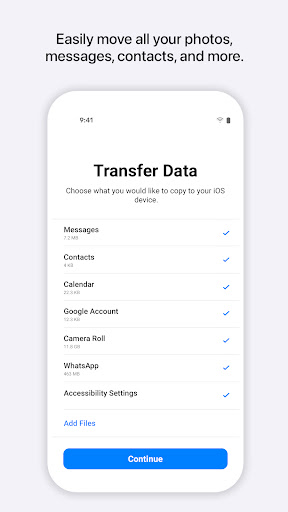
Move to iOS screenshot 1
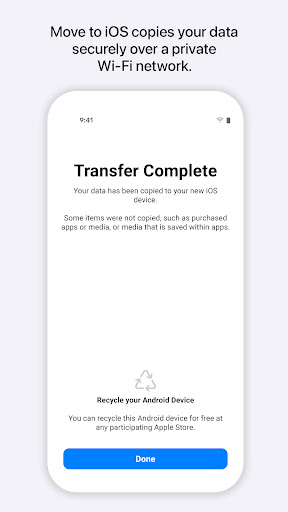
Move to iOS screenshot 2
Move to iOS screenshot 3

Ratings Breakdown

3.6 ★★★★★ 221K+ ratings
5 ★ 58%
4 ★ 7%
3 ★ 5%
2 ★ 3%
1 ★ 27%

Data from Google Play at the time of writing.

What This App Is Supposed to Do

Move to iOS is Apple’s official tool for migrating content from an Android phone to a new iPhone or iPad. It handles apps, calendars, call logs, contacts, camera photos and videos, mail accounts, message history, voice memos, and even WhatsApp content. The idea is to create a private Wi-Fi link between your old Android device and your new iPhone, then transfer everything at once so you don’t have to manually re-enter contacts or hunt down old photos. It’s aimed squarely at people switching platforms for the first time, not existing iPhone owners.

In concept, this solves a real pain point: leaving Android usually means losing your organized data unless you back everything up manually first. This app promises to skip that step entirely.

When It Actually Works, It’s Genuinely Fast

Several users report the process going smoothly, with one reviewer saying activation and transfer took about 25 minutes total on Wi-Fi with no issues. That reviewer even suggested the negative reviews scared them unnecessarily, since their own experience was painless. When the connection holds and the data volume isn’t too large, this app does exactly what it claims: contacts, photos, and messages land on the new iPhone without manual re-entry.

The Stuck-at-One-Minute Problem

The most common and most damaging complaint is the transfer freezing at ‘1 minute left’ for hours on end. One user described being stuck this way for over 7 hours despite ruling out Wi-Fi and data size as causes. Others report the same ‘unable to migrate files’ error appearing repeatedly, even after trying every suggested fix: airplane mode, matching Wi-Fi networks, restarting both devices. This isn’t a rare glitch — it’s the defining complaint across the most-cited reviews.

No Resume Function and Hidden Setup Requirements

If a transfer fails partway through, you don’t get to pick up where you left off. One reviewer pointed out that the app could easily allow partial transfers to resume, but instead forces a full restart every time it fails. Another annoyance: the iPhone’s screen needs to stay awake during the entire transfer, but the app doesn’t tell you this upfront, and the default screen-sleep timer is just 60 seconds, meaning you have to keep tapping the screen manually or risk the whole process failing.

Data Integrity Isn’t Guaranteed Either

Even successful transfers aren’t always clean. One user switching from a Pixel phone said their contacts ended up merged into unwanted groups and other data went missing after the migration completed. This adds a layer of risk even for people whose transfer technically ‘finishes’ without an error message.

Who Should Actually Download This

If you have a small amount of data, a strong and stable Wi-Fi connection, and patience for the possibility of restarting the process, this app can save real time. But go in with low expectations and a manual backup plan (cloud photo backups, exported contacts) as a fallback. Given how many long-time users report multi-hour failures and data problems, don’t rely on this as your only method of moving critical data, especially messages or contacts you can’t afford to lose.


Pros

  • ✓Transfers contacts, photos, and messages together
  • ✓Can complete in under 30 minutes
  • ✓No manual backup needed beforehand
  • ✓Handles WhatsApp content migration too
  • ✓Works over private Wi-Fi automatically

Cons

  • ✕Frequently freezes at '1 minute left'
  • ✕No way to resume failed transfers
  • ✕Screen must stay awake or it fails

What Real Users Say

Jenny Aiken ★ 1/5

“This app is garbage. I have done every bit of troubleshooting but it keeps getting stuck at 1 minute left (for 7+hours) until I give up, cancel it, and try again. My WiFi connection is absolutely not the problem, nor is the amount of data being transferred, yet here we are. This is my first iPhone ever and this nightmare…”

👍 1,193 found this helpful
Carrie Saylor ★ 5/5

“Well I'm thinking the people who were successful didn't review because they don't use play store anymore. I was able to download this and activate my new iPhone no problem, whole process was about 25 minutes. You need to have wifi. The bad reviews scared me but after talking to a few different people from Verizon they all said to…”

👍 946 found this helpful
Garrett Stephens ★ 1/5

“At this point it's pretty well noted that the app basically doesn't work. What the creaters could probably easily do is allow transfer of small amounts of data at a time, so when it inevitably fails, you can pick back up where you left off--whether it be transferring photos, contacts, etc. At the moment it forces an all or nothing…”

👍 812 found this helpful

Reviews sourced from Google Play, selected by helpfulness at the time of writing.

App Info & Permissions

Developer Apple
Content rating Everyone
Contains ads No
Installs 260M+
Released 09/16/2015
Price Free

Permissions this app requests

📅 Calendar Read calendar events plus confidential information
👥 Contacts Find accounts on the device; read your contacts
🕘 Device & app history Read your Web bookmarks and history
📱 Device ID & call information Read phone status and identity
🪪 Identity Find accounts on the device
📍 Location Approximate location (network-based); precise location (GPS and network-based)
📞 Phone Read call log; read phone status and identity
🖼️ Photos/Media/Files Read the contents of your USB storage; modify or delete the contents of your USB storage
💬 SMS Read your text messages (SMS or MMS)
💾 Storage Read the contents of your USB storage; modify or delete the contents of your USB storage
📶 Wi-Fi connection information View Wi-Fi connections

Similar Apps

Frequently Asked Questions

1

What is Move to iOS?

Move to iOS is Apple's official migration app that transfers content from an Android device to a new iPhone or iPad. It moves apps, contacts, calendars, call logs, photos, videos, messages, mail accounts, voice memos, and WhatsApp data over a private Wi-Fi connection. It's designed for people switching from Android to iOS for the first time. You install it on your old Android phone and pair it with your new iPhone during setup.

2

Is Move to iOS free?

Yes, Move to iOS is completely free to download and use from the Google Play Store. There are no in-app purchases or subscription fees involved. You just need both devices, a Wi-Fi connection, and power access during the transfer.

3

Why does Move to iOS get stuck during transfer?

Many users report the app freezing at '1 minute left' for hours, even with stable Wi-Fi and reasonable data amounts. The exact cause isn't clearly explained by Apple, and standard fixes like airplane mode or restarting devices don't always work. If this happens, canceling and retrying is currently the only real workaround.

4

Will I lose data if the transfer fails?

If the transfer fails partway through, you generally have to start over completely since there's no resume feature. Some users have also reported issues like contacts being merged into unexpected groups after a completed transfer. It's wise to keep an independent backup of critical data like contacts and photos before starting.

5

Do I need to keep both phones charged during migration?

Yes, Apple recommends keeping both devices connected to power and nearby throughout the entire process. The transfer can take a long time depending on data volume, and interruptions from low battery or the screen sleeping can cause it to fail. Some users note the iPhone screen must stay active manually since the default sleep timer is only 60 seconds.

