
Microsoft Translator

by Microsoft Corporation

4.3 ★ 792K+ reviews
105M+ Installs
08/05/2015 Released
Microsoft Translator icon
Productivity

Microsoft Translator

by Microsoft Corporation

4.3 ★ 792K+ reviews
105M+ Installs
08/05/2015 Released
Advertisements
Microsoft Translator screenshot 1
Microsoft Translator screenshot 2
Microsoft Translator screenshot 3
Microsoft Translator screenshot 4
Microsoft Translator screenshot 5
Microsoft Translator screenshot 6

Ratings Breakdown

4.3 ★★★★★ 792K+ ratings
5 ★ 71%
4 ★ 12%
3 ★ 4%
2 ★ 3%
1 ★ 11%

Data from Google Play at the time of writing.

What This App Actually Does

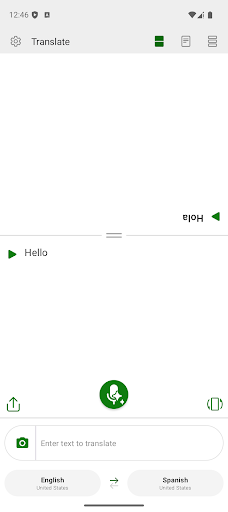
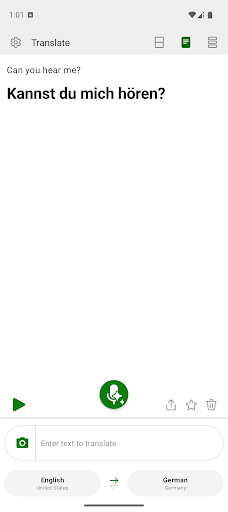
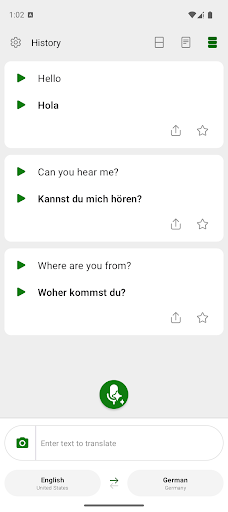
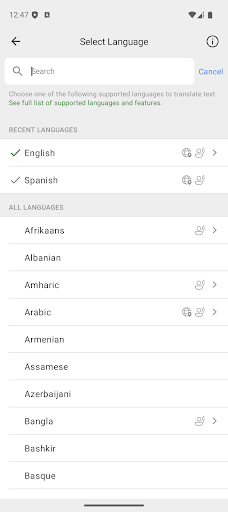
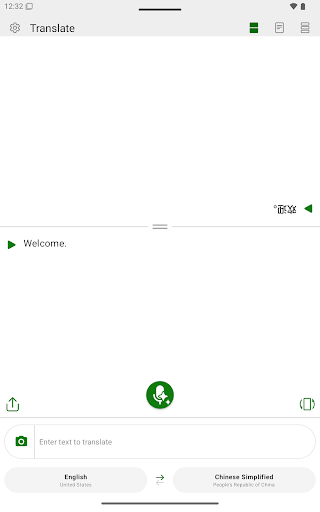
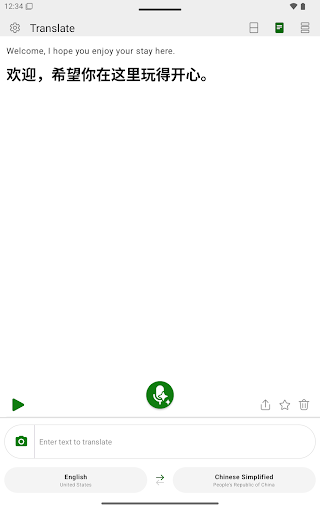
Microsoft Translator handles text, speech, and image translation across more than 100 languages, and it’s aimed at anyone who needs to communicate across a language gap: travelers, teachers with multilingual classrooms, language learners, or people working with international colleagues. The core pitch is simple – type, speak, or snap a photo of text, and get a translation back with no ads. Note that the multi-device conversation feature has been retired, which matters if you were relying on it for group settings.

Where It Genuinely Delivers

The strongest praise from users centers on real-time two-way conversation: one reviewer described two Spanish and English speakers holding a quick dialogue just by selecting ‘to’ and ‘from’ languages, with no ads getting in the way. Another user with a friend speaking Egyptian Arabic found the app translated context well even while juggling Russian, Spanish, and Dutch simultaneously. It’s also popular as a study aid – one reviewer uses it to supplement Japanese learning, leaning on it to look up tricky words and phrases, and another does the same for French, praising the phrasebook feature. The photo translation tool works well on clean, standard fonts, though it struggles with stylized print like food packaging text.

The Cracks That Show Up After an Update

Several of the most detailed complaints trace back to a recent update. One long-time user called the new formatting ‘ugly and unnecessarily complicated,’ saying it feels like the app is now trying to teach users rather than just translate, while also removing the ability to view different forms of a translation that existed before. Another reviewer, who relies on the app to help students new to the U.S. build English skills, reported that after the update speaking in English no longer translates into students’ native languages with audio – only text shows up now, which breaks a workflow that used to work reliably. A separate complaint noted the conversation function, once described as amazing for classrooms with many languages at once, stopped working as expected.

Small Frustrations Worth Knowing About

Beyond the update issues, a couple of narrower gaps show up in feedback. Languages with formal and informal registers, like French, aren’t fully covered – the app doesn’t distinguish between the two dialect forms. Learners also want a way to edit or go back into a current translation rather than starting over, a feature one French learner specifically asked for after the redesign changed how editing works.

Who Should Actually Download This

If you need quick, free, conversational translation for travel or casual daily use, and you’re not dependent on the multi-device conversation feature or older formatting, this still holds up as a capable tool – especially for text and speech between major language pairs. Language learners will find real value in the phrasebook and lookup functions. But if you rely on it professionally, such as for classroom translation with students learning English, the recent update’s bugs around audio output and conversation mode are a real risk, and you should test your specific use case before trusting it in a high-stakes setting.


Pros

  • ✓Free two-way real-time speech translation
  • ✓No ads during translation use
  • ✓Handles multiple languages simultaneously well
  • ✓Useful phrasebook feature for language learners
  • ✓Accurate accent and tonation in speech

Cons

  • ✕Recent update broke audio translation for some
  • ✕Formal/informal dialect distinction missing (e.g. French)
  • ✕No easy way to edit past translations

What Real Users Say

M Apps ★ 5/5

“App translates to the printed word and the spoken word as spoken, for example, by a Spanish speaking person right away. And with no ads. It does English to Spanish or Spanish to English. So, two foreigners can quickly have a dialogue with each other. Just select the "to" and "from" languages and press the microphone button and it instantly…”

👍 357 found this helpful
Megan ★ 2/5

“This app's conversation function was amazing, especially in school settings with so many languages in one classroom. I have a friend that speak Egyptian Arabic and it translated the context very well while it also translated to Russian and Spanish and Dutch at the same time. Unfortunately the conversation function no longer works. It's writes it all in English. I…”

👍 268 found this helpful
A Google user ★ 5/5

“I'm using Microsoft Translator as a supplement to learning Japanese. It's very useful for looking up words and phrases I'm having difficulty in remembering. The photo translator works well as long as the font isn't too fancy, it has trouble with the print on food packaging. Easy to use and I found it intuitive to learn. I tried several translators…”

👍 238 found this helpful

Reviews sourced from Google Play, selected by helpfulness at the time of writing.

App Info & Permissions

Developer Microsoft Corporation
Content rating Everyone
Contains ads No
Installs 105M+
Released 08/05/2015
Price Free

Permissions this app requests

📷 Camera Take pictures and videos
🎙️ Microphone Record audio
🖼️ Photos/Media/Files Read the contents of your USB storage
💾 Storage Read the contents of your USB storage

Similar Apps

Frequently Asked Questions

1

What is Microsoft Translator?

It's a free app from Microsoft that translates text, speech, and image-based text across more than 100 languages. It's designed for travelers, students, teachers, and anyone needing quick cross-language communication. It includes a phrasebook feature and supports live conversation translation between two speakers.

2

Is Microsoft Translator free to use?

Yes, the app is free with no ads according to user reviews. All core features, including text, speech, and image translation, are available without a paywall.

3

Does the app still support group conversations across multiple devices?

No, the multi-device conversation feature has been retired according to the developer's own store listing. Users who relied on this for group settings with several people and languages will need to find another workaround.

4

How well does the photo translation feature work?

It works well on clearly printed text but struggles with stylized or decorative fonts, such as text found on food packaging. One user specifically noted this limitation while otherwise finding the feature useful.

5

Has the recent update caused any problems?

Yes, multiple reviewers reported issues after a recent update, including a more complicated interface, loss of the ability to view alternate translation forms, and in one case a complete loss of audio translation output for spoken English. Anyone depending on the app for critical or professional use should test it carefully after updates.

