



What This App Is Built For
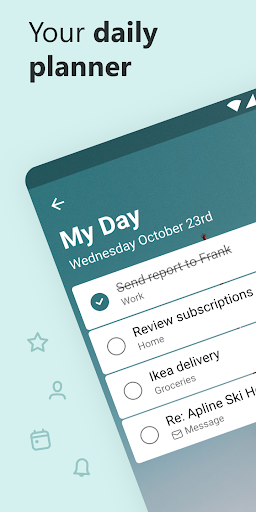
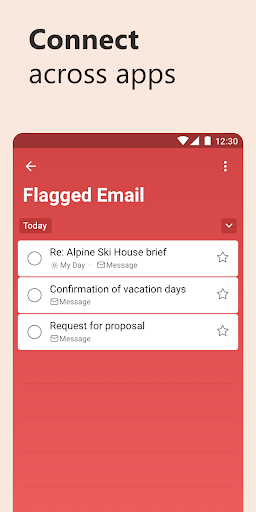
Microsoft To Do is a straightforward task and list manager aimed at anyone who wants to organize shopping lists, work tasks, school assignments, or daily reminders without a steep learning curve. It leans on a ‘My Day’ planner that surfaces suggested tasks each morning, and it ties into the wider Microsoft ecosystem, pulling in flagged Outlook emails and Planner assignments so people already living in Microsoft 365 can consolidate their to-dos in one place. With almost 30 million installs, it’s clearly become a default choice for a lot of Windows and Outlook users who want something free and simple rather than a heavyweight project management tool.
Where It Actually Delivers
Real users consistently praise how uncluttered the app feels. One reviewer called it ‘very simple’ and said it’s ‘no clutter, just what you need,’ using it for collaborative potluck lists where everyone checks off what they’re bringing. Another highlighted the lack of ads and the ability to add a home screen widget as genuine perks. The cross-device sync also gets credit, with one user noting it syncs nicely to their Windows laptop and includes a usable web view, plus solid integration with Outlook for tracking flagged emails. For basic list-making and shared shopping lists, this is where the app earns its keep.
The Sorting and Syncing Headaches
The complaints are specific and recurring. A one-star review describes how completed tasks can no longer be sorted, which broke a workflow built around long shopping lists with hundreds of completed items that get unchecked and reused later. Another user flagged a bug marking recurring tasks as ‘checked’ incorrectly, alongside calling the recurring task system generally ‘clunky.’ There’s also no way to filter or view overdue items separately, which one reviewer pointed out makes it hard to track what’s slipped through the cracks — a real gap for anyone trying to use this as more than a casual list app.
Small Annoyances That Add Up
Beyond the bigger structural issues, there are nagging usability bugs. Multiple users mention that editing longer notes is frustrating because the app doesn’t scroll properly — the virtual keyboard covers the text and new content added at the bottom becomes invisible, forcing people to type at the top instead. One reviewer also complained about a persistent notification permission prompt that reappears with no way to dismiss it permanently. None of these are dealbreakers on their own, but together they suggest the app hasn’t been polished as carefully as its simple interface might imply.
Who Should Actually Download This
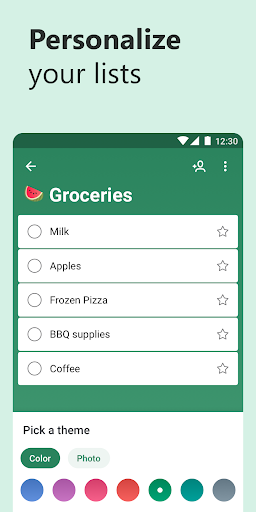
If your needs are lightweight — grocery lists, simple reminders, shared household lists, or basic daily planning — Microsoft To Do handles that well and the free, ad-free experience is hard to argue with. But if you need robust recurring task handling, overdue item tracking, or plan to maintain very long lists with heavy sorting needs, be prepared to run into friction. It’s a solid pick for casual organizers and Microsoft 365 users, less so for anyone wanting project-management-grade rigor.



