




What Microsoft Teams Is Trying to Be
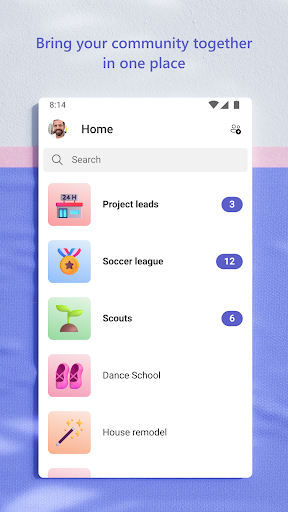
Microsoft Teams is Microsoft’s do-everything communication hub, combining chat, video calls, channels, file storage, task lists, and calendars into a single app. Since Skype folded into Teams, the free version now also covers basic personal chats and calls, while the business side ties into Microsoft 365 for companies that need enterprise-grade security and compliance. It’s aimed at two overlapping audiences: workplaces that rely on it for remote collaboration, and communities, families, or friend groups who want one place to organize events and conversations.
Where the App Actually Delivers
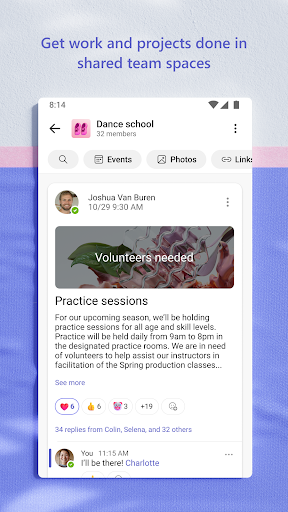
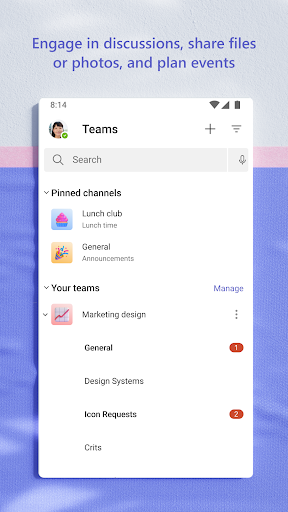
When it works, Teams genuinely lives up to its pitch of putting everything in one place. Setting up a meeting takes seconds, you can share a calendar invite or link with anyone, and switching a group chat into an audio or video call is smooth in practice. Channels keep project conversations organized instead of scattered across a dozen text threads, and the built-in cloud storage means files stay attached to the relevant conversation instead of getting lost in email. For teams that need structure around tasks and due dates, the task list feature does what it says without much fuss.
The Login and Sync Problems Users Keep Reporting
The most consistent complaint in user reviews isn’t a missing feature, it’s that the app frequently stops functioning altogether. Multiple reviewers describe getting stuck on the login screen with errors like ‘Sorry, but we’re having trouble signing you in,’ even though the same account logs in fine on desktop. Others report needing to clear cache, force stop, or fully uninstall and reinstall the app on a near-daily basis just to get it working again, only for the fix to stop working after a while. This isn’t a minor inconvenience for people who depend on Teams for their job.
Notifications and Messages That Don’t Update
A second major thread in the complaints is messages simply not arriving. Users describe no notification, no badge on the icon, and messages that won’t load or send, sometimes stuck on a ‘checking for new messages, this might take a few seconds’ loop that never resolves. One reviewer noted they can’t even answer incoming Teams calls reliably. For an app whose entire purpose is real-time communication, missed messages and silent notification failures undercut the core value proposition, and several users say the problem has gotten noticeably worse over the past few months rather than better.
Small Annoyances That Add Up
Beyond the bigger stability issues, there are smaller friction points that reviewers flagged, like the app demanding music and audio permissions just to attach a picture to a chat message, which feels like an unnecessary permissions request for a simple action. Crashes during normal use and inconsistent call handling when the phone is locked round out the list of gripes. None of these are dealbreakers on their own, but combined with the login and notification issues, they paint a picture of an app that hasn’t been fully stable on mobile lately, even as it remains functional and even reliable on desktop for many of the same users.
Who Should Actually Download This
If your workplace mandates Teams, you don’t have much choice, and the desktop experience is generally the more dependable one if you have access to a computer. For communities or families considering Teams as a free alternative to Skype for group chats and calls, the feature set is genuinely broad and useful when it’s running smoothly. But given how many recent reviews describe the mobile app failing to log in, missing notifications, or requiring repeated reinstalls just to function, it’s worth going in with tempered expectations on phones specifically. Anyone relying on it for urgent, time-sensitive communication should have a backup plan in case the app hits one of these rough patches.



