


What This App Actually Does
Microsoft PowerPoint for mobile is the pocket version of the presentation software nearly everyone has used at least once. It lets you create, edit, and view slide decks on a phone or tablet, with OneDrive syncing so a deck you started on a PC picks up right where you left off on your phone. It’s aimed at students, office workers, and anyone who needs to tweak a presentation away from their desk, and it works as a free viewer/light editor, with the deeper features like Presenter Coach and Copilot locked behind a Microsoft 365 subscription.
One long-time user, a self-described 30-year PowerPoint veteran who now tutors kids using the app through Google Classroom, noted it handles real classroom and office workflows reasonably well on a Galaxy S21. That’s a good sign for anyone wondering if the mobile app can hold its own against the desktop version for everyday tasks.
Where It Genuinely Delivers
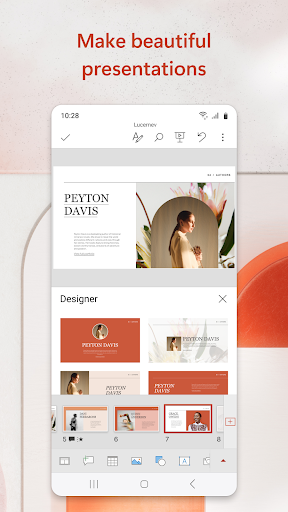
The core promise of continuity across devices is the app’s best feature. Being able to start a deck on a laptop and finish it on a phone without hunting for the right file version is exactly what OneDrive syncing is supposed to do, and reviewers generally don’t complain about this part. The templates and design tools also get credit for making decks look presentable fast, which matters most for students and casual users who just need something that looks professional without a design background.
For basic, on-the-go editing — fixing a typo, reordering slides, adding a quick bullet point before a meeting — it gets the job done. Several reviewers explicitly say that in a pinch, it’s usable and reliable enough to save the day, even if it’s not their first choice for heavy editing.
The Bugs That Keep Showing Up
Stability is the recurring complaint. Multiple reviewers describe the app glitching, freezing, or crashing outright, sometimes forcing a full close-and-reopen just to keep working. One user described a genuinely alarming bug where the app lagged mid-edit and then deleted hours of work on its own, calling it a near phone-destroying experience. Another reviewer reported the app getting stuck permanently ‘Configuring’ and ‘Fetching’ files, blocking access entirely.
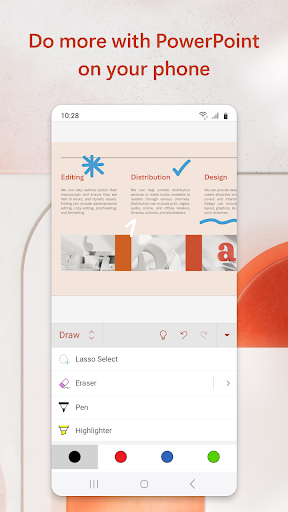
Formatting and basic tools also draw criticism. One reviewer on a Galaxy S22 and Tab S8+ — hardly obscure or ancient devices — said clearing text formatting was an unnecessary chore. Others pointed out that inserting audio is available as an option but feels ‘half-baked’ compared to desktop, and that text boxes don’t behave the way you’d expect from a blank layout, with font defaults that seem arbitrary.
The Subscription Wall
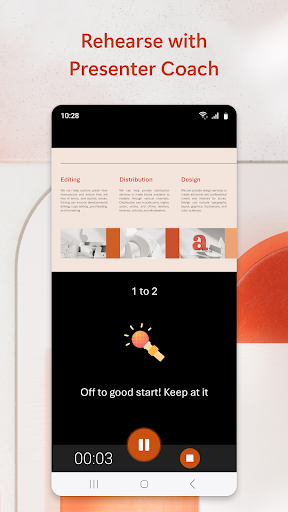
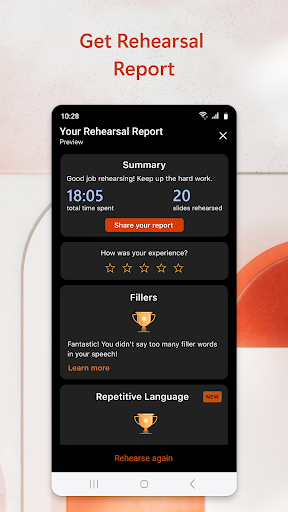
The features Microsoft leads with in its marketing — Presenter Coach’s real-time delivery feedback and Copilot’s summarizing and research tools — require a Microsoft 365 subscription. That’s a significant asterisk on an app billed as a presentation maker, since the free tier is really a basic editor and viewer. Worth noting too: subscriptions bought through the app bill via your Play Store account and can’t be canceled mid-period, which is the kind of detail worth reading before tapping subscribe.
Who Should Actually Download This
If you need to view, lightly edit, or present decks that already live in your Microsoft 365 or OneDrive ecosystem, this app is a practical, free-enough tool worth having installed. Students syncing school work and office workers doing quick fixes between meetings are well served by the core functionality. But if you’re expecting desktop-level editing, reliable audio insertion, or crash-free marathon editing sessions, temper expectations — the freezing and occasional data loss reported by multiple users are real risks, not isolated complaints.
Anyone leaning on this for serious, unsaved-work-heavy editing should get in the habit of saving obsessively and maybe keeping a backup copy elsewhere. For casual, sync-focused use, it earns its place on your phone. For anything more demanding, it’s a stopgap, not a replacement for the desktop app.



