

Mathway: Scan & Solve Problems

by Chegg, Inc.

4.1 ★ 414K+ reviews
59M+ Installs
02/04/2012 Released
Mathway: Scan & Solve Problems icon
Education

Mathway: Scan & Solve Problems

by Chegg, Inc.

4.1 ★ 414K+ reviews
59M+ Installs
02/04/2012 Released
Advertisements
Mathway: Scan & Solve Problems screenshot 1
Mathway: Scan & Solve Problems screenshot 2
Mathway: Scan & Solve Problems screenshot 3
Mathway: Scan & Solve Problems screenshot 4
Mathway: Scan & Solve Problems screenshot 5
Mathway: Scan & Solve Problems screenshot 6

Ratings Breakdown

4.1 ★★★★★ 414K+ ratings
5 ★ 71%
4 ★ 6%
3 ★ 3%
2 ★ 3%
1 ★ 17%

Data from Google Play at the time of writing.

What Mathway Does and Who It’s For

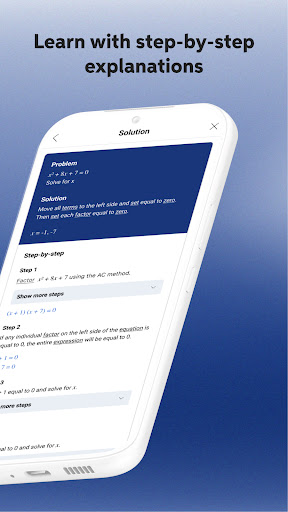
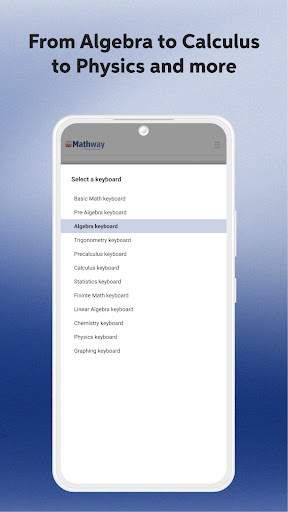
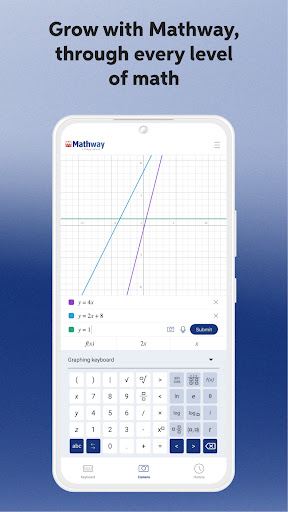
Mathway is a camera-based math solver from Chegg that handles everything from basic algebra to calculus and statistics. You either snap a photo of a problem or type it in, and the app returns an answer along with a step-by-step breakdown of how it got there. It’s aimed squarely at students, from middle schoolers grinding through algebra to college kids stuck on statistics homework or online-only classes where a professor isn’t available in real time.

Where It Actually Delivers

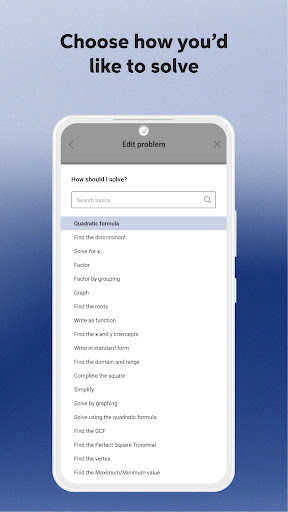
The core promise holds up: users describe getting accurate, trustworthy answers almost instantly, and multiple reviewers specifically praise being given options for how a problem should be solved along with the right symbols and math types to choose from. One reviewer doing 7th grade statistics called it a ‘life saver,’ and another said it helped make a tough algebra course manageable because the results were ‘always accurate, correct, and trustworthy.’ For students taking online classes without immediate access to an instructor, this ability to both get an answer and see the reasoning behind it is the app’s biggest selling point.

The Subscription Wall and Ad Load

The steps that make Mathway genuinely useful for learning, not just cheating, sit behind a paywall, and this is the single biggest complaint in user feedback. Reviewers say they don’t mind the calculator giving instant answers, but resent needing a subscription just to see the work. On top of that, several users report Chegg pushing an ad before every single problem you submit, which grinds against the promise of quick homework help. One reviewer specifically noted the free version was initially ad-free but that this has changed over time, making the free tier feel more compromised than it used to be.

Stability Problems That Undermine the Subscription

A more serious issue shows up in the lower-rated reviews: repeated app freezing and crashing, sometimes requiring a full reinstall every few calculations. One user described getting an ‘Oh No! Something went wrong’ connection error repeatedly even after multiple reinstalls. Another paying subscriber said the app got stuck on the loading screen after previously working fine, and explicitly warned others not to buy the subscription until it’s fixed. When the core function breaks down for paying users, it undercuts the entire value proposition of the app.

Recognition Accuracy Still Has Gaps

Scanning isn’t flawless either. At least one reviewer who otherwise likes the app noted it sometimes fails to recognize problems from a photo, and asked for the ability to scan screenshots directly instead of only live camera captures. It’s a minor gap compared to the crashing issues, but it matters for an app whose whole pitch is point-and-scan simplicity.

Final Verdict

Mathway is worth downloading if you need a fast, generally accurate way to check answers or get unstuck on a specific problem, especially for algebra, calculus, or stats. Just go in expecting ads on the free tier and a subscription requirement if you want the step-by-step teaching value, and be aware that some users have hit real stability problems recently. If reliability matters most to you, read recent reviews before subscribing.


Pros

  • ✓Accurate answers across algebra, calculus, statistics
  • ✓Step-by-step breakdowns aid actual learning
  • ✓Multiple solving options and math symbol choices
  • ✓Works well for online-class homework help
  • ✓Free version usable without immediate paywall

Cons

  • ✕Step-by-step solutions require paid subscription
  • ✕Ads shown before many problems
  • ✕Reports of crashing and reinstall loops

What Real Users Say

Chief Mike ★ 5/5

“This is amazing. I'm doing statistics in 7th grade at the moment so obviously it's going to be a lil difficult. But, Mathway comes in clutch. It gives you choices between the types of math, gives you all the different symbols to use, gives you many choices to how you want the problem solved, gives you very quick and simplified…”

👍 549 found this helpful
A Google user ★ 2/5

“Okay, so I do enjoy this calculator as it provides the answers to your equations almost instantly with almost all of the requirements you need. Though, I don't like the subscription in order to view the steps. And now, after the past couple years, they pushed it with an ad for every problem you send. That's absurd. I'm sure they…”

👍 444 found this helpful
Suzette Susanne ★ 1/5

“I'm suffering the same problem as all the recent posters. What is happening with your app? About 3 weeks ago it started freezing and needing to be reinstalled every few calculations! Now i have tried to reinstall multiple times and the error message, "Oh No! Something went wrong. Check your connection and try again" comes up every time :( I…”

👍 416 found this helpful

Reviews sourced from Google Play, selected by helpfulness at the time of writing.

App Info & Permissions

Developer Chegg, Inc.
Content rating Everyone
Contains ads Yes
In-app purchases $0.99 - $149.99 per item
Installs 59M+
Released 02/04/2012
Price Free

Permissions this app requests

📷 Camera Take pictures and videos
👥 Contacts Find accounts on the device
📱 Device ID & call information Read phone status and identity
🪪 Identity Find accounts on the device; add or remove accounts
📞 Phone Read phone status and identity
🖼️ Photos/Media/Files Read the contents of your USB storage; modify or delete the contents of your USB storage
💾 Storage Read the contents of your USB storage; modify or delete the contents of your USB storage
📶 Wi-Fi connection information View Wi-Fi connections

Similar Apps

Frequently Asked Questions

1

What is Mathway: Scan & Solve Problems?

Mathway is a math-solving app from Chegg that lets you scan a photo of a math problem or type it in to get an instant answer. It covers algebra, graphing, calculus, statistics, and more. Many users rely on it for homework help, especially in online classes where an instructor isn't immediately available.

2

Is Mathway free to use?

Mathway offers a free tier that gives you the final answer to problems, but multiple reviewers note that seeing the full step-by-step solution requires a paid subscription. Free users have also reported an increase in ads shown before each problem is solved. So it's free for basic use, but the more educational step-by-step feature is locked behind payment.

3

Does Mathway actually show its work or just give answers?

It does show step-by-step work, which reviewers say is one of its best features for actually understanding a concept rather than just copying an answer. However, this detailed breakdown is generally gated behind the subscription, so free users may only see the final result plus an ad.

4

Is Mathway reliable, or does it crash often?

Most reviews describe it as accurate and dependable for solving problems, but a notable number of recent reviews report the app freezing, getting stuck on loading screens, or throwing connection errors that require reinstalling. At least one paying subscriber warned others to hold off on subscribing until stability improves, so reliability may vary depending on when and how you use it.

5

Can Mathway scan any math problem correctly?

It handles most typed and photographed problems well according to users, but it isn't perfect. One reviewer noted it sometimes fails to recognize problems from a picture and asked for the ability to scan screenshots directly rather than only live camera photos, so scanning accuracy can be inconsistent depending on the problem format.