
Kroger

by The Kroger Co.

4.4 ★ 374K+ reviews
21M+ Installs
11/29/2010 Released
Kroger icon
Kroger icon
Shopping

Kroger

by The Kroger Co.

4.4 ★ 374K+ reviews
21M+ Installs
11/29/2010 Released
Advertisements
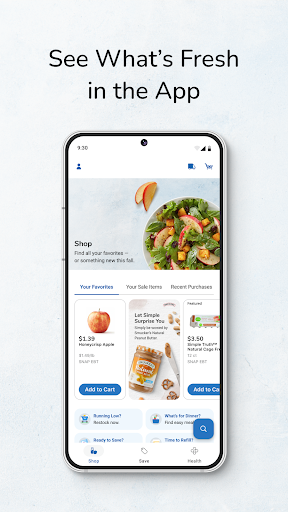
Kroger screenshot 1
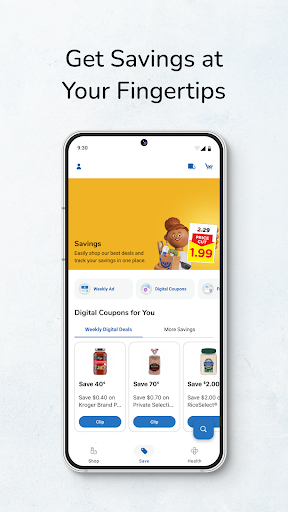
Kroger screenshot 2
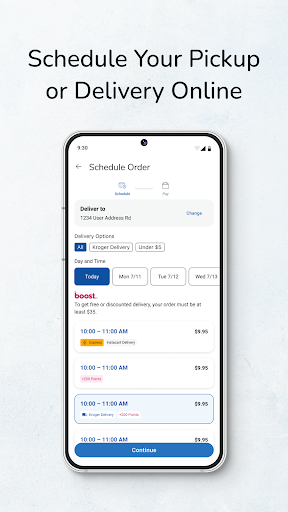
Kroger screenshot 3
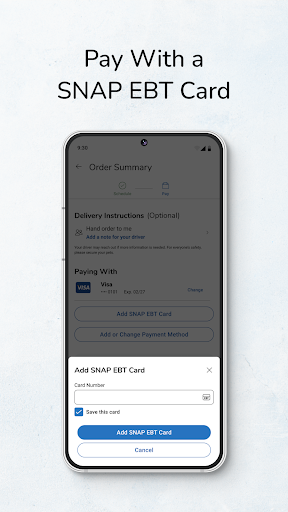
Kroger screenshot 4
Kroger screenshot 5
Kroger screenshot 6

Ratings Breakdown

4.4 ★★★★★ 374K+ ratings
5 ★ 74%
4 ★ 10%
3 ★ 4%
2 ★ 3%
1 ★ 9%

Data from Google Play at the time of writing.

What This App Is Built To Do

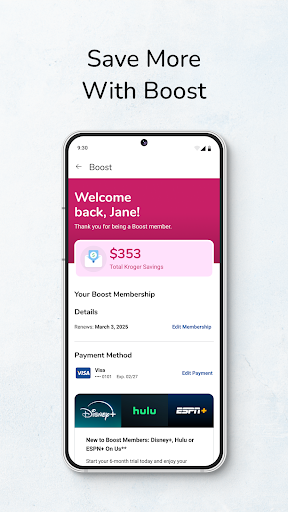
The Kroger app is the digital hub for anyone who shops at Kroger-owned grocery stores, offering Pickup, Delivery, and in-store shopping tools under one roof. It bundles digital coupons, weekly ads, fuel points tracking, Kroger Pay, and pharmacy refills into a single account tied to your Shopper’s Card. It’s aimed at regular Kroger shoppers who want to plan a grocery run, clip deals ahead of time, and check out fast rather than casual users just browsing.

For households that already shop Kroger weekly, the pitch makes sense on paper: one app to build a list, load coupons, pay at the register, and track fuel savings without carrying a separate loyalty card or paper flyer.

Where The App Actually Delivers

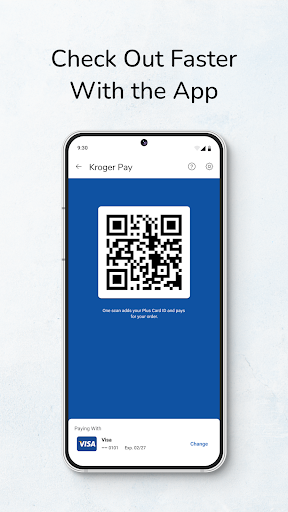
When it works, users describe real value: personalized deals, bonus rewards, Cash Back offers, and fuel points that add up to real savings at the pump. The weekly ads and digital coupon clipping are genuinely useful for shoppers trying to cut grocery bills, and Kroger Pay is designed to speed up checkout without fumbling for a card. Prescription refill tracking through Kroger Pharmacy is another convenience baked into the same app, so you’re not juggling multiple logins for one store trip.

The Bugs That Keep Showing Up

The overwhelming theme in user feedback is instability. Multiple reviewers describe the app getting ‘worse and worse’ with each update, citing extreme delays when adding or removing cart items, random duplicate items appearing, and quantities that won’t update correctly. One user reported building an entire cart only to find it empty at checkout, forcing them to start over. Another described being told an item is out of stock incorrectly, while others say the app freezes specifically during checkout, arguably the worst moment for a crash to happen.

Login, Coupons, And Support Frustrations

Sign-in problems are a recurring complaint too, including at least one report of a Samsung Galaxy S23 user locked out entirely by an authentication error that persisted for about a month despite reinstalling. Digital coupons don’t always apply at checkout, fuel points sometimes don’t get awarded correctly, and coupons that used to be sorted into categories now dump into one long unsorted list. One reviewer said customer service routinely tells them to uninstall and reinstall after every problematic order, which isn’t a real fix for recurring issues.

Who Should Actually Download It

If you’re a loyal Kroger shopper who mainly wants fuel points, weekly ad browsing, and occasional Pickup orders, the app still delivers enough savings to be worth the hassle, just go in expecting occasional glitches. But if you rely on it for precise weekly Delivery orders or exact coupon accuracy, the cart duplication, checkout freezes, and coupon failures reported by many users mean you should double-check your receipt every time. Casual users who want a smooth, dependable app experience may find the frustration outweighs the discount.


Pros

  • ✓Digital coupons and weekly ad browsing
  • ✓Fuel points tracking for gas savings
  • ✓Kroger Pay speeds up in-store checkout
  • ✓Pharmacy refill tracking built in
  • ✓Personalized deals and Cash Back offers

Cons

  • ✕Frequent crashes and checkout freezes
  • ✕Cart items duplicate or disappear
  • ✕Login and authentication errors reported

What Real Users Say

VanGhle 61 ★ 1/5

“Updates continue to be worse & worse. The slowness & glitching of the app is unbearable! Just adding things to cart , removing, or searching has an extreme delay. It crashes A LOT & constantly signs me out. Also, when trying to make a cart, it will duplicate random items. When trying to delete an item, half the time, the…”

👍 505 found this helpful
Cristina C ★ 1/5

“This app seems to get worse and worse as time goes on. When trying to add items, there are so many glitches. Items don't add to your cart, random items are added, you select an item, but it goes to the previous search, or quantities don't update. Also, the majority of time, it will say an item is out of…”

👍 331 found this helpfulDeveloper responded
Jenny Baggs ★ 1/5

“Goodness I figured by now it would be fixed of all the bugs over the past year. I've created carts that took a while to make only to realize none of the items were actually in the cart and had to start over for it to do it again. Then it freezes up so much especially at checkout. There's so…”

👍 126 found this helpful

Reviews sourced from Google Play, selected by helpfulness at the time of writing.

App Info & Permissions

Developer The Kroger Co.
Content rating Everyone
Contains ads No
Installs 21M+
Released 11/29/2010
Price Free

Permissions this app requests

📷 Camera Take pictures and videos
📍 Location Approximate location (network-based); precise location (GPS and network-based)
🖼️ Photos/Media/Files Read the contents of your USB storage; modify or delete the contents of your USB storage
💾 Storage Read the contents of your USB storage; modify or delete the contents of your USB storage
📶 Wi-Fi connection information View Wi-Fi connections

Similar Apps

Frequently Asked Questions

1

What is Kroger?

Kroger is the official grocery shopping app from The Kroger Co., letting users order Delivery or Pickup, shop in-store, and manage digital coupons and rewards. It ties into your Kroger digital account and Shopper's Card to track fuel points, personalized deals, and purchase history. It also includes tools like Kroger Pay for checkout and pharmacy prescription management. It's built for people who regularly shop at Kroger-family stores.

2

Is the Kroger app free?

Yes, the app itself is free to download and use, and creating a Kroger digital account with a linked Shopper's Card costs nothing. You only pay for the groceries and any Delivery or Pickup service fees at checkout. Digital coupons and fuel points are also free perks available once you're signed in. There's no subscription required just to use the core shopping and rewards features.

3

Does the Kroger app work reliably for online orders?

Based on user feedback, reliability is a significant weak point, with many reviewers reporting slow load times, items vanishing from carts, and freezing during checkout. Some users say they've had to rebuild entire orders after discovering their cart was emptied without warning. Digital coupons not applying correctly at checkout is another common complaint. If you use it for online orders, it's worth screenshotting your cart and checking your receipt afterward.

4

Can I use the Kroger app to save on gas?

Yes, the app tracks fuel points earned through purchases, which can be redeemed for savings at Kroger fuel centers. Several users mention this as one of the app's genuine benefits when it works correctly. However, some reviewers also reported fuel points not being awarded properly after a purchase, so it's worth checking your points balance against your receipts periodically.

5

Is the Kroger app having login problems?

Some users have reported being unable to sign in, including an authentication service error that persisted for about a month on certain Android devices even after clearing cache or reinstalling. This isn't universal, but it's a documented issue affecting access to digital deals and account features. If you experience a persistent login failure, reinstalling may not resolve it, and contacting support directly may be necessary.