
Indeed Job Search

by Indeed Jobs

4.7 ★ 13M+ reviews
263M+ Installs
Indeed Job Search icon
Business

Indeed Job Search

by Indeed Jobs

4.7 ★ 13M+ reviews
263M+ Installs
Advertisements
Indeed Job Search screenshot 1
Indeed Job Search screenshot 2
Indeed Job Search screenshot 3
Indeed Job Search screenshot 4
Indeed Job Search screenshot 5
Indeed Job Search screenshot 6

Ratings Breakdown

4.7 ★★★★★ 13M+ ratings
5 ★ 77%
4 ★ 16%
3 ★ 5%
2 ★ 1%
1 ★ 1%

Data from Google Play at the time of writing.

What Indeed Job Search Does and Who It’s For

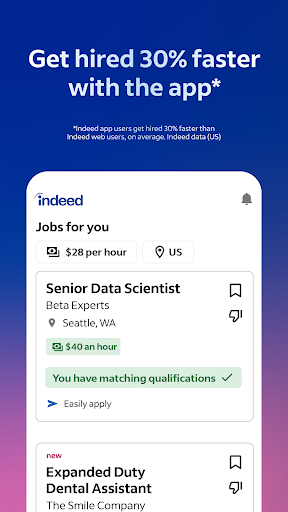
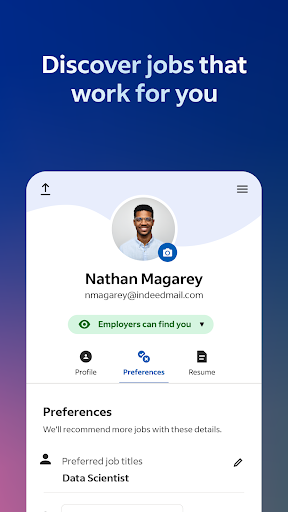
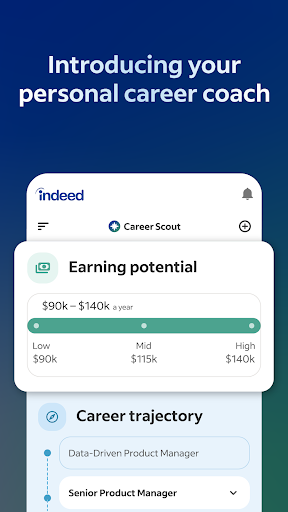
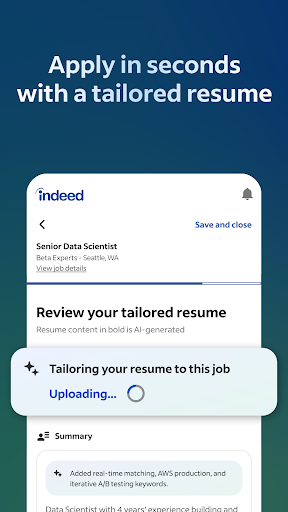
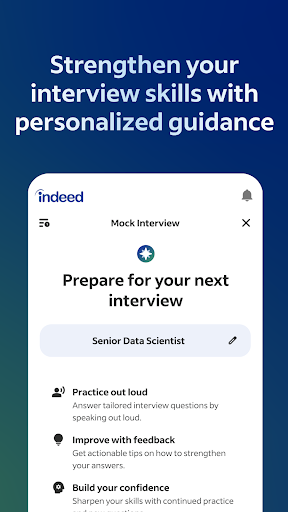
Indeed Job Search is a free mobile companion to the Indeed job board, letting users browse listings, upload or build a resume, apply directly from a phone, and track application status. It also folds in company reviews and salary data, so job seekers can research an employer before they even apply. This app is aimed at anyone actively hunting for work, from hourly and part-time seekers to full-time professionals, and it’s especially useful for people who want to apply to many jobs quickly without retyping the same information each time.

Where It Actually Delivers

The most consistent praise from real users centers on how easy the app is to navigate and how much friction it removes from applying. One long-time reviewer called it ‘easy to use’ and specifically credited it with helpful resume suggestions and company reviews that make it easier to judge whether a workplace is a good fit. Another user with years of history on the platform said Indeed has ‘consistently updated and changed’ for the better over time, which suggests the core experience has genuinely matured rather than stagnated. The ability to save a resume and reuse it for multiple applications is a real time-saver that reviewers pointed to directly, and the combination of job listings, company ratings, and salary search in one place is hard to find bundled together elsewhere.

The Bugs That Actually Cost People Jobs

The weaknesses reported aren’t cosmetic, they’re functional failures at critical moments. Multiple 1-star reviews describe job links from email notifications leading nowhere, with the app throwing a generic ‘something went wrong’ error instead of opening the listing. One user says this exact bug caused them to miss a scheduled video interview because the link sat ‘loading’ for over 30 minutes with no fallback. That’s not a minor annoyance, that’s the app failing at the one moment it absolutely cannot fail. If you rely on Indeed for interview scheduling or time-sensitive links, this is a real risk to be aware of.

Search Filters and Preferences That Don’t Stick

Several reviewers flagged that the app doesn’t reliably remember search settings. One user set their distance filter to 5 miles, only to have it silently revert to 25 miles every time they backed out of a listing to apply to another. That same review noted the app surfaces jobs outside the user’s stated experience or field, which undercuts the promise of ‘smart search filters.’ Another complaint involves the resume tools: after an account update, one user found they could upload a new resume but could no longer edit the one already on file, forcing them to rebuild it elsewhere before re-uploading. A separate reviewer noted that once a resume is on file, the algorithm leans so heavily on past experience that it becomes hard to surface jobs for someone deliberately trying to change careers.

Missing Conveniences

A few requests come up that aren’t dealbreakers but show room for improvement. Users have asked for a map view showing where openings are relative to their location, plus a quick-glance snapshot when hovering over a listing instead of having to open each job individually. These are quality-of-life requests rather than complaints about broken functionality, and they suggest people who like the app want it to do more, not less.

The Verdict

Indeed Job Search is genuinely useful for casting a wide net, comparing pay and company reputation, and applying without redundant data entry, and its scale (well over 260 million installs) reflects that it works for a huge number of people day to day. But the reliability issues around notification links and interview scheduling are serious enough that anyone using it for time-sensitive applications should double-check everything through the website or email as backup rather than trusting the app alone. If you’re casually browsing or applying broadly, it’s a strong free option. If you’re relying on it exclusively for interview logistics, go in with a backup plan.


Pros

  • ✓Easy to navigate app and browser experience
  • ✓Saved resume speeds up repeat applications
  • ✓Company reviews help judge workplace fit
  • ✓Built-in salary search across job titles
  • ✓Continual updates improve core experience over time

Cons

  • ✕Job links sometimes fail with errors
  • ✕Distance filter preferences don't save reliably
  • ✕Resume editing restricted after upload changes

What Real Users Say

Jenn R ★ 5/5

“Easy to use! Very helpful with applying to positions. Suggestions on how to improve your resume. Reviews from others about different positions at different companies helps me decide if the certain company is a good fit for me or not. The app and browser version are both super easy to navigate. Simple design & intuitive so even a newbie on…”

👍 6,231 found this helpful
Tekekwitha Elliott (LakotaLily) ★ 5/5

“Honestly, from years ago to now, they have consistently updated and changed this website, all of which have been improvements that have honestly made it better, though I wish they were not getting rid of their proficiency quizzes. As an employer and now also looking for work, I appreciated these scores being available, and it was another level of knowing…”

👍 4,386 found this helpful
Madison Phelps ★ 5/5

“Good app to find a job, I just wish there was a sort of map function where you could view where job openings are in relation to your location, and if you highlight a certain opening it gives you a brief "snapshot" of the job. Just as it it appears on the list setting, like it does now. This would…”

👍 1,841 found this helpful

Reviews sourced from Google Play, selected by helpfulness at the time of writing.

App Info & Permissions

Developer Indeed Jobs
Content rating Everyone
Contains ads Yes
Installs 263M+
Price Free

Permissions this app requests

📷 Camera Take pictures and videos
📍 Location Approximate location (network-based); precise location (GPS and network-based)
🎙️ Microphone Record audio
📞 Phone Directly call phone numbers
🖼️ Photos/Media/Files Read the contents of your USB storage; modify or delete the contents of your USB storage
💾 Storage Read the contents of your USB storage; modify or delete the contents of your USB storage
📶 Wi-Fi connection information View Wi-Fi connections

Similar Apps

Frequently Asked Questions

1

What is Indeed Job Search?

It's the official mobile app for Indeed, a job search platform that lets users browse listings, upload or build a resume, apply directly from their phone, and track application status. It also includes company reviews and salary data pulled from Indeed's larger database. It's designed for anyone actively searching for work, from part-time to professional roles.

2

Is Indeed Job Search free to use?

Yes, the app is free to download and use for job seekers, including resume uploads, applications, company reviews, and salary lookups. Indeed makes money primarily by charging employers for job postings and promoted listings, not by charging job seekers. There's no paywall for the core search and apply features.

3

Can I edit my resume after uploading it to Indeed?

Some users have reported that after account or app updates, editing a previously uploaded resume directly within Indeed became difficult or unavailable, requiring them to edit the file elsewhere and re-upload it. This has been a specific complaint in recent reviews, so if your resume is outdated, plan to update it outside the app first. Check the current version of the app since this may vary.

4

Why do job links from Indeed emails sometimes not work?

Multiple users have reported that clicking job links from Indeed email notifications opens the app but shows a 'something went wrong' error instead of the actual listing. This appears tied to a bug introduced in a past update and has reportedly caused missed opportunities, including one user missing a scheduled video interview. If this happens, try accessing the listing directly through the Indeed website as a workaround.

5

Does Indeed Job Search remember my search filters like distance?

Not always reliably. At least one detailed review describes setting a 5-mile distance filter only to have it reset to 25 miles automatically after viewing and returning from a job listing. This means you may need to re-apply your preferred filters more often than expected during a single search session.

