

What InColor Actually Offers
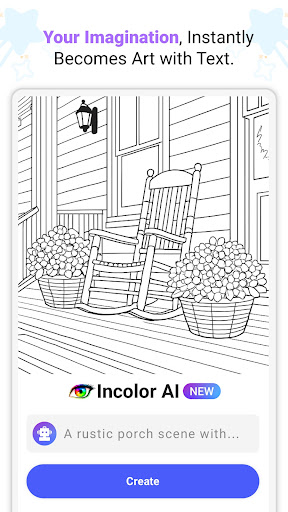
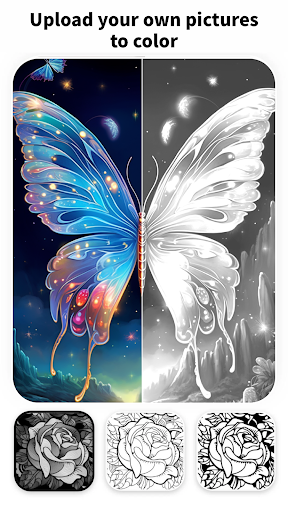
InColor is a coloring and drawing app aimed at anyone who wants a relaxing, low-stakes creative outlet on their phone or tablet. It combines a curated gallery of illustrations, an AI tool that generates black-and-white sketches from keywords, a free-drawing canvas, and a photo-to-sketch converter. With over 69 million installs and more than 127,000 reviews, it’s clearly found an audience beyond hardcore artists, ranging from stressed-out adults looking to unplug from social media to parents handing a tablet to a young kid.
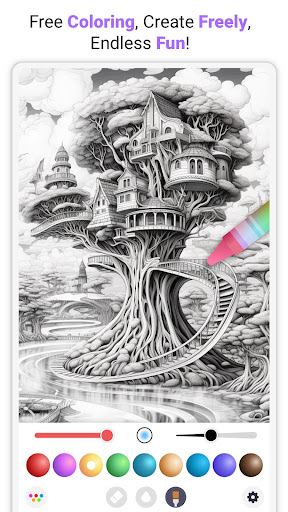
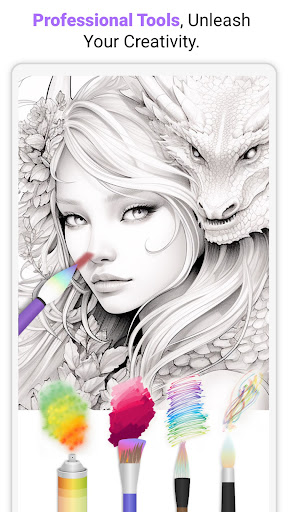
The core loop is simple: pick a picture, tap a color, and fill in the lines, or open a blank canvas and paint freehand with brushes, gradients, and detail controls. It’s built for casual, repeatable sessions rather than professional illustration work.
Where the App Genuinely Shines
The single most repeated praise in user feedback is that the free version isn’t buried in ads. Multiple reviewers specifically called out that they haven’t hit pop-up ads, with the only ad exposure being optional videos watched in exchange for unlocking a picture. That’s a meaningfully different experience from most ‘free’ coloring apps, and it’s likely a big reason people stick around long enough to eventually subscribe.
People also consistently praise the sheer range of tools available even without paying: different brushes, adjustable sizes, gradients, and a variety of coloring pages. Parents mention their young kids enjoying it, and several adults describe it as a genuinely calming, screen-time replacement for doom-scrolling. The finger-or-stylus coloring feels natural enough that more than one reviewer says it doesn’t feel like a gimmick.
The Frustrations That Keep Coming Up
The most serious complaint is data loss. Several users report the app freezing or crashing mid-session and wiping out unsaved progress entirely, sometimes after they’d colored an entire picture. The app does have a manual save checkpoint, but it isn’t automatic, so anyone who forgets to tap it risks losing significant work. That’s a rough experience for a relaxation app, where the whole point is to not be stressed.
The other recurring gripe is the paywall depth. While the free tier includes real content, many of the better illustrations are locked behind a subscription, and some free-seeming pages turn out to be paint-by-number rather than true open coloring. A couple of reviewers also mention a small but annoying UI issue: misclicking a color on a filled area can be hard to undo cleanly.
Missing Conveniences Power Users Want
Frequent users ask for a layer system, better zoom for detail work in tight spaces, and a search function to find specific pictures faster, since browsing the gallery is described as tedious. None of these are dealbreakers, but they show the app’s ceiling for more serious digital colorists.
Who Should Actually Download This
InColor is worth trying if you want a low-pressure, ad-light coloring app for stress relief or casual creativity, including for kids. If losing unsaved work would genuinely bother you, get in the habit of tapping that save checkmark often, and go in expecting that the best content sits behind a subscription.



