Image to PDF – PDF Maker

by Simple Design Ltd.

4.9 ★ 2.3M+ reviews
92M+ Installs
12/08/2020 Released
Image to PDF – PDF Maker icon
Productivity

Image to PDF – PDF Maker

by Simple Design Ltd.

4.9 ★ 2.3M+ reviews
92M+ Installs
12/08/2020 Released
Advertisements
Image to PDF – PDF Maker screenshot 1
Image to PDF – PDF Maker screenshot 2
Image to PDF – PDF Maker screenshot 3
Image to PDF – PDF Maker screenshot 4
Image to PDF – PDF Maker screenshot 5
Image to PDF – PDF Maker screenshot 6

Ratings Breakdown

4.9 ★★★★★ 2.3M+ ratings
5 ★ 94%
4 ★ 4%
3 ★ 1%
2 ★ 0%
1 ★ 1%

Data from Google Play at the time of writing.

What This App Actually Does

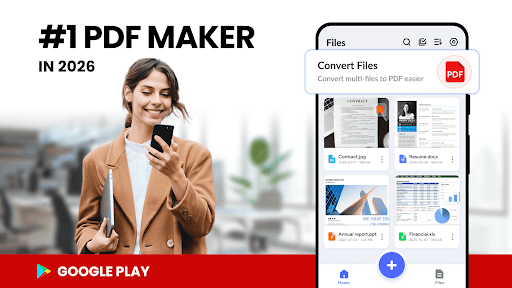
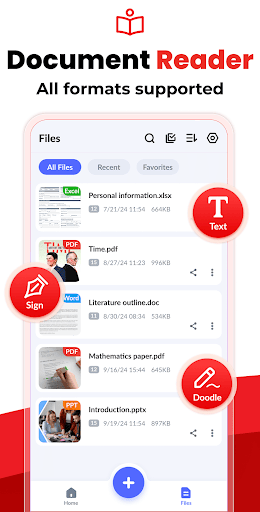
Image to PDF – PDF Maker is a straightforward utility that turns pictures into PDF files. You can pull images from your gallery or snap new photos with the camera, then merge them into a single PDF. It also doubles as a basic PDF reader, listing every PDF already on your device so you don’t need a separate app just to open files. It’s aimed at people who need to digitize receipts, notes, forms, ID cards, or homework without dealing with a full-blown scanner app or an expensive subscription tool.

Where It Genuinely Delivers

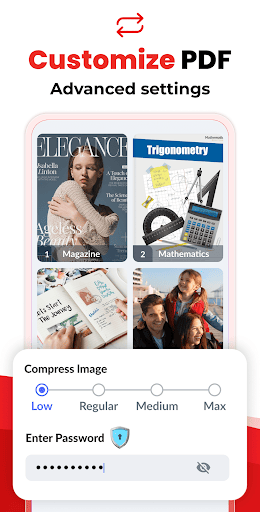
The core conversion job works well and fast. Reviewers repeatedly mention completing conversions in minutes, with one user calling it ‘the quickest and simplest and most effective app’ they’d downloaded in ages after a scanner wasn’t available for a contract. Multiple users highlight the lack of forced subscriptions or credit card requirements, a real contrast to apps like Adobe’s, which one reviewer noted required a trial subscription and still failed to convert their file. People also like the editing extras: resizing, compression with quality settings, and the ability to combine several images into one document, which is handy for multi-page homework or invoices.

The Ad and Paper-Size Annoyances

Ads are the most consistent complaint, though most reviewers treat them as a fair trade for a free, functional tool rather than a dealbreaker. Several say they don’t mind the ads and would even support the app financially since that’s likely how it stays free. A more practical annoyance is the default paper size being set to A4 instead of US letter, which one reviewer flagged as something you need to manually fix before converting if you’re in the US and need standard letter-sized output. It’s a small thing, but it can trip up first-time users who don’t expect to have to adjust paper settings at all.

Permissions Worth Knowing About

On Android 11 and above, the app requests All Files Access, which is a broad permission that lets it manage every file on your device rather than just the PDFs and images you point it to. This is fairly standard for file-management apps that scan and list all PDFs automatically, but it’s worth being aware of if you’re cautious about granting broad file permissions to a free app. On the plus side, the app processes everything locally and doesn’t upload your files to a server, which matters if you’re converting sensitive business documents or ID cards.

Who Should Actually Download This

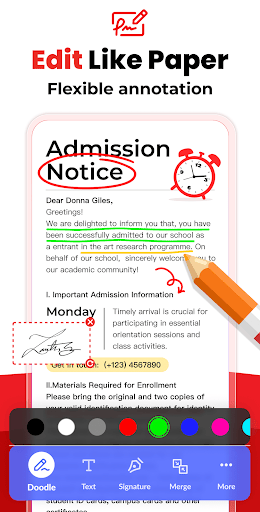
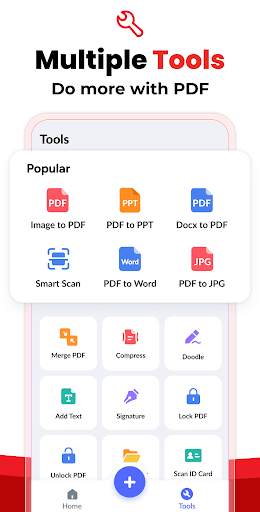
This is a solid pick for anyone who occasionally needs to turn a photo into a shareable PDF: students handling homework, remote workers scanning contracts from their phone, or people digitizing receipts and forms. It’s not pitched as a full PDF editor beyond basic doodling, text, and signatures, so if you need heavy-duty PDF editing, look elsewhere. But for the specific job of image-to-PDF conversion done quickly, free, and offline, it consistently delivers exactly what it promises, ads and all.


Pros

  • ✓Converts images to PDF quickly and easily
  • ✓No subscription or credit card required
  • ✓Compression and quality settings included
  • ✓Works fully offline for privacy
  • ✓Can merge multiple images into one PDF

Cons

  • ✕Contains ads throughout the app
  • ✕Default paper size is A4, not letter
  • ✕Requires broad All Files Access permission

What Real Users Say

Cheyenne Korman ★ 5/5

“Easy to use, basically walks you through it. High quality, editing, compression options, sizing options. Recommend to anyone wanting to convert any image to PDF. No subscription, no ads (which is a major plus!) Go check this app out. I love it because I can convert my images to PDF format and then use them in another app to print…”

👍 1,014 found this helpfulDeveloper responded
Sparkz Mentalz ★ 5/5

“Very useful, convenient app countless situations where you need to convert pics to PDFs. Just set the save location, import and arrange your pics, and save. Be aware that the default paper size is A4, so you may need to convert to standard letter size before converting to PDF. There are a few annoying ads that can be tricky to…”

👍 916 found this helpfulDeveloper responded
Katherine C ★ 5/5

“Awesome job at converting images to PDF (and it's FREE!!). I use this for HW, documents, and more. I can take pictures of files and then convert them to a pdf later, or transform them into PDFs immediately. I don't mind the ads much, especially since they are the reason we can have this free resource available for students like…”

👍 271 found this helpfulDeveloper responded

Reviews sourced from Google Play, selected by helpfulness at the time of writing.

App Info & Permissions

Developer Simple Design Ltd.
Content rating Everyone
Contains ads Yes
In-app purchases $1.99 per item
Installs 92M+
Released 12/08/2020
Price Free

Permissions this app requests

📷 Camera Take pictures and videos
🖼️ Photos/Media/Files Read the contents of your USB storage; modify or delete the contents of your USB storage
💾 Storage Read the contents of your USB storage; modify or delete the contents of your USB storage

Similar Apps

Frequently Asked Questions

1

What is Image to PDF - PDF Maker?

It's a productivity app from Simple Design Ltd. that converts images like JPG and PNG files into PDF documents. It also functions as a basic PDF reader, automatically scanning your device for existing PDFs and letting you edit, doodle, or sign them. It's built for quick, offline conversion of receipts, notes, forms, and similar documents into shareable PDF files.

2

Is Image to PDF - PDF Maker free to use?

Yes, the app is free and reviewers confirm there's no subscription or credit card needed to convert files, unlike some competing apps. It does show ads, but most users report they don't mind them since the app remains fully functional without any paywall. There's no mention of a premium tier removing ads in the available data.

3

Does the app require an internet connection to work?

No, conversions happen entirely offline and locally on your device. The app doesn't send your images or files to a server, which is useful if you're converting sensitive documents like contracts, IDs, or business paperwork. This local processing is highlighted as a privacy plus by the developer and reflected in user comfort with using it for business purposes.

4

Why does the app default to A4 paper size instead of letter?

The app appears to ship with A4 as its default page size, which one reviewer specifically flagged as something US users need to manually change before converting if they want standard letter-sized PDFs. It's a minor setup step but easy to miss if you're not expecting it. Checking the size settings before your first conversion can save you from having to redo a PDF.

5

What permissions does Image to PDF - PDF Maker need?

On Android 11 and above, it requires All Files Access permission so it can locate, manage, and edit PDF files across your device. This is a broad permission, so users who are cautious about file access should weigh that against the convenience of automatic PDF scanning and listing. The developer states this is needed specifically to give you quick access to all your existing PDFs, not just newly converted ones.

