
IKEA

by Inter IKEA Systems B.V

4.7 ★ 253K+ reviews
60M+ Installs
10/24/2020 Released
IKEA icon
IKEA icon
Shopping

IKEA

by Inter IKEA Systems B.V

4.7 ★ 253K+ reviews
60M+ Installs
10/24/2020 Released
Advertisements
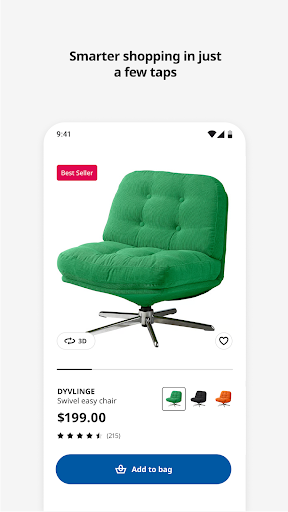
IKEA screenshot 1
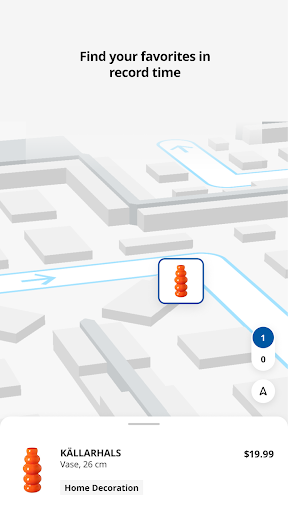
IKEA screenshot 2
IKEA screenshot 3
IKEA screenshot 4
IKEA screenshot 5
IKEA screenshot 6

Ratings Breakdown

4.7 ★★★★★ 253K+ ratings
5 ★ 85%
4 ★ 8%
3 ★ 2%
2 ★ 1%
1 ★ 4%

Data from Google Play at the time of writing.

What the IKEA App Actually Does

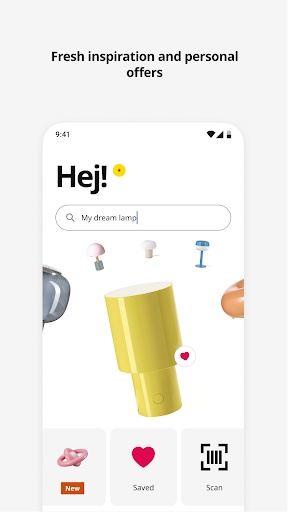
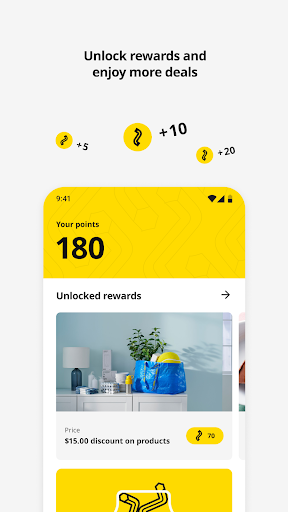
The IKEA app is a shopping and planning companion for anyone who buys furniture from the retailer, whether that’s browsing new product launches, building a room in an interactive kitchen planner, or scanning items in-store for faster checkout. It combines catalog browsing, order tracking, a loyalty rewards system, and in-store tools like navigation and busy-time checking into one app. It’s aimed at both online shoppers who want delivery or pickup and in-person shoppers who want to scan items and skip long checkout lines.

Where the App Actually Shines

Real users consistently praise the app for being genuinely useful when there’s no physical store nearby, with one reviewer noting the search mechanism worked well and the app didn’t freeze compared to other shopping apps. The in-store scanning feature gets specific praise too — being able to scan a product to check the price while walking the aisles is called out as ‘super helpful.’ The clean, easy layout is another recurring compliment, and shoppers like being able to save favorite items into lists and then move an entire list into the cart at once, which saves time when you’re assembling a big order.

The Navigation and Filtering Problems

The most common complaint is that the app’s filters and item categorization aren’t intuitive, making it hard to find specific products by browsing a department the way you could in the older app. One reviewer said they couldn’t figure out how to simply pick a store using a zip code, which is normally a basic first step in any retail app. Another pointed out you can’t easily switch from a full cart back to ‘pick up at the store’ without redoing work, which is a frustrating design flaw for anyone comparing delivery costs against pickup.

Stock Accuracy and Delivery Cost Confusion

Multiple reviewers flag that stock levels shown in the app don’t reliably match what’s actually in the store, and that items known to be on display in a physical location sometimes don’t even appear in the app’s listings. Delivery costs are another sore spot — shoppers report having to add items to the cart and walk through the shipping options just to figure out what delivery will actually cost, rather than seeing it upfront. Back-in-stock alerts are apparently easier to set up on the desktop website than inside the app itself, which undercuts the mobile-first pitch.

Login and Legacy App Comparisons

A smaller but pointed complaint involves account issues, with one user describing a frustrating loop where the app didn’t recognize a reset password, yet signing up fresh said the username already existed. A few reviewers who used the previous version of the IKEA app say it was easier to browse departments and locate items than the current redesign.

Who Should Actually Download This

If you shop IKEA in-store regularly, the scanning, navigation, and receipt-tracking features make this a genuinely handy companion app. If you rely heavily on delivery or need precise stock and shipping cost information before committing to a purchase, expect some friction and double-checking. It’s a solid utility for loyal IKEA shoppers, but not yet a flawless shopping experience.


Pros

  • ✓Works well without a nearby physical store
  • ✓Fast in-store price scanning tool
  • ✓Clean, easy-to-navigate layout
  • ✓Saveable favorite lists transfer to cart
  • ✓Reliable search that rarely freezes

Cons

  • ✕Confusing filters and item categorization
  • ✕Inaccurate stock levels and delivery costs
  • ✕Some login and password reset issues

What Real Users Say

Maria Morse (Reggie) ★ 5/5

“I love Ikea as a company in general. I am in an area where we do not have one close by, but the app gave me the opportunity to easily buy the items I needed. It is very user friendly, the search mechanism is wonderful, and it doesn't freeze like a lot of other apps. I could find options for…”

👍 279 found this helpfulDeveloper responded
Elle Troeger ★ 2/5

“Where do I start? The filters and item taxonomy (IA) is not intuitive. You cannot be at the point of sale and switch to "pick up at the store". First you have to make the mistake of filling your cart with everything that you're shopping for, realizing that delivery fee is $100 or more, do like 80 extra clicks to…”

👍 195 found this helpful
ThatGuyNich ★ 3/5

“Nothing intuitive about this app. I found an item by visiting a store that I was interested in purchasing. It was out of stock so I got the app to catch when they restock. I had a hard time finding how to choose a store. Usually you put in a zip and pick from there but not with this app.…”

👍 151 found this helpful

Reviews sourced from Google Play, selected by helpfulness at the time of writing.

App Info & Permissions

Developer Inter IKEA Systems B.V
Content rating Everyone
Contains ads No
Installs 60M+
Released 10/24/2020
Price Free

Permissions this app requests

📷 Camera Take pictures and videos
📍 Location Approximate location (network-based); precise location (GPS and network-based)
📶 Wi-Fi connection information View Wi-Fi connections

Similar Apps

Frequently Asked Questions

1

What is IKEA?

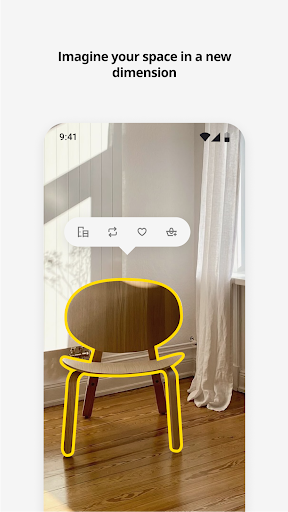
IKEA is the official shopping app from the Swedish furniture retailer, letting users browse products, plan rooms, track orders, and shop both online and in physical stores. It includes tools like room visualization, interactive kitchen planners, in-store navigation, and a rewards program. It's designed to work across the full IKEA shopping journey, from initial inspiration to final checkout.

2

Is the IKEA app free?

Yes, the IKEA app is free to download and use on both Android and iOS devices. There are no subscription fees required to browse products, save favorites, or track orders. You only pay for the actual furniture and items you purchase through the app, plus any applicable delivery fees.

3

Can I use the IKEA app to shop if I don't live near a store?

Yes, several users specifically praise the app for making it possible to shop IKEA products even without a nearby physical location. The search and browsing tools let you find and order items remotely, though delivery cost transparency has been a common complaint among reviewers.

4

Does the IKEA app accurately show what's in stock?

Not always — this is one of the app's most frequently cited weaknesses. Multiple reviewers report that stock levels shown in the app don't match reality, and some items visible in physical stores don't appear listed in the app at all. It's wise to treat in-app stock numbers as a rough guide rather than a guarantee.

5

Is the IKEA app worth downloading for in-store shopping?

For in-store use, most reviewers find real value in features like scanning items for price checks, in-store navigation, and checking busy store times before a visit. These practical tools are consistently highlighted as strengths. If your main use case is browsing and buying in-store, the app is generally considered a helpful companion.