
Gospel Library

by The Church of Jesus Christ of Latter-day Saints

4.7 ★ 231K+ reviews
12M+ Installs
05/28/2010 Released
Gospel Library icon
Gospel Library icon
Books & Reference

Gospel Library

by The Church of Jesus Christ of Latter-day Saints

4.7 ★ 231K+ reviews
12M+ Installs
05/28/2010 Released
Advertisements
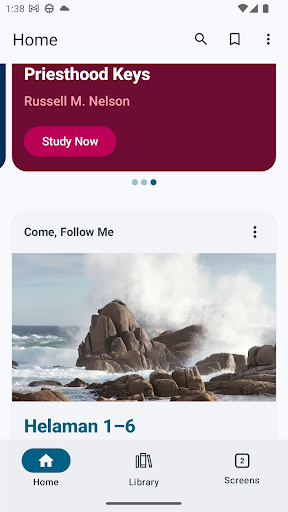
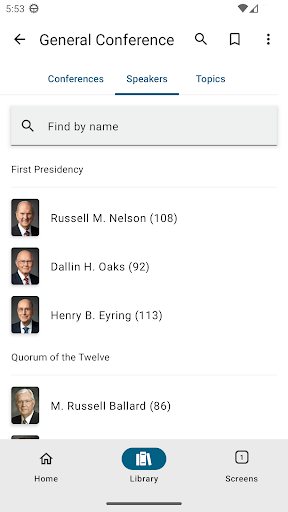
Gospel Library screenshot 1
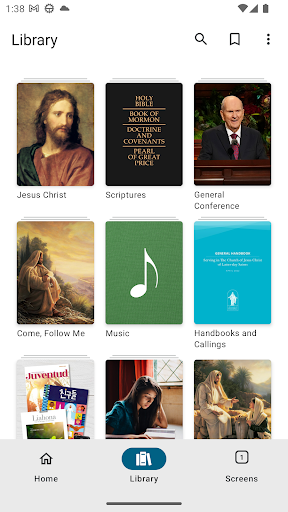
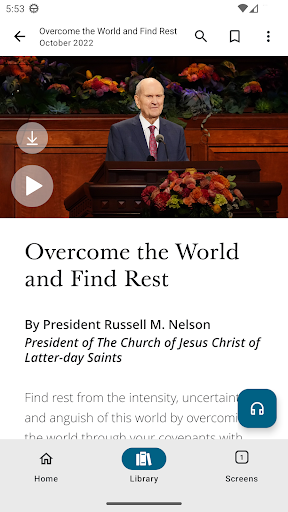
Gospel Library screenshot 2
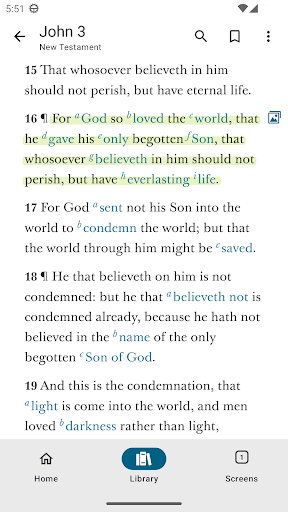
Gospel Library screenshot 3
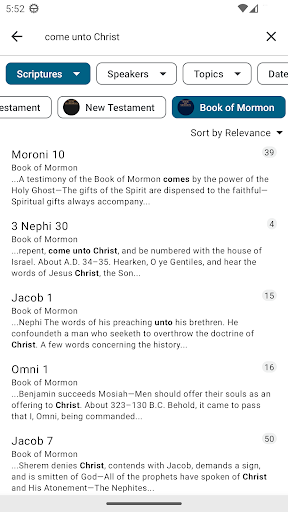
Gospel Library screenshot 4
Gospel Library screenshot 5
Gospel Library screenshot 6

Ratings Breakdown

4.7 ★★★★★ 231K+ ratings
5 ★ 88%
4 ★ 5%
3 ★ 2%
2 ★ 1%
1 ★ 4%

Data from Google Play at the time of writing.

What Gospel Library Is Built For

Gospel Library is the official study app from The Church of Jesus Christ of Latter-day Saints, bundling the scriptures, general conference talks, hymns and youth music, teaching manuals, Church magazines, videos, and gospel art into a single free library. It’s aimed squarely at members of the Church who want their entire study collection on a phone instead of carrying physical books, and at anyone curious about Latter-day Saint teachings who wants a structured place to browse them. With over 12 million installs and more than 231,000 reviews, it’s clearly become a daily-use tool rather than a niche reference app.

Where It Actually Delivers

Real users consistently praise the sheer breadth of content available in one place: scriptures, conference addresses, music, and magazines ‘all centered around Christ,’ as one reviewer put it. The audio playback feature gets specific praise too, with users appreciating the ability to listen to scriptures and adjust playback speed rather than only reading. Reviewers who use it daily for personal study describe it as reliable enough to replace their paper scriptures entirely, and the highlighting and marking tools are a big part of why people keep coming back to it.

Search and Navigation Frustrations

The most repeated complaint across reviews is that search has gotten worse, not better. Multiple users specifically say they can no longer search within a single work, manual, or magazine and are instead stuck with a general search across the entire library, which one reviewer called ‘useless’ compared to earlier versions. Navigation issues compound this: the back button doesn’t behave as expected in some sections like the gospel topics page, and tabs and windows are described as cumbersome to organize. Highlighting also has a reported bug where marked text jumps slightly out of alignment with what was actually selected.

Smaller Annoyances That Add Up

Beyond search, users flag missing features from older versions, including youth music themes that were removed and directional keyboard scrolling shortcuts for Bluetooth keyboards that no longer work. Sync is another sore spot — at least one reviewer had to manually re-enter study plans after switching phones because progress didn’t carry over to their account. Android users specifically ask for a built-in dictionary so they don’t have to leave the app to look up a word. None of these are dealbreakers on their own, but together they show an app whose feature set has shifted around in ways that frustrate longtime users.

Who Should Actually Download This

If you’re a member of the Church, or regularly study its materials, Gospel Library is essentially indispensable — the content depth is unmatched and there’s no real paid competitor to weigh against it since it’s entirely free. If you’re new to the faith or just exploring, be aware the sheer volume of manuals, magazines, and talks can feel overwhelming without guidance from someone familiar with how it’s organized. Just go in expecting that search, navigation, and sync still have real rough edges that the developer hasn’t fully ironed out despite frequent updates.


Pros

  • ✓Huge free library of scriptures and media
  • ✓Audio playback with adjustable speed
  • ✓Highlighting and marking tools for study
  • ✓Useful for daily personal scripture study
  • ✓Includes music, videos, and Church magazines

Cons

  • ✕Search can't target specific works anymore
  • ✕Study plans may not sync across devices
  • ✕Navigation and back button issues persist

What Real Users Say

Bryson Kids ★ 5/5

“Love this app, helps me to be on my scriptures without the physical ones. It also gives me a bunch of different music, and I love that. But, WHY have a lot of the youth themes been DELETED!? (I wish I could do 4.5 out of 5) I seriously love this app, just the only problem I have is that…”

👍 368 found this helpfulDeveloper responded
Stephen Nelson ★ 5/5

“Great new additions, however, I too miss many of the previous features.My biggest complaint pertains to the search function. I can no longer seach a specific work, manual, magazine, etc. - only a general search of the entire library. If anything, I would have prefered greater specificity from the previous version. An "exact phrase" and "keyword" distinction has been added,…”

👍 275 found this helpfulDeveloper responded
Megan ★ 4/5

“Gospel Library is fantastic and it gets better and better. In the last little bit when reading something and marking it, the highlights jump around and are slightly off (about a half of line) from what should be highlighted. Also at the bottom of the conference talks the tags are over the top of the last paragraph of the talk…”

👍 181 found this helpfulDeveloper responded

Reviews sourced from Google Play, selected by helpfulness at the time of writing.

App Info & Permissions

Developer The Church of Jesus Christ of Latter-day Saints
Content rating Everyone
Contains ads No
Installs 12M+
Released 05/28/2010
Price Free

Permissions this app requests

📍 Location Approximate location (network-based); precise location (GPS and network-based)
🖼️ Photos/Media/Files Read the contents of your USB storage; modify or delete the contents of your USB storage
💾 Storage Read the contents of your USB storage; modify or delete the contents of your USB storage
📶 Wi-Fi connection information View Wi-Fi connections

Similar Apps

Frequently Asked Questions

1

What is Gospel Library?

Gospel Library is the official gospel study app published by The Church of Jesus Christ of Latter-day Saints. It contains the scriptures, general conference addresses, hymns and youth music, teaching manuals, Church magazines, videos, audio recordings, and gospel art in one collection. Users can study, search, highlight, and share content across all these formats. It's designed to replace physical Church books and manuals with a single digital library.

2

Is Gospel Library free to use?

Yes, Gospel Library is completely free to download and use, with no in-app purchases required to access its content. All scriptures, conference talks, music, and manuals are included at no cost. This matches the Church's broader approach of making its materials freely available to members and the public.

3

Does Gospel Library work offline?

The app is designed to let users download content for offline study, which is one reason it's popular as a scripture and manual replacement. However, some features like syncing study plans across devices may require an internet connection to work properly, and at least one user reported study plans not syncing after switching phones.

4

Can I listen to the scriptures instead of reading them?

Yes, audio playback is a standout feature according to user reviews, with the ability to listen to scriptures and adjust the playback speed. Some users do note they wish playback would automatically pause when headphones are removed, since it currently keeps playing aloud.

5

What are the biggest complaints about Gospel Library?

The most common complaint is that search functionality has regressed, no longer allowing users to search within a specific manual, magazine, or work rather than the whole library. Other frequent issues include clunky tab and window navigation, a back button that doesn't always work as expected, and highlighting that can appear slightly misaligned with the selected text.