
Google Lens

by Google LLC

4.7 ★ 2.8M+ reviews
3.8B+ Installs
06/04/2018 Released
Google Lens icon
Google Lens icon
Tools

Google Lens

by Google LLC

4.7 ★ 2.8M+ reviews
3.8B+ Installs
06/04/2018 Released
Advertisements
Google Lens screenshot 1
Google Lens screenshot 2
Google Lens screenshot 3
Google Lens screenshot 4
Google Lens screenshot 5
Google Lens screenshot 6

Ratings Breakdown

4.7 ★★★★★ 2.8M+ ratings
5 ★ 84%
4 ★ 10%
3 ★ 2%
2 ★ 1%
1 ★ 3%

Data from Google Play at the time of writing.

What Google Lens Actually Does

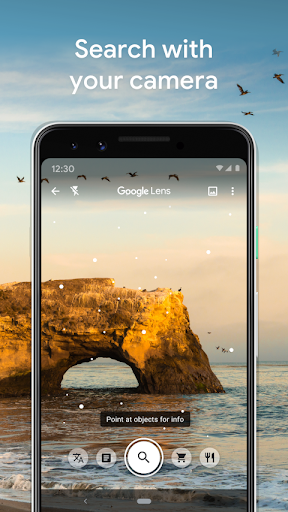
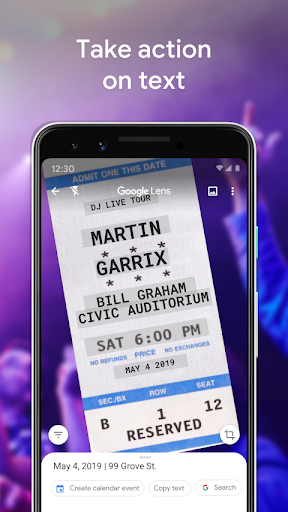
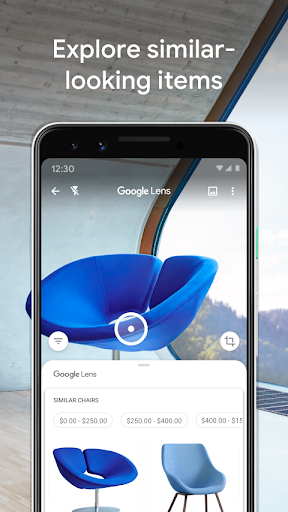
Google Lens is a visual search tool baked into the Google ecosystem that lets you point your camera or a saved photo at basically anything and get information back. Translate a menu, identify a plant, find a chair that matches the one in your neighbor’s living room, scan a QR code, or pull text off a business card straight into your contacts. It’s built for anyone who searches with their eyes more than with words, and given that it’s installed on billions of devices, that’s clearly a lot of people.

Where It Genuinely Impresses

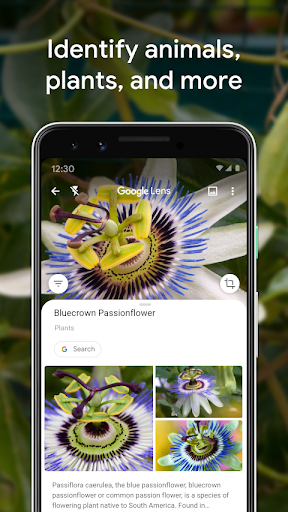
The strongest praise from users centers on identification. People use it to figure out old photos of buildings and towns from decades-old trips, to price antiques and figurines for moving sales, to identify bugs, plants, and random objects around the house, and to search for things they can’t even name when reselling items online. One reviewer called it useful for spotting fake profile pictures on Facebook, which says something about how flexible the tool has become beyond its original ‘what plant is this’ pitch.

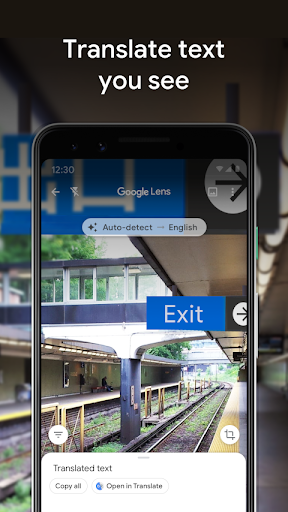
Translation is another consistent bright spot. Travelers rely on it to read foreign-language signs and menus on the spot, and several reviewers specifically mention using it successfully with less common languages like Japanese and Icelandic. For a free tool that just uses your camera, that’s a genuinely useful travel companion, and it explains why so many reviews mention using it ‘all the time’ while abroad.

The Cluttered Interface Problem

Not everything is smooth. One long-time user specifically asked for a way to clear the screen of all the overlay tools so they could see an unobstructed image, suggesting the interface can feel busy or cluttered when you just want to look at what you photographed. It’s a small complaint, but it’s the kind of friction that adds up when you’re trying to quickly translate a sign or read a menu.

Accuracy Is Inconsistent, Not Broken

The bigger recurring issue is search accuracy. Multiple reviewers note that when Lens tries to match a photo to similar products or images online, you often have to scroll several pages deep before finding anything close to what you actually photographed. Others describe the identification results as ‘not always accurate,’ particularly with obscure items like small figurines, unusual antiques, or specific bug and plant species. The app doesn’t fail outright in these cases, it just gives you a pile of loosely related information and expects you to sort through it, which undercuts the ‘instant answer’ promise of the whole concept.

Who Should Actually Install This

If you travel, shop secondhand, garden, or just get curious about the world around you, Lens earns its place on your phone. Resellers pricing items for online sales, people trying to identify plants and insects on walks, and travelers who need on-the-fly translation all get real, repeated value out of it based on how people actually describe using it. It’s also a solid one-stop tool for the small annoyances of daily life, like grabbing text from a poster to add an event to your calendar, or scanning a business card instead of typing contact info manually.

If you need pinpoint accuracy on obscure or niche objects every single time, temper your expectations. Lens is excellent at broad recognition tasks and less reliable when things get specific, and you may need to dig through several results pages to land on the right one. Still, for a free tool that leans on nothing more than your phone’s camera, the hit rate described by users is high enough that most people will find it worth keeping installed. Given how many people already have it on their phones, it’s less a question of whether to try it and more a question of how deep into its features you want to go.


Pros

  • ✓Great at identifying plants, animals, objects
  • ✓Reliable text translation while traveling
  • ✓Useful for pricing resale and antique items
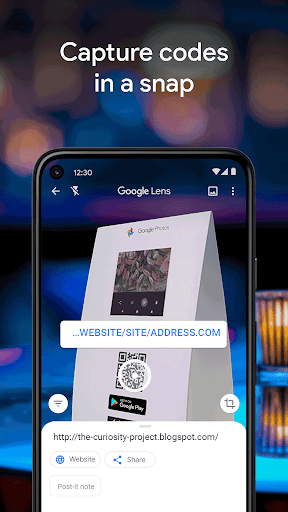
  • ✓Handles QR codes and barcodes easily
  • ✓Works from both camera and saved photos

Cons

  • ✕Search results often several pages deep
  • ✕Less accurate with obscure or niche items
  • ✕Interface can feel cluttered on screen

What Real Users Say

Gof Thompson ★ 5/5

“Lens has successfully helped me identify dozens of buildings, towns, gardens all around Europe in photos I took over twenty years ago but have since lost my diary record. A very useful, time saving app. I also use it regularly to successfully translate less familiar languages (Japanese, Icelandic, etc) but strangely it gives varying translations according to how far the…”

👍 2,156 found this helpful
NanWillow22 ★ 5/5

“I can find anything and everything on this app. Clothes, places, antiques, odd things, photos, fake profile pics on FB. Especially useful for searching item descriptions when I don't know what to call something for my online sales. I simply take a photo and search it with LENS. Works flawlessly. Some items I want to buy are so expensive but…”

👍 976 found this helpful
B Lee ★ 5/5

“Such a great app and tool. You can take pictures of things with foreign languages and then translate them later. Super helpful and useful when traveling. I use it all the time traveling. The only change I would suggest would be to be able to clear the screen of all the tools so you can have an uncluttered translated picture…”

👍 817 found this helpful

Reviews sourced from Google Play, selected by helpfulness at the time of writing.

App Info & Permissions

Developer Google LLC
Content rating Everyone
Contains ads No
Installs 3.8B+
Released 06/04/2018
Price Free

Permissions this app requests

📷 Camera Take pictures and videos

Similar Apps

Frequently Asked Questions

1

What is Google Lens?

Google Lens is a visual search app from Google that identifies objects, translates text, and finds information using your phone's camera or a saved photo. You can use it to identify plants and animals, scan QR codes and barcodes, translate foreign languages, look up landmarks and restaurants, or find similar clothes and furniture online. It's built into many Android phones and also available as a standalone app.

2

Is Google Lens free to use?

Yes, Google Lens is free to download and use, with no subscription required for its core features. Some features do require an internet connection to work properly. There are no reported paywalls in user reviews, and the app is used heavily for everyday tasks like translation and identification without any mentioned cost.

3

How accurate is Google Lens at identifying objects?

It's generally strong with common items like plants, cars, and household objects, according to user reviews. However, several users note that for obscure items like rare antiques or specific figurines, you may need to scroll through multiple pages of results to find an accurate match. Accuracy is described as good but not perfect.

4

Does Google Lens work well for translation while traveling?

Yes, this is one of its most praised features, with users specifically citing successful translations of Japanese and Icelandic text while abroad. Travelers use it to read menus, signs, and other foreign-language text in real time. It's frequently mentioned as a go-to tool during international trips.

5

Can Google Lens help identify plants, animals, or insects?

Yes, multiple reviewers use it specifically for this purpose, including identifying plants during walks, spotting bugs like spiders and moths, and figuring out dog breeds. Results are described as helpful and informative even when not perfectly precise. It's considered one of the app's most reliable use cases.

