Google Chat

by Google LLC

4.4 ★ 355K+ reviews
75M+ Installs
02/28/2018 Released
Google Chat icon
Google Chat icon
Business

Google Chat

by Google LLC

4.4 ★ 355K+ reviews
75M+ Installs
02/28/2018 Released
Advertisements
Google Chat screenshot 1
Google Chat screenshot 2
Google Chat screenshot 3
Google Chat screenshot 4
Google Chat screenshot 5
Google Chat screenshot 6

Ratings Breakdown

4.4 ★★★★★ 355K+ ratings
5 ★ 74%
4 ★ 11%
3 ★ 6%
2 ★ 2%
1 ★ 7%

Data from Google Play at the time of writing.

What Google Chat Is Supposed to Do

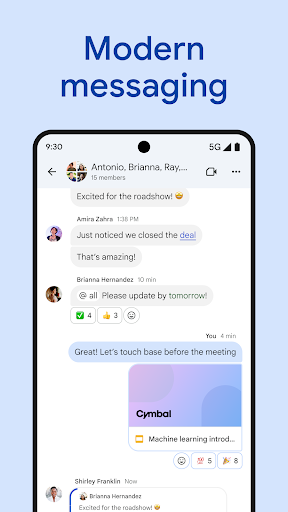
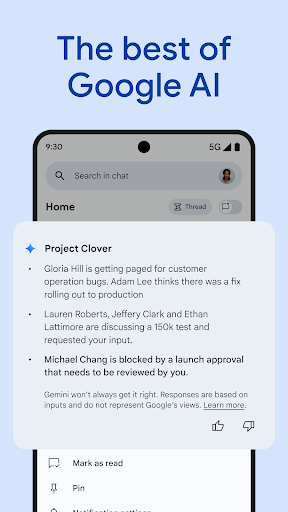
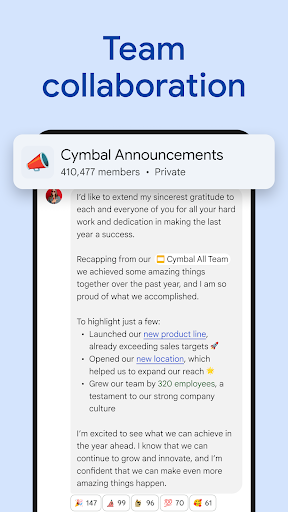
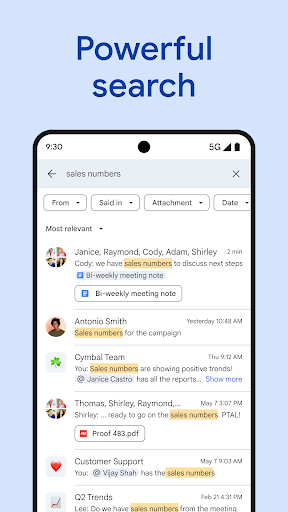
Google Chat is Workspace’s messaging and collaboration app, aimed at teams that already live in Gmail, Calendar, Drive, and Meet. It bundles direct messages, group spaces, huddles, and now a layer of Gemini AI features like conversation summaries, translation across 120+ languages, and AI-powered search. It’s built for businesses and schools already paying for Workspace, not for casual users looking for a standalone chat app.

With over 75 million installs and a review base in the hundreds of thousands, it’s clearly become a default for many organizations, often because it was pushed on them rather than chosen.

Where the AI and Workspace Integration Actually Help

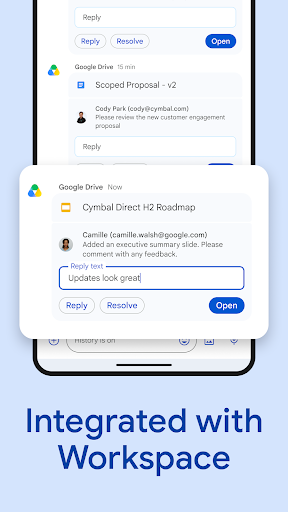
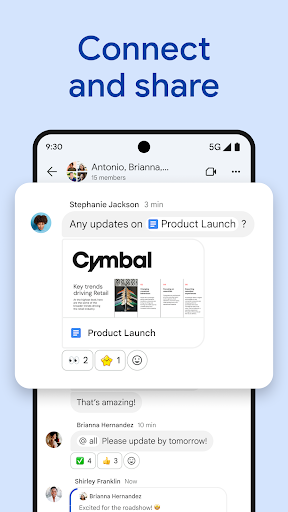
The tie-in with Drive, Docs, Calendar, and Meet is genuinely useful when it works, letting you link files and people with smart chips instead of copy-pasting URLs. Being able to spin up a huddle instantly or pull in Chat apps like Jira or GitHub gives it real utility for dev and ops teams that need more than plain messaging. For organizations already committed to Google’s ecosystem, having one login and one security model across email and chat is a practical convenience, and Google’s zero-trust cloud architecture means there’s no desktop client to patch or local data to worry about.

The Hangovers From Killing Hangouts

The most common complaint in user reviews isn’t really about Chat in isolation, it’s about what it replaced. Multiple reviewers describe Hangouts as simpler, faster, and easier to navigate, and say Chat feels like a step backwards. One reviewer bluntly called it a ‘copy-pasted version of Microsoft Teams’ with nothing unique to offer. That sentiment shows up again and again from long-time Google users who were migrated without much choice.

Real Usability Complaints That Keep Coming Up

Beyond nostalgia for Hangouts, there are specific functional gripes. Several reviewers say the entire conversation is left-justified with no chat bubbles, making it hard to tell who said what and harder to scroll back through history. Photo sharing is repeatedly flagged as broken by comparison, since you can only send one image at a time, and opening an image is described as slow, like loading a sluggish webpage. Notifications are another sore spot, with users saying they rarely get alerted to new messages, and read receipts are said to be missing or hard to find.

Who Should Actually Download This

If your company or school already runs on Google Workspace and mandates Chat for internal communication, you don’t have much choice, and the Drive, Calendar, and Meet integrations make it tolerable for daily standups and file-sharing threads. But if you’re evaluating it fresh against alternatives like Slack or Teams, the interface complaints around message threading, photo handling, and notifications are real and consistent across a large number of reviewers, not isolated gripes. Teams that need fast, reliable photo sharing or a visually clear conversation layout may find this frustrating out of the box. It’s a functional business tool tied to a bigger ecosystem, not a chat app you’d choose for its own merits.


Pros

  • ✓Deep integration with Gmail, Drive, Calendar, Meet
  • ✓AI-powered summaries and translation across languages
  • ✓Useful for huddles and instant video calls
  • ✓Supports third-party apps like Jira, GitHub, PagerDuty
  • ✓No desktop app patching, cloud-based security

Cons

  • ✕Only one photo can be sent at a time
  • ✕Notifications are unreliable and often missed
  • ✕Conversation layout lacks clear chat bubbles

What Real Users Say

C R ★ 1/5

“Compared to Hangouts, we traveled about half the Earth's diameter in distance going backwards. Everything in Hangouts was simple, right in one area and easy to access. Now, everything is everywhere, and not to mention that core functions are missing, it's much slower, I rarely get notifications, and it's 20 times more tedious to use. And the fact that you're…”

👍 2,378 found this helpfulDeveloper responded
Maddie Grace ★ 2/5

“I mean, it's an okay app. Basic format, really the only thing going for it that makes it different from other free messaging apps is that it's created by Google. However, when compared to what it's trying to replace, Google Hangouts, it's awful. The format is way worse, the notifications don't give you image previews anymore, and it's overall harder…”

👍 1,271 found this helpfulDeveloper responded
Adrian Casto ★ 1/5

“Hangouts was better. This chat feature really sucks. The way you send photos sucks. You can only send one at a time. And you can't click on a photo and scroll through what you've already sent. You have to keep scrolling up forever to find it in chat. Not to mention now the text us all on the same side…”

👍 1,264 found this helpfulDeveloper responded

Reviews sourced from Google Play, selected by helpfulness at the time of writing.

App Info & Permissions

Developer Google LLC
Content rating Everyone
Contains ads No
Installs 75M+
Released 02/28/2018
Price Free

Permissions this app requests

📷 Camera Take pictures and videos
👥 Contacts Find accounts on the device; read your contacts
🪪 Identity Find accounts on the device
🎙️ Microphone Record audio
🖼️ Photos/Media/Files Read the contents of your USB storage; modify or delete the contents of your USB storage
💾 Storage Read the contents of your USB storage; modify or delete the contents of your USB storage

Similar Apps

Frequently Asked Questions

1

What is Google Chat?

Google Chat is a business messaging and collaboration app from Google LLC, built for teams using Google Workspace. It offers direct messages, group spaces, huddles, and integrations with Gmail, Drive, Calendar, and Meet. It now includes Gemini AI features like conversation summaries, automatic translation, and AI-powered search.

2

Is Google Chat free to use?

Google Chat is included with Google Workspace for consumer, education, and business customers, but some premium features require a paid Workspace subscription. Google offers a 14-day trial through workspace.google.com if you want to test the paid tier. Without a Workspace account, its usefulness is limited.

3

Is Google Chat better than Google Hangouts?

Based on user feedback, many long-time Hangouts users feel Chat is a downgrade rather than an improvement. Reviewers frequently cite missing core functions, worse photo sharing, and a more confusing interface compared to Hangouts. It replaced Hangouts as Google's business messaging tool, but not without significant user pushback.

4

Can I send multiple photos at once in Google Chat?

No, multiple reviewers specifically complain that Google Chat only allows sending one photo at a time. This is described as a step backward from Hangouts and a significant annoyance for users who share images regularly. It's one of the most repeated complaints in user reviews.

5

Who is Google Chat best suited for?

Google Chat is best for teams and organizations already using Google Workspace who need integration with Gmail, Drive, Calendar, and Meet. It suits businesses that want AI-assisted summaries, translation, and search built into their messaging tool. It's less ideal for users who want a simple, visually clear standalone chat app.

