Gboard – the Google Keyboard

by Google LLC

4.5 ★ 18M+ reviews
13B+ Installs
06/05/2013 Released
Gboard – the Google Keyboard icon
Tools

Gboard – the Google Keyboard

by Google LLC

4.5 ★ 18M+ reviews
13B+ Installs
06/05/2013 Released
Advertisements
Gboard – the Google Keyboard screenshot 1
Gboard – the Google Keyboard screenshot 2
Gboard – the Google Keyboard screenshot 3
Gboard – the Google Keyboard screenshot 4
Gboard – the Google Keyboard screenshot 5
Gboard – the Google Keyboard screenshot 6

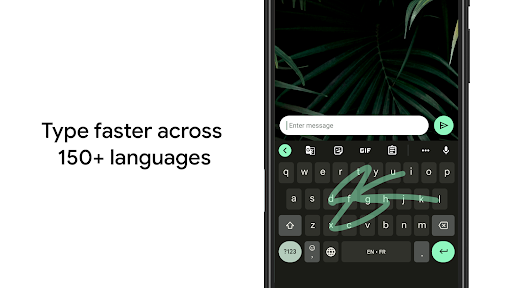
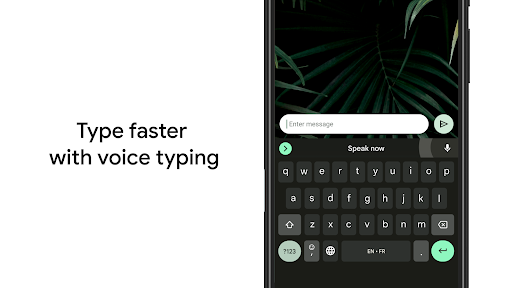
Gboard has basically become the default keyboard for a huge chunk of Android users, and once you dig into why, it makes sense. Glide typing is fast and accurate even when you’re typing sloppily on a bus or walking, and the swipe-to-move-cursor trick on the space bar is one of those features you don’t know you need until you use it. Voice typing is also genuinely good—fast, accurate, and it handles punctuation commands well enough that you can dictate a whole email without much cleanup.

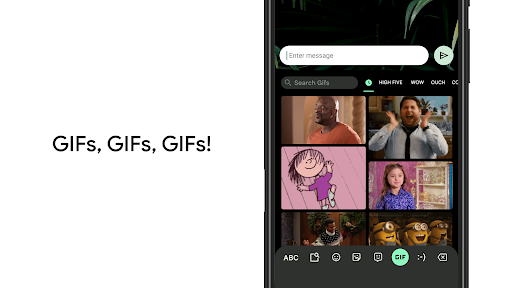
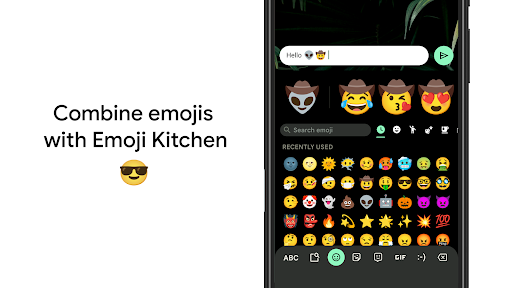
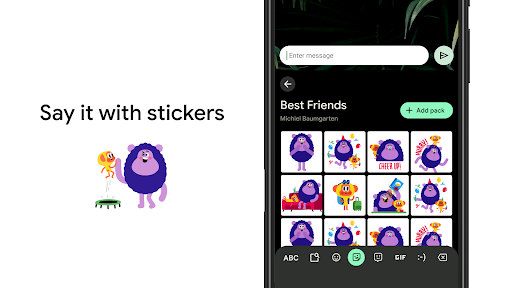
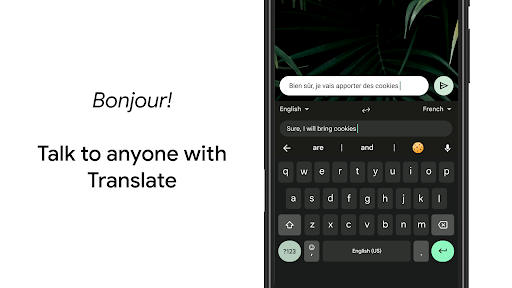
The multilingual support is one of its strongest selling points. If you regularly text in two or three languages, Gboard’s ability to autocorrect and suggest across all of them without manually switching layouts is a real time-saver, and the sheer number of supported language varieties is impressive compared to most third-party keyboards. Emoji search and GIF search are handy little additions, though they can feel a bit sluggish depending on your phone’s speed and RAM.

On the downside, Gboard is a data-hungry, permission-heavy app by nature—it’s a Google keyboard, so it’s tied into your Google account, and privacy-conscious users may feel uneasy about a keyboard that has access to literally everything you type. The app has also grown bloated over time; between themes, GIFs, Google Translate integration, clipboard management, and Wear OS support, the settings menu can feel like a maze for anyone who just wants a simple keyboard. Handwriting input, while a nice feature, can be finicky with cursive or messy input.

Performance-wise, it’s mostly stable, but on older or budget phones (and Android Go devices, where several features are stripped out entirely) it can lag, especially right after an update. Theme customization is nice but occasionally buggy, with keyboard layouts shifting oddly after switching themes. Still, for most people, the speed, accuracy, and free price tag outweigh the quirks, which is exactly why it’s one of the most installed apps on Android.


Pros

  • ✓Accurate glide and voice typing
  • ✓Strong multilingual autocorrect support
  • ✓Handy gesture cursor and delete controls
  • ✓Free with extensive customization options
  • ✓Wide language and Wear OS support

Cons

  • ✕Heavy Google account data integration
  • ✕Feels bloated with many features
  • ✕Limited functionality on Android Go devices

App Info & Permissions

Developer Google LLC
Contains ads No
Installs 13B+
Released 06/05/2013

Similar Apps

Frequently Asked Questions

1

What is Gboard - the Google Keyboard?

Gboard is Google's official keyboard app for Android and Wear OS devices. It offers glide typing, voice typing, handwriting input, emoji and GIF search, and multilingual autocorrect. It's designed to replace your phone's default keyboard with a faster, more feature-rich typing experience.

2

Is Gboard free to use?

Yes, Gboard is completely free to download and use, with no in-app purchases or subscriptions required. All core features, including Glide Typing, voice typing, and themes, are included at no cost. Google monetizes indirectly through data and its broader ecosystem rather than charging users directly.

3

Does Gboard work without an internet connection?

Many core typing features like Glide Typing and basic autocorrect work offline, but voice typing, Google Translate integration, and GIF search require an internet connection. If you plan to use it heavily offline, it's worth testing which features matter most to you beforehand. Performance may vary depending on your device and language pack downloads.

4

Is Gboard safe to use in terms of privacy?

Gboard is developed by Google and integrates with your Google account, which means it can access typing data to improve suggestions and sync settings. Privacy-conscious users should review Gboard's data settings and permissions in Android before installing. It's not inherently unsafe, but it does involve more data sharing than many minimalist third-party keyboards.

5

Can Gboard be used on smartwatches?

Yes, Gboard supports Wear OS devices with features like Glide Typing, voice typing, and emoji typing optimized for smaller screens. Not all languages available on phones are supported on Wear OS, but the most common ones are included. It brings much of the same typing speed and reliability to your wrist.

