

File Miner

by RichMobile Life

4.1 ★ 35K+ reviews
53M+ Installs
06/14/2022 Released
File Miner icon
File Miner icon
Productivity

File Miner

by RichMobile Life

4.1 ★ 35K+ reviews
53M+ Installs
06/14/2022 Released
Advertisements
File Miner screenshot 1
File Miner screenshot 2
File Miner screenshot 3
File Miner screenshot 4
File Miner screenshot 5
File Miner screenshot 6

Ratings Breakdown

4.1 ★★★★★ 35K+ ratings
5 ★ 70%
4 ★ 7%
3 ★ 3%
2 ★ 2%
1 ★ 18%

Data from Google Play at the time of writing.

What File Miner Claims to Do

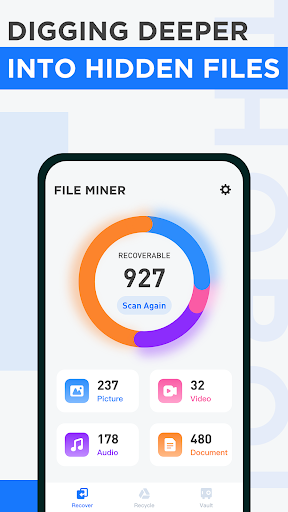
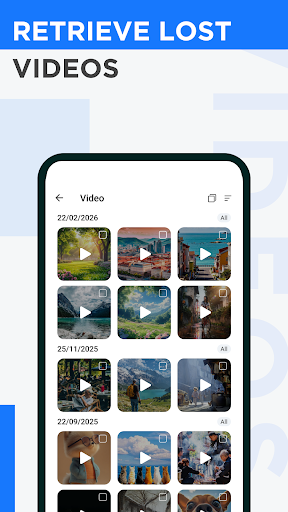
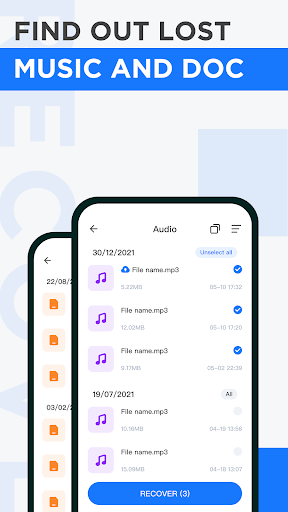
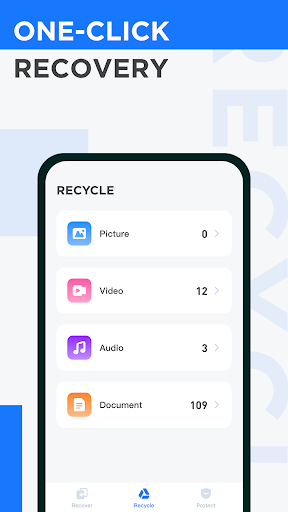
File Miner markets itself as a free file recovery tool for Android, promising to dig up deleted photos, videos, audio, and documents from hidden, cache, and temp folders before the OS wipes them for good. It also includes a ‘file vault’ for locking away important files, and an export function for pulling recovered items into public storage. On paper, this is aimed at anyone who has accidentally deleted a photo or document and wants a quick, no-cost way to get it back.

What Actually Happens During a Scan

In real use, the app does complete scans and returns long lists of files, but multiple users report the same core problem: many of the ‘recovered’ items are not deleted files at all, they are files still sitting on the device, including photos already visible in the gallery. One reviewer with 911 helpful votes explains they had to guess which file was the one they actually lost because there is no preview, since the file type gives none. Another user who found the scan turned up hidden ‘.db’ database files couldn’t do anything with them because there’s no app that opens that format on a phone.

The Export and Access Problem

Even when File Miner shows recovered videos or images, getting to them afterward is a real sticking point. One review with 88 helpful votes describes tapping export only to have no indication of where the files actually went, with nothing showing up in the phone’s gallery afterward. Attempts to email the developer for support went nowhere, as the message reportedly bounced back blocked. This turns the app’s core promise, recovering and retrieving your files, into a dead end for some users right at the final step.

Ads and Trust Concerns

Several one-star reviews describe heavy advertising, including ads that redirect to outside websites, and complain the app is ‘fake,’ showing only photos already on the device rather than anything genuinely recovered. One reviewer raises a broader technical point worth taking seriously: real deleted-file recovery on an unrooted Android device is extremely limited because it requires access to restricted system storage areas, so any app promising full recovery without root should be treated with skepticism. Another review goes further, alleging the app collects and stores personal data such as WhatsApp media and photos, calling it a potential scam risk, though this claim isn’t independently verified here.

Is There Anything Good Here?

To be fair, not every review is negative. A five-star reviewer found real value in simply seeing what’s actually sitting in phone storage versus what they assumed was deleted, calling it ‘creepy’ but insightful. A four-star review acknowledges the scan surfaced hidden database files and found the ad load tolerable, even while admitting nothing was truly recovered. That’s the pattern across feedback: the scanning function itself works and is thorough, but recovery and retrieval, the entire point of the app, frequently falls short.

Bottom Line for Potential Downloaders

File Miner is free and will show you what’s buried in your phone’s folders, which has some curiosity value. But if you’re relying on it to genuinely rescue a deleted photo or document, the evidence from real users suggests low odds of success, confusing exports, and an ad-heavy experience. Only download it with low expectations, and never as your only recovery option for something truly important.


Pros

  • ✓Free to download and use
  • ✓Scans reach hidden and cache folders
  • ✓Shows real insight into phone storage
  • ✓File vault option for important files
  • ✓Thorough scanning of temp folders

Cons

  • ✕Often shows existing, not deleted files
  • ✕Exported files hard to locate afterward
  • ✕Heavy ads and unresponsive support

What Real Users Say

Blake Mattson ★ 1/5

“AVOID: Desperate to find an important missing file, I gave this app a shot. It seems to be working at a glance and I can select files but, turns out, they are files that haven't been deleted. Since I have to guess which file I need, as the file type doesn't give a preview, I select some files, hit recover…”

👍 911 found this helpful
Darin Shaver ★ 4/5

“I didn't want to give bad review because I think someone put in a lot of work for this app and I have nothing negative to say. Scan found several images but they weren't deleted. It also found some "database" files which WERE hidden. I just can't open .db files. Overall it's not bad. Ads are only 5 seconds long!…”

👍 572 found this helpful
Dank ★ 5/5

“This app is actually too good. Things that you thought were deleted are not. It gives you the option to delete them, but I don't know where that leads. It provides great insight into what your phone actually has in storage, versus what you think it has. Kind of creepy.”

👍 531 found this helpful

Reviews sourced from Google Play, selected by helpfulness at the time of writing.

App Info & Permissions

Developer RichMobile Life
Content rating Everyone
Contains ads Yes
Installs 53M+
Released 06/14/2022
Price Free

Permissions this app requests

🖼️ Photos/Media/Files Read the contents of your USB storage; modify or delete the contents of your USB storage
💾 Storage Read the contents of your USB storage; modify or delete the contents of your USB storage
📶 Wi-Fi connection information View Wi-Fi connections

Similar Apps

Frequently Asked Questions

1

What is File Miner?

File Miner is an Android productivity app from RichMobile Life that claims to recover deleted photos, videos, audio, and documents by scanning hidden, cache, and temp folders. It also offers a file vault feature to protect important files from deletion. It has been installed tens of millions of times, though user reviews are mixed on whether it actually recovers lost data.

2

Is File Miner free?

Yes, File Miner is advertised as completely free to use. However, multiple reviewers note the app is heavily supported by ads, with some describing frequent ad interruptions and redirects to outside websites during use.

3

Does File Miner actually recover deleted files?

Based on user reports, results are inconsistent. Several reviewers say the app mostly displays files that were never deleted in the first place, while others found it surfaced hidden database files that couldn't be opened or exported files that were impossible to locate afterward.

4

Can File Miner recover files without rooting my phone?

One detailed reviewer explains that genuine deep file recovery typically requires root access to reach restricted system storage areas like the master boot record, and that unrooted recovery claims should be treated with caution. This suggests File Miner's recovery capability on standard, non-rooted phones may be limited.

5

Is File Miner safe to install given the data privacy complaints?

Some reviewers allege the app collects personal files such as WhatsApp media and photos, raising scam and privacy concerns, though this is not independently confirmed. Given these unverified but repeated complaints, cautious users may want to review app permissions carefully before granting broad storage access.

