
ExpressVPN: Fast & Secure VPN

by ExpressVPN

4.7 ★ 475K+ reviews
103M+ Installs
01/06/2012 Released
ExpressVPN: Fast & Secure VPN icon
Tools

ExpressVPN: Fast & Secure VPN

by ExpressVPN

4.7 ★ 475K+ reviews
103M+ Installs
01/06/2012 Released
Advertisements
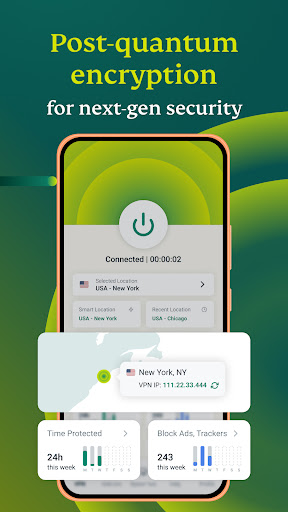
ExpressVPN: Fast & Secure VPN screenshot 1
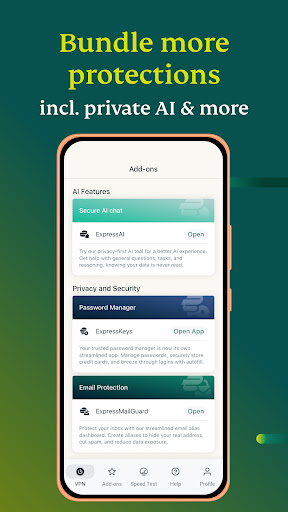
ExpressVPN: Fast & Secure VPN screenshot 2
ExpressVPN: Fast & Secure VPN screenshot 3
ExpressVPN: Fast & Secure VPN screenshot 4
ExpressVPN: Fast & Secure VPN screenshot 5
ExpressVPN: Fast & Secure VPN screenshot 6

Ratings Breakdown

4.7 ★★★★★ 475K+ ratings
5 ★ 85%
4 ★ 8%
3 ★ 2%
2 ★ 1%
1 ★ 4%

Data from Google Play at the time of writing.

What ExpressVPN Does and Who It’s For

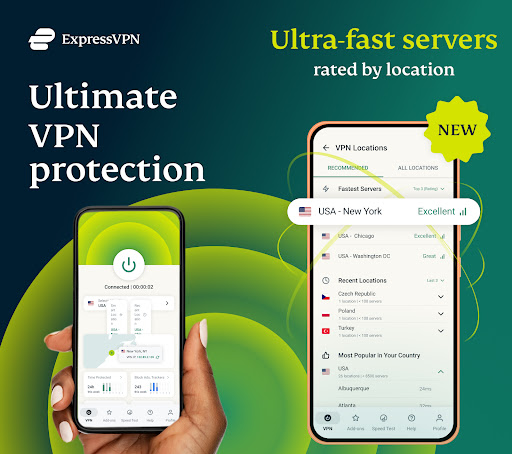
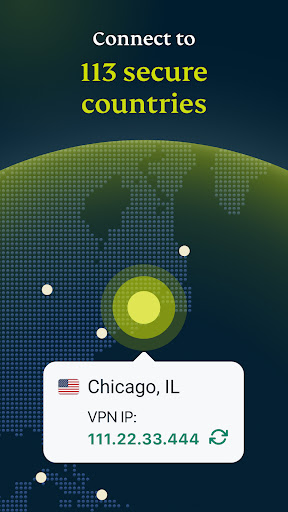
ExpressVPN is a subscription-based VPN app for Android (and other platforms) that encrypts your internet traffic and routes it through servers in 113 countries. It’s aimed at people who want private browsing, safer public Wi-Fi use, and access to streaming content while traveling. With support for up to 14 devices under one subscription, it also works for households that want to cover phones, TVs, and streaming boxes without juggling multiple accounts.

Everyday Performance and Reliability

Real user feedback describes the app as generally fast and easy to use, with a large number of server locations and quick connection times. Several long-time users note that ad-tracking and ad-related content seems to drop off noticeably after using the app, and that the interface is simple enough for VPN beginners to pick up immediately. That said, performance isn’t universally consistent: one reviewer pointed out that a specific site they use regularly struggles to load content through the VPN, and another mentioned occasional slowdowns and connection failures that require switching servers to fix.

Recent Complaints About Server Speed and Stability

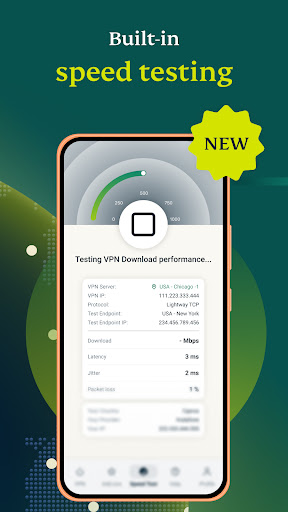
A recurring theme in more critical reviews is that server performance has reportedly declined. One user described the connection getting weaker over time, with the app’s ‘fast server’ recommendation feature failing outright and returning a ‘No fast servers are available’ message even after refreshing. Another reviewer using a Chromebook reported repeated loss of internet connection during VPN reconnects, an issue that only partially resolved after switching servers manually. A third complaint involved a broken password generator feature that customer service instructions failed to fix even after reinstalling the app.

The Banking App and Billing Friction

A very common annoyance among reviewers, even those giving 5-star ratings, is having to manually disable the VPN to use banking apps and then remembering to turn it back on afterward. Multiple users independently asked for a notification system to alert them when the VPN is off, since forgetting to re-enable it means browsing unprotected without realizing it. Separately, one detailed 1-star review described a frustrating billing experience: a one-time single-month purchase automatically converted into a recurring subscription, and attempts to cancel through the ‘My Subscriptions’ page repeatedly failed with an error message, forcing extra effort to stop being charged.

Who Should Actually Download This

ExpressVPN suits people who want a straightforward, well-regarded VPN for streaming, travel, or general privacy on public networks, and who value a large server network and multi-device support. It’s less ideal for anyone expecting flawless server speed at all times or a frictionless cancellation process, based on user experiences with billing and support. If you’re comfortable manually toggling the VPN for banking apps and troubleshooting occasional server hiccups, it delivers solid day-to-day protection. Anyone who has been burned by auto-renewing subscriptions elsewhere should read the cancellation terms carefully before signing up, and pay close attention to the billing cycle to avoid the same issue reported by other users.


Pros

  • ✓Large server network across 113 countries
  • ✓Simple, beginner-friendly interface
  • ✓Reduces ads and tracking noticeably
  • ✓Supports up to 14 devices at once
  • ✓24/7 customer support available

Cons

  • ✕Server speed and reliability inconsistent lately
  • ✕Must manually disable for banking apps
  • ✕Cancellation and billing process caused problems

What Real Users Say

Benjamin Rauen ★ 5/5

“I really enjoy using the mobile app! The only feature I would add is an option to send push notifications to the user if their vpn is not currently turned on. I've had to turn it off for a few websites (due to ad blocking) and forget to turn it back on, so I go unprotected until I remember. Not…”

👍 399 found this helpful
Rachel Ervin ★ 5/5

“I have noticed that fewer products that I searched are advertised later, but there is a slower loading of content on about 30% of information. ***editing review. I love that this app blocks ads. I do have to turn it off to use my banking app, then remember to turn it back on. so far, that's the only one I…”

👍 332 found this helpfulDeveloper responded
David Gloss ★ 1/5

“Do not recommend. Although the actual service is great, the customer experience is not. A one-time purchase for a single month requires and results in an automatic subscription. When following instructions to cancel, the "My Subscriptions" page says "Sorry, something went wrong, please try again later." They want you to forget about it, get frustrated, and give up and hope…”

👍 315 found this helpfulDeveloper responded

Reviews sourced from Google Play, selected by helpfulness at the time of writing.

App Info & Permissions

Developer ExpressVPN
Content rating Everyone
Contains ads No
In-app purchases $9.99 - $116.99 per item
Installs 103M+
Released 01/06/2012
Price Free

Permissions this app requests

📷 Camera Take pictures and videos
📍 Location Approximate location (network-based); precise location (GPS and network-based)
🖼️ Photos/Media/Files Read the contents of your USB storage; modify or delete the contents of your USB storage
💾 Storage Read the contents of your USB storage; modify or delete the contents of your USB storage
📶 Wi-Fi connection information View Wi-Fi connections

Similar Apps

Frequently Asked Questions

1

What is ExpressVPN: Fast & Secure VPN?

ExpressVPN is a VPN app that encrypts your internet connection and lets you connect to servers in 113 countries across 214 locations. It's designed for private browsing, safer public Wi-Fi use, and accessing streaming content, and it works across Android, Android TV, Fire TV, gaming consoles, and more. One subscription covers up to 14 devices simultaneously.

2

Is ExpressVPN free to use?

ExpressVPN is not free; it operates on a paid subscription model, though it offers a 3-day free trial and a 30-day money-back guarantee mentioned by users. Subscriptions automatically renew unless canceled at least 24 hours before the billing period ends. One reviewer reported difficulty canceling after a one-time purchase turned into an automatic subscription, so it's worth reviewing the billing terms carefully.

3

Do I need to turn ExpressVPN off for banking apps?

Based on multiple user reviews, yes, some banking apps don't work properly while the VPN is active, so users routinely disable it before logging in. The catch reported by several reviewers is forgetting to turn it back on afterward, leaving their connection unprotected. Some users have specifically requested a notification feature to remind them when the VPN is off.

4

Has ExpressVPN's server speed gotten worse recently?

Some users report that server performance has declined recently, including weaker connections and a 'no fast servers available' error when trying to find the best server. Others still describe the app as fast and reliable with only minor slowdowns on specific sites. Experiences appear to vary depending on location and which server you connect to.

5

Does ExpressVPN work well on Chromebook or other non-mobile devices?

ExpressVPN is advertised to work across many platforms, but at least one reviewer using a Chromebook reported repeated loss of internet connection during VPN reconnects. Switching servers offered a temporary fix in that case but the issue reportedly returned. Performance on non-mobile devices may be less consistent than on standard Android phones.

