Canvas Student

by Instructure

4.5 222K+ reviews
24M+ Installs
12/22/2012 Released
Canvas Student icon
Canvas Student icon
Education

Canvas Student

by Instructure

4.5 222K+ reviews
24M+ Installs
12/22/2012 Released
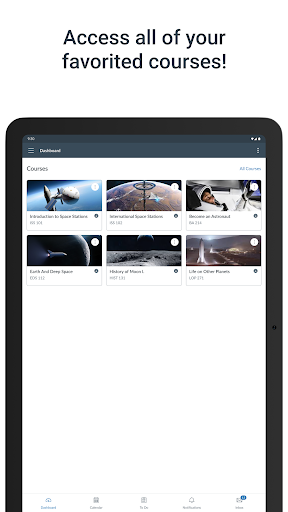
Canvas Student screenshot 1
Canvas Student screenshot 2
Canvas Student screenshot 3
Canvas Student screenshot 4
Canvas Student screenshot 5
Canvas Student screenshot 6

Ratings Breakdown

4.5 ★★★★★ 222K+ ratings
5 82%
4 6%
3 3%
2 2%
1 7%

Data from Google Play at the time of writing.

What Canvas Student Actually Does

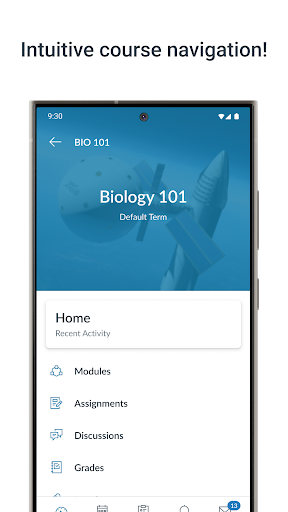
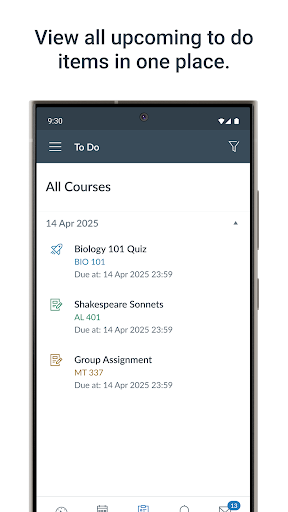
Canvas Student is the learner-facing companion to Instructure’s Canvas learning management system, used widely by colleges and high schools. The app lets students check grades, track assignments, submit files, take quizzes, join discussions, and download course content for offline studying. It is built specifically for students, with separate apps existing for teachers and parents, so its entire feature set is oriented around organizing coursework and staying on top of deadlines from a phone.

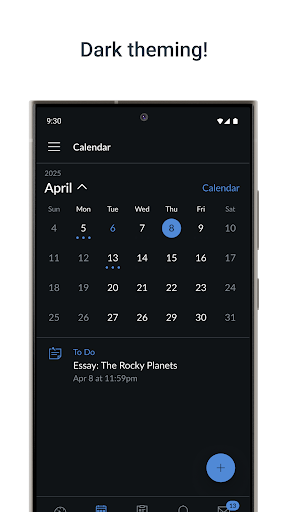
The ‘What-If’ grade calculator is a genuinely useful addition, letting students plug in hypothetical scores to see how future assignments might affect their final grade. Combined with widgets, push notifications, and dark mode, the app is clearly aimed at students who want quick daily check-ins rather than deep course management, which is left to the desktop site.

Where It Performs Well

When it works, reviewers describe a solid, clean interface that makes checking assignments and grades straightforward. One reviewer flatly called it ‘a solid, good UI, totally a 5-star app’ before running into a specific dealbreaker. The core organizational tools, to-do lists, module views, and submission workflow, clearly do their job for single-course, single-school use, and the offline download feature is a real advantage for students with unreliable internet access.

The Multi-School Login Problem

The single biggest complaint in user feedback is account switching. Students enrolled at two schools at once find that the app logs them out of one when they log into the other, rather than offering a simple account switcher like most email apps have had for decades. For students juggling dual enrollment or concurrent programs, this is described as a major workflow breaker rather than a minor annoyance.

Notifications and Sync Frustrations

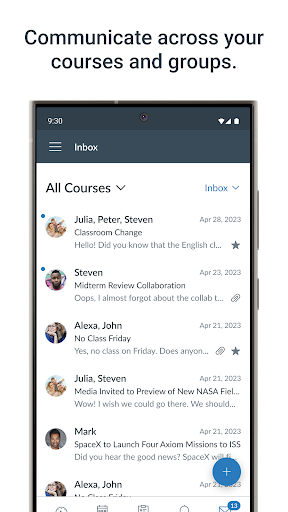
Multiple reviews describe notification systems that misbehave: duplicate alerts that multiply as the semester goes on, and notifications that group into a single blob so tapping one clears others without ever showing what they said. Reviewers also report the app diverging from the website in confusing ways, missing email notification settings, syllabus links pointing to the wrong page, and to-do lists that don’t reliably reflect what instructors post. Slow loading is another recurring theme, with one reviewer describing a five-minute wait just to check grades, and assignments that don’t appear until hours after being posted even after reloading.

Stability Issues During Coursework

Some reviewers report being unexpectedly logged out or backed out of a class mid-task, risking lost work, along with laggy or broken embedded media and blank calendar screens that require restarting the app. Because so much of this depends on how individual instructors structure their courses, results vary significantly between classes, but the underlying app-level bugs (notifications, sync delays, crashes) appear consistently across different users.

Who Should Download This

Canvas Student is worth installing if your school already uses Canvas and you mainly need one account for checking grades, submitting work, and getting reminders, the offline mode and What-If calculator add real value here. Students juggling multiple Canvas-using institutions, or who rely heavily on precise notifications, should go in expecting friction and may want to lean on the browser version as a backup for anything time-sensitive.

Pros

  • Clean, organized interface for coursework
  • Useful What-If grade calculator
  • Offline course downloads for studying
  • Push notifications and home screen widgets
  • Built-in accessibility and dark mode support

Cons

  • Logs out one school when switching accounts
  • Notifications duplicate or group incorrectly
  • Slow loading and delayed assignment updates

What Real Users Say

Mike G 1/5

“So... This worked great. Solid, good UI, totally a 5-star app. Then I had the audacity to need it for courses at two schools at once. Instead of, say, keeping me logged in to both and letting me switch with a simple drop-down (like email apps and websites have for over 25 years) it instead logs me out of both…”

👍 642 found this helpful
Gladianis Bonilla 2/5

“Notification problem at the beginning of the semester. My notifications began to duplicate. It wasn't that much of an issue. Gradually, though, the number of duplicate notifications increased from 1 to 2 to 3 and so on... I have tried turning notifications on and off. The number of duplicates I receive currently stands at 8 per notification. What started as…”

👍 79 found this helpful
Katherine Mattinson 3/5

“Works better on the computer. Sometimes with the app, the calendar won't load at all, it's just a blank page. I'll close and restart and it continues. I checked for updates, there aren't any. Honestly, too, I think developing a notification system would be a good idea, notifying students when assignments are added or due. EDIT: This review is over…”

👍 68 found this helpful

Reviews sourced from Google Play, selected by helpfulness at the time of writing.

App Info & Permissions

Developer Instructure
Content rating Everyone
Contains ads No
Installs 24M+
Released 12/22/2012
Price Free

Permissions this app requests

📷 Camera Take pictures and videos
👥 Contacts Find accounts on the device
🪪 Identity Find accounts on the device
🎙️ Microphone Record audio
🖼️ Photos/Media/Files Read the contents of your USB storage; modify or delete the contents of your USB storage
💾 Storage Read the contents of your USB storage; modify or delete the contents of your USB storage

Similar Apps

Frequently Asked Questions

1

What is Canvas Student?

Canvas Student is Instructure's mobile app for learners using the Canvas learning management system. It lets students view grades, track assignments, submit coursework, take quizzes, and join class discussions from a phone. It's designed specifically for students, with separate companion apps available for teachers and parents.

2

Is Canvas Student free?

Yes, the app itself is free to download and use. Access depends on your school or institution already having a Canvas subscription, since the app connects to your school's existing Canvas account rather than offering a standalone paid service.

3

Can I use Canvas Student for two different schools at once?

This is a widely reported weak point. Instead of letting you switch between accounts with a simple selector, the app tends to log you out of one school when you sign into another, which is a significant frustration for students enrolled at multiple institutions.

4

Does Canvas Student work offline?

Yes, the app supports downloading full courses so you can keep studying without an internet connection. This is one of its more consistently praised features for students with limited or unreliable connectivity.

5

Are notifications reliable in Canvas Student?

Not always. Multiple users report notifications duplicating repeatedly throughout a semester, or grouping into a single alert so that tapping it only opens one item and silently clears the rest. If you rely heavily on push alerts for deadlines, it's worth double-checking assignments directly in the app rather than trusting notifications alone.