
CamScanner- scanner, PDF maker

by INTSIG PTE

4.6 ★ 5M+ reviews
560M+ Installs
10/30/2010 Released
CamScanner- scanner, PDF maker icon
Productivity

CamScanner- scanner, PDF maker

by INTSIG PTE

4.6 ★ 5M+ reviews
560M+ Installs
10/30/2010 Released
Advertisements
CamScanner- scanner, PDF maker screenshot 1
CamScanner- scanner, PDF maker screenshot 2
CamScanner- scanner, PDF maker screenshot 3
CamScanner- scanner, PDF maker screenshot 4
CamScanner- scanner, PDF maker screenshot 5
CamScanner- scanner, PDF maker screenshot 6

Ratings Breakdown

4.6 ★★★★★ 5M+ ratings
5 ★ 87%
4 ★ 4%
3 ★ 1%
2 ★ 1%
1 ★ 6%

Data from Google Play at the time of writing.

What CamScanner Does and Who It’s For

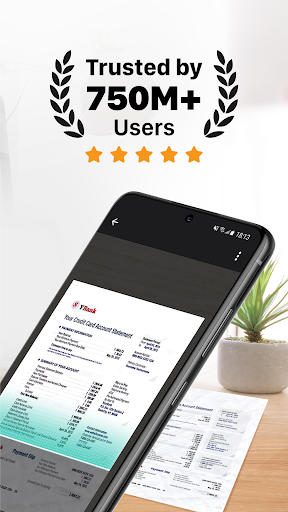
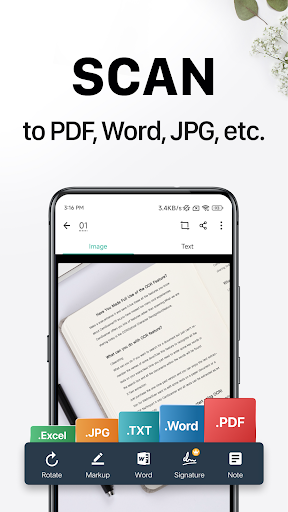
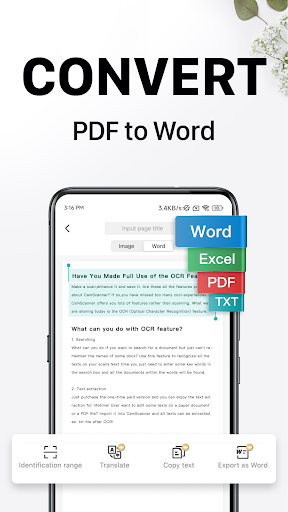
CamScanner turns your phone’s camera into a document scanner, capturing receipts, notes, invoices, whiteboards, and business cards, then cleaning them up into PDF, JPEG, Word, or TXT files. With built-in OCR, it can pull editable, searchable text out of a photographed page, which is the feature that separates it from just snapping a picture with your default camera app. It’s aimed at students, office workers, and anyone who needs to digitize paperwork on the go instead of walking to a copy machine. Given its massive install base and over 5 million reviews, it’s clearly become a default choice for mobile scanning, and the core use case still works well for a lot of people.

Where the Scanning Quality Actually Shines

The most consistent praise from long-term users is that CamScanner genuinely outperforms a plain photo. Reviewers note it automatically finds the document’s corners, crops it, and adjusts quality for legibility and clarity in a way that manual photo editing can’t match. One user who relied on it for online college coursework said the results looked like a real scan rather than a phone photo. This is the app’s real strength: for the basic job of turning a paper page into a clean, readable digital file, it does the job with very little manual fiddling, which is exactly what most casual users need.

The Subscription Creep That Frustrates Long-Time Fans

The complaints in user reviews are strikingly consistent and center on how the free experience has degraded over time. Multiple long-term users, some citing 10+ years of use, describe ads being introduced, then watermarks stamped on scans, and now features gated behind add-on purchases even after paying for a ‘full version.’ One reviewer specifically says they paid for the full version but still hit paywalls for features that cost nearly $50 per year extra on top of a monthly fee. This kind of layered monetization, on top of the weekly, monthly, quarterly, or annual auto-renewing subscriptions described in the app’s own listing, is the single biggest source of frustration in the feedback, and it’s pushed at least some previously loyal users to switch to free competitors entirely.

Broken Features and Unwanted Changes

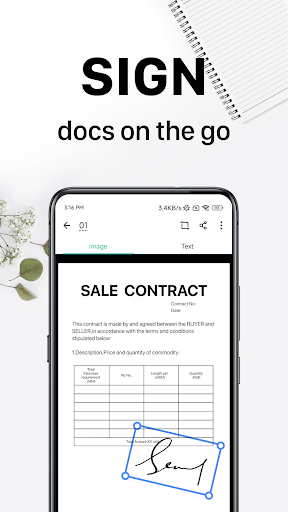
Beyond monetization, several reviews point to specific functional regressions. One user reported that exporting scans as PDF simply stopped working, with the app only allowing image or zip file saves, and that the crop area is now locked to automatic detection that frequently skews or cuts off part of the document. Another described the well-liked ‘No Shadow’ filter breaking after an update, with photos coming out clipped or altered from how it used to perform. A separate complaint mentioned the app blocking out parts of a signature on documents, which is a serious issue for anyone using CamScanner for signed paperwork. These aren’t vague gripes, they’re pointed at specific tools that used to work and now don’t, which is a bad sign for an app people depend on for real business documents.

Wireless Printing, Fax, and Sync: Nice Extras, Rarely the Focus

The store listing highlights wireless printing, remote fax to over 30 countries, cloud sync across devices, and password protection for sensitive files. These aren’t mentioned much in the user feedback either way, suggesting they work as a secondary convenience layer rather than being the main draw or the main pain point. For anyone who occasionally needs to fax a scanned document or access files from a desktop browser, they’re a reasonable bonus, but they’re not why people install or uninstall this app.

Final Verdict: Worth Installing, But Watch the Fine Print

CamScanner still does the core job better than a stock camera app, and the OCR and auto-cropping genuinely save time, which is why so many people have stuck with it for years. But the trend in feedback is clear: ads, watermarks, paywalled features, and broken export options are wearing down goodwill among its most loyal users. If you only need occasional, simple scans, it’s still worth trying, just go in expecting to hit subscription prompts. If you scan documents daily for work and need reliable PDF export or shadow-free photos every time, test it thoroughly during any free trial before committing to a paid plan, and keep an eye out for the same free alternatives some reviewers say they’ve switched to.


Pros

  • ✓Auto-crops and enhances scans well
  • ✓Accurate OCR text extraction
  • ✓Easy sharing in PDF or JPEG
  • ✓Cross-device sync via account login
  • ✓Wireless printing and remote fax options

Cons

  • ✕Ads and watermarks on free tier
  • ✕PDF export sometimes broken
  • ✕Extra features paywalled after purchase

What Real Users Say

Allen Irizarry ★ 5/5

“edit: My original review below was in 2016 and STILL appplies.. that's how amazing it is and continues to be. This app is super intuitive, easy to use, and the pictures come out amazing as if you were really scanning them. When I was forced to take online classes for the remainder of my college turn, this was a LIFE…”

👍 3,850 found this helpful
Jen L ★ 5/5

“It's superior to just taking a photo because the app finds the corners, automatically crops it, and adjusts the quality to highest legibility, and clairty. It also provides several more editing, file type, and sharing options. It's just a lot more user-friendly than simply taking a photo and editing it yourself. I find it superior to even a physical scanner.”

👍 2,138 found this helpful
Audrey Gilrain ★ 1/5

“Stop changing how this works. I've used this app for more than 10 years and have recommended it to so many people. I stayed with it through all of the time you tried to introduce ads (terrible btw) and then watermarked everything. Now, all of a sudden, it starts blocking out my signature on documents that I'm trying to scan,…”

👍 536 found this helpfulDeveloper responded

Reviews sourced from Google Play, selected by helpfulness at the time of writing.

App Info & Permissions

Developer INTSIG PTE
Content rating Everyone
Contains ads Yes
In-app purchases $0.49 - $399.99 per item
Installs 560M+
Released 10/30/2010
Price Free

Permissions this app requests

📷 Camera Take pictures and videos
🕘 Device & app history Retrieve running apps
📍 Location Approximate location (network-based); precise location (GPS and network-based); access extra location provider commands
🖼️ Photos/Media/Files Read the contents of your USB storage; modify or delete the contents of your USB storage
💾 Storage Read the contents of your USB storage; modify or delete the contents of your USB storage
📶 Wi-Fi connection information View Wi-Fi connections

Similar Apps

Frequently Asked Questions

1

What is CamScanner- scanner, PDF maker?

CamScanner is a mobile app that uses your phone's camera to scan and digitize documents like receipts, notes, invoices, and business cards. It includes OCR to extract editable, searchable text, plus tools for editing, annotating, and sharing files as PDF, JPEG, Word, or TXT. It also offers wireless printing, remote fax, and cross-device sync through a linked account.

2

Is CamScanner free to use?

CamScanner is free to download and offers basic scanning, but many features are locked behind an unlimited access subscription billed weekly, monthly, quarterly, or annually. Users report that even after paying for a 'full version,' some features required additional payment. Free use also comes with ads and watermarks on scanned documents according to multiple reviews.

3

Does CamScanner still let you save scans as PDF?

According to at least one detailed user report, PDF export stopped working properly, with the app only allowing saves as images or zip files instead. This appears to be an inconsistent bug rather than a removed feature, since the app is marketed specifically as a PDF maker. If you rely on PDF output, it's worth testing this function immediately after installing.

4

Does CamScanner add watermarks to scanned documents?

Multiple long-term users report that watermarks were introduced to scans, which was a major complaint among people who had used the app for free for years. This appears tied to the free tier, with the paid subscription removing watermarks. It's one of the most cited reasons users say they've considered switching to alternative scanning apps.

5

Who should download CamScanner?

CamScanner is a good fit for students, office workers, or anyone who occasionally needs to turn paper documents into clean digital files with searchable text. It's less ideal for people who need guaranteed reliable PDF export or frequent shadow-free scans without interruptions, based on recent user complaints. Heavy daily users should test the free trial carefully before subscribing.

