
BeautyCam-AI Photo Editor

by Meitu (China) Limited

3.9 ★ 473K+ reviews
101M+ Installs
02/25/2013 Released
BeautyCam-AI Photo Editor icon
Photography

BeautyCam-AI Photo Editor

by Meitu (China) Limited

3.9 ★ 473K+ reviews
101M+ Installs
02/25/2013 Released
Advertisements
BeautyCam-AI Photo Editor screenshot 1
BeautyCam-AI Photo Editor screenshot 2
BeautyCam-AI Photo Editor screenshot 3
BeautyCam-AI Photo Editor screenshot 4
BeautyCam-AI Photo Editor screenshot 5
BeautyCam-AI Photo Editor screenshot 6

Ratings Breakdown

3.9 ★★★★★ 473K+ ratings
5 ★ 61%
4 ★ 10%
3 ★ 5%
2 ★ 4%
1 ★ 21%

Data from Google Play at the time of writing.

What BeautyCam Actually Does

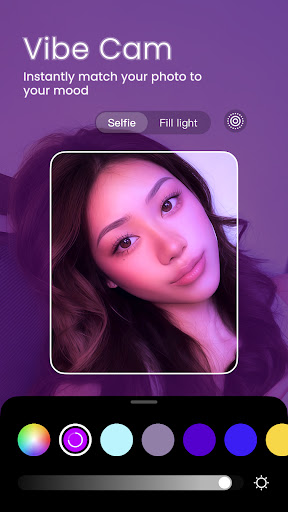
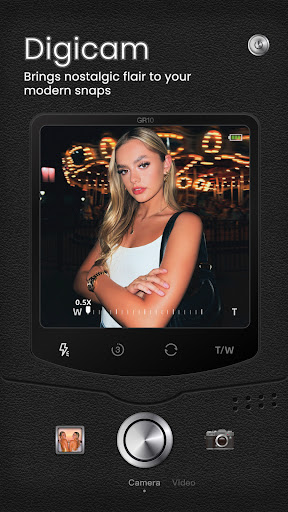
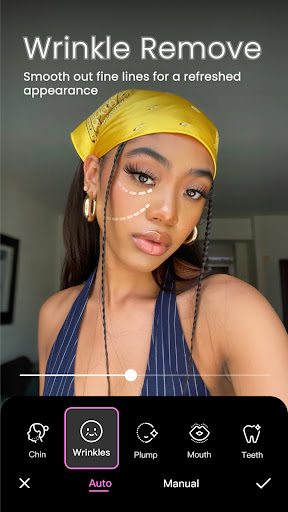
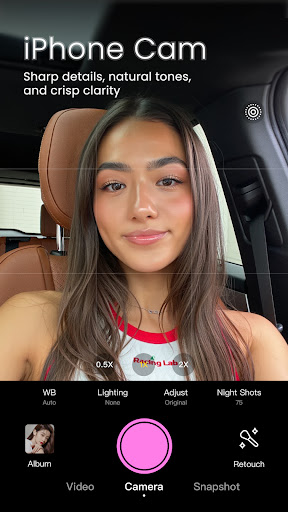
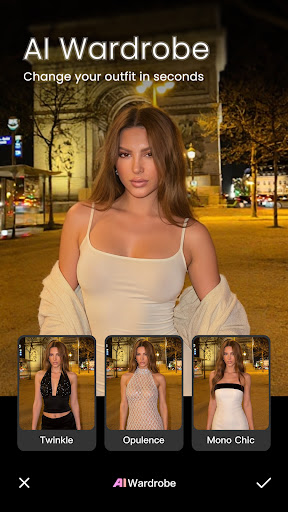
BeautyCam is Meitu’s all-in-one photo and video editor built around AI-powered beauty retouching. It bundles multiple camera modes (DSLR-style, digicam, photo booth, iPhone Cam) with a huge menu of AI tools like slimming, wrinkle removal, nose sculpting, AI wardrobe changes, background removal, and HD restoration for blurry photos. It’s aimed squarely at people who want polished, social-media-ready selfies and portraits without learning Photoshop, plus video creators who want the teleprompter and video beautification tools.

Where the Free Version Shines

The most consistent praise from users is that the free tier is genuinely generous. One long-time user says they never post a photo without running it through the app’s autocorrect feature first, and praises the unlimited filters, effects, and stickers available without paying. Another reviewer specifically called out the lack of ads interrupting each edit, saying there’s plenty of fun to be had even without a VIP membership. For casual users who just want quick, fun edits, this free-first approach is a real strength.

The AI Art and Restoration Tools

The AI art transformation feature gets singled out as a highlight, with one user saying they’ve greatly enjoyed seeing photos turned into something new. That said, it’s not flawless: the same reviewer noted the AI has a tendency to push photos toward a winter aesthetic even when the source images were taken in summer, which limits control over the output. Another user ran into a separate issue where the app refused to process images with even mildly revealing content, flagging them before they finished loading.

Subscription Frustrations and Trust Issues

This is where the real complaints pile up. Multiple reviewers describe hitting paywalls for features that used to feel more accessible, with one saying you now need a paid membership just to get average filters and more editing tools. A longtime subscriber said their VIP cost kept rising while performance got worse, adding that the app now crashes whenever an ad plays, even with an active subscription. There’s also no way to save personalized filter adjustments as a default, forcing users to re-tweak settings before every shot. Most seriously, one reviewer reported finding hidden folders on their device labeled with names like Baidu, Tencent, and Teemo, which they suspected were tied to adware or data collection, and said it was enough to stop using the app around their child.

Final Verdict

BeautyCam works well as a free, casual beauty-editing app with a deep toolset that outperforms many rivals on pure feature count and doesn’t bombard free users with constant ads. But the subscription model draws real frustration from paying users, the AI tools can behave unpredictably, and the hidden-folder complaint is a genuine privacy red flag that privacy-conscious users shouldn’t ignore. If you just want fun filters and stickers for casual posting, it’s worth trying. If you’re considering VIP or you’re wary of Chinese data practices, go in with your eyes open.


Pros

  • ✓Generous free filters, effects, and stickers
  • ✓No intrusive ads between edits
  • ✓Fun AI art transformation feature
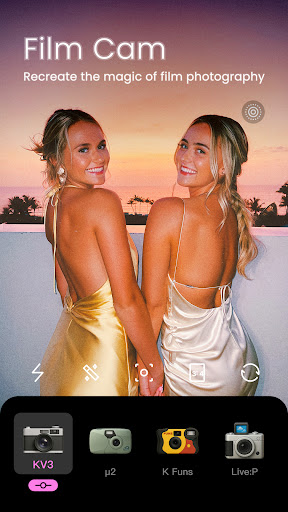
  • ✓Multiple camera modes mimic real cameras
  • ✓HD restoration fixes blurry photos

Cons

  • ✕Rising subscription costs frustrate paying users
  • ✕Can't save personalized filter settings
  • ✕Hidden Baidu/Tencent folders raise privacy concerns

What Real Users Say

Cristine Somerville-Czolczynski ★ 5/5

“This app is my go-to for editing my photos. In fact, i never post a pic unless i've put it thru this app's autocorrecting feature. As someone who only uses the free version, i can tell you that there are an unlimited amount of awesome filters, effects, and the stickers are so plentiful, fun, and amazing that they are really…”

👍 1,294 found this helpfulDeveloper responded
Brandine Morgan ★ 5/5

“I am having a ball with this. Just when I think there's nothing left to find, more options find me. There's no ads each time you make a change, which is a true gift because and though I'm not vip membership there's plenty of fun here that is entirely free. I'm a keeper of this one and I've tried many…”

👍 992 found this helpful
E Fonseca ★ 3/5

“App is alright. I dont like that I can't set my preferred "personalized filter." Meaning, when I want to take a picture, I have to adjust the settings because I don't like the ones they have; and I can't set those adjustments as default. Also, I subscribed to get the "HD" feature, which is supposed to make the image of…”

👍 926 found this helpfulDeveloper responded

Reviews sourced from Google Play, selected by helpfulness at the time of writing.

App Info & Permissions

Developer Meitu (China) Limited
Content rating Everyone
Contains ads No
In-app purchases $0.49 - $64.99 per item
Installs 101M+
Released 02/25/2013
Price Free

Permissions this app requests

📷 Camera Take pictures and videos
🕘 Device & app history Retrieve running apps
📍 Location Approximate location (network-based)
🎙️ Microphone Record audio
🖼️ Photos/Media/Files Read the contents of your USB storage; modify or delete the contents of your USB storage
💾 Storage Read the contents of your USB storage; modify or delete the contents of your USB storage
📶 Wi-Fi connection information View Wi-Fi connections

Similar Apps

Frequently Asked Questions

1

What is BeautyCam-AI Photo Editor?

BeautyCam is a photography app by Meitu that uses AI to retouch photos and videos with beauty filters, portrait tools, and creative effects. It includes multiple simulated camera styles, AI-powered slimming and skin smoothing, background removal, and video features like a teleprompter. It's designed mainly for selfie editing and social media content creation.

2

Is BeautyCam free to use?

Yes, BeautyCam has a substantial free tier that includes unlimited filters, effects, and stickers according to users, and reviewers note it doesn't interrupt free use with ads between edits. However, some AI tools, HD quality features, and advanced filters are locked behind a paid VIP subscription. Several users report the subscription price has increased over time while some paid features still show ads or crash.

3

Does BeautyCam have privacy or safety concerns?

One reviewer reported finding hidden folders on their device labeled Baidu, Tencent, and Teemo, which they suspected were linked to adware or data tracking. This led them to stop using the app around their child. Users who are cautious about data privacy, especially with apps developed in China, should review Meitu's privacy policy before installing.

4

Are the AI editing tools reliable?

Mostly, but not perfectly. Users praise the AI art feature for creatively transforming photos, but one noted it tends to push images toward a winter look even when that's not appropriate for the photo. Another user found the app blocks processing of images with even moderately revealing content, sometimes unexpectedly.

5

Is the VIP subscription worth paying for?

Reviews are mixed on this. Multiple users complain that the subscription cost has risen while performance dropped, including one who said the app crashes whenever an ad plays despite having paid for VIP. Another user was frustrated that HD features they subscribed for didn't work as expected. If you rely heavily on the free tools already, it may not be worth upgrading.

