
Auto Clicker – Automatic tap

by True Developers Studio

4.6 ★ 815K+ reviews
198M+ Installs
02/20/2019 Released
Auto Clicker – Automatic tap icon
Tools

Auto Clicker – Automatic tap

by True Developers Studio

4.6 ★ 815K+ reviews
198M+ Installs
02/20/2019 Released
Advertisements
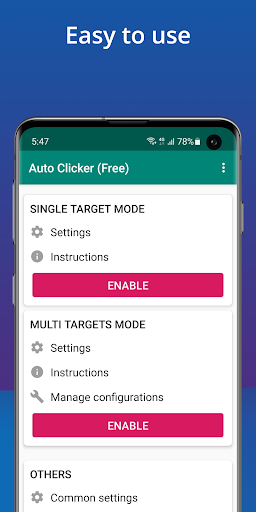
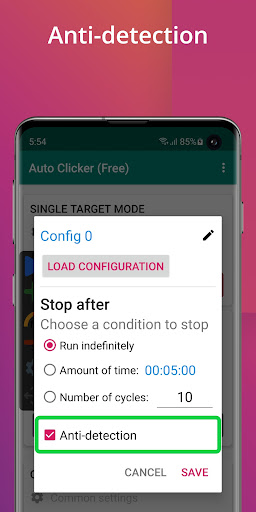
Auto Clicker – Automatic tap screenshot 1
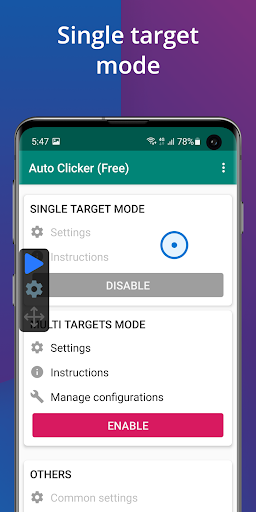
Auto Clicker – Automatic tap screenshot 2
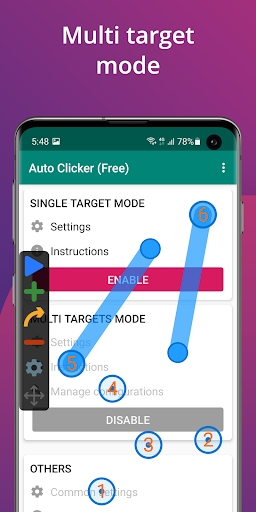
Auto Clicker – Automatic tap screenshot 3
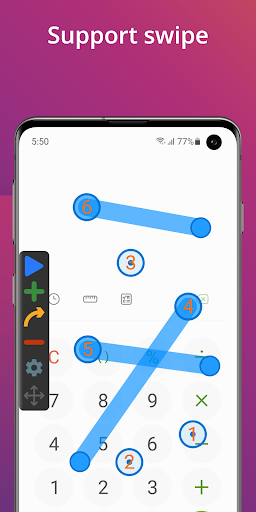
Auto Clicker – Automatic tap screenshot 4
Auto Clicker – Automatic tap screenshot 5
Auto Clicker – Automatic tap screenshot 6

Ratings Breakdown

4.6 ★★★★★ 815K+ ratings
5 ★ 81%
4 ★ 8%
3 ★ 3%
2 ★ 2%
1 ★ 6%

Data from Google Play at the time of writing.

What This App Actually Does

Auto Clicker – Automatic tap is exactly what the name promises: a tool that simulates repeated taps and swipes at locations you define, running through a floating control panel so you never have to open the app itself while it works. It uses Android’s Accessibility service rather than root access, which makes it accessible to far more users than older root-only clickers. It’s aimed at mobile gamers who need to grind repetitive taps, but real-world reviewers also use it for things like refreshing delivery apps to grab work shifts, showing the tool has a life well beyond gaming.

Where It Shines in Daily Use

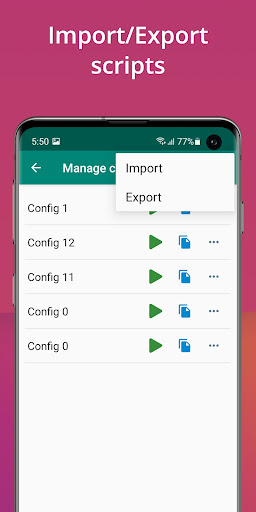
The standout strength, based on real usage, is reliability. One user reported two months of use with hardly any issues even while running complicated setups with up to 12 click points, and another said it never crashed once across several years of use. People also praise the ad situation: ads exist but are described as non-intrusive and rarely video-based, which is unusual for a free tool in this category. Support for multiple click points and swipes, plus import/export of scripts, gives it more depth than a basic single-point clicker.

The Rough Edges Users Keep Hitting

The most alarming complaint involves phones with double-tap-to-wake enabled: activating the clicker on the home screen can trigger a rapid on/off loop that makes the phone nearly impossible to turn off or stop the app on. That’s a serious edge case worth knowing about before you start clicking blindly on your lock screen. Other complaints are more about polish than danger. Placing click points precisely is fiddly for users with larger fingers, since there’s no zoom or crosshair to help fine-tune placement. The app also doesn’t detect interruptions like notification pop-ups, so it can keep clicking blindly and mess up whatever task it’s mid-way through. Several reviewers also wanted a progress indicator when running a fixed number of steps or a timed session, since right now there’s no way to see how much of the run is left. Adding new configurations is also clunkier than it should be, with one user noting they had to export and reimport a config just to start a new one.

Who Should Actually Download This

If you need a no-root clicker for grinding games, automating repetitive app interactions, or even snagging gig-work shifts the moment they appear, this app clearly delivers on the core function according to the people who’ve used it for years. It’s less suited to anyone who needs precise, context-aware automation, since it can’t react to on-screen changes like popups. Just don’t turn it on from your lock screen if double-tap-to-wake is active, and go in expecting a functional, no-frills tool rather than a polished one with progress bars and fine placement controls.

Bottom Line on Value

Given it’s free, works across a huge range of games and apps, and has stayed reliable for long-term users, it earns its high install count. The rough edges are real but mostly workarounds rather than dealbreakers.


Pros

  • ✓Works reliably without root access
  • ✓Supports multiple click points and swipes
  • ✓Ads are minimal and non-intrusive
  • ✓Import/export scripts for reuse
  • ✓Handles complex multi-button setups well

Cons

  • ✕No progress indicator during timed runs
  • ✕Fiddly point placement for larger fingers
  • ✕Can't detect notification pop-ups mid-run

What Real Users Say

izayasmif ★ 4/5

“Great auto clicker but just a warning: If you have the double-tap to unlock your phone enabled in your phone settings, do NOT turn on the auto clicker on your home screen. My phone got stuck in a loop of turning on and off very quickly so I couldn't turn my phone on and stop the auto clicker. Unless you…”

👍 898 found this helpful
Donald Marwitz ★ 5/5

“Everything this does and basically it works great! NO ISSUES. I have used this now for 2 months and love it. Hardly any sort of pop ups, seeing how it's free, I think developers know just what players want and don't want. I have used this for some complicated tasks with up to 12 buttons with no issues. Just wish…”

👍 625 found this helpful
DARKSEID007 ★ 4/5

“I have enjoyed the app for a few years now. The only issue I have, larger fingers have a harder time placing it directly where the button needs to be placed. Could we have just a tiny circular zoom window about dime size & cross hair on the side, that pops up, as we drag the button, so we could…”

👍 623 found this helpful

Reviews sourced from Google Play, selected by helpfulness at the time of writing.

App Info & Permissions

Developer True Developers Studio
Content rating Everyone
Contains ads Yes
In-app purchases $1.99 per item
Installs 198M+
Released 02/20/2019
Price Free

Similar Apps

Frequently Asked Questions

1

What is Auto Clicker - Automatic tap?

It's a Tools app from True Developers Studio that automates repeated taps and swipes at locations and intervals you set. It runs via a floating control panel and uses Android's Accessibility service instead of requiring root access. It's commonly used for click-based games as well as tasks like refreshing apps quickly.

2

Is Auto Clicker - Automatic tap free to use?

Yes, reviewers describe it as completely free with only minimal, non-intrusive ads, and no aggressive prompts to pay. One long-term user specifically noted they were never asked for money despite years of use. This makes it accessible compared to some paid or ad-heavy alternatives in the same category.

3

Does Auto Clicker require root access?

No, it explicitly does not require root access. Instead, it relies on Android's Accessibility service API to simulate clicks and swipes on the screen. This makes it usable on a much wider range of devices than older root-dependent clicker apps.

4

Is it safe regarding data privacy?

The developer states the Accessibility permission is used only to simulate taps and swipes and that no private data is collected through it. One reviewer joked about not reading the terms and conditions but reported no noticeable data issues after years of use. As with any accessibility-permission app, cautious users should still review what the permission allows before installing.

5

What's the biggest risk to watch out for?

The most serious reported issue involves enabling the clicker on your home screen while double-tap-to-wake is turned on, which can trap your phone in a rapid screen on/off loop. This can make it hard to turn the phone off or stop the app. Users should disable double-tap-to-wake or avoid running the clicker from the lock/home screen to prevent this.

