
All Video Downloader & Player

by QR Code Scanner.

4.5 ★ 1.7M+ reviews
366M+ Installs
01/29/2022 Released
All Video Downloader & Player icon
Tools

All Video Downloader & Player

by QR Code Scanner.

4.5 ★ 1.7M+ reviews
366M+ Installs
01/29/2022 Released
Advertisements
All Video Downloader & Player screenshot 1
All Video Downloader & Player screenshot 2
All Video Downloader & Player screenshot 3
All Video Downloader & Player screenshot 4
All Video Downloader & Player screenshot 5
All Video Downloader & Player screenshot 6

Ratings Breakdown

4.5 ★★★★★ 1.7M+ ratings
5 ★ 82%
4 ★ 5%
3 ★ 2%
2 ★ 1%
1 ★ 9%

Data from Google Play at the time of writing.

What This App Actually Does

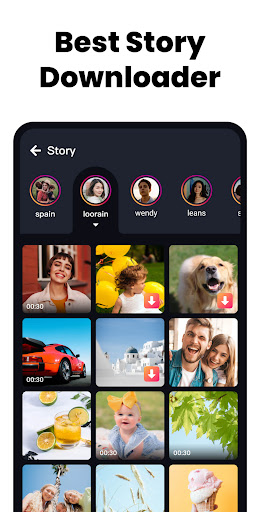
All Video Downloader & Player, built around the AcePlayer engine, combines two tools in one package: a video player that handles MKV, MP4, M4V, MOV, 3GP, FLV, F4V, and WEBM files up to 4K, and a downloader that pulls videos from online sources. It also throws in a pop-up player for multitasking, a password-protected private folder, background playback, and a sleep timer. It’s aimed at people who want a single app to grab online videos and watch local files without juggling separate apps, and given its install numbers, a huge number of Android users have already tried it.

Where It Genuinely Delivers

Playback performance is the strongest part of the experience. Users report smooth handling of HD and 4K files with minimal stutter, and the format support genuinely covers the formats people actually have sitting in their downloads folder. One reviewer specifically praised how the app detects multiple video sources on a page and lets you pick the correct one, calling it ‘very impressed’ territory, even while noting it could confuse less technical users. The pop-up window and background playback features work as advertised for anyone who wants to keep a video running while texting or browsing elsewhere.

The Ad Load Is the Real Story Here

Almost every piece of critical feedback circles back to advertising. Multiple users describe ads appearing before they’ve even seen the main interface, ads that interrupt every time you briefly leave the app, and ads attached to nearly every download. One review flatly says they’d pay to remove ads if that option existed, but as far as they could tell, no such option is offered. This isn’t a minor annoyance mentioned once; it’s the single most repeated complaint across reviews with high ‘useful’ counts, and it shapes the entire experience of using the app for free.

Download Reliability Is Hit or Miss

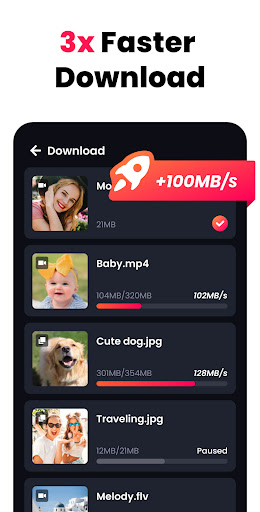
Beyond ads, the downloader itself doesn’t always behave consistently. One user reported the download button returning a ‘Video source not found’ error across every video despite correct links and settings, a complete functional breakdown on their device. Others describe needing to force-close and reopen the app repeatedly just to get content to load, or having the share feature misfire and send content to the wrong destination entirely. Videos also don’t always auto-download, requiring a manual tap to kick things off. These aren’t universal failures, but they show up often enough that reliability can’t be called a strength.

Missing Conveniences and Rough Edges

Smaller complaints add texture to the picture: no in-app dark mode, no built-in ad blocker to stop redirect loops, and a browsing tab limit that some users find restrictive. One reviewer also wanted a direct ‘show file location’ shortcut after downloading, a small convenience the app currently lacks. None of these are dealbreakers on their own, but combined with the ad volume, they add friction to routine use.

Who Should Actually Download This

If you mainly need a capable local video player that handles big files and multiple formats smoothly, this app delivers on that promise. If your priority is a dependable downloader for online video with minimal interruption, temper your expectations, ad frequency and occasional download failures are real and well documented. It’s worth trying for the player alone, but go in expecting to tolerate a heavy ad presence.


Pros

  • ✓Smooth playback of HD and 4K video
  • ✓Wide format support including MKV and MP4
  • ✓Detects multiple video sources automatically
  • ✓Handy pop-up and background playback modes
  • ✓Password-protected private folder option

Cons

  • ✕Very heavy, frequent ad interruptions
  • ✕Downloads sometimes fail or need manual retry
  • ✕No dark mode or built-in ad blocker

What Real Users Say

Leroy Mazibuko ★ 3/5

“The app is malfunctioning. When you long-press on an element and open it in a background tab, the current page freezes. You can't interact with it but can still use the tab and address bar. I’d like Dark Mode and an ad blocker to prevent redirects and tab loss, especially since we're limited to 10 tabs. Please don't misunderstand me.…”

👍 12,442 found this helpfulDeveloper responded
Steve ★ 5/5

“Actually very impressed. If multiple videos are detected it let's me choose which is the right one, might be overwhelming for less technically inclined users though. I'm not seeing any option to show me and take me to the video location in storage though which would be convenient for people who need to move the videos elsewhere to free up…”

👍 11,860 found this helpfulDeveloper responded
Derick Ross ★ 5/5

“Contains Ads much like any other of the free versions of downloaders similar to it, however, they seem to be much shorter in length. Also, for the most part, the ads used are the ones which have little "x" on either of the corners and allow you to dismiss the ad right away as opposed to having to wait out…”

👍 10,772 found this helpfulDeveloper responded

Reviews sourced from Google Play, selected by helpfulness at the time of writing.

App Info & Permissions

Developer QR Code Scanner.
Content rating Everyone
Contains ads Yes
Installs 366M+
Released 01/29/2022
Price Free

Permissions this app requests

🖼️ Photos/Media/Files Read the contents of your USB storage; modify or delete the contents of your USB storage
💾 Storage Read the contents of your USB storage; modify or delete the contents of your USB storage

Similar Apps

Frequently Asked Questions

1

What is All Video Downloader & Player?

It's an Android app from developer 'QR Code Scanner.' that combines a video player (AcePlayer) with an online video downloader. It supports formats like MKV, MP4, MOV, and WEBM, plays up to 4K resolution, and includes a pop-up player, background playback, and a password-protected private folder.

2

Is All Video Downloader & Player free to use?

Yes, the app is free to download and use, but it's supported by ads. Multiple users report a heavy volume of ads, including some that appear immediately on launch and after every download, so 'free' comes with frequent interruptions.

3

Does the video downloader always work reliably?

Not consistently. While many users successfully download HD videos quickly, others report errors like 'Video source not found' or videos that fail to auto-download and need a manual tap. Some also mention needing to restart the app to get downloads to load.

4

Can I play 4K and HD videos smoothly with this app?

Yes, this is one of the app's strongest points according to user feedback. Reviewers describe fast, stable playback across HD, UHD, and 4K files, along with smooth handling of common formats like MP4 and MKV.

5

Does the app have a lot of ads?

Yes, this is the most frequently cited complaint across reviews. Users describe ads appearing before the interface even loads, every time you leave and return to the app, and attached to nearly every video download, with no paid option currently available to remove them.

