
ADP Mobile Solutions

by ADP, INC.

4.5 ★ 823K+ reviews
37M+ Installs
04/01/2013 Released
ADP Mobile Solutions icon
Business

ADP Mobile Solutions

by ADP, INC.

4.5 ★ 823K+ reviews
37M+ Installs
04/01/2013 Released
Advertisements
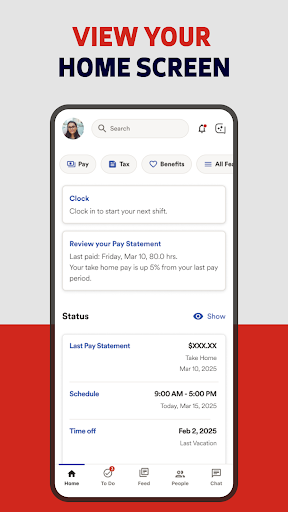
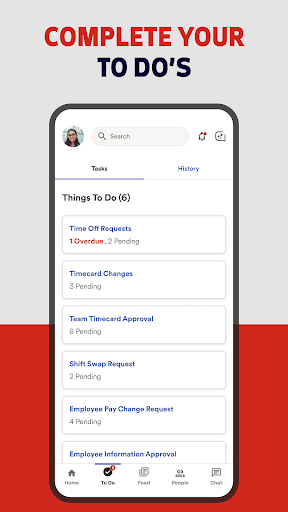
ADP Mobile Solutions screenshot 1
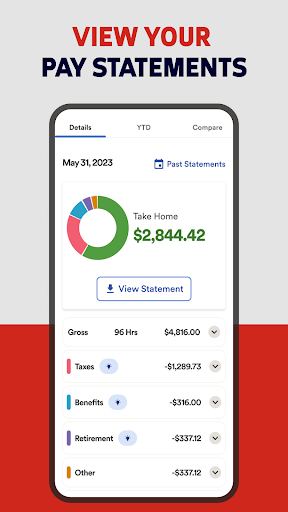
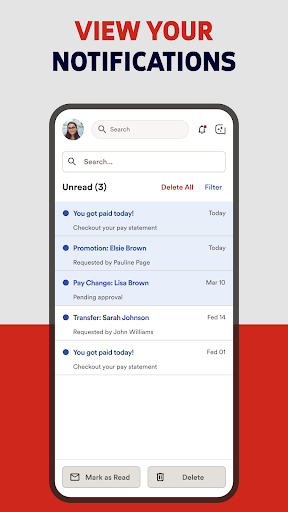
ADP Mobile Solutions screenshot 2
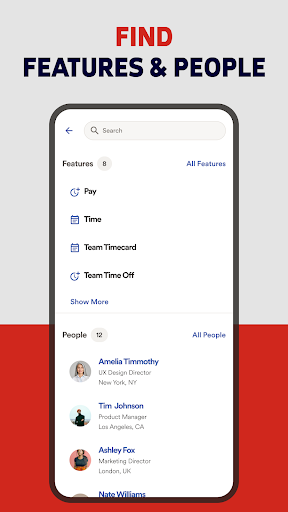
ADP Mobile Solutions screenshot 3
ADP Mobile Solutions screenshot 4
ADP Mobile Solutions screenshot 5
ADP Mobile Solutions screenshot 6

Ratings Breakdown

4.5 ★★★★★ 823K+ ratings
5 ★ 80%
4 ★ 9%
3 ★ 3%
2 ★ 1%
1 ★ 7%

Data from Google Play at the time of writing.

What ADP Mobile Solutions Actually Does

ADP Mobile Solutions is the companion app for companies that run their payroll, time tracking, and benefits through ADP products like Workforce Now, Vantage, Run, or TotalSource. For employees, it’s a way to check pay stubs and W2s, clock in and out, request time off, and view benefit plans. For managers, it adds time card approvals, team calendars, and executive dashboards. This isn’t an app you choose for yourself — your employer decides you’re using it, so your experience depends heavily on how your company has it configured.

Where the App Gets It Right

Reviewers who aren’t fighting technical issues generally say the core layout is easy to navigate. One user specifically called the UI ‘sleek, modern, and intuitive’ and said all the features they needed were easy to find. For straightforward tasks like pulling up a recent pay stub or checking a benefits summary when everything is working normally, the app does what it promises without much friction.

Clocking In Is Where Things Fall Apart

The ‘quick clock’ feature, meant to be the fastest way to punch in or out, is a recurring source of complaints. One reviewer said it takes around 30 seconds to load and sometimes fails to register a clock-in they know they performed, with no manual entry option as backup. Another described the app flatly telling them they’re ‘offline’ whenever quick clock is used, whether the real problem is a spotty connection, a pending app update, or an expired login session — with no indication of which. A third reviewer pointed to broken GPS handling on Android, saying employer-required location checks trigger a tedious troubleshooting process on an up-to-date device. Even a generally positive review admitted having to clock in and out twice nearly every day due to recurring errors.

Login and Session Problems Are Widespread

Biometric login is advertised as a convenience feature, but multiple reviewers say it doesn’t actually stick. One user reported having to manually enter their password again every time they log in because biometrics keep disabling themselves, calling the feature ‘basically useless’ across several app updates. Another described an ‘endless hamster wheel’ after reinstalling the app, where login redirects to a web page, asks for verification, and then loops back into the same cycle. A separate reviewer said they have to uninstall and reinstall the app on a near-weekly basis just to stay signed in, and that notifications have stopped working entirely for them.

Scheduling Features Are Noticeably Thin

For an app meant to be a full HR companion, scheduling support is limited. One heavily-endorsed review pointed out there’s no way to sync a work schedule to the phone’s native calendar, no home screen widget to glance at upcoming shifts, and no notification when a new schedule is posted or a shift is approaching. There’s also no visibility into which coworkers are scheduled at the same time, which matters for anyone coordinating shifts with a team.

Who Should Actually Download This

If your employer uses ADP and you just need occasional access to pay stubs or benefits info, the app will likely serve you fine. But if you’re relying on it daily for clocking in, shift scheduling, or biometric login, be prepared for real friction — this is a mandatory work tool with mandatory work tool problems, not a polished consumer app.


Pros

  • ✓Clean, intuitive interface for core tasks
  • ✓Easy access to pay stubs and W2s
  • ✓Straightforward benefit plan viewing
  • ✓Manager tools for approvals and dashboards
  • ✓Biometric login option available

Cons

  • ✕Quick clock frequently fails or lags
  • ✕Login sessions and biometrics reset constantly
  • ✕No shift notifications or calendar sync

What Real Users Say

J Kaufman ★ 1/5

“Horrible. You can't sync or display your schedule with your phone's calendar. There's no widget to easily see your work schedule. There's no notification that a new schedule is posted and no alarm or notification when you have an upcoming shift. You can't see what other coworkers you're scheduled to work with. You can't use the app to clock in,…”

👍 591 found this helpful
Elliot Hecht ★ 1/5

“I need to download my pay stubs every 2 weeks, and I have to enter my password to constantly re-enable biometrics, it doesn't hold that, so the next time I log in I have to look up my password again making the biometric login basically useless. It has been this way for quite a number of updates, and when I…”

👍 567 found this helpfulDeveloper responded
Katherine N ★ 2/5

“Update: after uninstalling it and reinstalling it, it still takes you to a web page to log in, then makes you verify but then you have to keep doing this, an endless hamster wheel... The app used to work, but now the login is messed up. I thought it would fix itself after I updated it but it has you…”

👍 438 found this helpfulDeveloper responded

Reviews sourced from Google Play, selected by helpfulness at the time of writing.

App Info & Permissions

Developer ADP, INC.
Content rating Everyone
Contains ads Yes
Installs 37M+
Released 04/01/2013
Price Free

Permissions this app requests

📷 Camera Take pictures and videos
👥 Contacts Find accounts on the device; read your contacts; modify your contacts
🪪 Identity Find accounts on the device
📍 Location Approximate location (network-based); precise location (GPS and network-based); access extra location provider commands
🎙️ Microphone Record audio
🖼️ Photos/Media/Files Read the contents of your USB storage
💾 Storage Read the contents of your USB storage
📶 Wi-Fi connection information View Wi-Fi connections

Similar Apps

Frequently Asked Questions

1

What is ADP Mobile Solutions?

It's the mobile app for ADP's payroll and HR platforms, letting employees view pay stubs, clock in and out, request time off, and check benefits. Managers get added tools like time card approvals and team calendars. Access depends on your employer using an ADP product such as Workforce Now, Vantage, or Run. It's not a standalone app you sign up for independently — your company provisions your account.

2

Is ADP Mobile Solutions free?

The app itself is free to download and use. However, it only works if your employer already has a paid subscription to an ADP payroll or HR product. You can't access any features without a company account behind it.

3

Why does ADP Mobile Solutions say I'm offline when I try to clock in?

Multiple users report that the 'quick clock' feature shows an offline error regardless of the actual cause, which could be a real connectivity issue, a pending app update, or an expired login session. The app doesn't distinguish between these situations, so you're left troubleshooting blind. This has been a persistent complaint without a clear fix.

4

Does ADP Mobile Solutions send shift or schedule notifications?

Based on user reports, no — the app doesn't notify you when a new schedule is posted or when a shift is coming up. It also lacks a calendar sync option and a home screen widget for viewing your schedule at a glance. Some users have said notifications for other updates have stopped working entirely for them.

5

Does biometric login actually work in ADP Mobile Solutions?

Several reviewers say it doesn't reliably stick, forcing them to re-enter their password on nearly every login despite having biometrics enabled. This issue has reportedly persisted across multiple app updates. If you're counting on fingerprint or face login for quick daily clock-ins, be prepared for it to fail regularly.

