

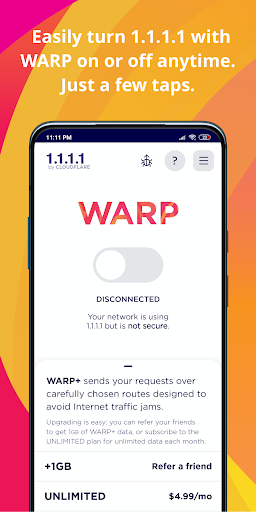
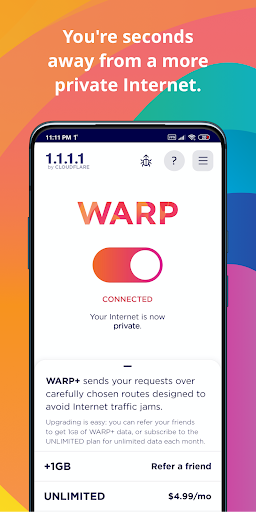
What This App Actually Does
1.1.1.1 + WARP is Cloudflare’s free VPN-like DNS tool that reroutes your phone’s internet traffic through an encrypted tunnel instead of your carrier’s default DNS. It’s built for anyone who wants a quick privacy upgrade without configuring anything technical. The whole interface is essentially a single on/off toggle, and there’s an optional 1.1.1.1 for Families setting buried in the DNS settings if you want basic content filtering for a household device.
It’s aimed at everyday users, not power users who need full VPN features like server selection or IP masking. Reviewers note it doesn’t actually change your IP address, so if you’re expecting to spoof location or unblock geo-restricted streaming content, this isn’t that kind of tool.
Where It Genuinely Delivers
The most consistent praise centers on perceived speed. Multiple users describe noticeably faster page loads, quicker image rendering, and smoother video buffering after turning it on, with one reviewer saying load times dropped from ten seconds to two or three. Gamers report that connection hiccups and loading screens in mobile games disappear when WARP is active. Others mention it helps get past locally blocked sites like Facebook or Twitter, which is a real practical win in restrictive network environments.
The one-tap simplicity is also a genuine strength. There’s no setup wizard, no account creation friction — you install it, flip the switch, and it works immediately for most people.
The Trusted Networks Feature Has Rough Edges
The Trusted Networks feature, which requires sharing precise location so WARP can recognize your home WiFi and stay compatible with printers and smart TVs, doesn’t work as smoothly as advertised. One reviewer specifically found that switching automatically from cellular to WiFi fails to apply trusted network settings correctly, and only manually toggling WiFi off and on fixes it. That’s a meaningful annoyance for anyone who bought into the feature expecting seamless handoffs.
There’s also no visible logging system, so users who want to verify what traffic is or isn’t being encrypted have no way to check.
Reliability Took a Hit After the Cloudflare Outage
Several reviews point to a decline in consistency following a Cloudflare outage reported around June or July. Users describe having to repeatedly disable the app just to get basic internet functionality back, with pages failing to load and data connections hanging while WARP is active. One person who initially liked the privacy angle called it ‘almost completely useless’ over the following month, needing to turn it off constantly to use their phone normally.
Battery and Connection Trade-offs
Standby battery life takes a real hit for some users when the app runs continuously, compounding devices that already have weak battery performance. Connection speed can also intermittently slow to a crawl or stop entirely, forcing a manual restart of the app.
Who Should Actually Download This
If you want a no-configuration way to encrypt DNS traffic and don’t mind occasional instability, it’s worth trying since it’s free and reversible with one tap. If you rely on your phone for critical, uninterrupted connectivity or you’re sensitive to battery drain, the post-outage reliability complaints are worth taking seriously before committing.



