


Skype for Business for Android

by Microsoft Corporation

3.8 ★ 173K+ reviews
40M+ Installs
03/29/2013 Released
Skype for Business for Android icon
Business

Skype for Business for Android

by Microsoft Corporation

3.8 ★ 173K+ reviews
40M+ Installs
03/29/2013 Released
Advertisements
Skype for Business for Android screenshot 1
Skype for Business for Android screenshot 2
Skype for Business for Android screenshot 3
Skype for Business for Android screenshot 4
Skype for Business for Android screenshot 5
Skype for Business for Android screenshot 6

Ratings Breakdown

3.8 ★★★★★ 173K+ ratings
5 ★ 55%
4 ★ 13%
3 ★ 6%
2 ★ 5%
1 ★ 21%

Data from Google Play at the time of writing.

What This App Actually Does

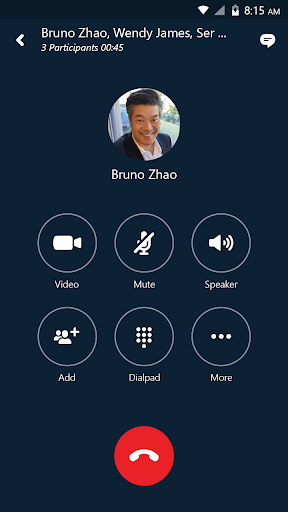
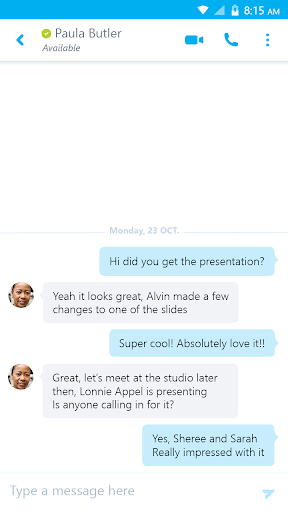
Skype for Business for Android is the mobile companion to Microsoft’s enterprise communication platform, formerly known as Lync 2013. It is not the consumer Skype app people use to call family; it is built for employees whose companies run Skype for Business Server, Office 365, or Lync Online. You need a corporate account to unlock full functionality, including group IM, video conferencing, meeting scheduling, screen sharing, and meeting controls like muting or removing attendees. Anyone can join a meeting as a guest if invited, but the real audience here is office workers who need to dial into calls or check messages while away from their desks.

Where It Performs Well

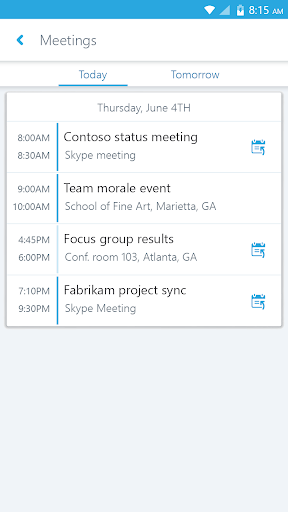
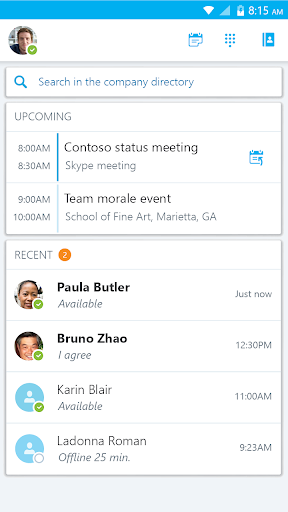
When it works, reviewers note it is usually reliable for joining scheduled meetings, and the one-click join from an upcoming meetings list is genuinely convenient. One reviewer with a 4-star rating specifically called it ‘usually reliable and easy to access meetings,’ which matches the app’s core promise of extending desktop Lync/Skype for Business functionality to a phone. For workers who mainly need to hop into a conference call or check recent conversations on the go, the basic mechanics are there.

Notification and Call Reliability Problems

The most damaging and frequently cited complaint is that calls simply do not notify properly. One heavily upvoted 1-star review describes missing calls because there is no proper notification that a call is coming through, and even when answered, the other party often cannot hear the user, or an annoying beeping sound persists as if the connection never finished. Multiple reviewers describe having to log out and log back in three or four times just to join a call cleanly, and getting booted from a call entirely if the screen fades out. Message notifications have similar issues: users report seeing a preview of a message in the notification bar, but the message is nowhere to be found once they open the app.

Permissions and Contact Syncing Complaints

A more recent update drew sharp criticism for demanding broad permissions, including camera, contacts, and calendar access, with the app refusing to run at all unless every permission is granted. Reviewers questioned why these permissions are necessary just for basic functioning. Separately, at least one user reported losing their full contacts list, left only with a ‘Recent contacts’ view instead of the complete directory that used to sync from the desktop client, undermining one of the app’s advertised search features.

Who Should Actually Install This

This app makes sense only if your employer has already deployed Skype for Business Server or Skype for Business Online and requires you to stay reachable via mobile. If that’s your situation, you don’t really have a choice, and it’s worth going in with tempered expectations around call notifications and muting responsiveness. If you’re evaluating it as a general-purpose calling or messaging app, skip it; the pattern of dropped notifications, silent calls, and login loops described by multiple reviewers suggests it’s often more frustrating than helpful. Given Microsoft has since pushed most business customers toward Microsoft Teams, prospective users should also confirm with IT whether this app is even still the supported path before relying on it daily.


Pros

  • ✓One-click join for scheduled meetings
  • ✓Syncs recent conversations across devices
  • ✓Supports group IM and video conferencing
  • ✓Meeting host controls like mute or remove
  • ✓Works for guest meeting invites too

Cons

  • ✕Frequent missed or silent call notifications
  • ✕Requires excessive permissions to even run
  • ✕Contacts list sometimes fails to sync

What Real Users Say

Victoria Smith ★ 1/5

“Does not work properly as an app. If someone calls me I don't get a notification that it's coming from Skype and so I miss many calls. Even if I do pick up, they often cannot hear me, or I get an annoying beeping sound that plays throughout the call as if it's still trying to connect. This also happens…”

👍 456 found this helpful
A Google user ★ 3/5

“I have two issues with this app. 1) When you use the Skype audio, muting/un-muting is very slow and notifications keep popping up, with sounds, which is distracting. 2) I keep getting notifications that I received a message, and I can read part of it in the notification, but when I open the app, I don't see the message. I…”

👍 413 found this helpful
A Google user ★ 2/5

“The app has become very buggy since the last couple of updates. I'm unable to join a call without logging out and logging back in at least 3 to 4 times. even then, it's not smooth sailing. if the screen fades out, I get booted from the call and can't rejoin without going through the whole routine of logging out…”

👍 268 found this helpful

Reviews sourced from Google Play, selected by helpfulness at the time of writing.

App Info & Permissions

Developer Microsoft Corporation
Content rating Everyone
Contains ads No
Installs 40M+
Released 03/29/2013
Price Free

Permissions this app requests

📅 Calendar Read calendar events plus confidential information
📷 Camera Take pictures and videos
👥 Contacts Find accounts on the device; read your contacts; modify your contacts
🕘 Device & app history Retrieve running apps; read sensitive log data
📱 Device ID & call information Read phone status and identity
🪪 Identity Find accounts on the device; add or remove accounts
🎙️ Microphone Record audio
📞 Phone Directly call phone numbers; read phone status and identity
🖼️ Photos/Media/Files Read the contents of your USB storage; modify or delete the contents of your USB storage
💾 Storage Read the contents of your USB storage; modify or delete the contents of your USB storage
📶 Wi-Fi connection information View Wi-Fi connections

Similar Apps

Frequently Asked Questions

1

What is Skype for Business for Android?

It's Microsoft's mobile app that extends the Skype for Business (formerly Lync 2013) platform to Android devices, letting users join meetings, send instant messages, and make voice or video calls tied to a corporate account. It's designed for business and enterprise users rather than personal Skype calling. Guests can join a meeting without a full account if invited by someone who has one.

2

Is Skype for Business for Android free?

The app itself is free to download, but it only works if you have an active Skype for Business or Lync account through your employer, typically via Office 365 or an on-premises Skype for Business Server. Without a valid corporate license, most features simply won't function. It is not a substitute for the free consumer Skype app.

3

Why do I keep missing calls in Skype for Business?

Multiple users report that the app fails to properly notify them of incoming calls, sometimes marking them as missed instantly without ringing. This appears to be a recurring bug tied to notification handling rather than a network issue on your end. Logging out and back in has helped some users temporarily, though it's not a permanent fix.

4

Why does the app ask for so many permissions?

A past update began requiring permissions like camera, contacts, and calendar access just to let the app open at all, which frustrated many reviewers who felt these weren't all necessary for basic use. Some permissions do support real features, like video calling or contact search, but the app reportedly refuses to launch unless all are granted. If this concerns you, check with your IT department about why they're required in your organization's deployment.

5

Should I still use Skype for Business or switch to Microsoft Teams?

Since Microsoft has been transitioning many business customers to Microsoft Teams, whether you should keep using this app depends entirely on what your company's IT department has deployed and supports. If your organization still runs Skype for Business Server or Online, this app remains the correct mobile client despite its bugs. Ask your IT team directly if a migration to Teams is planned, since that would eventually replace this app's role.

