Camera – Fast Snap with Filter

by 1 Bit

4.2 ★ 38K+ reviews
19M+ Installs
05/30/2019 Released
Camera – Fast Snap with Filter icon
Photography

Camera – Fast Snap with Filter

by 1 Bit

4.2 ★ 38K+ reviews
19M+ Installs
05/30/2019 Released
Advertisements
Camera – Fast Snap with Filter screenshot 1
Camera – Fast Snap with Filter screenshot 2
Camera – Fast Snap with Filter screenshot 3
Camera – Fast Snap with Filter screenshot 4
Camera – Fast Snap with Filter screenshot 5
Camera – Fast Snap with Filter screenshot 6

Ratings Breakdown

4.2 ★★★★★ 38K+ ratings
5 ★ 71%
4 ★ 7%
3 ★ 8%
2 ★ 5%
1 ★ 9%

Data from Google Play at the time of writing.

What This Camera App Is Trying To Do

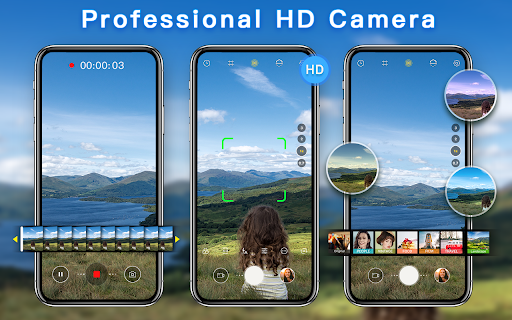
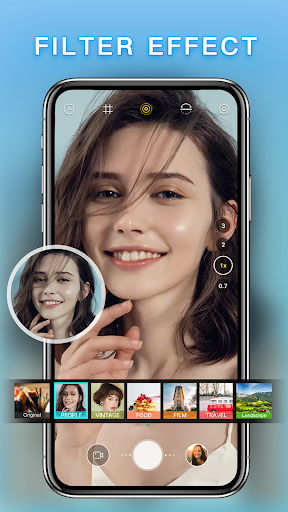
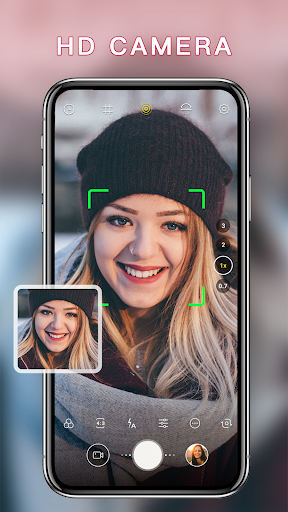
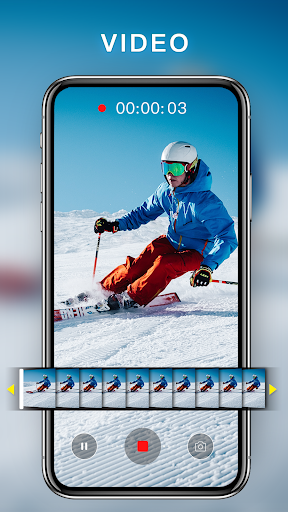
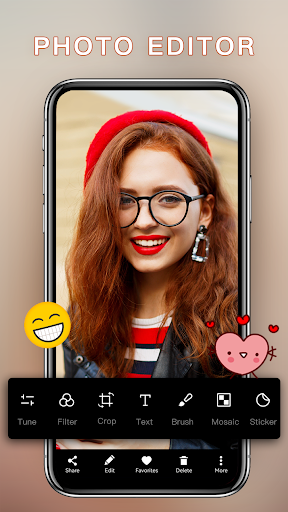
Camera – Fast Snap with Filter, made by 1 Bit, is a free Android camera replacement built around filters and quick sharing rather than raw manual control. It promises HD and 4K capture, beauty filters for selfies, food and scenery, a countdown timer, adjustable photo ratios, and extras like a safe box for private photos and quick jumps to editing apps. It’s aimed at casual users who want a more stylish alternative to their stock camera app without learning a complicated interface.

Where It Actually Delivers

The filter library is the app’s clear strength, and real users back this up. One reviewer specifically credited the app for restoring filter options that Samsung stripped out in a recent One UI update, calling the interface smooth and the filters amazing. Another reviewer praised the picture quality and filter output as superb, and a third liked the variety of image size choices, saying it beats their default camera which locks them into huge file sizes. If your priority is fun, vintage or modern-style filters on both photos and selfies, this app clearly satisfies that need for a lot of people.

The Interface Gaps That Annoy Long-Time Camera App Users

Not everything about the shooting experience feels modern. One detailed review pointed out you can’t tap the screen to set focus and can’t pinch to zoom, two gestures that are close to standard in other camera apps. It’s a learnable workaround, but it stands out as a missing basic. Photo processing has also been described as laggy at times, even by a reviewer who otherwise rated the app five stars for its picture quality and filters.

Bugs, Crashes, and Aggressive Ads Reported by Users

The more serious complaints come from stability and ad behavior. Multiple one-star reviews describe the app killing all phone audio, including YouTube and other apps, until a reboot fixes it. Others report the screen glitching into a black-out state and getting stuck there, alongside pop-up ads appearing at inconvenient moments mid-shoot, which one reviewer called a bad mix for any camera app. There are also reports of landscape photos being saved as portrait, messy timestamps, and a hidden home button that gets triggered by accident. Another user found that certain filters simply won’t apply when recording video, even though they work fine for stills.

Who Should Actually Download This

If you mainly take casual selfies and photos and want extra filter styles beyond what your phone’s default camera offers, plus flexible file size and quality settings, this app can genuinely deliver on that front, and its install numbers suggest a large user base gets exactly what they want from it. But if you rely on tap-to-focus, pinch-to-zoom, filtered video recording, or a completely bug-free experience, the recurring complaints about audio dropouts, black screens, and pop-up ads are worth taking seriously before you make it your default camera.


Pros

  • ✓Large variety of modern and vintage filters
  • ✓Flexible photo size and quality options
  • ✓Restores filter options missing from some stock cameras
  • ✓Good picture quality according to several reviewers
  • ✓Free to download and use

Cons

  • ✕No tap-to-focus or pinch-to-zoom gestures
  • ✕Reports of audio muting and screen freezes
  • ✕Intrusive pop-up ads during use

What Real Users Say

A Google user ★ 4/5

“Fine camera app with nice but pretty common features. It's a bit strange that you can't set focus by tapping the screen (at least I've got used to this feature while trying many other camera apps) and zoom can't be set by pinching the screen either. 🤷 Otherwise, you can get used to these after all, and the quality of…”

👍 6,409 found this helpfulDeveloper responded
A Google user ★ 1/5

“I'm sorry for the current rating but im totally getting frustrated. Everytime I open this app, yes it is working, but for some reason it shuts down the entire audio of my phone. As in of the phone, not just the recording. youtube, my own files. everything. no sound. audio came back after i reboot the phone. but again when…”

👍 4,687 found this helpfulDeveloper responded
Bog ★ 1/5

“Really liked it ,but it has started glitching out sending the screen into black out mode and then just being stuck there. The pop-up ad's are just too much. Popping up at the most inconvenient time. Pop-ups & camera Apps really don't mix. I am removing .”

👍 3,687 found this helpful

Reviews sourced from Google Play, selected by helpfulness at the time of writing.

App Info & Permissions

Developer 1 Bit
Content rating Everyone
Contains ads Yes
Installs 19M+
Released 05/30/2019
Price Free

Permissions this app requests

📷 Camera Take pictures and videos
📱 Device ID & call information Read phone status and identity
📍 Location Approximate location (network-based); precise location (GPS and network-based)
🎙️ Microphone Record audio
📞 Phone Read phone status and identity
🖼️ Photos/Media/Files Read the contents of your USB storage; modify or delete the contents of your USB storage
💾 Storage Read the contents of your USB storage; modify or delete the contents of your USB storage
📶 Wi-Fi connection information View Wi-Fi connections

Similar Apps

Frequently Asked Questions

1

What is Camera - Fast Snap with Filter?

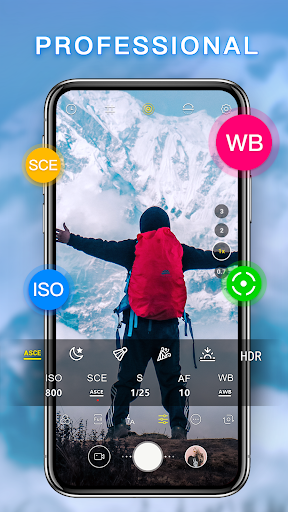
It's a free Android camera app from developer 1 Bit that focuses on beauty and selfie photography with modern, vintage, and artistic filters. It supports HD and 4K photo and video capture, adjustable photo ratios, countdown timers, and basic manual settings like white balance and ISO. It also includes photo management tools such as a private safe box and quick editing app links.

2

Is Camera - Fast Snap with Filter free to use?

Yes, the app is free to download and install. Like many free camera apps, it includes ads, and some users report these pop-ups appearing at inconvenient times during shooting.

3

Can you tap to focus or pinch to zoom in this app?

No, according to a detailed user review, the app does not support tapping the screen to set focus or pinching to zoom, both of which are common gestures in other camera apps. Users say you can get used to the workaround, but it's a notable gap for anyone switching from a more standard camera app.

4

Are there any serious bugs users have reported?

Yes, several reviewers report significant issues including the app muting all phone audio until a reboot, the screen glitching into a black-out state and freezing, and filters failing to apply during video recording even though they work for photos. Other complaints include landscape photos saving as portrait and messy timestamp data.

5

Who is this camera app best suited for?

It's best suited for casual users who want extra filter variety and flexible file size options for selfies and everyday photos rather than professional manual controls. Users who want tap-to-focus, pinch-to-zoom, or a highly stable ad-light experience may find the reported bugs and pop-up ads frustrating.

