
JBL Portable

by Harman Consumer, Inc.

4.7 ★ 355K+ reviews
35M+ Installs
06/25/2015 Released
JBL Portable icon
JBL Portable icon
Entertainment

JBL Portable

by Harman Consumer, Inc.

4.7 ★ 355K+ reviews
35M+ Installs
06/25/2015 Released
Advertisements
JBL Portable screenshot 1
JBL Portable screenshot 2
JBL Portable screenshot 3
JBL Portable screenshot 4
JBL Portable screenshot 5
JBL Portable screenshot 6

Ratings Breakdown

4.7 ★★★★★ 355K+ ratings
5 ★ 83%
4 ★ 9%
3 ★ 3%
2 ★ 1%
1 ★ 3%

Data from Google Play at the time of writing.

What This App Is Supposed To Do

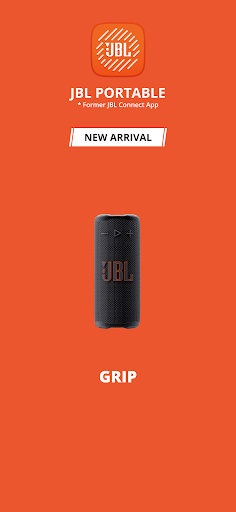
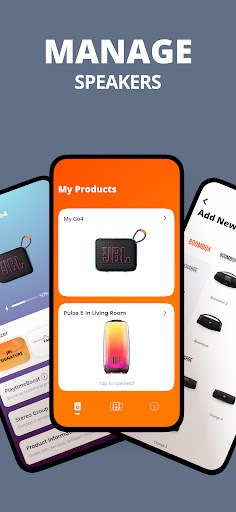
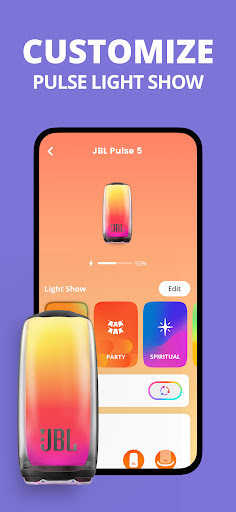
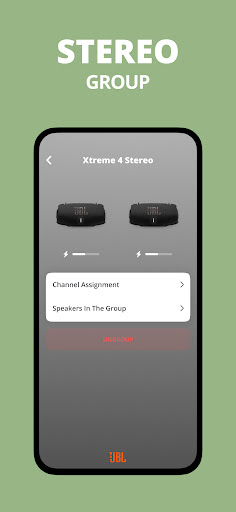
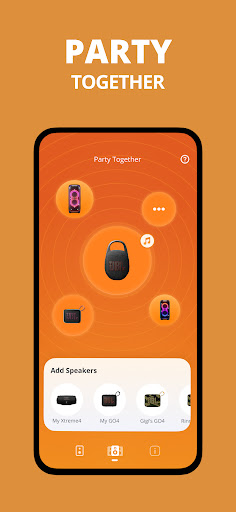
JBL Portable is the companion app for Harman’s lineup of Bluetooth speakers, covering everything from the tiny Clip 5 up to the massive Boombox 4. The pitch is simple: pair your speaker (or two of them) with the app and you unlock stereo pairing, Party Mode for linking multiple speakers, EQ controls, and firmware updates. It’s aimed at anyone who already owns a JBL speaker and wants more than basic Bluetooth playback, particularly people with two units who want a stereo pair or a bigger sound for outdoor gatherings.

Where It Actually Delivers

When everything works, owners are genuinely happy. One reviewer with a Boombox 2 and Boombox 3 says stereo mode sounds best when both speakers are the same model, and multiple users praise the raw sound quality of their speakers as excellent even in noisy environments like a wood shop. That praise, though, is mostly about the speaker hardware itself rather than the app. The app’s actual job — pairing, EQ, and personalization — gets far less enthusiasm, though when stereo sync succeeds it does seem to boost the listening experience for parties and everyday use.

The Connection Problems That Keep Coming Up

The most consistent and damaging complaint is that the app simply fails to find or connect to speakers that are already paired and playing music over standard Bluetooth. Users report the app not detecting a Go 4 or a Flip 6 even after granting nearby-device permissions, unpairing, forgetting the device, and reconnecting. One person bought two Go 4 units and could only get one to connect, with the second stuck in an endless pairing popup loop. Another says the app ‘picks and choose’ which speaker to discover when trying to link two units, calling the on-again-off-again behavior super frustrating after weeks of daily attempts.

EQ Limitations and a Security Concern

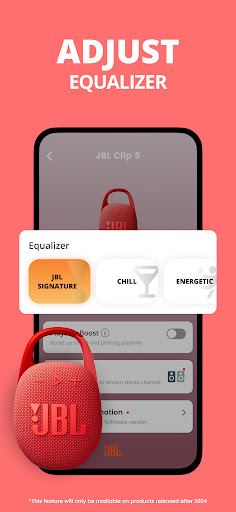
Beyond connection issues, the app has a functional limitation for multi-speaker owners: EQ control only works on one speaker at a time, even in stereo mode, which one reviewer specifically flags as a downfall for anyone trying to manage two units together. More alarming is a report of a security-like glitch where pausing music to take a phone call caused the speaker to pick up and play a neighbor’s audio from their own JBL setup nearby, forcing a lengthy reconnection process. That’s not a minor annoyance — it suggests the pairing logic isn’t as isolated as it should be.

Who Should Actually Download This

If you own a single JBL speaker and just want firmware updates or occasional EQ tweaks, the app can serve its purpose, and the underlying speaker hardware clearly satisfies plenty of buyers. But if your goal is linking two speakers into a stereo pair or Party Mode setup, be prepared for real friction — multiple long-term reviewers describe repeated failed pairing attempts, one-sided discovery, and generally unreliable behavior. Go in with modest expectations, and don’t assume the app will be smoother than plain Bluetooth, because several users say plain Bluetooth simply works better on its own.


Pros

  • ✓Strong sound quality praised by owners
  • ✓Stereo pairing enhances listening experience
  • ✓Party Mode links multiple speakers together
  • ✓Firmware updates delivered through app
  • ✓Personalization options for supported speakers

Cons

  • ✕Frequent failures pairing two speakers
  • ✕EQ only adjustable on one speaker
  • ✕Reports of picking up neighbor's audio

What Real Users Say

Taylor ★ 4/5

“It's over all a good app. If sync 2 speakers the same, In stereo mode it's sounds the best. If you want to control the EQ you can only use one speaker at a time. That's the down fall from my point of view. I have one boombox 2 & one boombox 3. It would be nice to sync them…”

👍 160 found this helpful
Tony Aletriz ★ 5/5

“The sound is excellent, and it's impressive compared to the size. I work in a wood shop so there are a lot of noises from the machines but the speaker over takes the noise and I get to enjoy my music regardless. Back home, it's awesome!! you can actually have a good time with friends and enjoy crisp sounding music.…”

👍 88 found this helpful
Luke Kimble ★ 1/5

“So many issues getting 2 speakers to connect and play. My neighbor has the same speaker. I paused my music to take a call on another phone..and my speakers pick up the neighbors music. Seems like a total lack of security in this software. Then I have to spend 10 minutes trying to reconnect them to my phone. The speakers…”

👍 72 found this helpful

Reviews sourced from Google Play, selected by helpfulness at the time of writing.

App Info & Permissions

Developer Harman Consumer, Inc.
Content rating Everyone
Contains ads No
Installs 35M+
Released 06/25/2015
Price Free

Permissions this app requests

📍 Location Approximate location (network-based); precise location (GPS and network-based)
🖼️ Photos/Media/Files Read the contents of your USB storage; modify or delete the contents of your USB storage
💾 Storage Read the contents of your USB storage; modify or delete the contents of your USB storage
📶 Wi-Fi connection information View Wi-Fi connections

Similar Apps

Frequently Asked Questions

1

What is JBL Portable?

JBL Portable is the official companion app for Harman's JBL Bluetooth speaker lineup, including models like the Clip 5, Flip 7, Charge 6, Xtreme 4, and Boombox 4. It lets users pair compatible speakers for stereo sound or Party Mode, adjust EQ settings, personalize their device, and receive firmware updates and support. It's designed to extend the functionality of the speaker beyond basic Bluetooth playback.

2

Is JBL Portable free to use?

Yes, the app is free to download and use with any compatible JBL speaker. There are no subscription fees mentioned in user feedback or the store listing. You simply need an eligible speaker model to access its features.

3

Can I control two JBL speakers at once with this app?

You can pair two compatible speakers for stereo or Party Mode, but based on user reports the EQ can only be adjusted on one speaker at a time, even when paired. Several reviewers also report inconsistent success getting two speakers to connect simultaneously. If dual-speaker control is your main reason for downloading, expect some trial and error.

4

Why won't the app find my JBL speaker?

Multiple users report the app failing to detect speakers like the Go 4 or Flip 6 even when already connected via Bluetooth and after granting device permissions. Common troubleshooting steps like unpairing, forgetting the device, and reconnecting don't always resolve it. This appears to be an ongoing, unresolved issue rather than a one-off bug for some users.

5

Does JBL Portable work better than just using Bluetooth directly?

Not necessarily — one reviewer specifically notes their Android phone connected perfectly via standard Bluetooth without needing the app at all. The app is meant to add extra features like EQ and stereo pairing, but for basic playback some users find it unnecessary or even less reliable than a direct Bluetooth connection.

