
What Google Tasks Actually Does
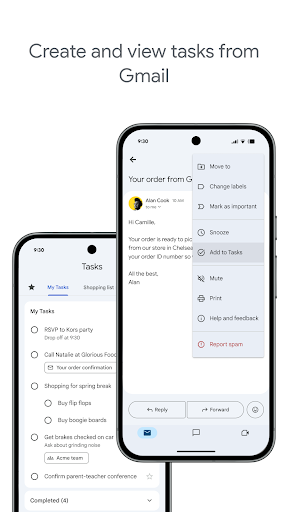
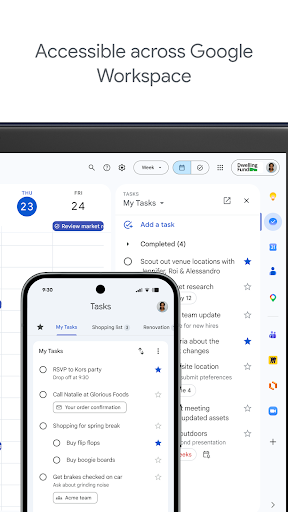
Google Tasks is a straightforward to-do list app from Google that lets you capture, organize, and get reminded about tasks from your phone. It hooks into Gmail so you can turn emails into tasks with a link back to the original message, and it syncs across devices including the Windows PC app. It’s aimed at people who already live inside the Google ecosystem and want a lightweight task manager rather than a full project management tool. If you use Gmail daily and just need a simple running list of to-dos, this is built for exactly that use case.
Where It Genuinely Helps
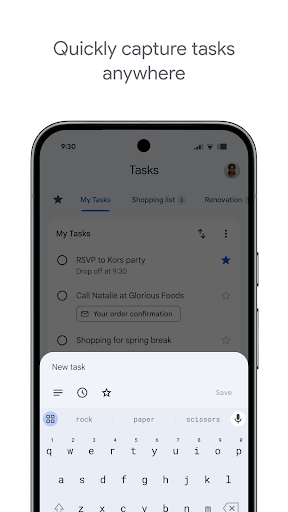
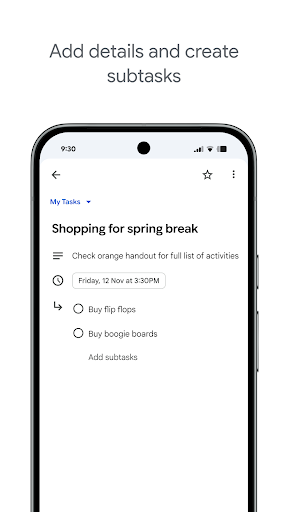
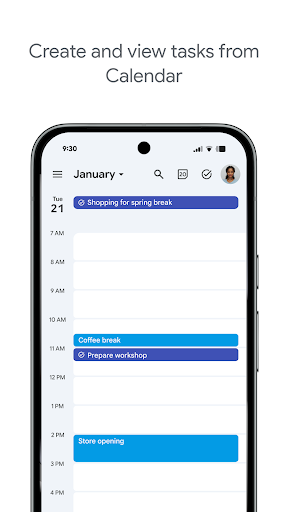
The core loop works well for most users. Reviewers praise how tasks land on the calendar automatically and how notifications fire reliably with the option to add details. One reviewer called it ‘like a quick note, reminder’ and compared it to a digital sticky note that actually works for juggling multiple must-dos. Cross-device sync between the Windows PC app and Android phone is also singled out as working perfectly, which matters a lot if you split time between a desktop and a phone. Subtasks, starring priority items, and drag-and-drop reordering round out a feature set that covers the basics without overcomplicating things.
The Missing Search Bar Is a Real Problem
The single most repeated complaint, by a wide margin, is the lack of a search function on the Android app. Users with dozens of tasks say they have to scroll through the entire list to find and modify or delete one item, calling it time-consuming. One reviewer explicitly notes that search ‘has disappeared on android app’ and insists it needs to return. For an app whose entire purpose is managing lists that can grow long over time, not being able to search is a significant, basic gap.
Widgets, Notifications, and Keep Integration Fall Short
Beyond search, several other frustrations show up repeatedly. The home screen widget reportedly doesn’t refresh when you check off or add items until you fully reopen the app, and it no longer shows all list items or keeps the list title pinned like it used to. Notifications are described as easy to swipe away and lacking a persistent option, unlike competitors such as Microsoft To Do. There’s also no history of completed recurring tasks, so you can’t verify whether you actually did something yesterday. Separately, users forced over from Google Keep reminders complain that formatting is stripped, making imported reminders look terrible, though there’s a workaround by tapping through to the Keep version.
Who Should Actually Download This
Google Tasks is a solid pick if your task list stays short to medium in size, you’re already in Gmail constantly, and you just want reminders and calendar integration without learning a new app. It’s less suited to power users with long-running lists, anyone who relies on searching for old tasks, or people who need robust widgets and non-dismissible notifications. If those gaps sound like dealbreakers, it’s worth waiting to see whether Google addresses the missing search bar and widget refresh issues before committing to it as your primary task manager.



