MetaMask – Crypto Wallet

by MetaMask Web3 Wallet

4.4 ★ 482K+ reviews
46M+ Installs
09/01/2020 Released
MetaMask – Crypto Wallet icon
Finance

MetaMask – Crypto Wallet

by MetaMask Web3 Wallet

4.4 ★ 482K+ reviews
46M+ Installs
09/01/2020 Released
Advertisements
MetaMask – Crypto Wallet screenshot 1
MetaMask – Crypto Wallet screenshot 2
MetaMask – Crypto Wallet screenshot 3
MetaMask – Crypto Wallet screenshot 4
MetaMask – Crypto Wallet screenshot 5
MetaMask – Crypto Wallet screenshot 6

Ratings Breakdown

4.4 ★★★★★ 482K+ ratings
5 ★ 77%
4 ★ 9%
3 ★ 4%
2 ★ 2%
1 ★ 8%

Data from Google Play at the time of writing.

What MetaMask Does and Who It’s For

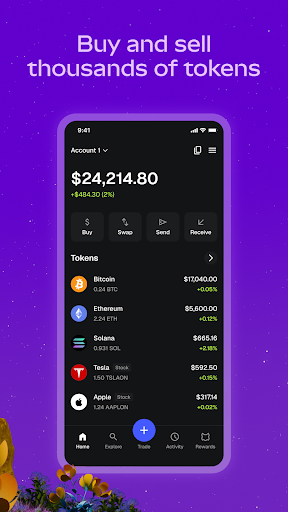
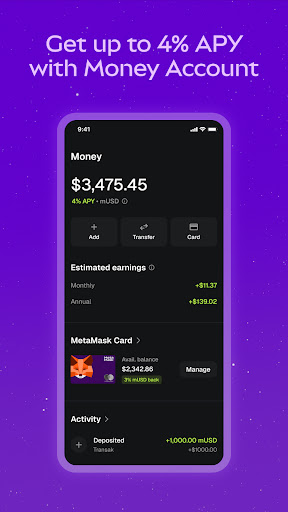
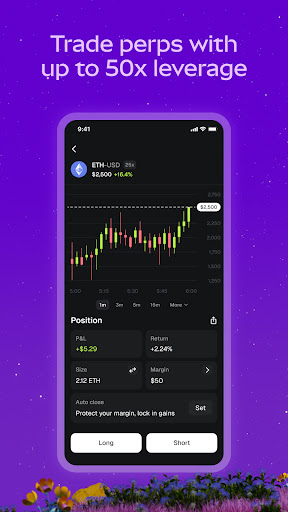
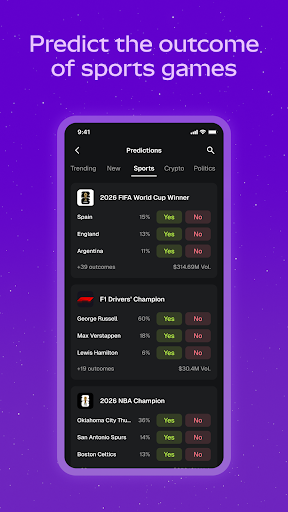
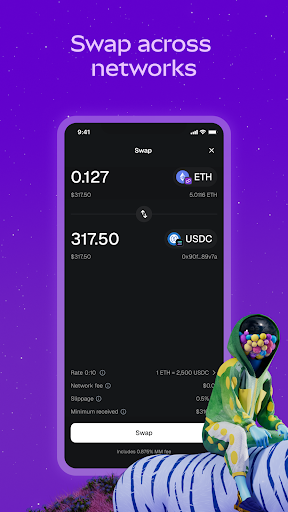
MetaMask is a self-custody crypto wallet that lets you buy, sell, swap, and hold hundreds of thousands of tokens across Ethereum, Bitcoin, Solana, and a long list of other networks. Beyond simple storage, it now packs in perpetual futures trading with leverage, stock trading, prediction markets, staking, and a MetaMask Card for spending crypto in stores. It’s aimed at both crypto newcomers who want a guided setup and experienced DeFi users who need access to dapps, but the sheer number of features makes it feel more like a trading terminal than a basic wallet these days.

Where the App Actually Works Well

Long-time users consistently call it the best wallet around for basic use, and switching between Main and Test networks for ETH is described as easy. The core wallet functionality — connecting to dapps, holding assets across chains, and managing multiple networks — clearly works for a large share of users, which is likely why it remains one of the default choices for interacting with web3 sites. Several reviewers note that even when frustrated, they keep using it because it’s the only wallet that reliably connects to every web3 site they need.

The Gas Fee and Transaction Problems You’ll Run Into

The most damaging complaints center on gas price handling. One reviewer with nearly 500 helpful votes warns that the default gas price is often set too low, which can leave transactions stuck or cause crypto to effectively get lost in limbo. Another complaint says the opposite happens on BSC, where the app sets gas prices too high automatically and doesn’t let you adjust them by default, so rushed users can overpay significantly relative to the amount they’re actually moving. Neither issue is a minor UI quirk — both directly risk users’ funds, which is a serious concern for a finance app handling real money.

Login, Setup, and Stability Frustrations

Account creation has tripped up reviewers too: one describes entering a password twice, being told it was ‘good,’ yet the Continue button stayed disabled because the password needed to be ‘strong’ — with no explanation shown at the time. Others report being locked out entirely after an update, seeing only a blank screen with an orange diamond icon and no login fields, a bug described as ongoing for months on Android. Performance complaints are common as well, with the app described as super slow even after clearing cache or resetting the account, and one reviewer says it crashes constantly and is worse than the browser extension.

Small Annoyances That Add Up

Even satisfied users flag interface problems, particularly a navigation bar that reviewers say blocks pop-up disclaimers and buttons with no setting available to fix it. That’s the kind of issue that turns a routine transaction confirmation into a frustrating puzzle. Seed phrase export also appears restricted in some import flows, which matters if you’re syncing with the browser extension.

Final Verdict on Downloading MetaMask

MetaMask remains a near-default choice for web3 access, and for straightforward wallet use it holds up reasonably well. But the recurring gas fee mismanagement, login lockouts, and slow performance are not small gripes — they affect whether transactions succeed and whether you can access your funds at all. Download it if you need broad dapp compatibility and are willing to double-check every gas setting manually; be cautious if you want a simple, worry-free experience.


Pros

  • ✓Works across nearly every major blockchain network
  • ✓Easy switching between main and test networks
  • ✓Trusted default for connecting to dapps
  • ✓Supports staking, DeFi lending, and card spending
  • ✓Wide token support including major and niche coins

Cons

  • ✕Gas price defaults can be too low or high
  • ✕Login and setup bugs lock users out
  • ✕App can be slow and crash frequently

What Real Users Say

Andrew Stoehr ★ 4/5

“Best wallet app around, no question. So easy — EXCEPT — the navigation bar gets in the way of the page! Sometimes irreparably blocking my ability to accept a pop up disclaimer or press other buttons, all because the navigation bar is in the way! There is no setting on Metamask that would allow me to move the navigation bar…”

👍 610 found this helpfulDeveloper responded
Roy Laurie ★ 4/5

“It's metamask and it's mobile. So far, so good. It's easy to switch between the Main and Test netwotks for ETH. It's probably better to create a separate wallet rather than import with this app, if you use the browser extension as well. They currently prevent exporting the seed phrase when asking you to back it up, which is kind…”

👍 493 found this helpful
Captain Link ★ 1/5

“Trust the reviews. This app looks nice, but is terrible for both beginners and those experienced with crypto. One big issue is that, by default, it uses a tiny gas price that is way too small for the transaction to actually get processed, and its easier to get in a situation where your crypto is effectively locked, potentially forever. (speaking…”

👍 481 found this helpful

Reviews sourced from Google Play, selected by helpfulness at the time of writing.

App Info & Permissions

Developer MetaMask Web3 Wallet
Content rating Everyone
Contains ads No
Installs 46M+
Released 09/01/2020
Price Free

Permissions this app requests

📷 Camera Take pictures and videos
📍 Location Approximate location (network-based); precise location (GPS and network-based)
🎙️ Microphone Record audio
🖼️ Photos/Media/Files Read the contents of your USB storage; modify or delete the contents of your USB storage
💾 Storage Read the contents of your USB storage; modify or delete the contents of your USB storage
📶 Wi-Fi connection information View Wi-Fi connections

Similar Apps

Frequently Asked Questions

1

What is MetaMask - Crypto Wallet?

MetaMask is a self-custody crypto wallet app that lets you store, trade, and spend cryptocurrency across networks like Ethereum, Bitcoin, and Solana. It also supports stock trading, perpetual futures, prediction markets, staking, and spending via the MetaMask Card. You hold your own private keys, meaning you're fully responsible for securing your funds. It's widely used to connect to decentralized apps (dapps) across the web3 ecosystem.

2

Is MetaMask free to download and use?

Yes, downloading and installing MetaMask is free. However, network fees (gas) apply to blockchain transactions, and trading features like swaps, perpetuals, or card spending may involve additional fees. Some reviewers note that default gas settings can cause you to overpay or underpay for transactions, so it's worth reviewing fees before confirming.

3

Is MetaMask safe to use for storing crypto?

MetaMask uses self-custody, meaning only you control your private keys and funds, and it includes transaction previews and threat monitoring features. That said, user reviews report real risks tied to app bugs, such as gas prices set too low, which can cause transactions to fail or funds to get stuck. Safety ultimately depends on you double-checking transaction details and gas settings before confirming anything.

4

Why does MetaMask keep asking me to fix gas fees?

MetaMask automatically suggests a gas price for each transaction, but reviewers report this default can be set too low, causing transactions to stall, or too high on some networks like BSC, causing overpayment. The app doesn't always make it easy to manually adjust gas by default. It's recommended to review and adjust gas settings yourself rather than trusting the automatic suggestion.

5

Why can't I log into my MetaMask account?

Some users report being unable to log in after recent updates, seeing a blank screen with only an orange diamond icon and no buttons or keyboard. This issue has reportedly persisted for months for some Android users. If you're locked out, checking for app updates or reinstalling may help, though some reviewers say the problem recurred even after following suggested fixes.