

Downloader by AFTVnews

by AFTVnews.com

4.0 ★ 56K+ reviews
81M+ Installs
08/18/2017 Released
Downloader by AFTVnews icon
Tools

Downloader by AFTVnews

by AFTVnews.com

4.0 ★ 56K+ reviews
81M+ Installs
08/18/2017 Released
Advertisements
Downloader by AFTVnews screenshot 1
Downloader by AFTVnews screenshot 2
Downloader by AFTVnews screenshot 3
Downloader by AFTVnews screenshot 4
Downloader by AFTVnews screenshot 5
Downloader by AFTVnews screenshot 6

Ratings Breakdown

4.0 ★★★★★ 56K+ ratings
5 ★ 56%
4 ★ 20%
3 ★ 6%
2 ★ 4%
1 ★ 14%

Data from Google Play at the time of writing.

What This App Actually Does

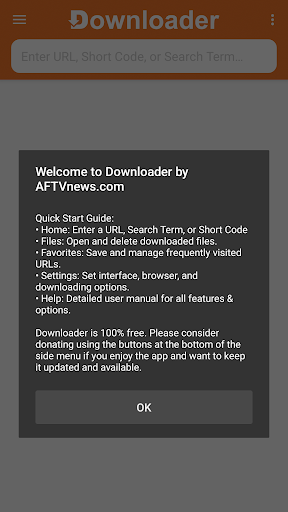
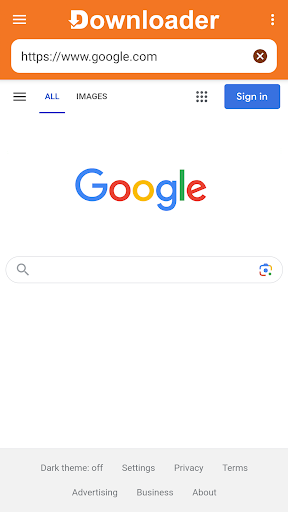
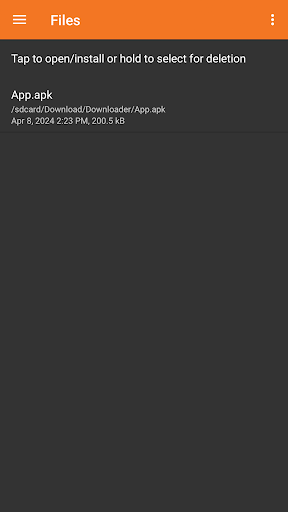
Downloader by AFTVnews is a sideloading utility built primarily for Android TV, Fire TV, Google TV, and TiVo Stream 4K boxes, though it also runs on phones and tablets. Instead of digging through a clunky on-screen keyboard to type long web addresses, you enter a URL or a short code and the app fetches the file directly, most commonly an APK for an app that isn’t available in the official store. Once downloaded, its built-in file manager lets you open, install, or delete the file without needing a separate app. It’s aimed squarely at people who want to install apps outside the Play Store or Amazon Appstore on a big screen device.

Where It Genuinely Delivers

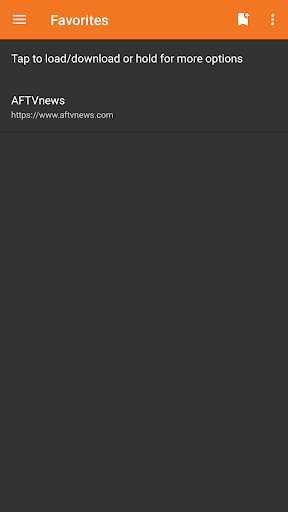
The core value proposition works as advertised for most users. One reviewer called it incredibly easy to use, praising the fact it works across so many different platforms including Android TV, Fire TV, Google TV, and TiVo Stream 4K. For anyone who’s tried to type a URL with a TV remote, having a simple entry field plus a Favorites list to save frequently used links is a real time-saver, and that convenience is clearly why this app has been installed over 81 million times. When it’s running well, it does exactly one job and does it without fuss.

The Favorites and Update Problems Users Keep Hitting

Recent updates have introduced real friction. Multiple reviewers report that Favorites are broken after an update, with one describing getting an error when trying to open a saved site even though the same address works fine through the regular browser function. Others say the app has become slow and laggy since a new interface rolled out, calling it a pain in the rear compared to how it used to perform. A more serious complaint describes the app failing to connect or download anything at all after updating, with the user unable to revert to a previous version.

Interface Changes and On-Screen Typing Issues

Beyond outright breakage, several reviews point to usability regressions tied to the newest interface. One user described a flood of irritating pop-ups since the update and wished for a way back to the older version. Another reported that the keyboard misbehaves inside embedded pages like Instagram, causing text to register incorrectly and leading to embarrassing mis-sent messages. A separate complaint notes that the Help section references a download folder setting that simply doesn’t exist in the current Settings menu, calling the missing option incredibly frustrating.

Who Should Actually Install This

If you have a Fire TV Stick, Android TV box, or Google TV device and need a straightforward way to sideload an APK, this app remains one of the few dedicated tools built for that exact use case, and its reach and install base speak to how widely it’s relied upon. Just go in with tempered expectations: recent versions have brought connection failures, broken Favorites, sluggish performance, and stray pop-ups for a meaningful chunk of users. If it’s working on your setup, it’s genuinely handy; if an update breaks it for you, patience or checking for a fix may be your only real option.


Pros

  • ✓Simple URL and short code entry
  • ✓Works across TV and mobile platforms
  • ✓Favorites save frequently used links
  • ✓Built-in file manager for installs
  • ✓Huge install base shows wide reliability

Cons

  • ✕Favorites broken after recent updates
  • ✕Reports of failed downloads and connections
  • ✕Laggy interface and intrusive pop-ups

What Real Users Say

Ali Fleih ★ 5/5

“I absolutely love the Downloader by AFTVnews Android TV app! It's incredibly easy to use and I can download just about anything that my imagination desires. Plus, it works on so many different platforms—Android TV, Fire TV, Google TV and TiVo Stream 4K!—so no matter what device, you have access to this amazing tool. Finally, it saves your recent history…”

👍 1,045 found this helpful
Chris Barker ★ 3/5

“The recent update to the Firestick app has broken the favourites. You can access websites through the browser, but if you add them to favourites and try to go from their toy get an error. Very frustrating.”

👍 122 found this helpful
Rajni Patnaik ★ 3/5

“Hey guys please check this... I'm using Downloader since 2 weeks in T.V. it was good 👍. But after the latest update the Instagram is not working properly especially the keyboard one, we don't know what we are typing and sending wrong messages which makes me feel embarassing in front of others. Please check this problem and fix it ASAP.…”

👍 114 found this helpful

Reviews sourced from Google Play, selected by helpfulness at the time of writing.

App Info & Permissions

Developer AFTVnews.com
Content rating Everyone
Contains ads Yes
In-app purchases $2.00 - $100.00 per item
Installs 81M+
Released 08/18/2017
Price Free

Permissions this app requests

🖼️ Photos/Media/Files Read the contents of your USB storage; modify or delete the contents of your USB storage
💾 Storage Read the contents of your USB storage; modify or delete the contents of your USB storage
📶 Wi-Fi connection information View Wi-Fi connections

Similar Apps

Frequently Asked Questions

1

What is Downloader by AFTVnews?

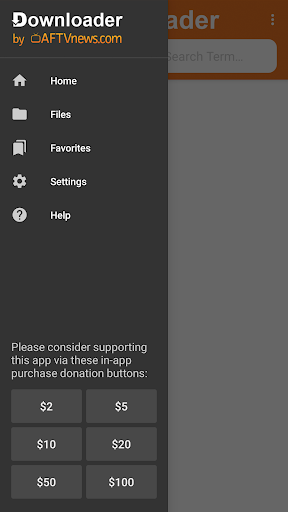
It's a Tools app that lets you enter URLs, browse websites, or use short codes to download files like APKs directly onto Android TV, Fire TV, Google TV, phones, and tablets. It includes a Favorites list for quick access to frequently used sites and a built-in file manager to open, install, or delete downloaded files. It's mainly used for sideloading apps that aren't available through official app stores.

2

Is Downloader by AFTVnews free?

Yes, the app is free to download and use, which is part of why it has over 81 million installs. There's no indication in user reviews of a paid tier or subscription being required for core functionality.

3

Does the app still work well after recent updates?

Reviews are mixed on this. Some users report the app still works smoothly across their devices, while others describe broken Favorites, failed downloads, and connection errors specifically tied to recent updates. If you rely on Favorites or need consistent downloading, be prepared for possible hiccups after an update.

4

Can I change the default download folder?

According to one user's experience, the Help section claims this is possible in Settings, but the option to actually move the download folder was missing when they checked. This has been called out as a frustrating gap between documentation and actual functionality.

5

Is this app safe to use for sideloading APKs?

The app itself is a legitimate, widely installed tool from AFTVnews.com built specifically for sideloading on TV platforms. That said, one user reported a downloaded URL triggering virus warnings and a 404 error, so the safety of any individual download still depends on the source URL you enter, not the app itself.

