PDF Reader – PDF Editor

by Simple Design Ltd.

4.6 ★ 742K+ reviews
86M+ Installs
09/23/2021 Released
PDF Reader – PDF Editor icon
Productivity

PDF Reader – PDF Editor

by Simple Design Ltd.

4.6 ★ 742K+ reviews
86M+ Installs
09/23/2021 Released
Advertisements
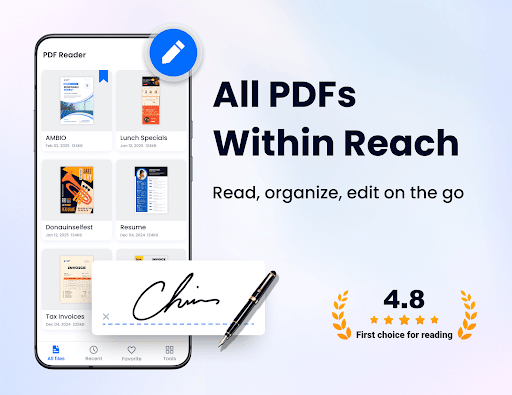
PDF Reader – PDF Editor screenshot 1
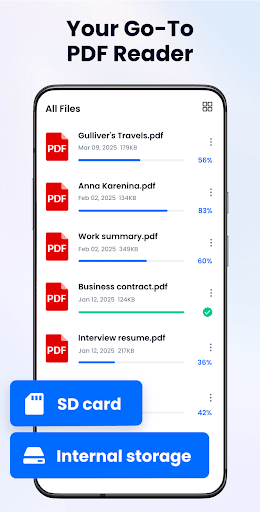
PDF Reader – PDF Editor screenshot 2
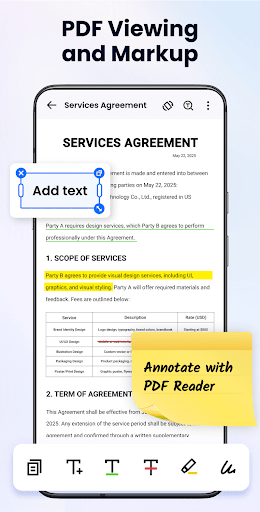
PDF Reader – PDF Editor screenshot 3
PDF Reader – PDF Editor screenshot 4
PDF Reader – PDF Editor screenshot 5
PDF Reader – PDF Editor screenshot 6

Ratings Breakdown

4.6 ★★★★★ 742K+ ratings
5 ★ 86%
4 ★ 4%
3 ★ 1%
2 ★ 1%
1 ★ 7%

Data from Google Play at the time of writing.

What This App Does and Who It’s For

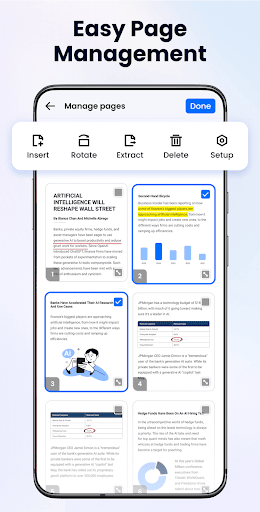
PDF Reader – PDF Editor from Simple Design Ltd. is a document management app that scans your phone for PDFs and office files (Word, Excel, PPT, TXT), then lets you view, annotate, sign, and lightly edit them in one place. It also doubles as a PDF scanner for turning photos, receipts, and business cards into PDFs. It’s aimed at students, office workers, and anyone who needs a quick way to read and mark up documents without paying for a full desktop suite. Given its install base in the tens of millions, it’s clearly become a go-to free option for basic PDF tasks on Android.

The Reading and Annotation Tools Work Well

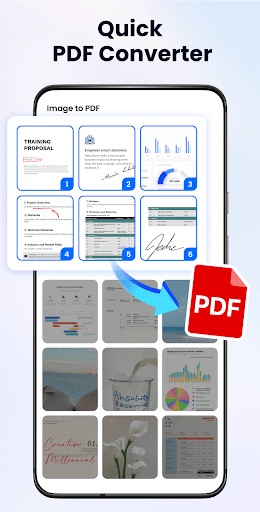
Real users consistently praise the core toolset: highlighting, adding text, underlining, strikethrough, drawing, page jumping, and autorotate. One reviewer called out the ability to switch between page-up-down and left-right scrolling as a nice touch, and another was impressed that turning nine photos into a cropped, color-adjusted, reorderable PDF document took about three minutes. The dark/light mode toggle and multiple viewing orientations also get specific mentions as genuinely useful for extended reading sessions, whether for ebooks or work documents.

Where the Editing Falls Short

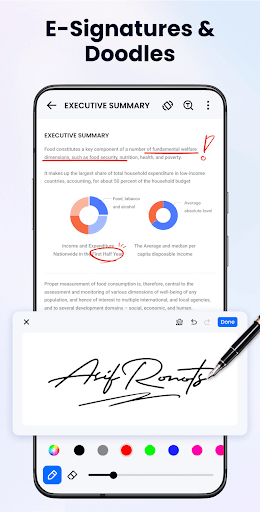
The editing experience isn’t as polished as the reading experience. One user pointed out there’s no clear save or save-as button after signing a document, which is a basic workflow gap for an app that markets itself as a PDF editor. Photo-to-PDF cropping was also described as ‘not very accurate’ by an otherwise satisfied reviewer. If you need precise document editing rather than light annotation, expect some friction.

Ads and Update Warnings Are a Real Problem

The most common complaint by far is advertising. Multiple reviewers describe ads as excessive and intrusive, popping up during normal use rather than being contained to specific moments. More concerning are the recurring ‘your app is out of date’ or ‘can’t read this file’ warning messages that at least two users flagged as confusing or ad-like, with one explicitly warning less tech-savvy users to be careful about distinguishing these prompts from legitimate app updates. This is a meaningful trust issue for an app requesting broad storage permissions.

Is It Worth Downloading?

For straightforward reading, annotating, and quick file scanning, this app does what it promises and multiple users report it working reliably for those exact tasks. The scanning and organization features (auto-detecting files, folders, favorites, recycle bin recovery) are convenient additions that go beyond a basic reader. But if you’re editing documents seriously, expect to hunt for missing save controls, tolerate frequent ads, and stay alert to confusing system-style pop-ups. Casual users who mainly need a free reader with light markup tools will likely be satisfied; anyone needing dependable, ad-free editing should look elsewhere or budget for a premium alternative.


Pros

  • ✓Strong highlighting and annotation tools
  • ✓Fast photo-to-PDF conversion
  • ✓Multiple reading modes and dark mode
  • ✓Auto-scans device for PDF and office files
  • ✓Handles password-protected files well

Cons

  • ✕Frequent, intrusive advertising
  • ✕Confusing fake-looking update warnings
  • ✕No clear save button after editing

What Real Users Say

Elizabeth Hock ★ 5/5

“🌟🌟🌟🌟🌟 5 Stars Yes, this is the great one! Free to use no internet connection necessary, edit tools include highlighter, +text, underline, strike through, or draw Has page jump, & autorotate on / off switch. It can load your pages up and down, or left to right. & many other tools, these are just the ones I use. Thank you…”

👍 2,315 found this helpful
Summer ★ 5/5

“I haven't had it long enough to explore all of the features available however it has been uncomplicated to manage so far and seems to provide a large selection of tools that can aid in editing, documenting, and studying. While I mostly use this app for ebooks, I often sit on one one text for awhile, going back and rereading…”

👍 1,496 found this helpfulDeveloper responded
JHS ★ 3/5

“Generally okay but annoying because there's no clear way to save a file that I have signed. Why not just have a save or save as button? Adds are a bit much. Got a weird error message when I used the app today. It said my app version is out of date but yet I see no updates. When I…”

👍 184 found this helpfulDeveloper responded

Reviews sourced from Google Play, selected by helpfulness at the time of writing.

App Info & Permissions

Developer Simple Design Ltd.
Content rating Everyone
Contains ads Yes
In-app purchases $9.99 - $49.99 per item
Installs 86M+
Released 09/23/2021
Price Free

Permissions this app requests

📷 Camera Take pictures and videos
🖼️ Photos/Media/Files Read the contents of your USB storage; modify or delete the contents of your USB storage
💾 Storage Read the contents of your USB storage; modify or delete the contents of your USB storage

Similar Apps

Frequently Asked Questions

1

What is PDF Reader - PDF Editor?

It's a productivity app by Simple Design Ltd. that scans your phone for PDF and office files, then lets you view, annotate, sign, and organize them. It also includes a built-in scanner for converting photos and receipts into PDFs. It's designed as an all-in-one document viewer, editor, and manager for Android users.

2

Is PDF Reader - PDF Editor free to use?

Yes, the app is free and the developer states all features are available at no cost. However, user reviews note that free use comes with frequent ads, which some found excessive during normal app navigation. There's no indication of a paid ad-free tier based on available information.

3

Can it edit and sign PDF documents?

Yes, it supports adding or deleting text, highlighting, underlining, drawing, and adding e-signatures. That said, one user reported there's no clear save or save-as option after signing a document, which can make finishing an edit confusing. Basic annotation works better than deeper editing tasks.

4

Does the app require special permissions?

On Android 11 and above, it requires the MANAGE_EXTERNAL_STORAGE permission to locate and manage PDF and office files on your device. The developer states this access is only used to support core app functionality and that user data remains private. Users uncomfortable granting broad storage access should weigh this before installing.

5

What are the biggest complaints from users?

The most repeated complaint is the volume of ads, which several reviewers describe as intrusive and appearing too often during regular use. A number of users also reported confusing pop-up messages claiming the app is 'out of date' or that a file 'can't be read,' which can resemble deceptive ads. These issues are worth considering alongside the app's otherwise solid reading and annotation features.

