Chrome Beta

by Google LLC

4.4 ★ 603K+ reviews
84M+ Installs
12/12/2012 Released
Chrome Beta icon
Chrome Beta icon
Productivity

Chrome Beta

by Google LLC

4.4 ★ 603K+ reviews
84M+ Installs
12/12/2012 Released
Advertisements
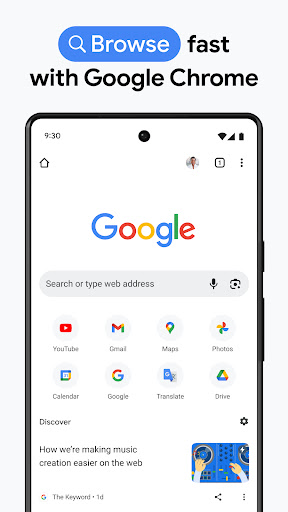
Chrome Beta screenshot 1
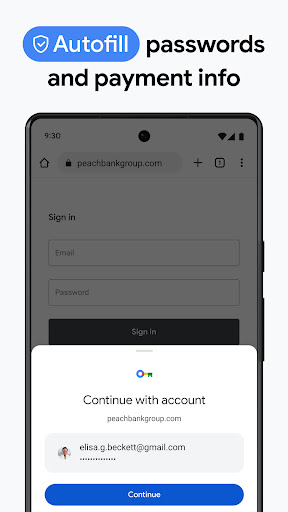
Chrome Beta screenshot 2
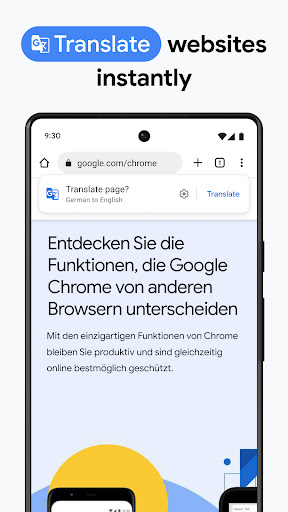
Chrome Beta screenshot 3
Chrome Beta screenshot 4
Chrome Beta screenshot 5
Chrome Beta screenshot 6

Ratings Breakdown

4.4 ★★★★★ 603K+ ratings
5 ★ 71%
4 ★ 11%
3 ★ 7%
2 ★ 3%
1 ★ 8%

Data from Google Play at the time of writing.

What Chrome Beta Actually Is and Who It’s For

Chrome Beta is Google’s pre-release testing channel for the Android browser, installable alongside your regular stable Chrome so you can preview upcoming features before they roll out to everyone. It’s aimed at users who want an early look at new browser tools and are willing to send feedback to Google, plus anyone curious about what’s coming next in the world’s most widely used mobile browser. Given its install base in the tens of millions and hundreds of thousands of reviews, it clearly attracts more than just developers, but casual users should understand this is explicitly a testing ground, not a polished final product.

Where It Genuinely Performs Well

Multiple long-time users report that Chrome Beta feels a little faster than stable Chrome, Edge, or Firefox, and several specifically call out the zoom icon in the menu as more convenient than the equivalent option in the stable release. One reviewer who has run all four Chrome channels (Stable, Beta, Dev, Canary) side by side still rates the experience ‘really quite good.’ For people who like tracking browser development, the ability to run Beta alongside a normal Chrome install without losing your main browsing setup is a real practical advantage.

The Stability Problems That Keep Showing Up

The most damaging complaints center on reliability. One reviewer described the app becoming ‘unusable’ because it refreshed the same page repeatedly and faster and faster, locking them out of settings and the search bar entirely. Others report the app crashing constantly, sometimes within minutes of opening, though one user noted a reinstall temporarily fixed it, at the cost of losing a couple dozen open tabs. Separate reports mention websites or other apps ‘collapsing’ mid-use after an update, reducing to a minimized state unexpectedly. These aren’t isolated one-off bugs; they appear across different review periods, suggesting stability regressions resurface periodically as new beta builds roll out.

Everyday Annoyances Beyond Crashes

Typing lag is a recurring frustration, with one user describing a multi-second delay between pressing keys and characters appearing in the search bar, leading to doubled letters and janky backspacing. Another reviewer was frustrated by a UI change that moved the ‘Close All Tabs’ button to a riskier location, an easy way to accidentally lose a full browsing session. Ad intrusion is also mentioned, with one user noting more pop-up and inserted ads on sites visited through this browser compared to other Android browsers they use.

Our Verdict on Installing Chrome Beta

Chrome Beta delivers on its core promise: it’s a legitimate way to try Chrome’s next features early, and for basic browsing it can feel snappy and offers small usability wins like the improved zoom control. But the recurring crash reports, refresh loops, typing lag, and tab-loss risk are exactly the kind of rough edges Google warns you about in the store listing, and they show up often enough in reviews to matter. This app makes sense for enthusiasts and testers comfortable reporting bugs and occasionally losing tabs or restarting the app; it’s a poor choice for anyone who needs a dependable daily driver browser.


Pros

  • ✓Feels a little faster than stable Chrome
  • ✓Easier zoom control in the menu
  • ✓Runs alongside your regular Chrome app
  • ✓Lets users preview upcoming features early
  • ✓Popular with long-time repeat reviewers

Cons

  • ✕Frequent crashes and refresh loops reported
  • ✕Noticeable typing and backspace lag
  • ✕Risk of accidentally closing all tabs

What Real Users Say

Eric ★ 4/5

“I've come to enjoy this app and find it a little faster (a little) than Chrome® stable, Edge, Firefox. I like the zoom in icon in the menu because it's much easier to use than the traditional chrome stable options. ffwd to July 2025 everything is still true to what I said last year. the only thing I don't care…”

👍 4,145 found this helpful
Jyynx Skirata ★ 4/5

“Has been great for the many years I've used it, until the last few days in which it would constantly crash usually instantly or within minutes at most, as noted in many other reviews. I now seem to have it working again after uninstalling and reinstalling, but I did have a couple dozen tabs that are now all lost and…”

👍 4,078 found this helpful
Amy Gordy ★ 1/5

“It's unusable. As soon as I open the app, it refreshes, and it continues to do so no matter what action I try to take. I can't go into the settings, type anything into the search bar, or get rid of other tabs because it keeps refreshing the same page, getting faster and faster until it's refreshing again before the…”

👍 3,821 found this helpful

Reviews sourced from Google Play, selected by helpfulness at the time of writing.

App Info & Permissions

Developer Google LLC
Content rating Everyone
Contains ads Yes
Installs 84M+
Released 12/12/2012
Price Free

Permissions this app requests

📷 Camera Take pictures and videos
👥 Contacts Find accounts on the device; read your contacts
🪪 Identity Find accounts on the device; add or remove accounts
📍 Location Approximate location (network-based); precise location (GPS and network-based)
🎙️ Microphone Record audio
🖼️ Photos/Media/Files Read the contents of your USB storage; modify or delete the contents of your USB storage
💾 Storage Read the contents of your USB storage; modify or delete the contents of your USB storage
📶 Wi-Fi connection information View Wi-Fi connections

Similar Apps

Frequently Asked Questions

1

What is Chrome Beta?

Chrome Beta is Google's pre-release version of the Chrome browser for Android, letting users try upcoming features before they reach the stable release. It can be installed alongside the regular Chrome app so you don't have to give up your main browser. It's intended for users willing to test unfinished features and send feedback to Google.

2

Is Chrome Beta free to use?

Yes, Chrome Beta is completely free to download and use, just like the standard Chrome app. There are no in-app purchases or subscription costs mentioned by users. Google offers it as a free testing channel to gather feedback ahead of public releases.

3

Is Chrome Beta safe and stable enough for daily use?

Based on user reports, stability is inconsistent, with some reviewers experiencing frequent crashes, refresh loops, or apps unexpectedly minimizing. Others report smooth, fast performance for extended periods. Because it's a beta channel, occasional bugs should be expected, so it's not ideal as your only browser if reliability is critical.

4

Can I lose my tabs or data using Chrome Beta?

Yes, some users reported losing open tabs after crashes or reinstalling the app to fix performance issues. There's also a UI complaint about a 'Close All Tabs' button being placed where it can be pressed accidentally. If you keep many tabs open, it's worth being cautious or bookmarking important pages.

5

Who should download Chrome Beta?

It's best suited for tech-savvy users and browser enthusiasts who want early access to new Chrome features and don't mind occasional bugs or crashes. People who want a rock-solid, dependable browsing experience should stick with standard Chrome instead. Those willing to give feedback to Google will get the most value from it.

