




What This Scanner App Actually Does
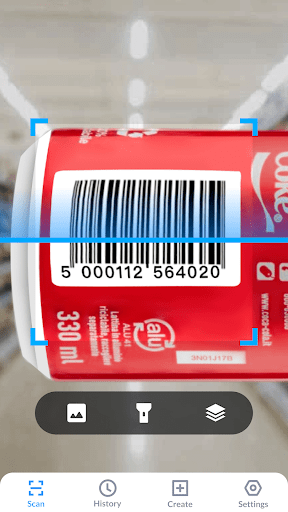
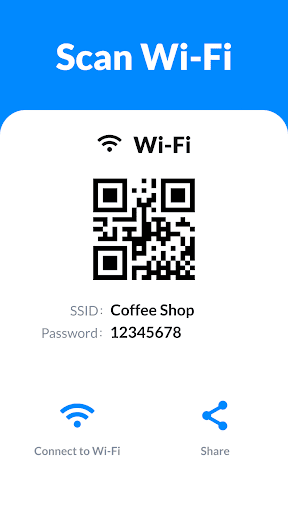
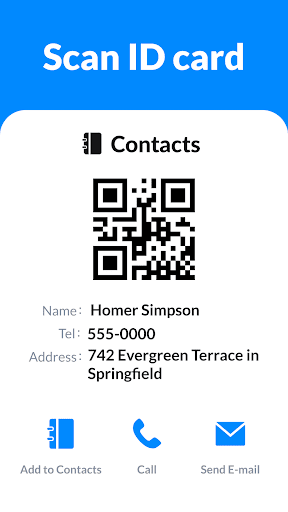
QR Code Scanner & Scanner App is a straightforward tools app for Android that uses your phone’s camera to read QR codes and barcodes. It handles the usual range of formats: Wi-Fi logins, contacts, URLs, product barcodes, text, emails, calendar entries, and more. It also doubles as a QR code generator and a price/product scanner for in-store use, and it works offline once installed. This is aimed at everyday users who need a quick, no-frills way to scan a code at a store, event, or sweepstakes entry rather than developers needing an SDK.
Where It Genuinely Performs Well
Based on real user feedback, the core scanning function works reliably for most people. One reviewer called out that it ‘not only did it work properly but it brought up picture and web search of exactly what I was looking for,’ and multiple users mention scanning sweepstakes codes or product barcodes without a hitch. Several reviews describe it as fast and easy to use for one-off tasks, like identifying a bottle of mouthwash or entering a giveaway, and more than one person said they’ve kept using it repeatedly after a good first experience.
The Ad Situation Is the Real Problem
The most consistent complaint across reviews isn’t scanning accuracy, it’s advertising. Multiple users describe ads popping up every time they open the app, with one noting ‘there are ads that’ interrupt the flow. Another reviewer said the app ‘excelled at hiding the ad removal locations,’ calling the ad load ‘ad-nauseam.’ A few reviews go further, describing install-time confusion where an ‘open’ button led to a different website, or claimed the app triggered unwanted changes to their phone setup and installed additional apps in a loop. These aren’t universal experiences, but they show up often enough to be a real risk factor, not just a minor annoyance.
Accuracy Complaints Worth Noting
Not every scan goes smoothly. One user trying to set up a blood glucose meter said the app ‘took me everywhere else but where I needed to go,’ redirecting to unintended websites instead of the actual scanned destination. That’s a meaningful flaw for anyone scanning something health-related or time-sensitive, since a misdirected scan isn’t just inconvenient, it can be actively unhelpful when accuracy matters.
Who Should Actually Download This
If you need a free scanner for occasional, low-stakes tasks, checking a price tag, entering a contest, or connecting to Wi-Fi, this app will likely get the job done, and the huge install base suggests it works fine for the majority of quick scans. But go in expecting ads on every open, and be deliberate about closing pop-ups rather than tapping the first button you see, since that’s where multiple reviewers ran into trouble. If you’re scanning something important, like medical device setup, double-check the result before trusting it. Casual users looking for a free, offline-capable scanner: reasonable choice. Anyone ad-averse or scanning critical information: proceed carefully.



