

Vault – Hide Pics, App Lock

by Wafer Co.

4.3 ★ 1.2M+ reviews
124M+ Installs
12/16/2011 Released
Vault – Hide Pics, App Lock icon
Business

Vault – Hide Pics, App Lock

by Wafer Co.

4.3 ★ 1.2M+ reviews
124M+ Installs
12/16/2011 Released
Advertisements
Vault – Hide Pics, App Lock screenshot 1
Vault – Hide Pics, App Lock screenshot 2
Vault – Hide Pics, App Lock screenshot 3
Vault – Hide Pics, App Lock screenshot 4
Vault – Hide Pics, App Lock screenshot 5

Ratings Breakdown

4.3 ★★★★★ 1.2M+ ratings
5 ★ 74%
4 ★ 6%
3 ★ 3%
2 ★ 3%
1 ★ 13%

Data from Google Play at the time of writing.

What This App Promises and Who It Targets

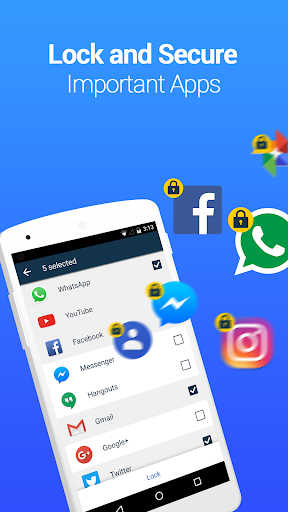
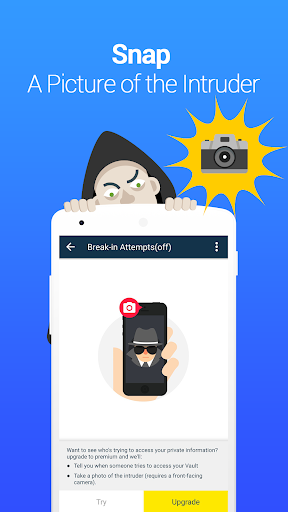
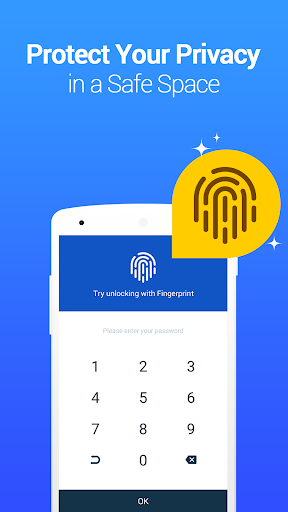
Vault – Hide Pics, App Lock is a privacy app aimed at anyone who wants to keep photos, videos, and certain apps hidden from prying eyes on a shared or borrowed phone. It bundles a photo/video vault, App Lock for individual apps, a private browser, cloud backup, and a stealth mode that hides the app icon entirely. With over 124 million installs, it’s clearly popular with people who want a free, no-frills way to lock down personal media, particularly parents wanting to keep certain content away from kids or anyone sharing a device with family or roommates.

Where the Core Vault Features Actually Work

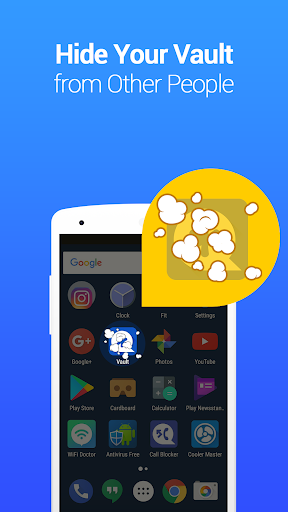
When it functions as intended, users describe it as doing the basic job well: photos and videos get locked behind a password, and App Lock extends that protection to social apps, call logs, and other sensitive apps. The stealth mode and fake vault options are genuinely useful concepts for people who don’t want anyone to even know a locking app is installed. One long-time user said it kept pictures safe for years and was their ‘go to app’ before problems started creeping in.

The Ad Situation Is a Real Problem

Multiple reviewers flag the ad load as excessive to the point of being disruptive. One reviewer with 576 helpful votes called it ‘a minefield of ads,’ noting that pressing the wrong button easily triggers an ad, and that the premium version is priced too high to be a realistic escape from this. Another reviewer described ads forcing their way in through a swipe gesture tied to quick settings shortcuts, appearing on the home screen and inside other apps, with no obvious setting to turn it off. This is one of the most consistent complaints in the review data.

Data Loss Is the Most Serious Complaint

The single biggest red flag across reviews is data loss. One user reported a video vanishing the day after import, with export attempts producing corrupted files. Another lost around 100 videos accumulated over two years with no customer service channel to even attempt troubleshooting. A third reviewer who had paid for the app for years said they lost everything after switching devices despite trusting the cloud backup and paid features. Others report the app freezing or crashing after updates, sometimes locking them out of saved files entirely, and stored videos becoming corrupted and unplayable even after being moved back to the regular gallery.

Smaller Annoyances Worth Knowing About

Beyond ads and data loss, the contact-locking feature has an odd requirement: a contact must already exist on the phone before it can be hidden in the app, which defeats some of the purpose for users trying to hide a contact discreetly. There’s also frustration directed at the developer for allegedly managing how reviews are perceived rather than fixing underlying stability issues, according to at least one frustrated long-term user.

Final Verdict on Downloading Vault

Vault can work fine for casual, low-stakes use like hiding a few photos temporarily, but the recurring reports of permanent data loss and heavy-handed ads make it risky for anyone storing irreplaceable memories. If you try it, back up everything elsewhere first and don’t rely on it as your only copy.


Pros

  • ✓Hides photos, videos, and apps effectively
  • ✓Stealth mode conceals the app icon
  • ✓App Lock covers social and call log apps
  • ✓Fake vault adds extra layer of privacy
  • ✓Free to use with cloud backup option

Cons

  • ✕Frequent reports of permanent data loss
  • ✕Excessive, hard-to-avoid advertising
  • ✕App freezes or crashes after updates

What Real Users Say

Andrew ★ 1/5

“I've never left a review in and app before but this was awful. I put a video in the vault after installing this app only yesterday. Today, the video is completely gone. I can't even play it. I tried exporting it back into my phone and surprise surprise when it exported it didn't export correctly and it's just a still…”

👍 752 found this helpful
David P ★ 2/5

“It does the job well but it's a minefield of ads. I don't mean a few ads, I mean if you press the wrong button (which is easy to do), you've opened an ad up. The pay version is too expensive to purchase so you're left with this nightmare of ads to navigate. I would try another app but this…”

👍 576 found this helpfulDeveloper responded
A Google user ★ 3/5

“This was my go to app until they forced a feature where I would swipe from one of the bottom corners that had shortcuts for quick settings and was forced to show ads. So there was an ad no matter where I was, home screen, settings, any app. I couldn't find an option to turn it off in the vault…”

👍 279 found this helpfulDeveloper responded

Reviews sourced from Google Play, selected by helpfulness at the time of writing.

App Info & Permissions

Developer Wafer Co.
Content rating Everyone
Contains ads Yes
In-app purchases $0.99 - $30.99 per item
Installs 124M+
Released 12/16/2011
Price Free

Permissions this app requests

📷 Camera Take pictures and videos
👥 Contacts Find accounts on the device
🕘 Device & app history Retrieve running apps; read sensitive log data; read your Web bookmarks and history
📱 Device ID & call information Read phone status and identity
🪪 Identity Find accounts on the device
📞 Phone Directly call phone numbers; read phone status and identity
🖼️ Photos/Media/Files Access USB storage filesystem; read the contents of your USB storage; modify or delete the contents of your USB storage
💾 Storage Read the contents of your USB storage; modify or delete the contents of your USB storage
📶 Wi-Fi connection information View Wi-Fi connections

Similar Apps

Frequently Asked Questions

1

What is Vault - Hide Pics, App Lock?

It's a privacy app that lets you hide photos and videos behind a password, lock individual apps, browse privately, and back up media to the cloud. It also offers advanced options like stealth mode, multiple vaults, and a fake vault for extra concealment. It's developed by Wafer Co. and marketed toward users who share devices and want to protect personal content.

2

Is Vault - Hide Pics, App Lock free to use?

Yes, the core features are free, including photo/video hiding, App Lock, and cloud backup. There is a premium version for additional features, but multiple reviewers note it's priced high relative to what it removes, particularly ads. Most users rely on the free version despite the ad interruptions.

3

Is it safe to store important photos and videos in Vault?

Based on user reports, this is a real concern. Several reviewers describe losing videos and photos permanently, including one user who lost around 100 videos accumulated over two years with no recovery option. If you use the app, it's strongly advised to keep a separate backup outside of Vault's cloud system.

4

Does Vault - Hide Pics, App Lock have a lot of ads?

Yes, ads are one of the most common complaints. Users describe ads triggering easily from misplaced taps and even appearing via a forced swipe gesture that shows ads across the home screen and other apps. Some say there's no clear way to disable this behavior without paying for premium.

5

What is stealth mode in Vault and how does it work?

Stealth mode hides the Vault app icon from the home screen so it appears the app isn't installed at all. To reopen it, users either add a Vault widget back to the home screen and enter their password, or use a disguised calculator app entry point where typing the correct password and pressing '=' unlocks the vault.

