

Photoshop Express Photo Editor

by Adobe

4.6 ★ 2.5M+ reviews
301M+ Installs
Photoshop Express Photo Editor icon
Photography

Photoshop Express Photo Editor

by Adobe

4.6 ★ 2.5M+ reviews
301M+ Installs
Advertisements
Photoshop Express Photo Editor screenshot 1
Photoshop Express Photo Editor screenshot 2
Photoshop Express Photo Editor screenshot 3
Photoshop Express Photo Editor screenshot 4
Photoshop Express Photo Editor screenshot 5
Photoshop Express Photo Editor screenshot 6

Ratings Breakdown

4.6 ★★★★★ 2.5M+ ratings
5 ★ 76%
4 ★ 13%
3 ★ 4%
2 ★ 1%
1 ★ 5%

Data from Google Play at the time of writing.

What Photoshop Express Actually Does

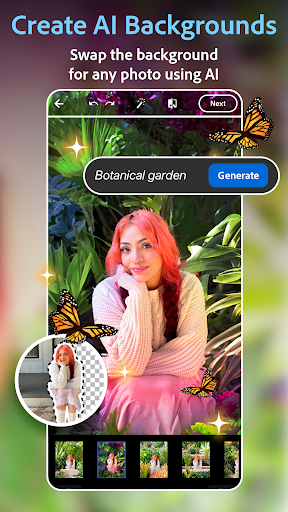
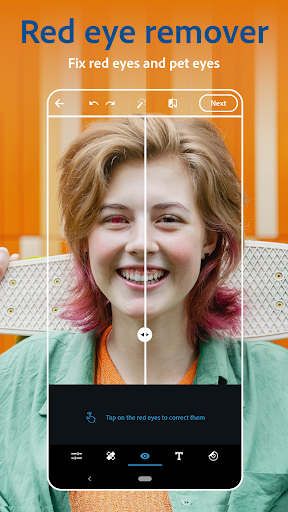
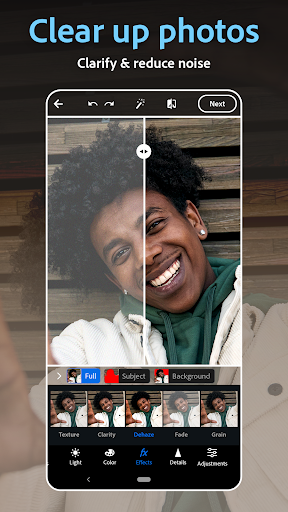
Photoshop Express is Adobe’s mobile-first photo editor, built for quick one-tap fixes rather than the deep, layered editing you’d get on desktop Photoshop. It covers the basics well: filters, crop and text tools, a collage maker, and AI-driven features like background replacement and object removal. It’s aimed at everyday phone photographers, social media users who want fast pre-post edits, and anyone who wants Photoshop-branded tools without learning a complex interface.

It supports RAW, TIFF, and PNG uploads and lets you share directly to Instagram, TikTok, Snapchat, and other platforms, so it slots neatly into a typical mobile workflow rather than requiring you to export and reimport elsewhere.

Where the Editing Tools Shine

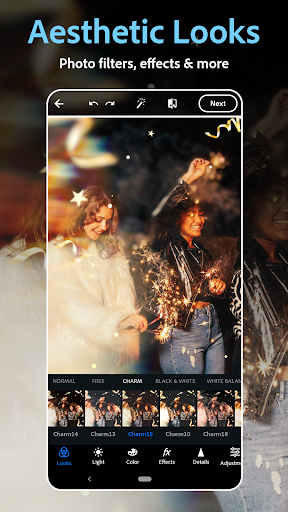
Real users consistently point to the sheer number of filter and preset options as a strength, with one reviewer noting it’s easy to use with ‘so many filter options to chose from’ right from the first session. Another described it as a genuinely lightweight, mobile-friendly version of Photoshop that handles photography enhancements well, even if it can’t match everything the desktop app does. Compared to other editing apps, several users appreciate that a large portion of the tools are free and that there are no ads at all, which is increasingly rare in this category.

The Collage Maker and Everyday Usability

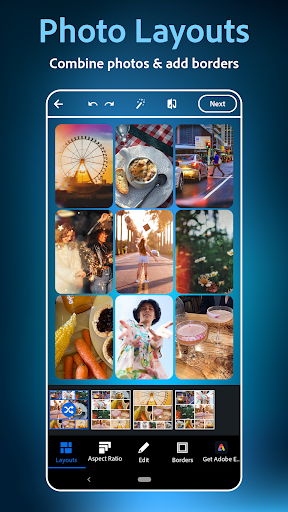
The collage maker is a highlighted feature, and for basic grid layouts it works fine, but it’s not without friction. One user called out a specific annoyance: zooming an image within a collage without accidentally rotating it is ‘irritatingly difficult,’ which suggests the touch controls need refinement. Adobe subscribers who already pay for the full Creative Cloud suite say the mobile app covers most of what they need, though precise tools like advanced cut-and-fill for background removal are noticeably better on the computer version.

The Watermark and Save Problems You Should Know About

This is the app’s biggest real-world headache. Multiple users report that a recent update inserts a metadata watermark when you hit ‘save,’ which then blocks the image from being posted on apps like Instagram — a serious workflow-breaking bug for anyone editing photos specifically to share them. Separately, longtime users are frustrated that edits which used to be free now require a monthly subscription, with one reviewer calling the shift ‘absolutely ridiculous’ after years of loyal use. There’s also lingering anger from the discontinuation of Photoshop Mix, which locked some users out of old projects entirely when they were forced onto this app.

Who Should Actually Download This

If you want fast, filter-heavy edits, a capable collage tool, and Adobe’s name behind it, Photoshop Express is a solid free-tier option, especially since it’s ad-free. But go in aware that recent monetization changes have annoyed longtime fans, and double-check your exported photos actually upload before you rely on it for anything time-sensitive. Casual editors and social posters will likely be satisfied; professionals wanting desktop-level precision or guaranteed project continuity should treat this as a companion tool, not a replacement.


Pros

  • ✓Large selection of free filters and presets
  • ✓No ads in the app
  • ✓Simple, beginner-friendly collage maker
  • ✓Trusted Adobe branding and reliability
  • ✓Supports RAW, TIFF, and PNG uploads

Cons

  • ✕Save function can add blocking watermark
  • ✕Previously free edits now need subscription
  • ✕Collage zoom/rotate controls are finicky

What Real Users Say

Deanna Davis ★ 5/5

“First day using it, but so far it is very easy to use, has so many filter options to chose from. Will only edit with PS from this day forward. I didnt think I would like the watermark feature as much as I do. I wish I could put my personal watermark in, or even move and adjust watermark provided.…”

👍 1,006 found this helpfulDeveloper responded
A Google user ★ 4/5

“It's definitely what it says it is, it's a light weight, mobile friendly version of photoshop. It's definitely targeted more towards photography enhancements than anything else though, so don't expect it to let you do all of the things its desktop big brother is capable. It does have a lot of neat filters that I wish were available out of…”

👍 913 found this helpful
Del Doh ★ 4/5

“I love all the options, not all of them are free, but there's a lot more free selections than any other apps I've used like this, & there's also no ads at all. The only complaint I have is when making a collage, trying to zoom without rotating is irritatingly difficult af. There should be an option to fit/fill the…”

👍 664 found this helpfulDeveloper responded

Reviews sourced from Google Play, selected by helpfulness at the time of writing.

App Info & Permissions

Developer Adobe
Content rating Everyone
Contains ads No
In-app purchases $2.99 - $99.99 per item
Installs 301M+
Price Free

Permissions this app requests

📷 Camera Take pictures and videos
👥 Contacts Find accounts on the device
📱 Device ID & call information Read phone status and identity
🪪 Identity Find accounts on the device
📍 Location Precise location (GPS and network-based)
📞 Phone Read phone status and identity
🖼️ Photos/Media/Files Read the contents of your USB storage; modify or delete the contents of your USB storage
💾 Storage Read the contents of your USB storage; modify or delete the contents of your USB storage
📶 Wi-Fi connection information View Wi-Fi connections

Similar Apps

Frequently Asked Questions

1

What is Photoshop Express Photo Editor?

It's Adobe's mobile photo editing app designed for quick, one-tap edits rather than full desktop-style editing. It includes filters, text overlays, a collage maker, airbrush and retouching tools, and AI features like background replacement and object removal. It's built for everyday users and social media posters rather than professional photo editors.

2

Is Photoshop Express free to use?

Much of the app is free, including a wide range of filters and basic editing tools, and users note there are no ads. However, some features require Photoshop Express Premium, and several longtime users report that edits which used to be free now require a monthly subscription after a recent update.

3

Why can't I post my photo after saving it in Photoshop Express?

Some users report that a recent update adds an invisible metadata watermark when you tap 'save,' which can prevent apps like Instagram from allowing the image to be posted. This is a known complaint, so it's worth testing your saved photo on your target platform before relying on it for time-sensitive posts.

4

Does Photoshop Express work as well as desktop Photoshop?

No, it's intentionally lighter weight and focused on photography enhancements rather than full layered editing. Users note that some precise tools, like advanced background cut-and-fill options, are noticeably better on the desktop version. It's best treated as a fast mobile companion rather than a full replacement.

5

What happened to my old Photoshop Mix projects?

Photoshop Mix was discontinued and users were transitioned to Photoshop Express, but some report losing access to their old projects entirely in the process. If you relied heavily on Mix, back up any important files elsewhere since continuity isn't guaranteed.

