Applock Pro – App Lock & Guard

by App Lock LLC

4.5 ★ 1.9M+ reviews
188M+ Installs
05/30/2018 Released
Applock Pro – App Lock & Guard icon
Productivity

Applock Pro – App Lock & Guard

by App Lock LLC

4.5 ★ 1.9M+ reviews
188M+ Installs
05/30/2018 Released
Advertisements
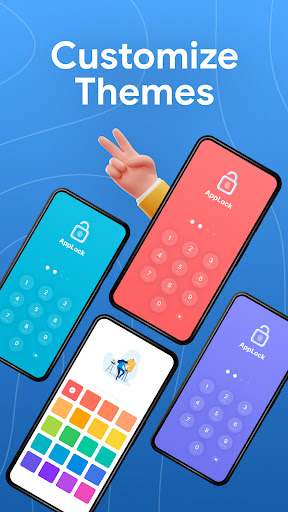
Applock Pro – App Lock & Guard screenshot 1
Applock Pro – App Lock & Guard screenshot 2
Applock Pro – App Lock & Guard screenshot 3
Applock Pro – App Lock & Guard screenshot 4
Applock Pro – App Lock & Guard screenshot 5
Applock Pro – App Lock & Guard screenshot 6

Ratings Breakdown

4.5 ★★★★★ 1.9M+ ratings
5 ★ 77%
4 ★ 10%
3 ★ 4%
2 ★ 2%
1 ★ 8%

Data from Google Play at the time of writing.

What This App Locker Actually Does

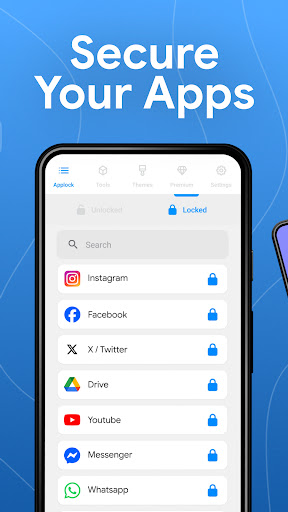
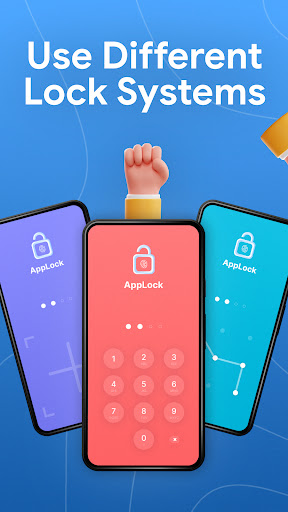
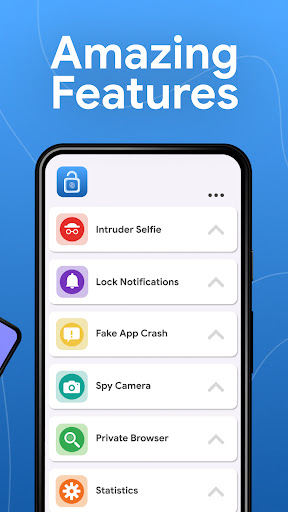
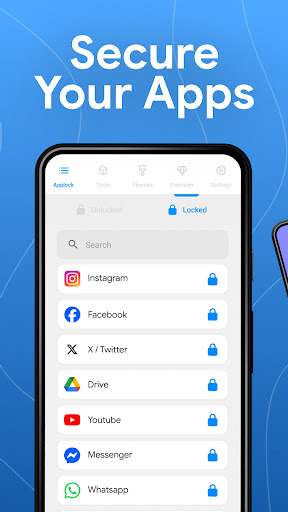
Applock Pro is a security utility that lets you lock individual apps — WhatsApp, Instagram, Messenger, Gallery, Settings, and more — behind a PIN, pattern, fingerprint, or KnockCode. It’s aimed at anyone who shares a phone with family, kids, or coworkers and wants to keep certain apps or photos out of view. On top of basic locking, it throws in extras like a spy camera that snaps a photo of anyone entering the wrong password, a fake error screen to disguise locked apps, hidden notifications, and a spy alarm for repeated failed attempts.

Where It Genuinely Delivers

Based on real user feedback, the core function works as advertised: it locks the apps you tell it to lock, and setup is quick. Reviewers with over a thousand upvotes confirm it does exactly what it says on the tin, offering multiple pin lengths and lock styles. Several users also praise how easy the interface is to navigate, even calling out the accessibility permission options as surprisingly thorough — thorough enough that one reviewer said they locked themselves out during testing.

The Ad Problem You Will Run Into

The most consistent complaint across reviews is aggressive advertising. Multiple users report ads popping up mid-configuration, forced timed ads inside the settings menu, and ads that hijack the screen entirely, sometimes redirecting straight to the Play Store. One user described a gaming app ad that eventually popped up constantly and required a phone restart to clear. Another pointed out that simply attaching a photo to a locked messaging app can trigger the app to treat it as an ‘exit,’ re-running ads mid-draft. This isn’t a minor annoyance — it shows up in nearly every lower-scored review.

Reliability Gaps and Workarounds

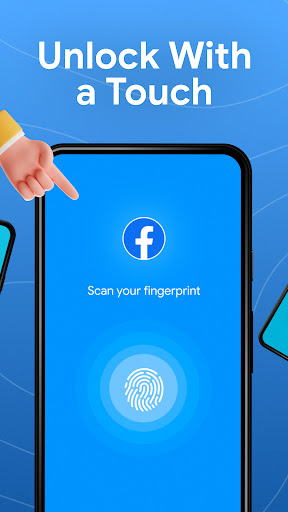
Beyond ads, there are functional cracks. One reviewer with over 500 upvotes noted the password screen sometimes fails to appear at all, and pressing home during an ad can trap you in an ad loop instead of returning to your app. Another flagged that the fingerprint prompt is glitchy and appears inconsistently. Most concerning for a security app: one reviewer states Applock can be completely bypassed using an app-killer tool, which undermines the core promise of the product for anyone relying on it for real privacy rather than casual snooping deterrence.

Pricing and Whether Removing Ads Is Worth It

If the ads become unbearable, there’s a premium tier to remove them, but reviewers call the pricing steep — one cited a subscription option they felt was ‘absolutely crazy’ compared to a one-time fee model. For an app that’s free to install, paying a recurring premium just to get a smooth, non-intrusive experience feels like a rough trade-off to several long-time users.

Final Verdict

Applock Pro works well enough as a basic app locker for casual privacy — blocking curious kids or nosy roommates from opening specific apps. It’s not a fit for anyone needing airtight security, given the reported app-killer bypass and inconsistent fingerprint prompts. Go in expecting heavy ad interruptions unless you’re willing to pay for premium, and treat the spy camera and fake error screen as fun extras rather than core reasons to install it.


Pros

  • ✓Locks apps quickly and reliably
  • ✓Multiple lock types including fingerprint and pattern
  • ✓Easy, straightforward setup process
  • ✓Spy camera catches unauthorized access attempts
  • ✓Free version available with no upfront cost

Cons

  • ✕Frequent, intrusive ads during use
  • ✕Fingerprint prompts can be glitchy
  • ✕Can reportedly be bypassed with app-killer tools

What Real Users Say

Hayden Hale ★ 5/5

“It really does work, it gives you choices of how you want your apps to be locked (4 digit pins, 6 digit pins and a couple other more). and it's free, ive only been on it for a couple of minutes but still, thats not the point. the point is, it really locks your apps(the app that you tell it…”

👍 1,221 found this helpful
Jakobey Lockhard ★ 5/5

“Great security, and easy to use. However ads pop up simultaneously as during setting configuration. Highly recommend use for anyone wanting to keep applications private. Safe from children and other peeking eyes. I couldn't believe the accessibility settings allow. Even I feel locked out when I try to bypass the security. Yes, great security! You can use it effectively for…”

👍 1,125 found this helpful
flynn ★ 3/5

“this app works. yes, it locks apps (shocker), but sometimes it doesnt bring up the password screen and it forces you to watch ads, so if you press home while the app is showing you an ad, it just goes back to the ad instantly some ads switch you to the app store forcefully after a certain point, and so…”

👍 554 found this helpfulDeveloper responded

Reviews sourced from Google Play, selected by helpfulness at the time of writing.

App Info & Permissions

Developer App Lock LLC
Content rating Everyone
Contains ads Yes
In-app purchases $0.99 - $99.99 per item
Installs 188M+
Released 05/30/2018
Price Free

Permissions this app requests

📷 Camera Take pictures and videos
🕘 Device & app history Retrieve running apps
🖼️ Photos/Media/Files Read the contents of your USB storage; modify or delete the contents of your USB storage
💾 Storage Read the contents of your USB storage; modify or delete the contents of your USB storage
📶 Wi-Fi connection information View Wi-Fi connections

Similar Apps

Frequently Asked Questions

1

What is Applock Pro - App Lock & Guard?

It's a productivity and security app that lets you lock individual apps like WhatsApp, Instagram, Messenger, and your Gallery behind a PIN, pattern, fingerprint, or KnockCode. It also includes extras like a spy camera for failed unlock attempts, a fake error screen, and notification hiding. It's designed for users who share a device and want to keep certain apps or photos private.

2

Is Applock Pro free to use?

Yes, the core app is free to download and use, and reviewers confirm the basic locking features work without payment. However, the free version comes with frequent ads, including some that interrupt settings configuration. A premium subscription is available to remove ads, though several users feel its price is steep compared to a one-time purchase.

3

Can Applock Pro be bypassed?

At least one reviewer reported that Applock can be defeated using a separate app-killer tool, which raises concerns for anyone relying on it for serious privacy protection. Users also noted the password screen doesn't always appear reliably. If airtight security is your priority, treat this as a limitation rather than a guarantee.

4

Does Applock Pro drain battery or slow down the phone?

The store description claims it's lightweight and optimized for battery and RAM, and one reviewer did note a slight delay when using the app-lock screen. Overall performance complaints in user reviews center more on ad-related freezing and forced app switches rather than general battery drain.

5

What is the spy camera feature and how does it work?

After five failed password attempts, Applock Pro automatically takes a photo using the front camera and stores it securely so you can see who tried to access your locked apps. It's meant as a deterrent and evidence tool for unauthorized access attempts. This feature works alongside the spy alarm, which can sound after repeated wrong entries.

