
Photomath

by Google LLC

4.3 ★ 3M+ reviews
280M+ Installs
02/26/2015 Released
Photomath icon
Photomath icon
Education

Photomath

by Google LLC

4.3 ★ 3M+ reviews
280M+ Installs
02/26/2015 Released
Advertisements
Photomath screenshot 1
Photomath screenshot 2
Photomath screenshot 3
Photomath screenshot 4
Photomath screenshot 5
Photomath screenshot 6

Ratings Breakdown

4.3 ★★★★★ 3M+ ratings
5 ★ 72%
4 ★ 11%
3 ★ 4%
2 ★ 3%
1 ★ 11%

Data from Google Play at the time of writing.

What Photomath Actually Does

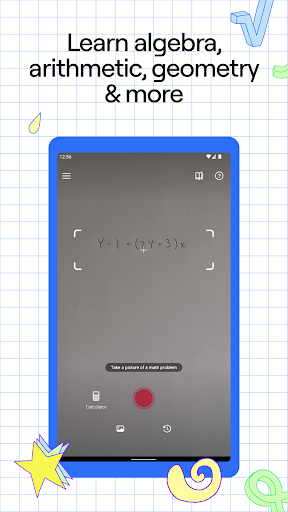
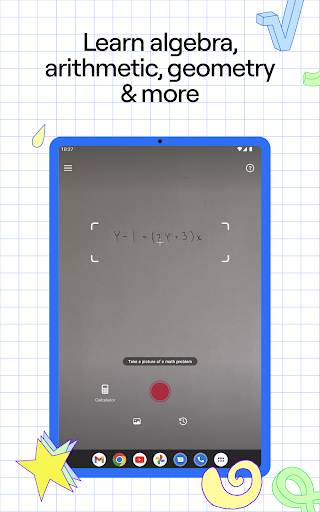
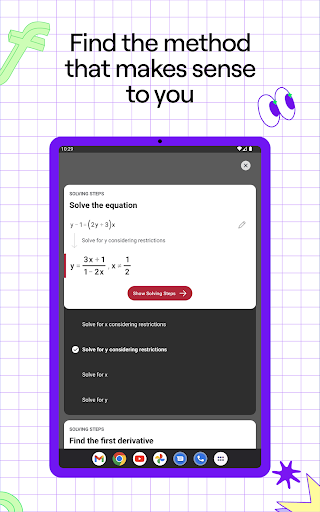
Photomath is a camera-based math solver from Google LLC that lets you point your phone at a printed or handwritten problem and get a step-by-step breakdown of how to solve it. It covers everything from basic arithmetic through algebra, trigonometry, geometry, and calculus, plus an advanced scientific calculator and interactive graphs. It’s aimed at students doing homework, parents who need to help kids with math they haven’t touched in decades, and anyone who wants a quick check on their work.

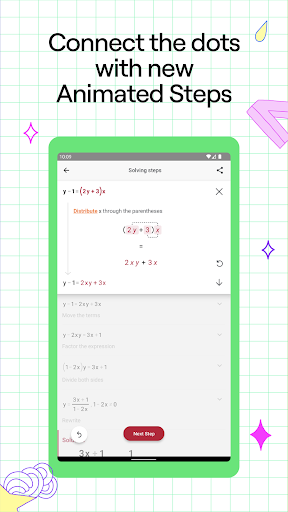
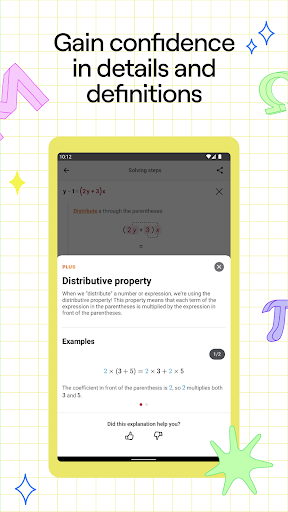
The core scanning-and-solving experience is free, with animated step-by-step explanations included at no charge, while a Photomath Plus subscription unlocks custom animated tutorials and textbook-specific solutions for those who want deeper explanations.

Where It Genuinely Helps

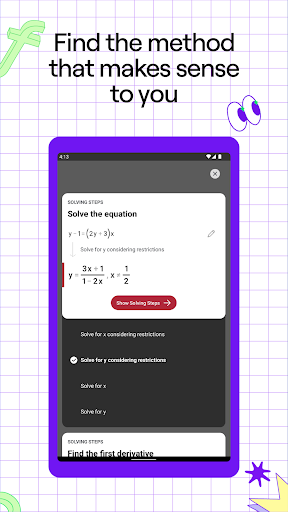
Real users consistently point to the same strength: it doesn’t just spit out an answer, it shows the work. One parent reviewer said it ‘makes teaching your child math as easy as taking a picture,’ and several students describe using it for years to actually understand concepts rather than just copy answers, especially when a classroom teacher didn’t explain things well. Multiple reviewers also note that the full step-by-step feature has worked for them entirely for free, without hitting a paywall, which is a pleasant surprise given how many education apps lock basic functionality behind subscriptions.

The scanning itself is praised as surprisingly capable when handwriting is legible and the photo is clear, handling a wide range of problem types without needing you to manually type out equations.

The Accuracy and Reliability Problems

The complaints are just as consistent as the praise, and they center on reliability. Several users report the camera misreading equations and matching them to the wrong problem entirely, then either giving a wrong answer or refusing to show one at all. One reviewer described a jarring inconsistency where the same scanned problem produced a correct answer in the Plus preview but a wrong answer in the free version. Another long-time user noted that step explanations aren’t always detailed enough and that alternate solving methods are sometimes missing.

There’s also a functionality loss worth flagging: at least one multi-year user mentioned Photomath removed its textbook-problem-matching feature, which had been a reason they relied on the app for specific homework sets.

Who Should Actually Download This

If you’re a student who wants to check homework or unstick yourself on a single problem at 2am, or a parent who hasn’t done geometry since high school, Photomath is worth having on your phone, especially since the free tier is genuinely usable rather than a stripped-down demo. Just don’t treat it as infallible. Take clear, well-lit photos, double-check answers on problems that matter for a grade, and be prepared for occasional misreads on messy handwriting or unusual problem formats. Given the massive install base and generally strong average rating, most users get real value out of it, but the accuracy complaints are frequent enough that it shouldn’t be your only resource before a test.


Pros

  • ✓Free tier includes full step-by-step explanations
  • ✓Genuinely helps students understand methods, not just answers
  • ✓Handles wide range of topics, arithmetic to calculus
  • ✓Camera scanning works well on clear, legible problems
  • ✓Useful for parents helping with unfamiliar math

Cons

  • ✕Camera sometimes misreads or misidentifies equations
  • ✕Inconsistent answers between free and Plus versions
  • ✕Textbook-matching feature reportedly removed

What Real Users Say

Regina Acevedo ★ 5/5

“I had a new teacher, and they didn't teach me very well, so i was very ignorant of how to do homework, quizes, tests, etc. I used photomath for years because it actually teaches me everything i need to know. Unlike other apps, it gives you direct answers if you're in a hurry and it shows the work in a…”

👍 787 found this helpful
jedi Master ★ 5/5

“It does all kinds of probldms! And shows you the steps to solveing them too. I used to think of it as a cheat sheet, now I think of it more as a tool. Also, a lot of other reviews said they had to pay for things. I have the full app for free and I didn't spend a penny…”

👍 729 found this helpful
A Google user ★ 5/5

“Absolute necessity for us parents that have not done algebra, geometry, etc. since we were in school! This app has been such a great help, it makes teaching your child math as easy as taking a picture, literally! I had my doubts about how well the camera would read the problem but after weeks of homework everyday, it has not…”

👍 337 found this helpful

Reviews sourced from Google Play, selected by helpfulness at the time of writing.

App Info & Permissions

Developer Google LLC
Content rating Everyone
Contains ads No
In-app purchases $0.99 - $29.99 per item
Installs 280M+
Released 02/26/2015
Price Free

Permissions this app requests

📷 Camera Take pictures and videos

Similar Apps

Frequently Asked Questions

1

What is Photomath?

Photomath is an education app that uses your phone's camera to scan handwritten or printed math problems and generate step-by-step solutions. It covers topics from basic arithmetic through algebra, trigonometry, geometry, and calculus, and also includes an advanced scientific calculator and interactive graphs. It's designed for students, parents, and anyone needing help working through a math problem.

2

Is Photomath free?

Yes, the core scanning feature and basic step-by-step explanations are free to use, and several users report getting full functionality without ever paying. A Photomath Plus subscription is available for extras like custom animated tutorials and detailed textbook solutions, but it's not required for the basic solving experience.

3

How accurate is Photomath at solving problems?

It's generally accurate on clearly photographed, legible problems, but multiple users report it occasionally misreads equations and matches them to the wrong problem, sometimes producing wrong or inconsistent answers. It's best used as a learning aid and homework checker rather than a guaranteed-correct answer key, especially for graded work.

4

Does Photomath show its work or just the final answer?

It shows step-by-step work, which reviewers highlight as the app's biggest strength since it helps users learn the method rather than just copy a result. That said, some long-time users note the depth of explanation and variety of solving methods can be inconsistent across problem types.

5

Who is Photomath best suited for?

It's best for students checking homework or getting unstuck on a specific problem, and for parents who need a refresher on math they haven't studied in years. It's less suited as a sole study tool for high-stakes tests, given the reported accuracy hiccups and occasional missing features like textbook-specific problem matching.