Uber – Driver: Drive & Deliver

by Uber Technologies, Inc.

4.6 ★ 6M+ reviews
221M+ Installs
11/14/2014 Released
Uber – Driver: Drive & Deliver icon
Business

Uber – Driver: Drive & Deliver

by Uber Technologies, Inc.

4.6 ★ 6M+ reviews
221M+ Installs
11/14/2014 Released
Advertisements
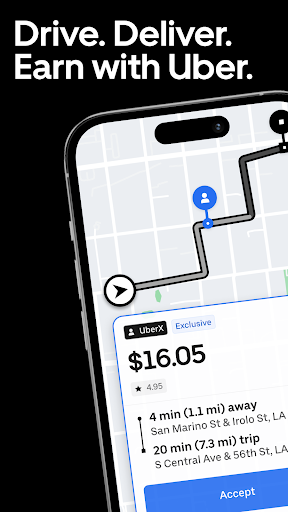
Uber – Driver: Drive & Deliver screenshot 1
Uber – Driver: Drive & Deliver screenshot 2
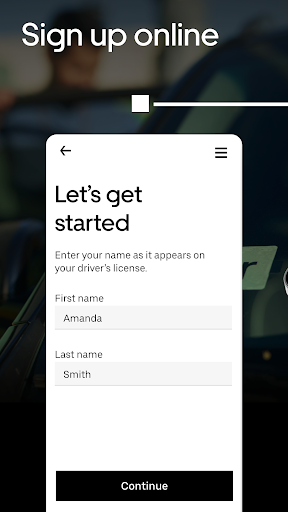
Uber – Driver: Drive & Deliver screenshot 3
Uber – Driver: Drive & Deliver screenshot 4
Uber – Driver: Drive & Deliver screenshot 5
Uber – Driver: Drive & Deliver screenshot 6

Ratings Breakdown

4.6 ★★★★★ 6M+ ratings
5 ★ 83%
4 ★ 6%
3 ★ 3%
2 ★ 1%
1 ★ 7%

Data from Google Play at the time of writing.

What This App Does and Who It’s For

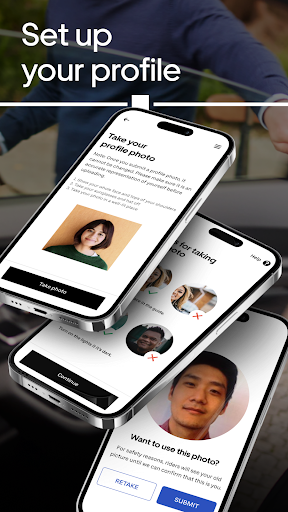
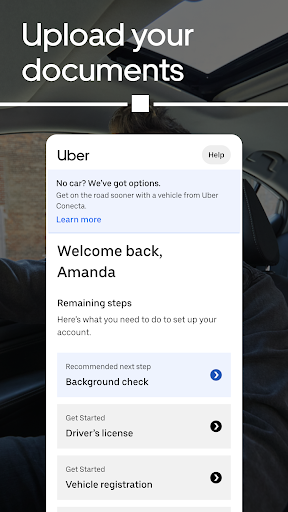
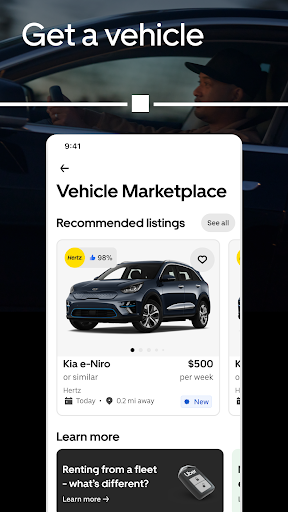
The Uber Driver app is the working end of Uber’s rideshare and delivery platform, built for people who want to earn money driving passengers or delivering food and goods using a car or bike. It handles trip requests, navigation, in-app VoIP calls between drivers and riders, and Instant Pay cash-outs up to six times a day. It’s aimed at gig workers who want flexible hours across the 10,000-plus cities Uber operates in, and it supports Android Auto for accepting trips and getting directions straight from a car’s dashboard screen.

This is not a casual download. It’s a income-generating tool for people committing real time and gas money to the platform, so the stakes for bugs, bad GPS, or payment issues are much higher than with a typical app.

Where the App Actually Delivers

Setup is quick, and the core loop of going online, accepting a trip, and navigating to a pickup works as advertised most of the time. Instant Pay is a genuine convenience for drivers who want same-day access to earnings rather than waiting on a weekly deposit. Android Auto integration is also a real strength for anyone driving long shifts, letting them accept rides and follow turn-by-turn directions without constantly handling their phone. For drivers who just need a straightforward way to log on and start taking trips, the basic functionality holds up.

The GPS and Navigation Problems Drivers Keep Reporting

Navigation is the single most repeated complaint in driver reviews. Multiple users describe the GPS directing them into one-way streets against oncoming traffic, mislabeling exits, and giving wrong speed limits. Others say the app is slow to load directions right after accepting a trip, and that there’s no setting to avoid tolls or shorten long pickup distances. One reviewer specifically noted they can’t see the destination until they’re already on the street, making it hard to plan ahead and easy to miss turns. For an app whose entire job is getting drivers from point A to point B efficiently, these are not minor annoyances — they cost drivers time, gas, and money on every affected trip.

Pay, Penalties, and Support Frustrations

Beyond navigation, the recurring theme in negative reviews is that the app penalizes drivers for things outside their control. Reviewers describe losing Uber Pro status over cancellations caused by issues like an order being picked up incorrectly, and acceptance rate penalties tied to rides that are objectively bad offers — one driver mentioned repeated requests for 47-minute trips paying only $6. Low pay for long-distance delivery orders is another frequent gripe, with one review citing a 15-mile food delivery after a 25-minute wait paying just $3.50. Wait-time pay during multi-stop trips is also reported as inconsistent, with support reportedly pointing to articles rather than resolving the issue directly.

Account and support problems compound this. Several reviewers describe being flagged for ‘suspicious activity’ with little explanation, having payment edits paused, and being unable to cash out as a result. Others say support just recites scripted steps or, in one case, told a driver to uninstall and reinstall the app, which then locked them out entirely. ID verification is another sore spot, with reports of the enhanced ID scanner failing to read properly. Combined with an order system that reportedly struggles with multiple simultaneous orders during shopping trips, these issues suggest the backend support experience hasn’t kept pace with the app’s scale.

Who Should Actually Download This

If you’re serious about driving or delivering for Uber and want flexible hours plus fast access to your earnings, this app is mandatory — there’s no alternative front-end to the platform. Android Auto users and anyone prioritizing quick cash-out will get real value from it. But go in with clear eyes: expect navigation quirks that can cost you time and money, pay offers that don’t always match the effort required, and a support system that multiple drivers describe as slow or unhelpful when accounts get flagged or payments get stuck. This is a functional tool for earning, not a polished or fully reliable one, and drivers relying on it as a primary income source should have a backup plan for when the app itself becomes the obstacle.


Pros

  • ✓Instant Pay allows frequent same-day cash-outs
  • ✓Android Auto support for hands-free navigation
  • ✓Flexible scheduling across many cities
  • ✓Quick, simple sign-up process
  • ✓Works across both driving and delivery

Cons

  • ✕GPS often gives wrong or unsafe directions
  • ✕Support frequently unhelpful for account issues
  • ✕Low pay offers for long or slow trips

What Real Users Say

Cody Carpenter ★ 1/5

“The people who use this app do not pay enough for the trips they want me to take. I am not about to go deliver your food 15 miles away after waiting for your food for 25 minutes just to be paid $3.50. That's not how this works. Your app is also too loud, restricts how I use my phone…”

👍 5,917 found this helpful
odell wilson ★ 3/5

“Constant updates but not a single improvement!! GPS tells me to make turns into a one way street (oncoming traffic) and places with "no turns" signs. I can no longer see the destination until I'm on the street so I can't get a heads up instead of passing it. The acceptance rate: We shouldn't be penalized for declined trips/ deliveries…”

👍 4,696 found this helpful
Bradley Howerton ★ 1/5

“Driving for this service used to be great, now they penalize you for literally everything even though its not your fault basically making it impossible to keep any of the Uber Pro status' for longer than a day or two. If you try to work a flat rate but you have to cancel because an order was picked up by…”

👍 2,615 found this helpful

Reviews sourced from Google Play, selected by helpfulness at the time of writing.

App Info & Permissions

Developer Uber Technologies, Inc.
Content rating Everyone
Contains ads No
Installs 221M+
Released 11/14/2014
Price Free

Permissions this app requests

📷 Camera Take pictures and videos
👥 Contacts Find accounts on the device; read your contacts
📱 Device ID & call information Read phone status and identity
🪪 Identity Find accounts on the device
📍 Location Approximate location (network-based); precise location (GPS and network-based)
🎙️ Microphone Record audio
📞 Phone Read phone status and identity
🖼️ Photos/Media/Files Read the contents of your USB storage; modify or delete the contents of your USB storage
💾 Storage Read the contents of your USB storage; modify or delete the contents of your USB storage
📶 Wi-Fi connection information View Wi-Fi connections

Similar Apps

Frequently Asked Questions

1

What is Uber - Driver: Drive & Deliver?

It's the official app Uber drivers and delivery partners use to accept trips, get navigation, communicate with riders, and manage earnings. It supports both car and bike delivery work and includes features like Instant Pay and Android Auto integration. It's built specifically for gig workers earning money through Uber, not for riders or customers.

2

Is the Uber Driver app free to use?

Yes, the app itself is free to download and use. Uber instead takes a service fee or commission from each trip or delivery a driver completes. There's no subscription cost to access the app, though drivers do pay for their own gas, vehicle maintenance, and phone data.

3

Does the Uber Driver app work with Android Auto?

Yes, the app supports Android Auto, letting drivers accept trips, view turn-by-turn directions, and track earnings directly from their car's display. This is meant to reduce phone handling while driving. Reviewers generally note this integration as one of the app's more reliable features.

4

Why do drivers complain about the app's GPS?

Multiple reviewers report the navigation directing them into one-way streets, mislabeling highway exits, and showing incorrect speed limits. Some also say directions load slowly after accepting a trip and that there's no option to avoid tolls or minimize pickup distance. These issues can lead to wasted time, wrong turns, and lower efficiency for drivers trying to maximize earnings.

5

Is Instant Pay reliable in the Uber Driver app?

Most drivers who mention Instant Pay describe it as a useful feature, allowing cash-outs up to six times daily instead of waiting for scheduled deposits. However, some reviewers report being unable to cash out at all after their accounts were flagged for suspicious activity, which paused their payment details. So while the feature works normally most of the time, account issues can block access to it entirely.

