
YouTube Kids

by Google LLC

4.2 ★ 3.3M+ reviews
943M+ Installs
02/23/2015 Released
YouTube Kids icon
YouTube Kids icon
Entertainment

YouTube Kids

by Google LLC

4.2 ★ 3.3M+ reviews
943M+ Installs
02/23/2015 Released
Advertisements
YouTube Kids screenshot 1
YouTube Kids screenshot 2
YouTube Kids screenshot 3
YouTube Kids screenshot 4
YouTube Kids screenshot 5
YouTube Kids screenshot 6

Ratings Breakdown

4.2 ★★★★★ 3.3M+ ratings
5 ★ 69%
4 ★ 10%
3 ★ 5%
2 ★ 3%
1 ★ 13%

Data from Google Play at the time of writing.

What YouTube Kids Actually Offers

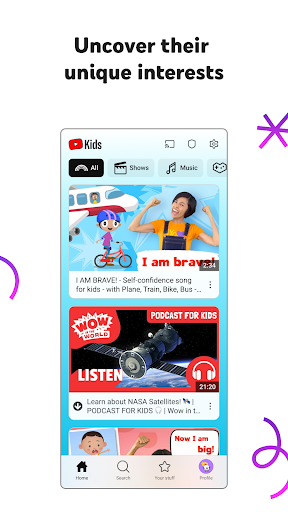
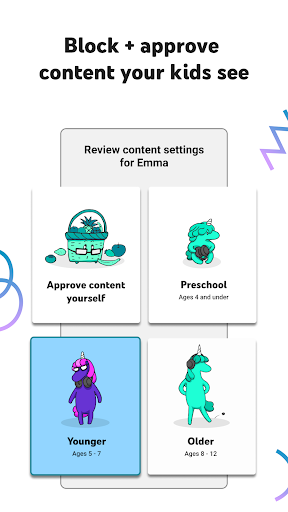
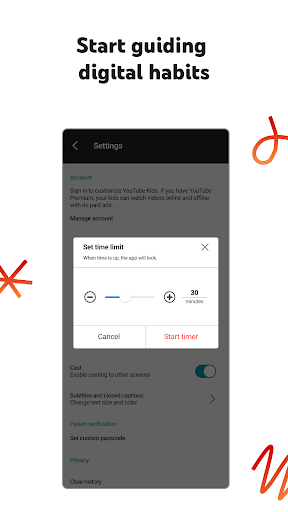
YouTube Kids is Google’s kid-focused spinoff of the main YouTube app, built around age-based modes: Preschool, Younger, Older, and Approved Content Only. Parents pick a mode or hand-select channels and videos, then let their kids loose in an interface designed to be easier for small hands to navigate than regular YouTube. It’s meant for families with kids roughly toddler age through pre-teen, and the pitch is simple: family-friendly video with parental guardrails built in.

The core idea is sound and, based on real user feedback, it mostly delivers on the basics. One parent called it a ‘great babysitter and teacher, all in one,’ and another said it was ‘perfect’ for a 2-year-old on long car trips, praising how easy it was for a toddler to navigate independently once content was pinned to Approved Content Only mode.

Where the App Genuinely Shines

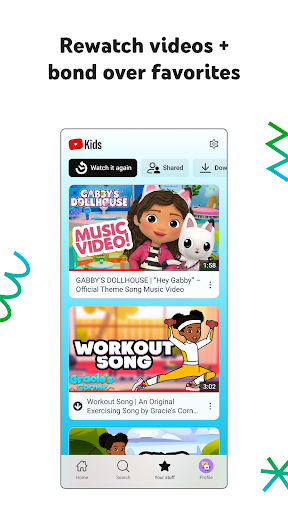
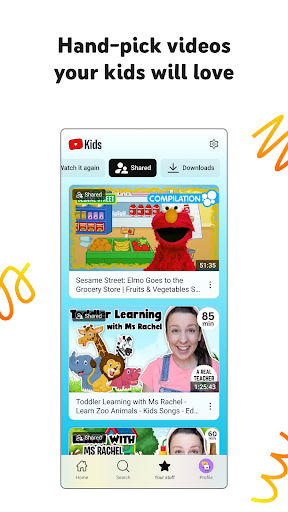
The strongest praise in user reviews centers on the parental control system and the ability to tailor content precisely to a child’s age and interests. Reviewers specifically called out the option to hand-pick exact videos and channels as a standout, especially for very young children who need a tightly controlled environment. The Watch It Again tab, which surfaces favorites and previously shared videos, also gets credit for making it easy to bond over repeat-watch content.

Several parents noted the app has been part of their family routine for years, with one reviewer saying they’d miss it once their kids outgrow it. That kind of long-term loyalty says a lot about how well the core video library and mode system serve younger age groups, particularly preschool and early elementary kids.

The Bugs and Glitches That Frustrate Parents

The most common one-star complaints are technical, not conceptual. Multiple users reported the app randomly deleting downloaded videos, which is a real problem for families who rely on offline playback during car rides — one parent described their kids having meltdowns when downloaded content vanished mid-trip. Others reported the app resetting itself entirely, forcing a full parental setup redo. A separate cluster of reviews described the app failing to open at all, showing only a white screen, with reinstalling and freeing up storage not fixing it.

Account and login issues are another recurring pain point. One reviewer described a maddening loop between the app and a web browser just to reset a forgotten password, including extra friction when a TV was involved. Another parent said creating an account broke their existing Chromecast casting setup, which had worked fine before they signed in.

Playback Controls Still Feel Half-Finished

Even satisfied users have specific complaints about video controls. One four-star review pointed out that rewind only jumps back 10 seconds at a time, with no button to restart a video from the beginning — a small thing, but annoying enough to mention unprompted. The same complaint showed up in a second review focused on the TV app specifically, where sliding back to the start is far less convenient than on a phone, where at least a drag bar exists. It’s a minor gripe on paper, but it’s the kind of friction that adds up when you’re managing a restless kid who wants to rewatch the same three seconds of a video.

Who Should Actually Download This

YouTube Kids makes the most sense for parents of toddlers and younger elementary kids who want a curated, offline-friendly video app and are willing to spend time in Approved Content Only mode to keep it tightly controlled. If you mainly use it in Approved mode with hand-picked channels, reviewers suggest it works close to flawlessly for its intended audience.

Where it falls short is reliability at scale — the white-screen crashes, vanishing downloads, and account/login friction are real and recurring enough across reviews to take seriously, especially if you depend on offline mode for travel. If your family needs rock-solid offline playback for road trips, go in expecting occasional resets and have a backup plan. For everyone else, it remains one of the more thoughtfully designed kids’ video apps available, bugs and all.


Pros

  • ✓Detailed parental controls and content curation
  • ✓Great for youngest kids' independent navigation
  • ✓Approved Content Only mode works well
  • ✓Watch It Again tab helps revisit favorites
  • ✓Long-term family use praised by parents

Cons

  • ✕Downloaded videos randomly disappear offline
  • ✕App resets and requires full re-setup
  • ✕Login and account issues break casting

What Real Users Say

Lois Truby ★ 1/5

“It's fine with it works but frequently it'll cause my kids to meltdown. Sometimes it'll reset and I'll have to set it up again. Other times it'll randomly delete all their downloaded videos. We often use this app in the car and when they don't have downloaded videos, they get upset because they can't watch anything in the car. And…”

👍 25,450 found this helpful
Robert Heitzler ★ 1/5

“Non-intuitive interfaces, bouncing between URLs and the app. And gosh forbid, if you forget your password while you are already logged into the app. Good luck. Apparently I have to go between the app and the website to try to figure out how to reconnect things, including the television. And the parental controls are almost worthless. If your kids are…”

👍 13,964 found this helpful
Aster S (Asterisk) ★ 4/5

“Decent, but needs some improvement. It's nice to have more control of what my child sees on YouTube. The parental controls are good. The video controls are lacking; rewind is a 10 second rewind, there is no option to start from the beginning. If you go back to watch a video that you had already watched halfway,you have to watch…”

👍 12,321 found this helpful

Reviews sourced from Google Play, selected by helpfulness at the time of writing.

App Info & Permissions

Developer Google LLC
Content rating Everyone
Contains ads Yes
Installs 943M+
Released 02/23/2015
Price Free

Permissions this app requests

👥 Contacts Find accounts on the device
🪪 Identity Find accounts on the device
🎙️ Microphone Record audio
🖼️ Photos/Media/Files Read the contents of your USB storage; modify or delete the contents of your USB storage
💾 Storage Read the contents of your USB storage; modify or delete the contents of your USB storage
📶 Wi-Fi connection information View Wi-Fi connections

Similar Apps

Frequently Asked Questions

1

What is YouTube Kids?

YouTube Kids is a video app from Google designed specifically for children, offering age-based modes like Preschool, Younger, and Older. Parents can also switch to Approved Content Only mode to hand-pick exactly which videos and channels their kids can access. It's built with simplified navigation and parental control tools not found in the standard YouTube app.

2

Is YouTube Kids free?

Yes, YouTube Kids is free to download and use, and it's supported by ads and commercial content from creators. The store listing notes kids may see commercial content from YouTube creators that isn't a paid ad, so parents should be aware of that distinction. There's no mention of a paid subscription tier in the app's description.

3

Does YouTube Kids work well for offline viewing in the car?

Many parents rely on it for offline downloads during car rides, and when it works, reviewers describe it as a great travel companion. However, several users reported that downloaded videos randomly disappear, causing frustration and meltdowns when kids expect offline content that's no longer there. If offline reliability is critical for your trips, it's worth testing before a long drive.

4

How good are the parental controls in YouTube Kids?

Parental controls are consistently cited as one of the app's strongest features, letting parents choose age-based modes or manually approve specific videos and channels. Reviewers specifically praised the ability to lock content down tightly for very young kids. That said, some parents ran into account setup and password recovery issues that made managing controls across devices more complicated than expected.

5

What are the biggest complaints about YouTube Kids?

The most common complaints involve technical reliability: the app sometimes resets and requires a full parental setup redo, and some users report it failing to open entirely, showing only a white screen. Others mention limited video controls, like only a 10-second rewind with no way to restart a video from the beginning. Login and casting issues, including trouble reconnecting to Chromecast, are also frequently mentioned.

