
Alibaba.com – B2B marketplace

by Alibaba Mobile

4.4 ★ 3M+ reviews
644M+ Installs
10/17/2012 Released
Alibaba.com – B2B marketplace icon
Shopping

Alibaba.com – B2B marketplace

by Alibaba Mobile

4.4 ★ 3M+ reviews
644M+ Installs
10/17/2012 Released
Advertisements
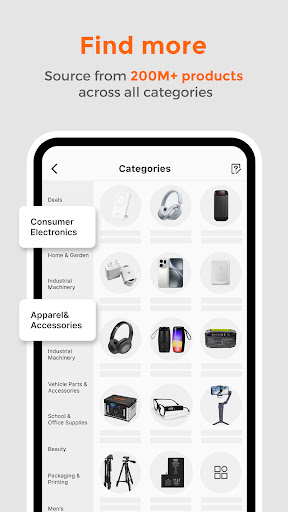
Alibaba.com – B2B marketplace screenshot 1
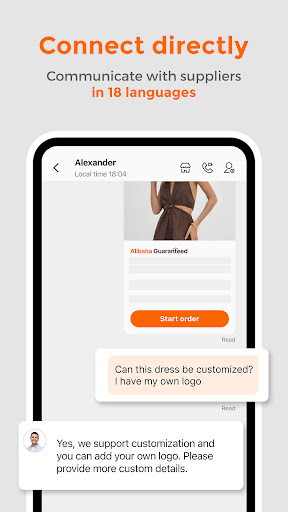
Alibaba.com – B2B marketplace screenshot 2
Alibaba.com – B2B marketplace screenshot 3
Alibaba.com – B2B marketplace screenshot 4
Alibaba.com – B2B marketplace screenshot 5
Alibaba.com – B2B marketplace screenshot 6

Ratings Breakdown

4.4 ★★★★★ 3M+ ratings
5 ★ 74%
4 ★ 10%
3 ★ 4%
2 ★ 2%
1 ★ 9%

Data from Google Play at the time of writing.

What This App Actually Does

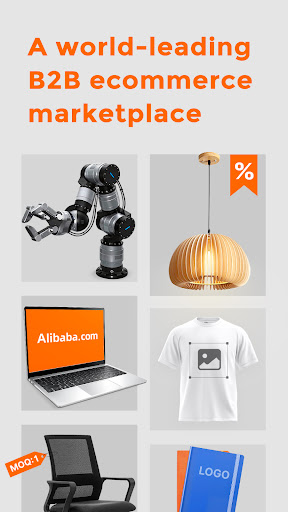
Alibaba.com is the mobile front door to the world’s largest B2B sourcing marketplace, connecting buyers with manufacturers and wholesalers across dozens of categories like apparel, electronics, industrial machinery, and packaging. It’s built for people who want to buy in bulk or find a supplier to customize products for resale on platforms like Shopify, Amazon, or Etsy, not for casual one-off shoppers. The app bundles browsing, supplier messaging, quote requests, live-streamed factory tours, and Trade Assurance protection into one place, so in theory you can go from product idea to shipped order without leaving your phone.

Millions of people clearly use it this way already, given the install numbers, and for small business owners or resellers it can genuinely replace a trip to a trade show. But it’s a tool that requires patience and skepticism, not a polished retail experience like Amazon.

Browsing and Discovery Work, But Interpretation Gaps Are Real

Users consistently say the app runs smoothly on Android and updates without issue, and browsing the catalog is enjoyable if you like window-shopping for products. The problem several reviewers flagged is a mismatch between what you search for and what suppliers actually list under that term — one reviewer put it well, saying what they think a product is and what the supplier interprets it to mean ‘for sale’ turn out to be two different things. Shipping cost clarity is another sore spot; the way costs are formatted leaves buyers unsure if they’re getting a real deal or not until they’re deep into checkout.

The Messaging and Ordering Flow Has Real Bugs

One of the most-cited complaints is a broken ‘Send Inquiry’ flow: users select product variations, meet the minimum order quantity, hit send, and get a black screen with no inquiry actually sent. That’s a serious friction point for an app whose entire value proposition is connecting buyers to suppliers quickly. On top of that, the built-in messenger only supports sending pictures, not files like PDFs, XLS, or DOC documents, which is a real inconvenience for anyone trying to share spec sheets or purchase orders with a manufacturer.

Trade Assurance Doesn’t Always Feel Like Assurance

This is where the app draws its harshest criticism. Multiple reviewers describe items arriving that don’t match photos, and when they pursue a refund, the supplier declines and Alibaba sides with the supplier, leaving the buyer to eat the loss. Others report placing an order, paying a 3% transaction fee, and then having the supplier come back claiming a price increase, stock shortage, or higher shipping cost — essentially renegotiating after payment. There are also complaints about fraudulent tracking numbers that never actually deliver to the US, with ‘Trade Assurance’ feeling toothless in practice. One reviewer also claims negative supplier ratings mysteriously disappear, which, if accurate, undermines the whole review system buyers rely on to vet sellers.

Shipping Costs and Fulfillment Delays

Beyond the scam-adjacent complaints, plain old fulfillment problems show up too: orders that sit for a month with no shipment, unclear or outrageous shipping costs relative to small order sizes, and support that feels bot-like when you try to get answers. For a platform explicitly built around freight partnerships and ‘on-time delivery,’ this is a meaningful gap between marketing copy and lived experience for at least some buyers.

Who Should Actually Download This

If you’re a reseller, small business owner, or someone sourcing custom or bulk products and you’re comfortable doing your own due diligence on suppliers, checking reviews carefully, and treating Trade Assurance as a starting point rather than a guarantee, Alibaba.com’s app is a legitimately useful tool with a massive catalog and handy features like live factory tours and real-time translation. If you’re expecting Amazon-level buyer protection, fast dispute resolution, or guaranteed accuracy between listing photos and received goods, the recurring complaints here suggest you should go in cautious, order small test quantities first, and keep your expectations about refunds realistic.


Pros

  • ✓Huge catalog across many product categories
  • ✓Real-time translation and multi-currency support
  • ✓Live factory tours and supplier livestreams
  • ✓Useful Request for Quotation feature
  • ✓Runs smoothly across phones and updates well

Cons

  • ✕Send Inquiry button often fails with black screen
  • ✕No file sharing, only pictures, in messenger
  • ✕Trade Assurance refunds often favor suppliers

What Real Users Say

Diana Nasledov ★ 2/5

“The items are great, but when I click on one of the variation options and add enough that I more than satisfy the minimum requirement, then press the "Send inquiry" button. it just shows a black screen and I have to can't send an inquiry after adding over the minimum quantity. I can get back via phones back button, but…”

👍 15,777 found this helpfulDeveloper responded
J H ★ 1/5

“Not happy with my experience. I have purchased many things on this site and it's a gamble everytime! The items don't match the photos what a complete scam!!! When I try to get a refund the Supplier declines and Alibaba is on the Supplier side everytime and the Buyer has to take a loss . There needs to be some…”

👍 10,887 found this helpful
A Google user ★ 4/5

“It's just a little hard finding things you want. What I may think it will be and what they will have interpreted to say for sale are two different things App works very smoothly. No problems with it on my droid phone and it updates just fine. Installed 3 different phones & office computer. On my phone for over a…”

👍 7,353 found this helpful

Reviews sourced from Google Play, selected by helpfulness at the time of writing.

App Info & Permissions

Developer Alibaba Mobile
Content rating Teen
Contains ads No
Installs 644M+
Released 10/17/2012
Price Free

Permissions this app requests

📷 Camera Take pictures and videos
👥 Contacts Find accounts on the device
🕘 Device & app history Retrieve running apps
📱 Device ID & call information Read phone status and identity
🪪 Identity Find accounts on the device
📍 Location Approximate location (network-based); precise location (GPS and network-based)
🎙️ Microphone Record audio
📞 Phone Read phone status and identity
🖼️ Photos/Media/Files Read the contents of your USB storage; modify or delete the contents of your USB storage
💾 Storage Read the contents of your USB storage; modify or delete the contents of your USB storage
📶 Wi-Fi connection information View Wi-Fi connections

Similar Apps

Frequently Asked Questions

1

What is Alibaba.com - B2B marketplace?

Alibaba.com is a business-to-business ecommerce app that connects buyers with global manufacturers and wholesale suppliers. It's designed for sourcing bulk products, requesting custom orders, and getting quotes across categories like electronics, apparel, and industrial equipment. Features include Trade Assurance payment protection, live factory tours, and real-time translation for communicating with suppliers.

2

Is Alibaba.com free to use?

Yes, downloading and browsing the app is free, and creating a buyer account costs nothing. You only pay for the products and shipping you order, plus any transaction fees applied at checkout, which some users note can add around 3% to the order cost.

3

Is it safe to buy through the Alibaba.com app?

Trade Assurance is meant to protect payments and orders, but several reviewers report that when items don't match photos or sellers change terms after payment, disputes tend to favor the supplier. It's safer to start with small test orders, verify supplier ratings carefully, and use Trade Assurance-covered listings rather than assuming full protection.

4

Can I message suppliers and share files in the app?

Yes, the app includes built-in messaging with real-time translation, but users report it currently only supports sending pictures, not documents like PDFs, Word files, or spreadsheets. This can be a hassle if you need to share detailed specs or purchase orders with a manufacturer.

5

Does the app work well for placing bulk or custom orders?

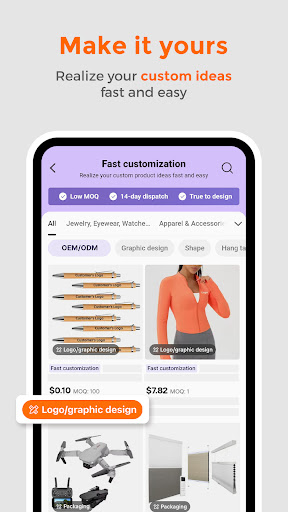
It's built for exactly that, with minimum order quantities, quote requests, and customization options tied to platforms like Shopify and Amazon. However, some users report the Send Inquiry button failing with a black screen after selecting variations and quantities above the minimum, which can block the ordering process entirely until you try again or contact the supplier another way.