QR & Barcode Scanner

by Gamma Play

4.8 ★ 4.4M+ reviews
832M+ Installs
03/13/2015 Released
QR & Barcode Scanner icon
Tools

QR & Barcode Scanner

by Gamma Play

4.8 ★ 4.4M+ reviews
832M+ Installs
03/13/2015 Released
Advertisements
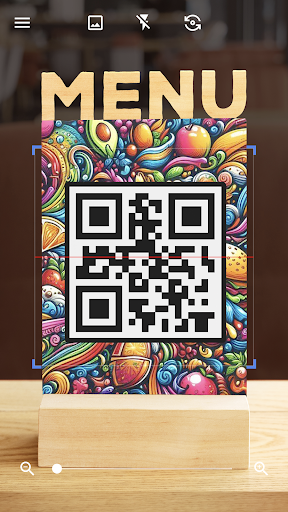
QR & Barcode Scanner screenshot 1
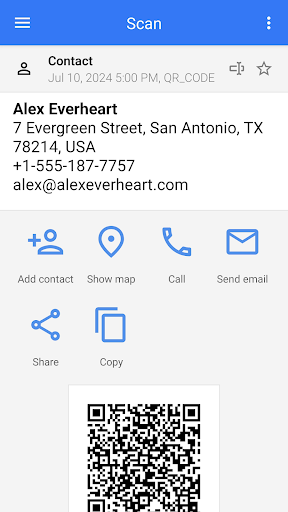
QR & Barcode Scanner screenshot 2
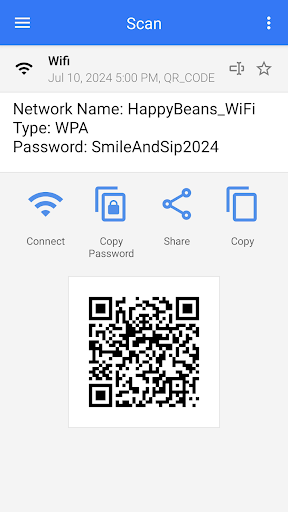
QR & Barcode Scanner screenshot 3
QR & Barcode Scanner screenshot 4
QR & Barcode Scanner screenshot 5
QR & Barcode Scanner screenshot 6

Ratings Breakdown

4.8 ★★★★★ 4.4M+ ratings
5 ★ 90%
4 ★ 6%
3 ★ 1%
2 ★ 0%
1 ★ 2%

Data from Google Play at the time of writing.

What This App Does and Who It’s For

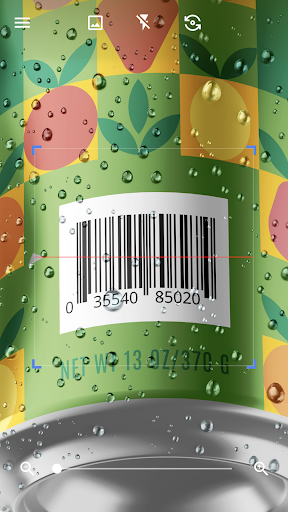
QR & Barcode Scanner from Gamma Play is a straightforward utility that does exactly what its name suggests: it scans QR codes and barcodes, decodes them, and lets you act on the result. It also doubles as a QR code generator, so you can create codes for text, Wi-Fi credentials, contact cards, and more. With over 832 million installs and millions of reviews, this is clearly one of the go-to tools for Android users who need a quick scanner without digging through their phone’s camera app settings. It’s aimed at everyday users who just want to scan a code at a restaurant, in a store, or on a poster and move on with their day.

Speed and Accuracy in Everyday Use

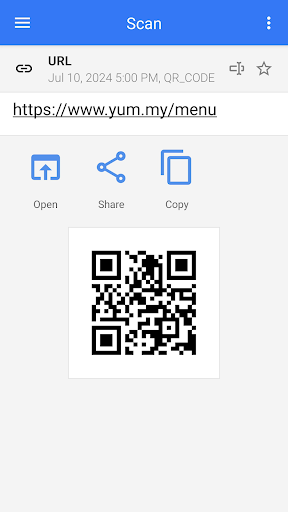
The core scanning experience is genuinely fast. Multiple users report that the app decodes codes almost instantly, sometimes before they even had the code fully in focus. One reviewer called it ‘quick, simple and even more effective than the others I’ve tried,’ which lines up with the app’s promise of automatic scanning without needing to press a button. For basic use cases like scanning a menu QR code, a product barcode, or a Wi-Fi QR code, it performs reliably and without much fuss, which is likely why it has retained such a massive install base.

The Advertising Problem You Need to Know About

This is where the app runs into serious trouble. Multiple reviewers describe the same issue: after scanning a code, the result screen places a prominent ad with a large blue ‘Open’ or ‘Install’ button front and center, while the actual decoded URL is shown as a small, easy-to-miss link at the top of the screen. Several users say this layout is deliberately confusing, with one describing it as feeling designed to ‘intentionally mislead users into clicking on the ads.’ Another reviewer pointed out that the barcode image itself is pushed below the ad rather than placed near the decoded text, further burying the actual result users came for.

Real Consequences for Some Users

This isn’t just a cosmetic annoyance. One reviewer described a serious incident where they scanned a QR code intended to reactivate a PBS account on Roku, clicked what they believed was the correct link, and ended up entering their credit card information on what turned out not to be the real PBS site. Another user reported a similar experience trying to sign up for a limited-time offer, entering their email and phone number into what looked like the correct website, only to be flooded with spam calls and emails afterward, including calls at 2 a.m. These aren’t isolated one-off complaints; the pattern shows up repeatedly across reviews, which suggests the deceptive ad placement is a structural design choice rather than a rare glitch.

Extra Features Worth Knowing About

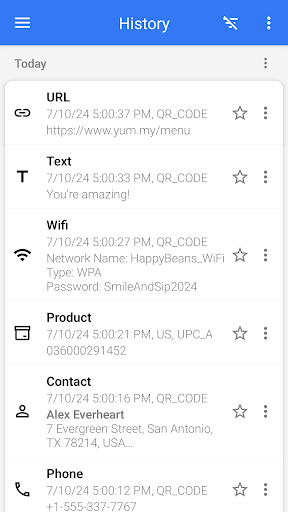
Beyond basic scanning, the app includes batch scan mode for multiple codes at once, the ability to scan from a saved image or gallery, CSV/TXT export and import, a favorites list, dark mode, and theme customization. These are genuinely useful additions for people who scan codes frequently, such as small business owners cataloging inventory barcodes or anyone who wants to keep a history of scanned codes. The Wi-Fi QR scanning feature also works as advertised, letting you connect to a network without manually typing a password.

Who Should Actually Download This

If you only need to scan a code occasionally and are careful to look for the small URL text at the top of the result screen rather than tapping the big blue button, this app will serve you fine and costs nothing. But if you’re scanning codes tied to anything sensitive, like account logins, payment pages, or promotional sign-ups, the ad layout creates a real risk of tapping the wrong thing, and at least two reviewers describe financial or privacy consequences from doing exactly that. Given that many Android phones now include built-in QR scanning through the native camera app, users who want to avoid this ad confusion entirely might be better off skipping a third-party scanner unless they specifically need the batch scanning, export, or generator features this app offers.


Pros

  • ✓Scans codes almost instantly
  • ✓Doubles as a QR code generator
  • ✓Supports batch scanning of multiple codes
  • ✓Includes CSV/TXT export and import
  • ✓Works for Wi-Fi QR code connections

Cons

  • ✕Ads styled to mimic real result buttons
  • ✕Decoded link shown as small easy-to-miss text
  • ✕Some users report scams after tapping ads

What Real Users Say

Raj ★ 5/5

“I just downloaded this app. Initially I had a negative reaction when I scanned a QR code. it prominently showed an ad in the middle and choosing Continue at the bottom would have taken me to the ad. Solutions: First, simply look at the top of your screen and choose the displayed URL you just scanned. This takes you to…”

👍 5,332 found this helpful
Anna ★ 3/5

“It works as described. I do have a problem with the way the advertisements are set up on the page after you scan a qr code. Like other people have said, there is a blue "open" button between the picture of the code and the address, that looks like it will open up the link you scanned. It instead opens…”

👍 4,535 found this helpful
Lisa Romero ★ 1/5

“DO NOT USE THIS SCANNER!- This is connected to scamming companies! I used it to reactivate a PBS account on Roku and when I clicked a link on my phone it took me to something that was not PBS (I didn't realize that). I stupidly gave my credit card number and they said my account would not be charged. It…”

👍 4,304 found this helpfulDeveloper responded

Reviews sourced from Google Play, selected by helpfulness at the time of writing.

App Info & Permissions

Developer Gamma Play
Content rating Everyone
Contains ads Yes
Installs 832M+
Released 03/13/2015
Price Free

Permissions this app requests

📷 Camera Take pictures and videos
🖼️ Photos/Media/Files Read the contents of your USB storage; modify or delete the contents of your USB storage
💾 Storage Read the contents of your USB storage; modify or delete the contents of your USB storage
📶 Wi-Fi connection information View Wi-Fi connections

Similar Apps

Frequently Asked Questions

1

What is QR & Barcode Scanner?

It's a free Android app from Gamma Play that scans QR codes and barcodes automatically, decodes them, and also lets you generate your own QR codes. It supports formats like URLs, Wi-Fi credentials, contact info, and product barcodes. It's built for quick, everyday scanning without needing extra camera apps.

2

Is QR & Barcode Scanner free to use?

Yes, the app is free to download and use, and it's supported by ads shown after each scan. However, several reviewers note that these ads are placed in a way that can be confused with the actual scan result, so free doesn't mean friction-free.

3

Is it safe to use for scanning payment or login QR codes?

Based on user reports, caution is warranted. At least one reviewer described entering credit card details after tapping what they thought was a legitimate link post-scan, and another reported spam after a similar experience. It's safer to carefully check the small decoded URL at the top of the screen rather than tapping prominent buttons.

4

Does the app work offline?

The core scanning function works using your device's camera and doesn't require an internet connection to decode a code. However, the ads shown after scanning, and any links you choose to open, will require an internet connection.

5

What extra features does the app offer besides scanning?

It includes batch scan mode for multiple codes, scanning from saved images or your gallery, CSV and TXT export/import, a favorites list, dark mode, and theme customization. These extras make it more useful for frequent or business-related scanning compared to a basic built-in camera scanner.

