

What This App Actually Does
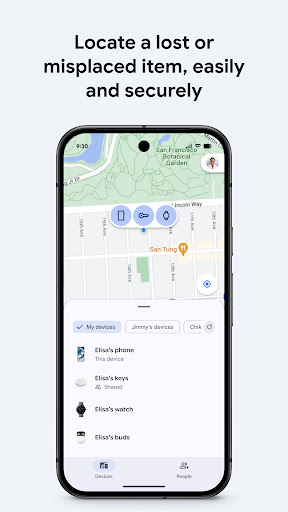
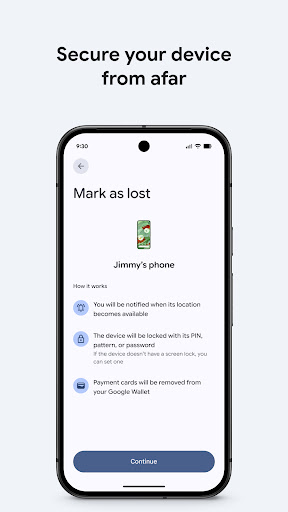
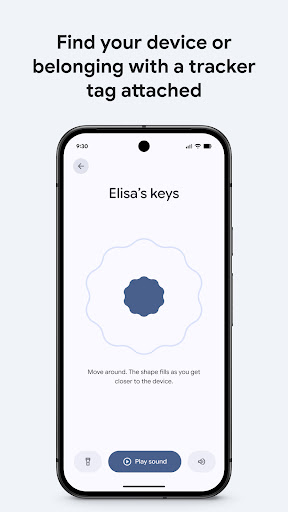
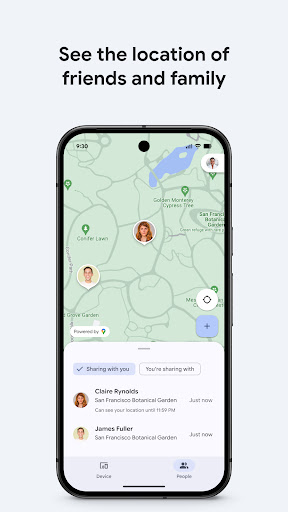
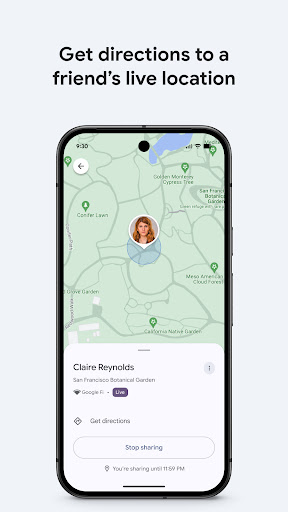
Google’s Find Hub (the rebranded Find My Device) is the company’s tool for tracking phones, tablets, headphones, and other Android accessories on a map, even when they’re offline. It also handles live location sharing with friends and family, and lets you remotely lock, erase, or display a custom message on a lost device. It’s built into the Android ecosystem, so anyone with a Google account and an Android phone is already a potential user, whether they’ve opened the app or not.
The core audience is broad: people who misplace phones at home, parents who want to check that a kid got home safe, and anyone who’s had a device stolen or lost in public. Given install numbers over 1.4 billion, this is less a niche utility and more a default safety net baked into the OS.
Where It Genuinely Delivers
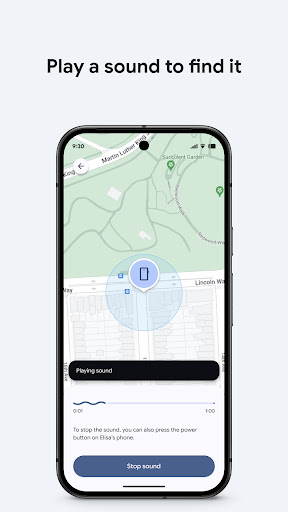
The strongest praise in user feedback centers on speed and reliability. One reviewer described losing a phone at an amusement park and using the approximate location to narrow down the search area near a specific ride, eventually recovering it. Others describe the workflow as simple: log in, pick the device from a list, play a sound, done. That simplicity matters when someone is panicking about a lost phone.
Several longtime users say they test the app periodically and that it consistently outperforms alternatives, specifically calling out Apple’s Find My and Tile trackers as less accurate or less versatile by comparison. The sound-play feature gets specific praise for being loud and distinct. For people who are chronically misplacing devices around the house, this seems to be the single most-cited everyday use case.
The Accuracy Trade-Off
Even satisfied users are quick to note that location results are approximate, not exact. That’s fine for narrowing down ‘somewhere near this ride’ but less useful if you need a precise pin. And the app is explicitly limited by physics: if a device is powered off or the battery is dead, it can’t be located in real time. One reviewer lost a phone on a subway between stations and got nothing until the phone reconnected to a network later. That’s not really a flaw unique to this app, but it’s a real limitation worth knowing going in.
Bugs and Security Concerns Worth Knowing
The most serious complaint in the review data is a security one: a user reported that their account was compromised and that their location remained visible to someone with access to their email, even after a password change. That’s a significant red flag for a location-tracking tool, and it suggests the app’s protections against unauthorized access aren’t always airtight in practice.
There’s also a reliability complaint tied to an update that made all linked Android devices vanish from the device list entirely, with no explanation. For a longtime user who relies on the app because they’re ‘notorious for forgetting where I left my phone,’ that kind of update-triggered outage undermines the core promise of the tool right when it’s needed most.
Who Should Actually Install This
If you own an Android phone, you’re arguably better off setting this up before you need it than finding out during a crisis whether it’s configured correctly. It’s free, it’s already tied to your Google account, and the everyday use case, locating a phone lost in a couch cushion or left at a restaurant, works well according to the bulk of feedback. The live location sharing feature for meetups and family check-ins is a reasonable bonus, though it’s less discussed in reviews than the device-finding function.
Just go in with realistic expectations: location is approximate, dead devices can’t be found, and it’s worth double-checking your account security settings given at least one credible report of unauthorized access. It’s a solid, free safety net, not a flawless tracking system, and the update-related bugs mean it’s smart to verify your device list shows up correctly every so often rather than assuming it always will.



