
Google Play Games

by Google LLC

3.9 ★ 13M+ reviews
6B+ Installs
07/24/2013 Released
Google Play Games icon
Entertainment

Google Play Games

by Google LLC

3.9 ★ 13M+ reviews
6B+ Installs
07/24/2013 Released
Advertisements
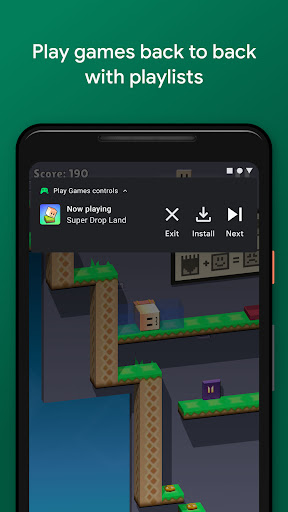
Google Play Games screenshot 1
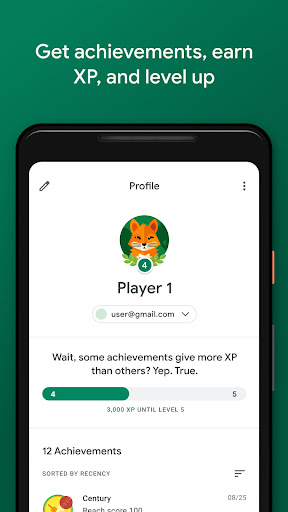
Google Play Games screenshot 2
Google Play Games screenshot 3
Google Play Games screenshot 4
Google Play Games screenshot 5
Google Play Games screenshot 6

Ratings Breakdown

3.9 ★★★★★ 13M+ ratings
5 ★ 64%
4 ★ 8%
3 ★ 6%
2 ★ 4%
1 ★ 19%

Data from Google Play at the time of writing.

What This App Actually Does

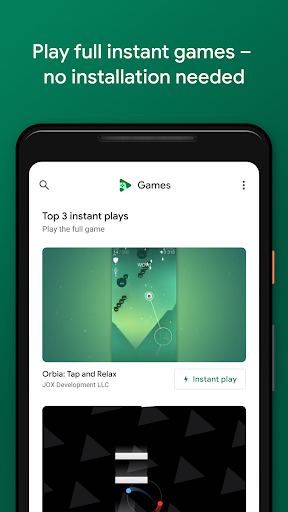
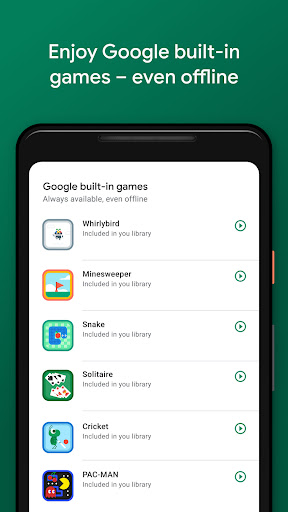
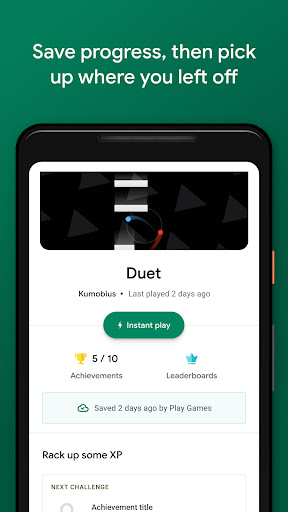
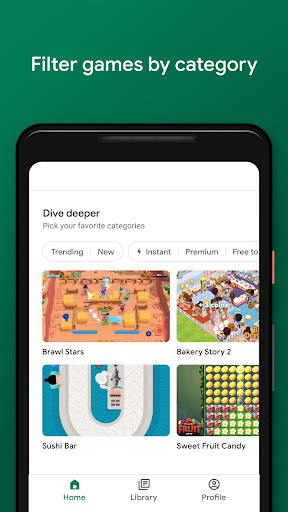
Google Play Games is Google’s hub for cloud saves, achievements, and ‘Instant play’ access to games on Android. It bundles a handful of built-in classics like Solitaire, Minesweeper, Snake, and PAC-MAN that work offline, and it acts as a gamer profile tying your progress across multiple devices together. For anyone who switches phones often, or plays the same mobile games on a tablet and a phone, the pitch is straightforward: sign in once, keep your progress everywhere.

Where It Delivers

When it works, users genuinely appreciate having a central hub for their library. One reviewer called it a five-star experience for discovering games they wouldn’t have tried otherwise, saying it changed their mind about not being a ‘gamer.’ Others echo that it’s helpful for saving progress and letting them cycle between multiple games without losing their place, which is the core promise of the app and, for a lot of people, it holds up fine on that front.

The Sign-In and Sync Problems That Keep Coming Up

The most common complaint by far is that cloud saves don’t reliably reconnect. Multiple reviewers describe logging in and having the app fail to auto-sign into their saved game, forcing a manual sign-in, a reload, and then repeating that cycle two or three more times before it sticks. Others report a scarier version of this: games simply stop launching from the app altogether, with saved progress seemingly detached, leaving people afraid they’ve lost years of progress in games they’ve played for a long time. Clearing cache, restarting the phone, and reinstalling are the go-to fixes people mention trying, with mixed success.

Update Loop and Broken Achievement List

A separate, widely reported issue is an update button that never resolves — tapping it makes the update prompt vanish and reappear in a loop, regardless of rebooting or clearing storage, with some users saying it took months for Google to address it. The achievement tracking system has also been called out as broken for extended stretches: achievements still pop up when earned, but the list view showing which ones you’ve unlocked versus which remain has reportedly stopped displaying correctly. For an app whose main value is tracking progress and leveling up, these are not minor cosmetic bugs.

Compatibility Gaps and Support Response

A few reviewers note the app doesn’t support as many games as they’d like, which limits its usefulness if your library skews toward titles outside Google’s integration. There are also complaints about the app getting stuck perpetually in a device’s download list, with customer service reportedly giving generic responses that don’t address whether it’s an Android version compatibility issue. That kind of support experience makes an already frustrating bug feel worse, since users are left guessing whether reinstalling, waiting, or giving up is the right move.

Who Should Actually Install This

If you play casual games across multiple Android devices and mostly stick to titles with strong Play Games integration, this app can genuinely deliver on convenience, and the built-in offline games are a nice bonus for downtime. But go in with realistic expectations: sign-in hiccups, update loops, and achievement tracking issues show up often enough in reviews that they’re clearly not rare edge cases. If you’re relying on it as the sole backup for years of game progress, it’s worth double-checking that saves are actually syncing before you trust it completely, and don’t be surprised if you have to sign in more than once to get things moving.


Pros

  • ✓Handy hub for tracking multiple games
  • ✓Built-in offline classics like Solitaire, PAC-MAN
  • ✓Cross-device progress syncing when it works
  • ✓Helps discover new games to try
  • ✓Gamer profile with XP and levels

Cons

  • ✕Frequent sign-in and save sync failures
  • ✕Update button gets stuck in a loop
  • ✕Achievement list display often broken

What Real Users Say

Eric Stokes ★ 1/5

“It's great if you want to play your game on multiple devices. The con, it doesn't automatically sign in to your saved game when you log in. I have to manually do it after the game loads, then the game has to reload, and guess what It doesn't work the second time or the third. 15 minutes later I'm in.…”

👍 6,786 found this helpful
Jeff Blanch ★ 3/5

“I really like that there's a hub for my games and others with lots of information. Until recently, I would have given this five stars but the achievement system has been broken for months. Achievements still pop, but a list of them (both the ones I unlocked and the ones I had yet to) used to appear when I clicked…”

👍 4,362 found this helpful
Ha No ★ 1/5

“After almost 3 months they finally fixed it! 🤦‍♂️ I click update on app and it disappears as if its going to update but then it just instantly reappears and says update. No matter how many times you click it, close all programs, reboot phone, and etc. It always does the same thing and reappears. The positive side is at…”

👍 2,562 found this helpful

Reviews sourced from Google Play, selected by helpfulness at the time of writing.

App Info & Permissions

Developer Google LLC
Content rating Teen
Contains ads Yes
Installs 6B+
Released 07/24/2013

Permissions this app requests

👥 Contacts Find accounts on the device
🪪 Identity Find accounts on the device
🎙️ Microphone Record audio

Similar Apps

Frequently Asked Questions

1

What is Google Play Games?

It's Google's app for finding, launching, and tracking progress in Android games, including some 'Instant play' titles that need no installation. It also includes built-in offline games like Solitaire, Minesweeper, Snake, and PAC-MAN. The app manages cloud saves, achievements, XP, and a gamer profile that can follow you across multiple devices.

2

Is Google Play Games free?

Yes, the app itself is free to download and use. It doesn't charge for the hub features, cloud saves, or built-in games, though individual games you access through it may have their own costs or in-app purchases. There's no subscription required just to use the core Play Games functionality.

3

Why won't my saved game load after I sign in?

This is one of the most commonly reported issues, where the app fails to auto-sign into a saved game and requires manually signing in, sometimes more than once, before progress reloads correctly. Users have had partial success clearing the app cache, restarting their phone, or reinstalling the app. There's no guaranteed fix, so it's worth backing up progress where possible if a game supports it.

4

Why does the update button keep reappearing?

Some users report an update loop where tapping update makes the prompt disappear briefly before reappearing, regardless of rebooting or clearing storage. This has reportedly taken a long time to get resolved for some users. If you hit this, try clearing the Play Store cache or waiting for a subsequent app update rather than repeatedly tapping update.

5

Does it work with all Android games?

No, only games that specifically integrate with Google Play Games services support features like cloud saves and achievements through the app. Some reviewers note wishing it covered more of their installed games. Check a game's store listing for Play Games integration before assuming your progress will sync.

