
MobiOffice: Word, Sheets, PDF

by MobiSystems

4.3 ★ 1.4M+ reviews
224M+ Installs
12/22/2011 Released
MobiOffice: Word, Sheets, PDF icon
Productivity

MobiOffice: Word, Sheets, PDF

by MobiSystems

4.3 ★ 1.4M+ reviews
224M+ Installs
12/22/2011 Released
Advertisements
MobiOffice: Word, Sheets, PDF screenshot 1
MobiOffice: Word, Sheets, PDF screenshot 2
MobiOffice: Word, Sheets, PDF screenshot 3
MobiOffice: Word, Sheets, PDF screenshot 4
MobiOffice: Word, Sheets, PDF screenshot 5
MobiOffice: Word, Sheets, PDF screenshot 6

Ratings Breakdown

4.3 ★★★★★ 1.4M+ ratings
5 ★ 73%
4 ★ 12%
3 ★ 3%
2 ★ 2%
1 ★ 11%

Data from Google Play at the time of writing.

What MobiOffice Actually Offers

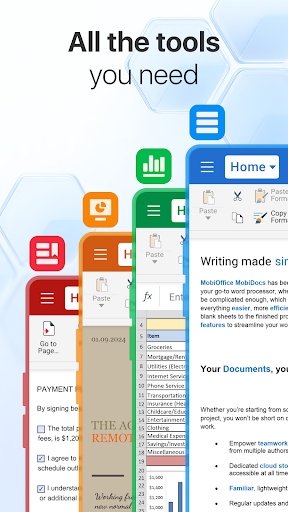
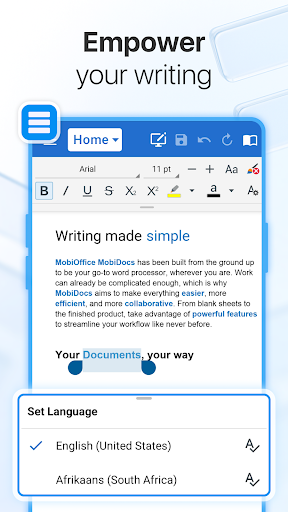
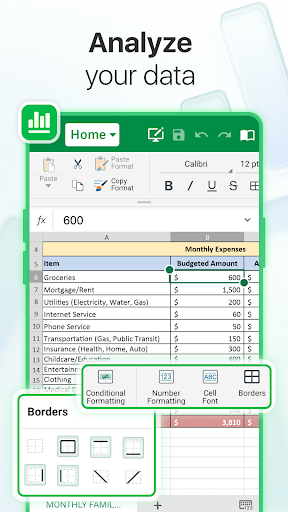
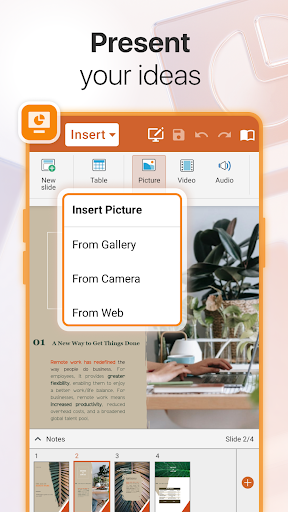
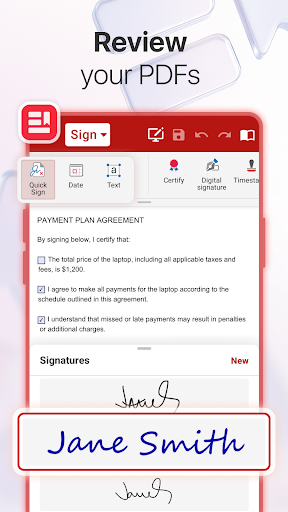
MobiOffice is a mobile office suite from MobiSystems that bundles a word processor, spreadsheet editor, presentation tool, and a PDF reader/editor into one app. It supports Microsoft Office formats, Google Docs, OpenOffice, and other common file types, and it links to cloud storage like Google Drive, OneDrive for Business, Box, Dropbox, or MobiSystems’ own MobiDrive. It’s aimed at people who need to view, edit, or convert office documents and PDFs on a phone or tablet without carrying a laptop, and who might also want a companion Windows app for cross-device work.

Where It Performs Well

Users who commit to the paid version generally report a smooth experience. One long-term paid user described it as easy to use, flexible, and very compatible with Microsoft Office files, even downloading the Windows version after being satisfied with the mobile app. For straightforward document viewing and light editing across formats, the compatibility claims hold up in practice according to this feedback, and the interface is functional once you’re past the paywalls.

The Subscription Wall Is the Real Story

The most common complaint by far is how aggressively the app pushes paid upgrades. Multiple reviewers say opening the app leads straight to a sales pitch for Premium before you can do basic tasks. One user called out that you can’t even edit or create a simple .txt file without hitting a trial or subscription prompt. Another searched for a ‘free Microsoft Office replacement’ and felt misled, pointing out that a 7-day free trial is shareware, not freeware, and that the store listing doesn’t make this distinction clear.

Frustrations Even Paying Users Report

Paying for Premium doesn’t necessarily end the friction. Several reviewers who upgraded still saw ads or repeated upgrade prompts afterward, which feels particularly unfair given they already paid. One user was upset to discover that after upgrading, additional fonts cost roughly $25 per year on top of the subscription, calling the limited default font selection a bait-and-switch. Another paying user had to leave the app entirely to save a PDF, a basic function that should work natively. A returning user who reinstalled on a new phone found they again couldn’t open a new document without being pushed toward payment, suggesting these prompts are persistent even for people with prior familiarity with the free tier’s limits.

Should You Download MobiOffice?

MobiOffice can work well if you go in already committed to paying for Premium and don’t mind ongoing subscription costs for fonts or advanced features. But if you’re hoping for a genuinely free Office alternative for basic editing, the evidence from real users suggests you’ll hit paywalls almost immediately, even for tasks as simple as editing a text file or saving a PDF. Given the volume of complaints about misleading ‘free’ messaging and ads persisting after payment, this app is best suited for users who need heavy-duty cross-platform document compatibility and are willing to pay for it upfront, rather than casual users looking for a no-cost tool.


Pros

  • ✓Broad compatibility with Office and Google formats
  • ✓Cross-platform support including Windows app
  • ✓Cloud storage linking to major providers
  • ✓Paid users report smooth, flexible editing
  • ✓PDF conversion to Word, Excel, ePub

Cons

  • ✕Aggressive upgrade prompts even after paying
  • ✕Basic editing locked behind trial or subscription
  • ✕Extra fonts cost additional yearly fee

What Real Users Say

sarah lane ★ 1/5

“I was offered a discount which was great, so I upgraded to premium. Then I found the fonts were EXTREMELY limited and they charged $25 (round figure) PER YEAR to add more fonts. I had always liked this but never upgraded as it was so expensive. Now I am seeing they are either trying to make up the discount or…”

👍 1,006 found this helpfulDeveloper responded
Caleb Anderson ★ 1/5

“Nobody should ever have to pay or "start a trial" just to edit or even create a .txt file with anything other than just a name. This app is absolute garbage considering they're wholeheartedly ready and willing to charge you for not just one-time, but a SUBSCRIPTION just to edit files of any kind. Even Microsoft was nice enough to…”

👍 740 found this helpfulDeveloper responded
Freestone Prime ★ 1/5

“I searched for "Free Microsoft Office replacement" and this app showed up. I know the store's search engine will sometimes miss words but "free" is one that apparently has multiple meanings. This has a "free" trial for 7 days. That's not freeware, that's shareware. Look it up if you have questions! During the trial period you can only view your…”

👍 720 found this helpfulDeveloper responded

Reviews sourced from Google Play, selected by helpfulness at the time of writing.

App Info & Permissions

Developer MobiSystems
Content rating Everyone
Contains ads Yes
In-app purchases $1.49 - $149.99 per item
Installs 224M+
Released 12/22/2011
Price Free

Permissions this app requests

🖼️ Photos/Media/Files Read the contents of your USB storage; modify or delete the contents of your USB storage
💾 Storage Read the contents of your USB storage; modify or delete the contents of your USB storage
📶 Wi-Fi connection information View Wi-Fi connections

Similar Apps

Frequently Asked Questions

1

What is MobiOffice: Word, Sheets, PDF?

MobiOffice is a mobile productivity suite from MobiSystems that lets you create, edit, and convert Word documents, Excel-style spreadsheets, PowerPoint-style presentations, and PDF files. It supports formats from Microsoft Office, Google Docs, OpenOffice, and others, and connects to cloud services like Google Drive, OneDrive, Box, and Dropbox. It's designed for people who need to handle office documents from a phone or tablet.

2

Is MobiOffice free to use?

MobiOffice offers a free version with ads and a 7-day free trial of Premium features, but it is not a fully free app. Multiple users report that basic tasks like editing a plain text file or saving a PDF require a trial or paid subscription. If you need full editing functionality without limits, expect to pay for a monthly or annual plan.

3

Do ads and upgrade prompts stop after upgrading to Premium?

Not always, according to user reports. Several paying customers say they still see ads or repeated prompts to subscribe even after purchasing Premium, which is one of the most common complaints about the app. This inconsistency has frustrated users who expected an ad-free experience once they paid.

4

Does MobiOffice work well with Microsoft Office files?

Based on user feedback, compatibility with Microsoft Office formats is one of the app's genuine strengths, especially for paying users. One long-term user described it as very compatible with MS Office and flexible enough to also use the Windows version. However, some users noted minor friction, like difficulty entering large spreadsheet data on smaller screens.

5

Are there hidden costs beyond the subscription price?

Yes, at least one user reported that additional fonts are sold separately for an extra yearly fee even after upgrading to Premium. This caught users off guard since font access is typically expected to be included in a paid office suite. It's worth checking exactly what's included in Premium before committing to a plan.

